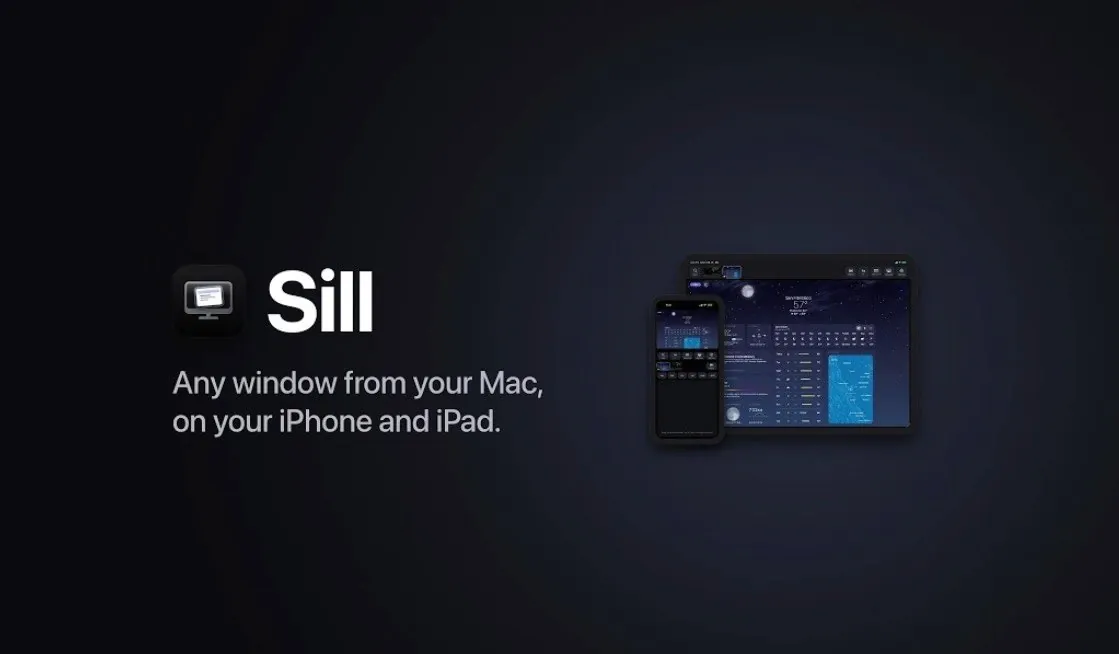
Streaming your Mac’s screen to an iPhone or iPad can significantly enhance your workflow and Sill offers a free, open source solution to make this process straightforward. Designed for macOS 14 and iOS 17 or later, Sill allows you to share either your entire desktop or specific application windows. For example, you can monitor a live spreadsheet on your iPhone while working on other tasks at your desk. With support for touch, trackpad, keyboard and Apple Pencil interactions, Sill ensures full access to macOS features like Mission Control directly from your iOS device.
Gain insight into how Sill adapts to different environments with its flexible connection options, including local networks, USB, peer-to-peer Wi-Fi and even VPN setups like Tailscale. You’ll also discover how its advanced features, such as virtual displays and adjustable streaming quality, can optimize your multitasking experience. Whether you’re setting up permissions for secure device pairing or exploring customization possibilities through its open source framework, this guide will walk you through the essentials to get started.
Stream Any Window or Desktop
TL;DR Key Takeaways :
- Sill is a free, open source app that streams your Mac’s screen (individual windows or entire desktop) to your iPhone or iPad, enhancing multitasking and productivity.
- It offers multiple connection options, including local network, USB cable, peer-to-peer Wi-Fi and VPN access, making sure flexibility for various environments.
- Security is prioritized with TLS 1.3 encryption and secure device pairing, safeguarding your data during streaming.
- Advanced features include virtual display support, adjustable streaming quality and iPhone Duo compatibility, though audio streaming is not supported.
- Sill is optimized for macOS 14+ and iOS/iPadOS 17+, with open source customization options and free availability on the App Store and official website.
Sill allows you to stream individual windows or your entire Mac desktop directly to your iPhone or iPad. This capability is particularly useful for a variety of tasks, including:
- Monitoring applications: Keep an eye on specific apps while moving around your home or office.
- Remote task management: Manage your workflow without being confined to your desk.
- Workspace extension: Expand your workspace for enhanced multitasking and efficiency.
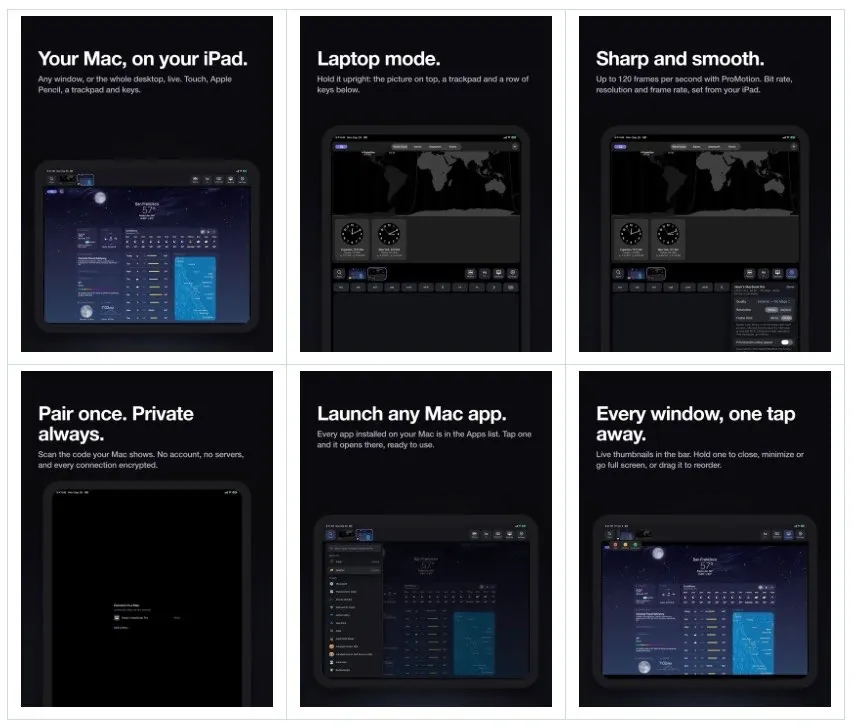
The app supports interaction with the streamed content through touch, a trackpad, a keyboard, or even an Apple Pencil. This ensures full access to macOS features like Mission Control and App Exposé, all from the convenience of your iOS device.
Flexible Connection Options
Sill offers multiple connection methods, allowing you to choose the most suitable option for your environment and needs. These include:
- Local Network: Stream over your home or office network using Bonjour-based connectivity for a seamless experience.
- USB Cable: Establish a stable and fast connection through a wired setup, ideal for high-performance streaming.
- Peer-to-Peer Wi-Fi: Connect directly between devices without requiring a shared network, making sure flexibility in various scenarios.
- VPN Access: Use VPN solutions like Tailscale to stream securely and remotely when outside your local network.
These options make Sill adaptable to diverse use cases, from home offices to remote work environments, making sure uninterrupted productivity.

Explore further guides and articles from our vast library that you may find relevant to your interests in macOS.
- Apple Releases macOS 26.6 Tahoe With Important Security Features
- macOS 27 Golden Gate: the First Things You Need to Do Right Now
- New iOS 27 Beta 5 Release Arrives with a Big Shift Coming
- macOS 27 is Here: Apple Silicon Just Got Its Biggest Upgrade Yet
- Apple Releases macOS 27 RC: Everything New in the Update
- Apple Releases macOS 27.0.1 with New Changes Available Now
- The macOS 27 Beta 5 Release is Out: All the New Features
- macOS 27 Beta 6 is Now Available: All the Latest Features
- Updating Your Mac to macOS 27? The Key Changes to Know
- 10 Essential Features to Try First in macOS 27 Golden Gate
Security You Can Trust
Sill places a strong emphasis on privacy and data security. It employs TLS 1.3 encryption to safeguard your connection, making sure that your streamed content remains private and protected from unauthorized access. Additionally, secure device pairing is required before streaming, adding an extra layer of security. This combination of encryption and pairing ensures a safe and reliable user experience.
Compatibility and System Requirements
Sill is optimized to work seamlessly within Apple’s ecosystem, making sure compatibility with the latest hardware and software. To use Sill, you’ll need:
- macOS 14 or later: Compatible with Apple Silicon Macs for optimal performance.
- iOS 17 or iPadOS 17: Required on your iPhone or iPad to access the app’s features.
This ensures that Sill delivers smooth performance while using the newest advancements in Apple’s technology.
Advanced Features for Enhanced Productivity
Sill includes several advanced features designed to improve your streaming experience and boost productivity:
- Virtual Display: Create a virtual display for uninterrupted streaming without affecting your primary screen, ideal for multitasking.
- Adjustable Quality: Optimize streaming quality based on your network conditions to maintain smooth performance and reduce latency.
- iPhone Duo Support: Use hinge-based display modes for flexible viewing on compatible devices, enhancing usability.
While Sill does not currently support audio streaming, its focus on visual interaction ensures a streamlined and efficient tool for productivity-focused tasks.
Setup and Permissions
To get started with Sill, you’ll need to configure specific permissions on your devices to ensure proper functionality and security. These include:
- On Mac: Enable Screen Recording and Accessibility permissions to allow streaming from your desktop or individual windows.
- On iPhone/iPad: Grant Local Network and camera access to assist secure device pairing and connectivity.
These permissions are essential for the app to operate effectively while maintaining a secure environment for your data.
Open Source and Customization
Sill is entirely open source and developed using Xcode, offering users the freedom to customize the app to suit their specific needs. The source code is publicly available, allowing developers to contribute to its improvement or tailor it for unique use cases. For those who prefer a ready-to-use solution, Sill is available for free on the App Store for iPhones and iPads, while the Mac version can be downloaded directly from the official website.
Limitations to Consider
While Sill provides a robust and versatile streaming solution, it does have a few limitations to keep in mind:
- Single Stream Limitation: Only one window or desktop can be streamed at a time, which may restrict multitasking for some users.
- No Audio Streaming: The app focuses exclusively on visual interaction, which means audio streaming is not supported.
These limitations are intentional, allowing Sill to maintain a streamlined and reliable visual streaming experience.
Why Sill is a Valuable Tool
Sill stands out as a powerful, secure and versatile application for streaming your Mac’s windows or desktop to an iPhone or iPad. With its multiple connection methods, advanced features and open source flexibility, Sill caters to a wide range of use cases. Whether you’re working remotely, presenting on the go, or simply looking to extend your workspace, Sill offers a reliable and efficient way to enhance your productivity and make the most of your Apple devices.
Media Credit: Sill
Disclosure: Some of our articles include affiliate links. If you buy something through one of these links, Geeky Gadgets may earn an affiliate commission. Learn about our Disclosure Policy.
