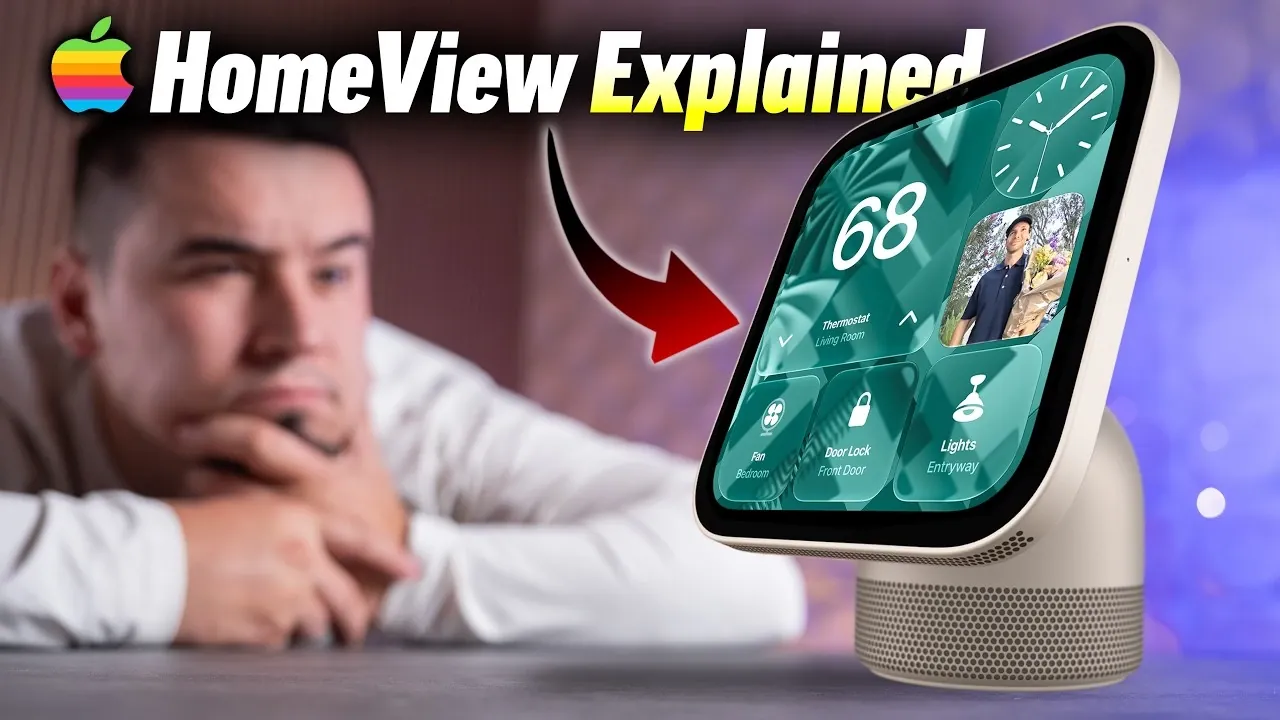
Apple’s HomeView represents a significant step in the evolution of smart home technology, designed to enhance home management, communication, and entertainment. With its sleek, compact design and seamless integration into the Apple ecosystem, it aims to simplify daily routines while offering a centralized hub for smart home control. However, while the device introduces several noteworthy features, it also comes with certain limitations that may influence its appeal depending on your specific needs. The video below from Max Tech gives us more information aboutr the new Apple HomeView.

Top Features of the Apple HomeView
The Apple HomeView is equipped with a range of features that cater to modern smart home demands. Its functionality and design reflect Apple’s commitment to innovation and user-centric technology. Below are its most notable capabilities:
- Elegant, Compact Design: The HomeView’s 7-inch square display is inspired by the iconic iMac G4, combining minimalism with functionality. Available in four colors, it seamlessly integrates into various home aesthetics, making it both a practical and stylish addition to your living space.
- Personalized Family Profiles: Supporting up to six user profiles, the HomeView uses facial and voice recognition to deliver tailored experiences for each family member. Proximity detection ensures that apps, preferences and data adjust automatically as users move through the home.
- Centralized Smart Home Control: Acting as a hub for HomeKit-enabled devices, the HomeView offers a customizable control panel. Users can monitor live feeds from up to nine cameras simultaneously, providing an efficient way to manage home security and automation.
- FaceTime Integration: The device features a 12MP Center Stage camera, allowing hands-free, high-quality video calls. This functionality is particularly useful in communal spaces like kitchens or living rooms, where multitasking is common.
- Smart Speaker with Spatial Audio: The HomeView doubles as a smart speaker, equipped with a down-firing subwoofer and two full-range speakers. Its spatial audio capabilities deliver an immersive sound experience, ideal for music, podcasts and other audio content.
- Enhanced Siri Functionality: Siri on the HomeView offers on-screen responses and improved contextual awareness. Features such as recipe searches, task management and smart home commands make it a versatile assistant for daily tasks.
- Digital Photo Frame: The HomeView can sync with shared photo albums, transforming into a high-quality digital photo frame. It displays slideshows of your favorite memories, adding a personal touch to its functionality.
- Seamless Media Handoff: With the handoff feature, users can effortlessly transfer media playback from their iPhone to the HomeView. This includes music, podcasts and audiobooks, making sure uninterrupted entertainment.
- On-Screen Messaging: The HomeView allows users to send text messages directly from its interface using an on-screen keyboard or Siri. This eliminates the need to rely on a separate device for quick communication.
- Nightstand Mode: Designed for bedside use, this mode adjusts the display brightness and shows customizable information such as the time, weather, or notifications. It can also monitor security cameras, providing peace of mind while you sleep.
Challenges and Limitations
While the Apple HomeView offers a range of advanced features, it is not without its drawbacks. These limitations may affect its suitability for users seeking a more comprehensive smart home or entertainment solution:
- Lack of Video Playback: The HomeView does not support video streaming apps such as Apple TV or YouTube. This omission limits its entertainment capabilities, particularly for users who might expect an all-in-one media hub.
- No App Store Access: The device is restricted to Apple’s native apps, with no option to install third-party applications or games. This lack of flexibility may be a drawback for users accustomed to more open ecosystems.
- Wall-Mount Model Limitations: The wall-mounted version of the HomeView lacks certain hardware features, including the subwoofer and passive radiators found in the standard model. Additionally, it does not come with a power cable or wall mount, requiring users to purchase these components separately.
Apple HomeView: A Balanced Perspective
The Apple HomeView is a compelling addition to the smart home market, offering a blend of innovative features, elegant design and deep integration with the Apple ecosystem. Its strengths lie in its ability to centralize smart home management, enhance communication and provide a personalized user experience. For users already invested in Apple’s ecosystem, the HomeView serves as a natural extension of their existing devices, streamlining daily tasks and improving connectivity.
However, the device’s limitations, such as the absence of video playback and restricted app flexibility, may deter those seeking a more versatile entertainment solution. Additionally, the hardware differences in the wall-mounted model and the lack of included installation accessories could be a consideration for potential buyers.
Ultimately, the Apple HomeView is best suited for individuals prioritizing smart home control, seamless Apple integration and enhanced communication tools. While it may not fulfill every entertainment need, its robust feature set and intuitive design make it a valuable addition to any Apple-centric smart home setup.
Uncover more insights about Smart home management in previous articles we have written.
- Samsung SmartThings Gets Smarter: Samsung Unveils New Features for Seamless Living
- What’s New in SmartThings: Samsung Just Dropped a Major Update
Source & Image Credit: Max Tech
Disclosure: Some of our articles include affiliate links. If you buy something through one of these links, Geeky Gadgets may earn an affiliate commission. Learn about our Disclosure Policy.
