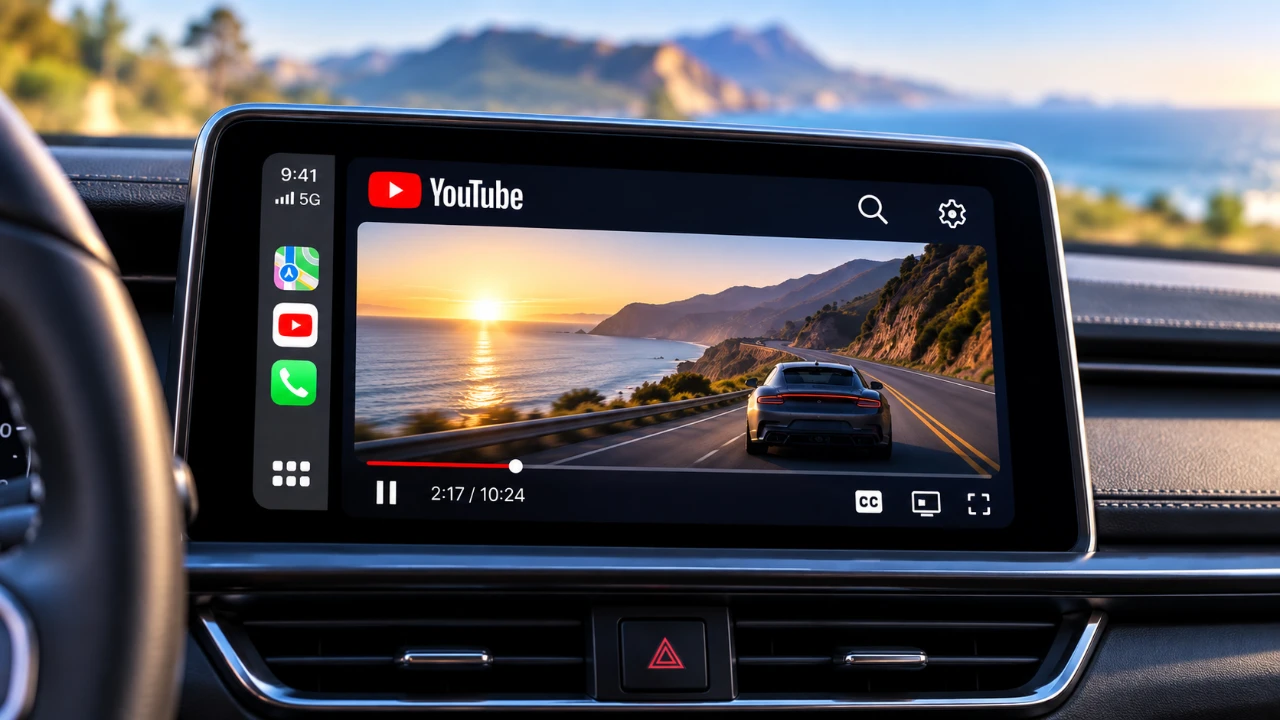
Apple CarPlay has transformed in-car infotainment by seamlessly integrating your iPhone with your vehicle’s display. However, many users may not fully realize its potential, particularly when it comes to video streaming and web browsing. The Car TV app expands CarPlay’s capabilities, offering features like video playback, a built-in web browser, and a customizable interface. While these additions enhance convenience and entertainment, they also introduce important considerations regarding safety, compatibility, and functionality. The video below from HotshotTek gives us more details on using YouTiube with Apple CarPlay.

What is the Car TV App?
The Car TV app is a versatile application designed to work seamlessly with Apple CarPlay, enhancing its functionality beyond traditional navigation and music playback. It allows users to stream videos from platforms such as YouTube, offering full-screen playback for a more immersive experience. Additionally, the app includes a built-in web browser, allowing passengers to access websites like Amazon or check emails directly from the car’s infotainment system. This combination of entertainment and utility makes the Car TV app a valuable tool for those seeking to maximize their CarPlay experience.
Beyond its core features, the app also offers a customizable interface, allowing users to adjust borders and layouts to suit their preferences. This personalization ensures that the app integrates smoothly with various vehicle display configurations, making it a flexible addition to your in-car setup.
Compatibility and Performance
The Car TV app is optimized for iOS 27, making sure reliable performance on supported devices. However, it is important to note that the app does not currently support beta versions, such as iOS 27.2 beta 3. This limitation may affect users who are testing Apple’s latest updates, as the app’s functionality could be restricted in such cases.
Testing has demonstrated that the app performs well across a range of devices, including the iPhone 13 Mini and iPhone 18 Pro. This adaptability highlights its compatibility with both older and newer hardware, making it accessible to a broad audience of CarPlay users. However, users should ensure their devices are running stable iOS versions to avoid potential performance issues.
Key Features of the Car TV App
The Car TV app offers a variety of features designed to enhance your in-car experience. These include:
- Video Streaming: Enjoy seamless video playback from platforms like YouTube, complete with full-screen functionality for an engaging viewing experience.
- Web Browsing: Access websites directly through the app’s built-in browser, allowing passengers to shop online, check emails, or browse the internet with ease.
- Customizable Interface: Adjust the app’s layout and borders to create a personalized display that complements your vehicle’s infotainment system.
While the app excels in video streaming from YouTube, its compatibility with other platforms such as Tubi and Paramount Plus is inconsistent. In some cases, users may encounter issues where only audio plays, or the video fails to load entirely. These limitations underscore the need for further development to improve compatibility with a wider range of streaming services.
Safety Considerations
One of the app’s most debated features is its ability to bypass Apple’s built-in safety restrictions, allowing video playback even while the vehicle is in motion. While this functionality may appeal to some users, it raises significant safety concerns. Watching videos while driving is a major distraction and poses serious risks to both the driver and others on the road.
It is crucial to use the Car TV app responsibly, limiting video playback to passengers only. Apple’s restrictions are designed to prioritize safety and adhering to these guidelines is essential for making sure a secure driving environment. Drivers should focus solely on operating the vehicle, leaving entertainment features for passengers to enjoy.
Subscription Model and Cost
The Car TV app operates on a freemium model, offering basic features at no cost while providing an optional subscription for advanced capabilities. This approach allows users to explore the app’s core functionality without any financial commitment. For those seeking additional features, the subscription unlocks enhanced options, making it a flexible choice for a wide range of users.
The freemium model ensures accessibility while also catering to users who desire more robust functionality. However, potential subscribers should evaluate whether the premium features align with their needs before committing to the additional cost.
Limitations and Future Updates
Despite its innovative features, the Car TV app has certain limitations that may affect the user experience. Full-screen functionality can vary depending on the vehicle’s display settings and the app’s compatibility with some streaming platforms remains inconsistent. These issues highlight areas where the app could benefit from further refinement.
As Apple CarPlay continues to evolve, future updates to the Car TV app may address these shortcomings. Developers could introduce improved compatibility with a broader range of streaming services, enhanced performance on beta iOS versions and additional customization options. These updates would further solidify the app’s position as a valuable tool for CarPlay users.
Maximizing Your CarPlay Experience
The Car TV app represents a significant enhancement to Apple CarPlay, offering features that go beyond traditional infotainment capabilities. With video streaming, web browsing and a customizable interface, it provides passengers with a more engaging and versatile in-car experience. However, users must remain mindful of safety considerations and the app’s current limitations.
For those seeking to expand their CarPlay functionality, the Car TV app is a compelling option. By using it responsibly and staying informed about updates, you can make the most of this innovative tool while making sure a safe and enjoyable journey.
Discover other guides from our vast content that could be of interest on Apple CarPlay.
- iOS 27 Lets You Watch YouTube on Apple CarPlay: How It Works
- iOS 27 RC is Out: CarPlay Adds Video Streaming and New Siri
- iOS 27 Apple CarPlay Tested: the Best Upgrades for Your Car’s Dashboard
- How to Stream YouTube on Apple CarPlay Before Apple Blocks It
- Apple CarPlay’s 2026 Overhaul: Dashboard Upgrades to Try
- Apple CarPlay Evolution: iOS 18 vs. iOS 26
Source: HotshotTek
Disclosure: Some of our articles include affiliate links. If you buy something through one of these links, Geeky Gadgets may earn an affiliate commission. Learn about our Disclosure Policy.
