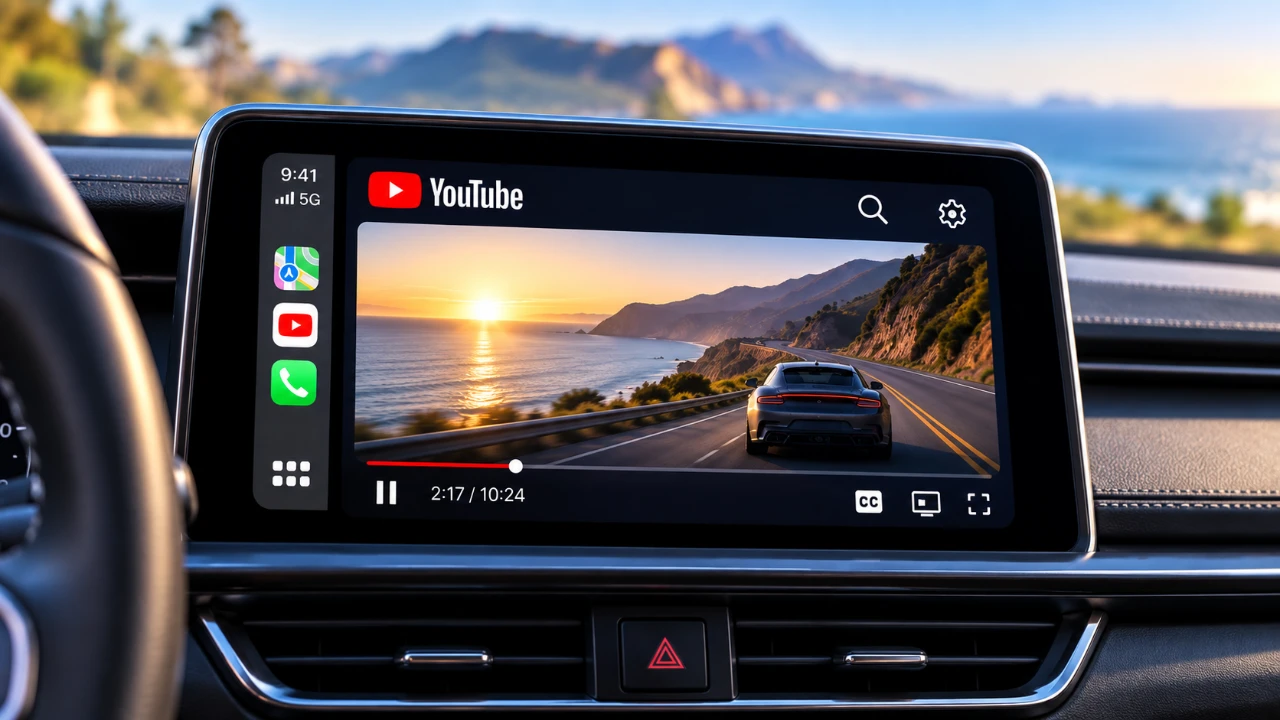
Apple’s iOS 27 introduces a highly anticipated feature for CarPlay users: the ability to stream YouTube videos directly on your car’s infotainment display using a third-party app. This new functionality is powered by the beta app “Cafari”, which integrates seamlessly with CarPlay-enabled vehicles. Importantly, this feature does not require any additional hardware or aftermarket modifications, making it accessible to a wide range of users. To prioritize safety, video playback is restricted to when the vehicle is parked, reflecting Apple’s ongoing commitment to road safety and responsible technology use. The video below from HotshotTek gives us more details on how this works.

How Video Streaming Works on CarPlay
The “Cafari” app serves as the backbone of this new feature, allowing YouTube streaming on CarPlay. If your vehicle supports wireless CarPlay, you can use “Cafari” to access YouTube videos directly through your car’s infotainment system. Unlike previous third-party solutions that often required cumbersome setups or external devices, “Cafari” offers a native integration with CarPlay, making sure a smooth and user-friendly experience.
Once installed, “Cafari” allows you to stream videos while your car is stationary, making it particularly useful in scenarios such as waiting in a parked vehicle or during extended stops. The app’s intuitive design and compatibility with built-in CarPlay systems ensure that users can easily navigate its features without technical complications. This simplicity makes it an appealing option for both tech-savvy users and those less familiar with advanced in-car technology.
Limitations and Safety Measures
While the ability to stream YouTube on CarPlay is a significant enhancement, it comes with critical restrictions to ensure safety. Video playback is only enabled when the vehicle is parked, and the app automatically disables streaming if the car exceeds 25 mph. This speed-based restriction is a deliberate measure to prevent distractions and to keep drivers focused on the road, aligning with Apple’s safety-first philosophy.
Currently, the app’s functionality is limited to YouTube. Other popular streaming platforms, such as Netflix and Amazon Prime Video, are not supported due to browser-based restrictions that prevent their playback on CarPlay. This limitation underscores the app’s primary focus on YouTube, which remains one of the most widely used platforms for video content. While this may disappoint users hoping for broader compatibility, it ensures that the app remains streamlined and optimized for its intended purpose.
Features of the “Cafari” App
To access “Cafari,” users must first download the TestFlight app, which facilitates beta testing. Once installed, “Cafari” offers a range of features designed to enhance the video streaming experience on CarPlay. These include:
- Video resolution and frame rate displays to monitor streaming quality and ensure optimal playback.
- Seamless integration with CarPlay, providing a straightforward and intuitive user experience.
- Playback controls specifically optimized for in-car use, allowing for easy navigation and control.
As a beta app, “Cafari” is still in development and some users have reported minor issues. For instance, a green border may occasionally appear around the video display, which some find intrusive. These quirks are expected to be addressed in future updates as the developers refine the app based on user feedback. Despite these minor setbacks, “Cafari” offers a promising glimpse into the future of in-car entertainment.
Addressing Safety Concerns
The introduction of video streaming on CarPlay naturally raises questions about driver safety. Apple has implemented strict measures to mitigate potential risks, including disabling video playback when the car is in motion. These safeguards are designed to prevent distractions and to promote responsible usage of the feature.
As a user, it is essential to adhere to these guidelines to ensure your safety and that of others on the road. While the ability to stream YouTube videos adds convenience and entertainment, it should never interfere with your focus while driving. By using the feature responsibly, you can enjoy its benefits without compromising safety.
Challenges and Known Issues
As with any beta software, “Cafari” is not without its challenges. Some users have reported occasional glitches, such as videos continuing to play while the car is moving, although these instances appear to be rare. Additionally, the app’s casting functionality is somewhat limited, with certain apps unable to stream content to CarPlay. These issues highlight the app’s beta status and the need for further refinement.
Both Apple and the developers behind “Cafari” are actively working to address these concerns. Future updates are expected to resolve these issues, delivering a smoother and more reliable experience for users. While the current limitations may be frustrating for some, they are a natural part of the development process and are likely to improve over time.
Looking Ahead: The Future of CarPlay Entertainment
The release of iOS 27 marks a significant milestone for CarPlay, introducing video streaming capabilities while maintaining a strong emphasis on safety. With the “Cafari” app, users can now enjoy YouTube videos on their car’s display without the need for additional hardware or complex setups. However, the feature is carefully designed to prevent distractions, with playback restricted to parked vehicles.
Although “Cafari” is still in its beta phase and has some limitations, it represents a step forward in the evolution of in-car entertainment. As Apple and developers continue to refine the app, there is potential for broader compatibility with other streaming platforms and further enhancements to usability. For now, “Cafari” provides an innovative solution for CarPlay users, balancing convenience with responsibility and offering a glimpse into the future of connected driving experiences.
Unlock more potential in Apple CarPlay by reading previous articles we have written.
- iOS 27 RC is Out: CarPlay Adds Video Streaming and New Siri
- Apple CarPlay’s 2026 Overhaul: Dashboard Upgrades to Try
- Every New Apple CarPlay Feature Coming in iOS 27
- Apple Keeps Refining CarPlay: Every New Change Found in iOS 27 Beta 6
- Apple Just Tweaked CarPlay Again in iOS 27 Public Beta 2
- Unlock YouTube on Apple CarPlay: The No-Jailbreak Method You Need to Know
Source: HotshotTek
Disclosure: Some of our articles include affiliate links. If you buy something through one of these links, Geeky Gadgets may earn an affiliate commission. Learn about our Disclosure Policy.
