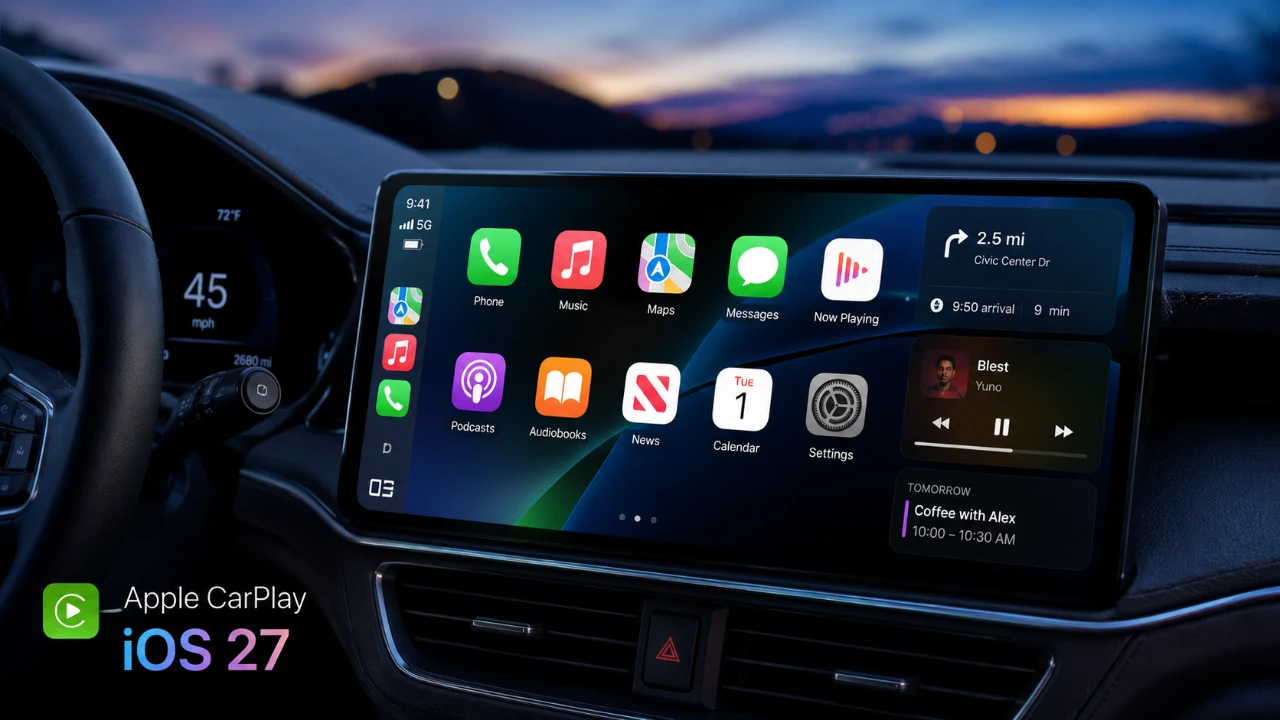
Apple’s iOS 27 introduces a fantastic update to CarPlay, redefining how drivers interact with their vehicle’s infotainment systems. This update emphasizes usability, safety, and personalization, delivering a more seamless and engaging driving experience. From enhanced media controls to smarter AI integration, the latest CarPlay features are designed to keep you connected and focused on the road. Here’s a detailed look at the key updates. The video below from Nikias Molina give us a look at the latest Apple CarPlay features.

Enhanced Media Controls for Seamless Listening
The updated CarPlay media controls prioritize precision and ease of use, making sure a safer and more enjoyable in-car entertainment experience. Key improvements include:
- Audio Scrubbing: Navigate through songs, podcasts, or radio broadcasts with pinpoint accuracy. Whether you’re skipping to your favorite part or replaying a missed moment, this feature ensures effortless control.
- Redesigned Mini-Player: A simplified layout makes pausing, skipping and navigating tracks more intuitive. The streamlined design minimizes distractions, helping you stay focused on the road.
These enhancements make managing your media easier and safer, making sure your attention remains where it belongs, on driving. Whether you’re enjoying a playlist or catching up on a podcast, the improved controls offer a smoother, distraction-free experience.
A Modernized and Personalized Interface
The interface redesign in iOS 27 introduces a sleek, modern aesthetic that combines visual appeal with practical functionality. Key updates include:
- Liquid Glass Design: Enhanced transparency and refraction effects improve visual clarity while adding a polished, futuristic look.
- Updated App Icons: Icons now align with the new design language, creating a cohesive and visually appealing experience.
- Customizable Wallpapers: Choose from a variety of light and dark themes to personalize your CarPlay environment to your taste.
This redesign not only improves the visual appeal but also ensures that the interface remains user-friendly and adaptable to your preferences. The combination of aesthetics and functionality makes navigating your infotainment system more intuitive than ever.
Siri AI Integration: Smarter, Hands-Free Assistance
Siri’s enhanced AI capabilities take center stage in iOS 27, offering a more intelligent and interactive experience. Key features include:
- Contextual Conversations: A dedicated Siri app allows you to ask follow-up questions and retrieve information from messages, emails and more.
- Navigation Assistance: Siri can set routes, suggest alternative paths based on traffic and locate nearby stops like gas stations or coffee shops, all hands-free.
- Real-Time Updates: Receive traffic alerts and route adjustments without needing to manually check your screen.
This integration ensures you have the information you need, when you need it, while keeping your hands on the wheel and your eyes on the road. Siri’s smarter capabilities make it easier to manage tasks and stay informed without distractions.
Improved Navigation and On-Screen Awareness
Navigation in CarPlay receives a significant upgrade, combining real-time updates with seamless Apple Maps integration. Highlights include:
- Hands-Free Navigation: Siri provides turn-by-turn directions and suggests stops along your route, such as gas stations or rest areas, without requiring manual input.
- Real-Time Adjustments: Stay informed about traffic conditions and receive alternative route suggestions to save time and avoid delays.
These features enhance safety and convenience, making sure you reach your destination efficiently and stress-free. Whether navigating through city traffic or planning a long road trip, the improved navigation tools provide a reliable and user-friendly experience.
Expanded Customization Options
Personalization is a cornerstone of the iOS 27 update, allowing you to tailor CarPlay to your unique preferences. New customization options include:
- Choose from a broader range of wallpapers in various colors and styles to match your mood or vehicle interior.
- Customize app icons to create a CarPlay interface that reflects your personality and preferences.
These options go beyond aesthetics, making the system feel uniquely tailored to you while maintaining its functionality. The ability to personalize your interface ensures that CarPlay feels like an extension of your own style.
Streamlined User Experience
The overarching goal of these updates is to simplify and enhance your driving experience. By integrating intuitive design with advanced voice command technology, CarPlay allows you to:
- Effortlessly manage media, messages, and navigation.
- Stay focused on driving with hands-free functionality.
- Enjoy a more personalized and visually appealing interface.
These improvements make CarPlay a more reliable and user-friendly companion, whether you’re on your daily commute or a long road trip. By blending innovative technology with practical functionality, Apple continues to set the standard for in-car infotainment systems.
Become an expert in Apple CarPlay Updates with the help of our in-depth articles and helpful guides.
- Apple Isn’t Done with CarPlay: What Just Changed in iOS 27 Beta 8
- Apple CarPlay in iOS 27: Native Video Streaming and Siri AI Upgrades Detailed
- Apple Just Overhauled CarPlay in iOS 27 Beta 7 — Here’s What Changed
- Secret CarPlay Updates Discovered Inside iOS 27 Beta 5
- Apple Releases iOS 27 Public Beta 3 with CarPlay Changes
Source & Image Credit: Nikias Molina
Disclosure: Some of our articles include affiliate links. If you buy something through one of these links, Geeky Gadgets may earn an affiliate commission. Learn about our Disclosure Policy.
