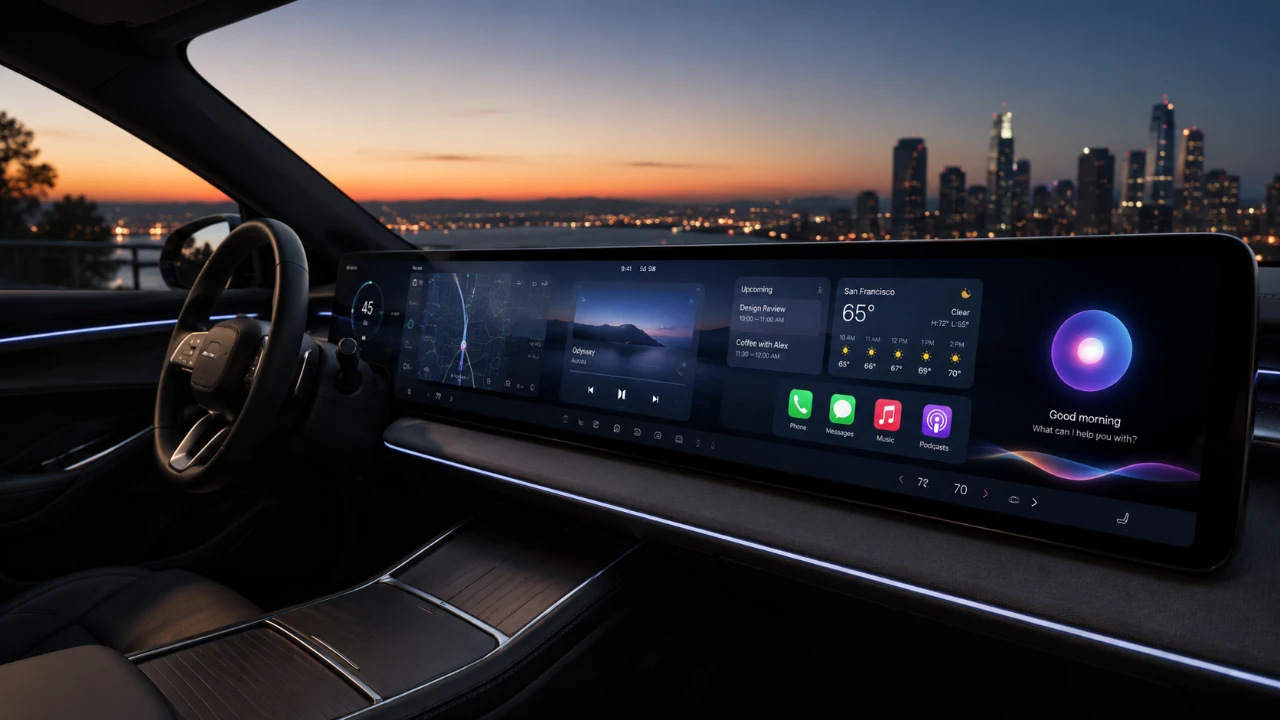
Apple’s iOS 27 brings a comprehensive overhaul to CarPlay, redefining how drivers interact with their vehicle’s infotainment systems. With advancements in Siri AI, navigation, media playback, and wireless connectivity, this update focuses on enhancing usability, safety, and personalization. Whether you’re navigating your daily commute or embarking on a long road trip, iOS 27 aims to deliver a more seamless and enjoyable driving experience. The video below from 9 to 5 Mac gives us more details about the updated Apple CarPlay with iOS 27.

Advanced Siri AI for Natural and Contextual Interactions
One of the standout features of iOS 27 is the significant upgrade to Siri’s artificial intelligence. Siri now supports conversational interactions, allowing for more natural and intuitive communication. This enhancement enables drivers to perform tasks like setting navigation routes, managing schedules, or retrieving information with greater ease and accuracy.
Key improvements include:
- Seamless cross-device integration with iOS, iPadOS, and macOS, allowing tasks to transition effortlessly between devices and CarPlay.
- Multiple activation methods, such as voice commands, steering wheel buttons, or dashboard controls, offer flexibility and convenience.
These updates ensure that Siri is more responsive and adaptable, helping you stay focused on the road while efficiently managing tasks.
Enhanced Navigation with Real-Time Precision
Navigation capabilities in CarPlay have been significantly refined in iOS 27, offering real-time accuracy and improved reliability. Apple Maps now provides faster route calculations, enhanced heading precision, and live updates to keep you informed of traffic conditions and road changes. Additionally, iOS 27 expands compatibility with third-party navigation apps like Google Maps and Waze, giving users the freedom to choose their preferred platform.
These upgrades are designed to reduce frustration and ensure smoother journeys, whether you’re navigating through complex urban areas or planning a cross-country trip.
Improved Media Playback and Multitasking Features
Listening to music, podcasts, or audiobooks while driving is now more intuitive and user-friendly. iOS 27 introduces several updates to enhance media playback and multitasking capabilities, making sure that entertainment remains accessible without compromising safety.
Notable updates include:
- Precise audio scrubbing controls allow users to navigate through tracks or podcasts with greater accuracy.
- A persistent mini-player that provides quick access to playback controls without disrupting other tasks, such as navigation or messaging.
These features make it easier to manage your media while keeping your attention on the road, offering a safer and more enjoyable in-car experience.
Seamless and Reliable Wireless Connectivity
Wireless CarPlay connectivity has been further optimized in iOS 27, delivering a more stable and efficient connection. Faster pairing times and reduced interruptions ensure that your iPhone connects effortlessly to your vehicle, eliminating the need for cables. This improvement is particularly beneficial for drivers who prioritize convenience and a clutter-free environment.
Expanded Customization Options for a Personalized Experience
iOS 27 introduces new ways to personalize the CarPlay interface, allowing users to tailor the system to their preferences. Drivers can now choose from nine new wallpapers, adding a touch of individuality to their in-car experience. While this may seem like a small addition, it reflects Apple’s commitment to creating a more engaging and user-centric platform.
Potential for Native Video Streaming Integration
One of the most intriguing possibilities in iOS 27 is the potential support for native video streaming apps like Netflix and YouTube. Although this feature depends on collaboration with app developers and vehicle manufacturers, its inclusion could transform long road trips by providing passengers with access to their favorite streaming platforms. This development highlights Apple’s intent to expand CarPlay’s entertainment capabilities beyond traditional media.
Refined User Interface for a Smoother Experience
The overall CarPlay interface has been polished to deliver a more fluid and intuitive user experience. Screen transitions are smoother, touch inputs are more responsive, and menu navigation feels effortless. These refinements align CarPlay with Apple’s broader design philosophy, making sure consistency and ease of use across its ecosystem.
Why iOS 27 is a Fantastic option for CarPlay Users
With iOS 27, Apple has elevated CarPlay into a more powerful and versatile in-car system. The updates to Siri AI, navigation, media playback, and wireless connectivity are designed to enhance safety, convenience, and enjoyment. Additionally, the introduction of customization options and the potential for video streaming demonstrate Apple’s focus on creating a more personalized and connected driving experience.
Whether you’re a daily commuter or a road trip enthusiast, iOS 27 ensures that CarPlay remains an indispensable part of your journey. These advancements not only improve functionality but also set a new benchmark for in-car technology, making driving safer, smarter, and more enjoyable.
Discover other guides from our vast content that could be of interest on Apple CarPlay.
- The Apple CarPlay Widgets Every iOS 26 User Needs to Enable Right Now
- Apple CarPlay 2.0: 5 Massive New Features Including Native ChatGPT Support
- What Apple Secretly Added to CarPlay in iOS 27 Beta 2
- How to Finally Watch Videos on Apple CarPlay in iOS 27
- Why the iOS 27 CarPlay Update Will Change How You Drive
- What Apple’s Massive New CarPlay Update Means for Your Dashboard
Source: 9to5Mac
Disclosure: Some of our articles include affiliate links. If you buy something through one of these links, Geeky Gadgets may earn an affiliate commission. Learn about our Disclosure Policy.
