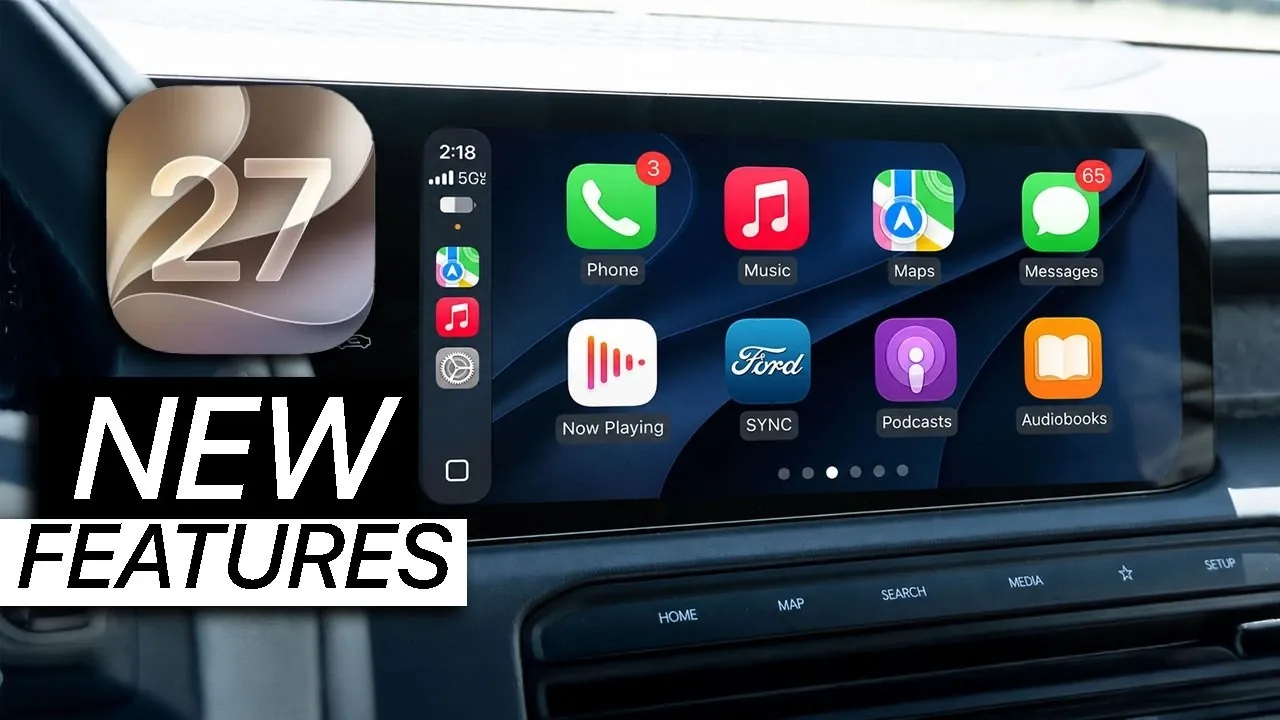
Apple’s iOS 27 developer beta introduces a range of updates to its CarPlay platform, focusing on visual refinements and usability improvements. While these changes are evolutionary rather than new, they underscore Apple’s commitment to enhancing the in-car experience. Below is a detailed exploration of the new features, design updates, and their implications for users. The video below from HotshotTek gives us more details about Apple CarPlay in iOS 27.

UI Enhancements: A Sleeker, More Modern Interface
One of the most notable updates in iOS 27 CarPlay is the introduction of a “liquid glass” design. This aesthetic upgrade brings depth and fluidity to app icons and UI elements, creating a polished and modern look. Core apps such as Apple Music, Podcasts and Apple Maps have been redesigned to align with this new visual language, making sure a consistent and immersive experience.
On the dashboard, subtle fade effects now enhance transitions between screens, making navigation feel smoother and more intuitive. Even small details, such as the updated battery percentage display, contribute to a more refined interface. These enhancements aim to make your interactions with CarPlay more seamless and visually engaging, making sure that the platform remains both functional and aesthetically pleasing.
Apple Music: Streamlined Navigation for Music Lovers
For those who rely on Apple Music during their drives, iOS 27 CarPlay introduces a refreshed interface designed for ease of use. The updated layout mirrors the iPhone version, allowing you to quickly access albums, playlists and recently played tracks. This streamlined navigation reduces the time spent searching through menus, allowing you to focus on enjoying your music.
The interface also prioritizes larger touch targets and clearer labels, making it easier to interact with while driving. Whether you’re queuing up a playlist or revisiting a favorite album, these updates ensure a more efficient and enjoyable music playback experience.
Apple Maps: Cleaner, Simpler Navigation
Apple Maps in iOS 27 CarPlay benefits from subtle refinements that enhance usability. A redesigned back arrow improves clarity, making it easier to navigate through routes and menus. While no major features like satellite view or advanced navigation tools have been introduced, the focus on simplicity and clarity ensures a smoother user experience.
These updates, though modest, contribute to a cleaner interface that prioritizes functionality. Whether you’re commuting to work or embarking on a road trip, the improved design makes Apple Maps a more reliable companion for your journeys.
Wallpapers: Limited Personalization Options
Customization enthusiasts will notice the addition of new light and dark wallpaper options in iOS 27 CarPlay. These wallpapers provide a touch of variety, allowing users to slightly personalize their dashboard. However, the inability to upload custom wallpapers limits the scope of personalization, leaving some users wanting more.
The emphasis remains on maintaining a cohesive and distraction-free interface, which aligns with Apple’s focus on safety and usability. While the current options are a step forward, they highlight an area where future updates could offer greater flexibility.
Third-Party Apps: A Unified Visual Experience
Third-party apps such as Google Maps and Spotify are beginning to adopt the liquid glass design, creating a more unified visual experience across the platform. This alignment ensures that both Apple and non-Apple applications share a consistent aesthetic, simplifying navigation and reducing visual clutter.
By fostering a cohesive design language, Apple enhances the overall usability of CarPlay. Whether you’re switching between Apple Music and Spotify or navigating with Google Maps, the uniform interface makes transitions between apps feel seamless and intuitive.
Accessibility: Small but Meaningful Refinements
Accessibility remains a priority for Apple and iOS 27 CarPlay introduces incremental updates in this area. While core features like voice control and sound recognition remain unchanged, minor adjustments to icons and smoother animations improve the overall experience for all users.
These refinements, though subtle, demonstrate Apple’s ongoing commitment to inclusivity. By focusing on small but meaningful changes, the platform becomes more user-friendly for individuals with diverse needs, making sure that CarPlay remains accessible to a broad audience.
What’s Still Missing: Features Users Want
Despite the updates, some frequently requested features are still absent. For instance, video streaming capabilities, such as YouTube playback, remain restricted. Additionally, users cannot remove app names or further customize the interface beyond the provided options.
These limitations highlight areas where future updates could deliver significant improvements. As user expectations evolve, addressing these gaps could enhance the platform’s appeal and functionality, making it even more versatile for a wider range of users.
Beta Observations: A Platform in Progress
As part of an early beta release, iOS 27 CarPlay is still a work in progress. While the current updates focus on visual and functional refinements, there is potential for additional features in future iterations. However, as with any beta software, occasional glitches or limitations may arise as Apple continues to fine-tune the platform.
The beta phase offers a glimpse into the direction Apple is taking with CarPlay, emphasizing incremental improvements over dramatic changes. This approach ensures that the platform evolves steadily while maintaining its core functionality and reliability.
Incremental Progress with Room for Growth
The iOS 27 CarPlay update represents a step forward in refining the in-car experience. With its liquid glass design, refreshed app layouts and subtle UI enhancements, the update enhances usability while preserving the platform’s core strengths. However, the absence of certain highly requested features underscores the need for continued innovation.
As Apple continues to develop CarPlay, future updates may address these gaps, delivering the additional functionality users have been anticipating. For now, iOS 27 CarPlay offers a polished and cohesive interface that reflects Apple’s dedication to improving the driving experience, one update at a time.
Source & Image Credit: HotshotTek
Disclosure: Some of our articles include affiliate links. If you buy something through one of these links, Geeky Gadgets may earn an affiliate commission. Learn about our Disclosure Policy.
