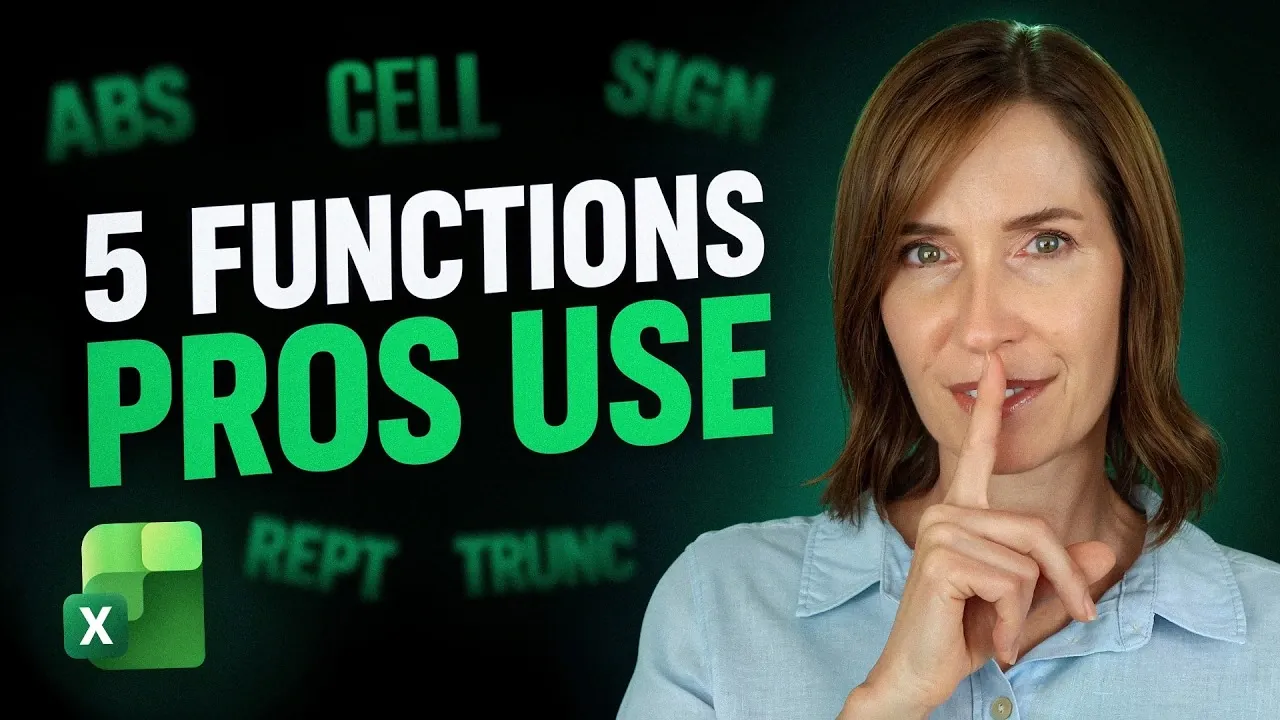
Excel is often celebrated for its advanced features, but some of its most impactful functions are surprisingly understated. My Online Training Hub highlights five such functions, ABS, SIGN, REPT, TRUNC and CELL, that can significantly enhance your spreadsheet workflows. For example, the ABS function, which calculates the absolute value of a number, is particularly useful in financial models where discrepancies need to be measured without regard to positive or negative signs. These functions may seem basic, but their applications extend to solving real-world challenges in data analysis, visualization and reporting.
Dive into this breakdown to uncover how these functions can simplify your work. You’ll learn how to use the REPT function to create in-cell bar charts for quick data comparisons and how TRUNC can eliminate rounding errors in budgeting or scheduling tasks. Additionally, gain insight into how the CELL function can retrieve metadata to make your spreadsheets more dynamic and adaptable. Whether you’re managing financial data or building interactive reports, these practical examples will help you approach Excel with greater precision and creativity.
ABS Function: Focusing on Magnitude, Not Direction
TL;DR Key Takeaways :
- The ABS function calculates the absolute value of numbers, making it useful for financial models, tolerance checks and making sure clarity in calculations by focusing on magnitude rather than direction.
- The SIGN function categorizes numbers as positive, negative, or zero, aiding in data grouping, trend analysis and simplifying multi-condition tests for large datasets.
- The REPT function enables in-cell data visualization by repeating characters, allowing for quick creation of bar charts and visual comparisons directly within spreadsheets.
- The TRUNC function removes decimal places without rounding, making sure precision in budgeting, scheduling and production planning by avoiding rounding errors.
- The CELL function retrieves metadata about cells, enhancing dynamic reports, conditional formatting and creating adaptable spreadsheets for smarter decision-making.
The ABS function calculates the absolute value of a number, effectively removing its sign. This makes it invaluable for analyzing the size of a value without considering whether it’s positive or negative.
Practical applications include:
- Financial Models: Use ABS to measure discrepancies in budgets or forecasts, making sure accuracy regardless of direction.
- Tolerance Checks: Compare values without the risk of negative results skewing your analysis.
By incorporating ABS into your workflow, you can maintain clarity and consistency in calculations, especially when working with percentage differences or reconciling data. This function is particularly useful in scenarios where the magnitude of a value is more important than its direction.
SIGN Function: Classifying Numbers with Ease
The SIGN function identifies whether a number is positive, negative, or zero by returning 1, -1, or 0, respectively. This straightforward yet powerful tool is ideal for categorizing data and simplifying complex formulas.
Key uses include:
- Data Analysis: Group values based on their sign, avoiding errors like double counting in calculations.
- Trend Analysis: Quickly identify positive or negative trends in financial or inventory datasets.
SIGN is particularly effective for streamlining multi-condition tests, making it easier to manage and interpret large datasets. Its ability to classify numbers at a glance can save time and reduce errors in data processing.

Take a look at other insightful guides from our broad collection that might capture your interest in Excel functions.
- 17 New Excel Features for 2026 to Speed up Your Work
- Best Excel formulas and functions to improve your spreadsheet productivity
- 25 New Excel Features to Supercharge Productivity and Spreadsheets
- 15 MS Excel Functions to Boost Your Data Analysis and Automation
- Save Hours in Excel: Build Your Own Function Library in Minutes
- 10 New Excel Functions to take your formulas to the next level in 2024
- How to perform statistical data analysis in MS Excel
- 10 New MS Excel formulas to take your spreadsheets to the next level
- How to use Excel INDEX & MATCH in formulas effectively
REPT Function: Turning Numbers into Visuals
The REPT function repeats a specified text or character a given number of times, making it a creative tool for in-cell data visualization. This function is perfect for creating quick, intuitive visuals directly within your spreadsheet.
How it can be applied:
- Quick Visuals: Generate simple bar charts by repeating symbols like “|” or “*” based on numerical values.
- Data Comparisons: Visually compare data points without relying on external tools.
REPT enhances the readability of reports by providing immediate visual context for data. It’s particularly useful for presentations or dashboards where clarity and simplicity are essential.
TRUNC Function: Precision Without Rounding Errors
The TRUNC function removes decimal places from a number without rounding, returning only the integer portion. Unlike the INT function, which always rounds down, TRUNC moves toward zero, making it more precise for negative values.
Common use cases include:
- Budgeting: Avoid rounding errors when calculating exact amounts.
- Scheduling: Determine full days or units without overestimating.
- Production Planning: Ensure accurate counts of completed items.
TRUNC is essential for scenarios where rounding could lead to inaccuracies. Its ability to deliver precise results makes it a reliable choice for financial and operational planning.
CELL Function: Unlocking Metadata for Smarter Spreadsheets
The CELL function retrieves metadata about a cell, such as its address, format, or content type. This makes it a powerful tool for creating dynamic and adaptable spreadsheets.
Practical applications include:
- Dynamic Reports: Display the current worksheet name or cell properties to keep reports up-to-date.
- Conditional Formatting: Highlight specific data points based on their metadata.
By using CELL, you can make your spreadsheets more interactive and responsive. This function ensures that your data remains accurate and relevant as it evolves, providing a foundation for smarter decision-making.
Maximizing the Potential of Simple Excel Functions
These five Excel functions, ABS, SIGN, REPT, TRUNC and CELL, may appear basic at first glance, but their utility extends far beyond their simplicity. They address common challenges in calculations, data visualization and overview accuracy, offering practical solutions that can enhance your workflow. When combined with other functions, they become even more powerful, allowing you to tackle complex tasks with confidence. By integrating these tools into your daily processes, you can create efficient, reliable and visually compelling spreadsheets that stand out in any professional setting.
Media Credit: MyOnlineTrainingHub
Disclosure: Some of our articles include affiliate links. If you buy something through one of these links, Geeky Gadgets may earn an affiliate commission. Learn about our Disclosure Policy.
