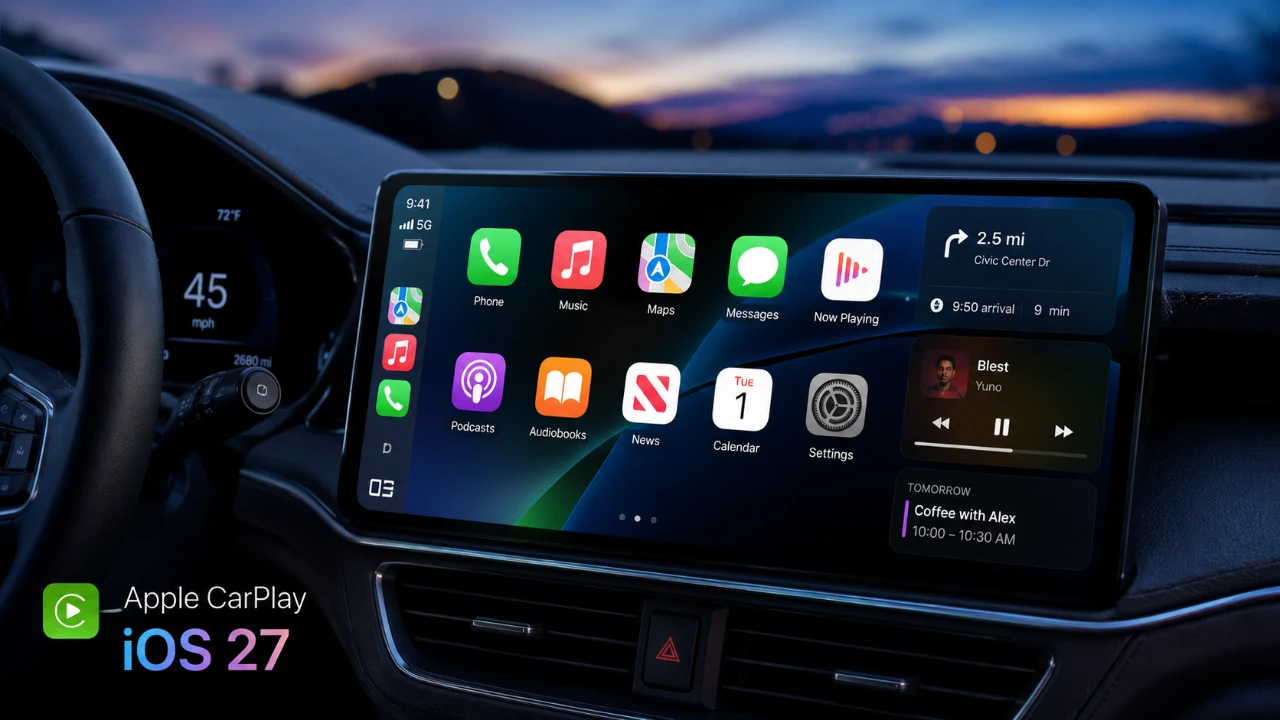
Apple has released iOS 27 developer beta 4, introducing a range of updates to CarPlay aimed at enhancing functionality, improving the user experience, and addressing persistent performance issues. These updates include significant changes to Siri, the interface design, and wireless connectivity. While the improvements are notable, some highly anticipated features remain absent, leaving opportunities for further development in future updates. The video below from HotshotTek gives us more details on the new Apple CarPlay features coming in iOS 27.

Who Can Access the Update?
The iOS 27 beta 4 is available for installation on iPhone 11 and newer models, allowing a broad range of users to explore the latest CarPlay features. If you are not part of the developer beta program, the public beta 2 is expected to launch soon, offering wider access to these updates. This phased rollout ensures that Apple can gather feedback from a diverse user base while continuing to refine the system for its official release.
What’s New with Siri?
Siri has received several updates in this beta, focusing on improving both its functionality and personalization options. These changes aim to make interactions with Siri more intuitive and user-friendly:
- A new animation introduces an outline ring with a fade effect, giving Siri a sleeker and more modern visual presence.
- Expanded accent options now include Australian, British and Indian variants, allowing you to tailor Siri’s voice to your preferences.
- An adjustable speech pace feature lets you control how quickly Siri responds, enhancing accessibility and accommodating different user needs.
However, some visual responses, such as weather updates and sports scores, are temporarily unavailable. This suggests that Apple is still refining these features for future updates, making sure they meet the company’s high standards before release.
Interface Enhancements
The CarPlay interface has undergone several refinements designed to improve both usability and aesthetics. These updates reflect Apple’s commitment to creating a polished and intuitive user experience:
- A smoother liquid glass animation introduces a bouncier effect, making visual transitions more engaging and fluid.
- Apple Maps now supports pinch-to-zoom functionality in select vehicles, offering greater precision and convenience for navigation.
- Offline maps have been upgraded with marked areas, simplifying route planning when you’re without internet access.
- In the Podcast app, icons now adapt to dark mode, potentially as part of an experimental feature aimed at creating a more cohesive visual experience.
These enhancements demonstrate Apple’s focus on delivering a seamless and visually appealing interface that adapts to user preferences and needs.
Wireless CarPlay Gets a Boost
Wireless CarPlay has seen significant performance improvements in this beta, particularly in European vehicles. These updates address common pain points and make the feature more reliable for everyday use:
- Enhanced stability and responsiveness reduce connection interruptions, making sure a smoother experience during drives.
- Faster pairing and improved operation address long-standing issues with lag and connectivity, making the system more efficient.
These improvements highlight Apple’s dedication to refining the wireless CarPlay experience, making sure it meets the expectations of modern drivers.
What’s Still Missing?
Despite the progress made in this beta, some features remain notably absent, leaving room for further development in future updates:
- Back-tap functionality for text messages is still unavailable, limiting accessibility options for users who rely on this feature.
- Support for video streaming, such as using the Apple TV app or YouTube via CarPlay, has not been introduced, restricting entertainment options for passengers.
These omissions suggest that while Apple has made strides in improving CarPlay, there are still areas where the platform could expand to better meet user expectations and demands.
Looking Ahead
The iOS 27 developer beta 4 represents a significant step forward in Apple’s efforts to refine CarPlay. With updates to Siri, interface design and wireless connectivity, the system is becoming increasingly user-friendly and reliable. However, the absence of features like back-tap functionality and video streaming highlights areas where further innovation is needed. As Apple continues to evolve its in-car platform, these updates lay a strong foundation for a more seamless and engaging driving experience in the future.
Here are more guides from our previous articles and guides related to CarPlay updates that you may find helpful.
- Apple Releases iOS 27 Beta 3 with Practical Upgrades
- What Apple’s Massive New CarPlay Update Means for Your Dashboard
- iOS 27 Beta 3 Changes the Way CarPlay Looks and Feels: Every New Feature
- What Apple Secretly Added to CarPlay in iOS 27 Beta 2
- Why the iOS 27 CarPlay Update Will Change How You Drive
Source & Image Credit: HotshotTek
Disclosure: Some of our articles include affiliate links. If you buy something through one of these links, Geeky Gadgets may earn an affiliate commission. Learn about our Disclosure Policy.
