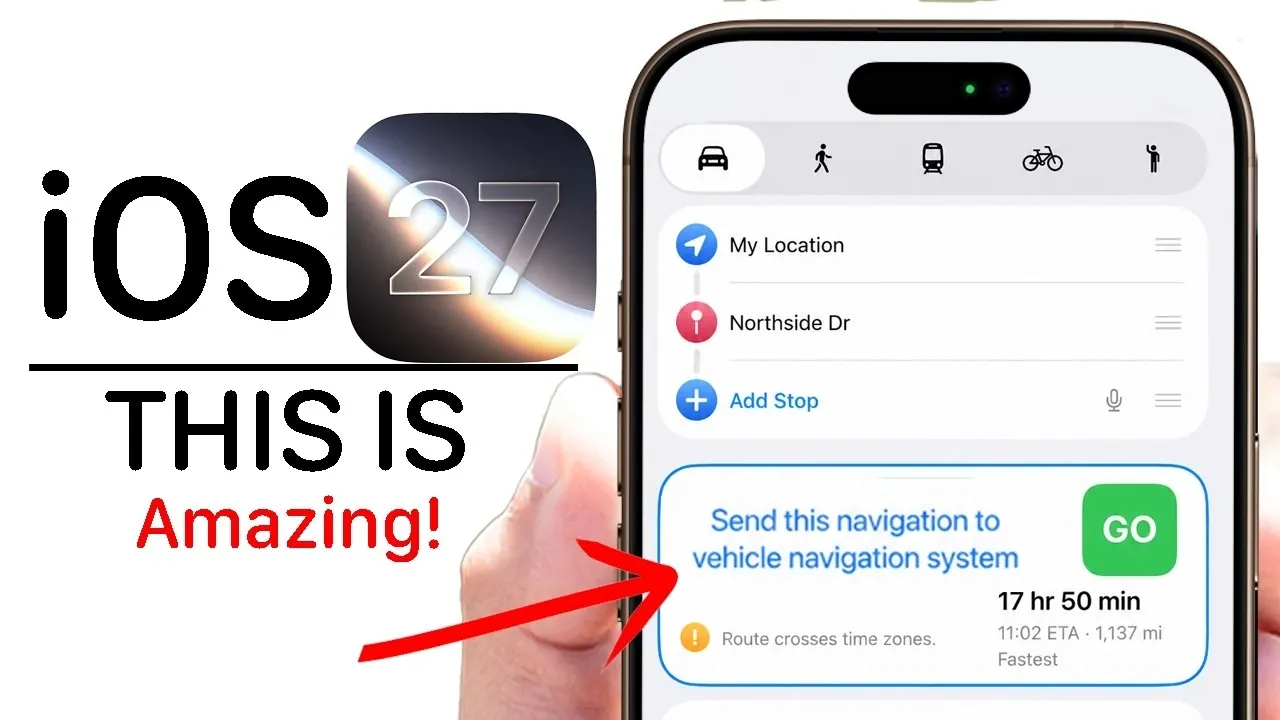
Apple’s iOS 27 Beta 3 introduces a range of updates designed to enhance usability, accessibility, and seamless integration across its ecosystem. This latest beta focuses on refining existing tools while introducing new features that improve everyday interactions. Whether you rely on Apple CarPlay, Siri, or native apps like Maps and Reminders, these updates are tailored to make your experience more efficient and intuitive. The video below from HotshoTek gives us more details on the latest beta.

Enhanced Apple CarPlay Features
Apple CarPlay receives significant upgrades in iOS 27 Beta 3, offering features that simplify navigation and improve device integration. Key highlights include:
- Seamless navigation sharing: Effortlessly send routes from Apple Maps directly to your car’s built-in GPS system, making sure smoother transitions between your iPhone and in-car systems.
- Parked car tracking: Use your Apple Watch to backtrack to your parked car with GPS coordinates, making it easier to locate your vehicle in crowded or unfamiliar parking areas.
These updates aim to make your driving experience more convenient while strengthening the connection between your devices and your vehicle.
Smarter and More Customizable Control Center
The Control Center in iOS 27 Beta 3 has been reimagined to improve functionality and customization, making sure quick access to the tools you use most. Notable updates include:
- Network clarity: View your network type (e.g., 5G, LTE) alongside your Wi-Fi status, providing better insights into your connection quality.
- Improved visuals: Redesigned icons with higher contrast and optional borders enhance readability and navigation.
- Custom layouts: Personalize the Control Center by rearranging or adding shortcuts, tailoring it to your specific needs and preferences.
These enhancements make the Control Center more intuitive and adaptable, making sure a smoother user experience.
Siri’s Expanded Capabilities
Siri continues to evolve in iOS 27 Beta 3, with updates that improve both its functionality and visual appeal. Key improvements include:
- Polished visuals: A refined animation gives Siri a sleeker, more modern appearance, aligning with the overall aesthetic of iOS 27.
- Customizable voice: Choose from a variety of accents and tones, including American, British and Australian options, to personalize your interactions with Siri.
- Apple Watch integration: Advanced voice commands and synchronized logs streamline interactions across your devices, making Siri even more versatile.
These updates enhance Siri’s adaptability, making it a more effective and personalized assistant for your daily tasks.
Redesigned Native Apps for Improved Usability
Several native apps in iOS 27 Beta 3 have been updated to enhance both functionality and aesthetics. These changes aim to streamline workflows and improve the overall user experience:
- Reminders: A refreshed design with subtle tweaks makes task management more intuitive and visually appealing.
- Music: A persistent search bar allows you to find songs or playlists without leaving your current screen, improving navigation within the app.
- Shortcuts: A simplified interface with a prominent “+” button makes creating new shortcuts faster and easier.
- Home: Manage beta updates for Apple TVs and HomePods individually, giving you greater control over your smart home devices.
These updates reflect Apple’s commitment to refining its core apps for better usability and efficiency.
Offline Mode for Apple Maps
Apple Maps introduces an offline mode in iOS 27 Beta 3, a highly anticipated feature for travelers and users in areas with limited connectivity. This new functionality allows you to:
- Download maps: Save maps for specific regions to navigate without an internet connection, making sure reliable guidance even in remote areas.
- Manage storage: Easily delete downloaded maps to free up space on your device when needed.
This feature ensures that Apple Maps remains a dependable tool, whether you’re exploring new destinations or navigating offline.
Accessibility and Visual Enhancements
Accessibility remains a priority in iOS 27 Beta 3, with updates that benefit all users while improving the overall visual experience. Key enhancements include:
- Highlighted icons: Improved visibility for individuals with visual impairments, making navigation easier and more inclusive.
- Refined liquid glass effect: A more cohesive interface design enhances app visibility and creates a polished, modern look.
These updates demonstrate Apple’s ongoing commitment to creating an inclusive and visually appealing user experience.
Streamlined Wallet App
The Wallet app in iOS 27 Beta 3 has been simplified, with the removal of the card insights feature that previously analyzed spending habits. While this change may disappoint some users, the streamlined interface focuses on core functionalities, making the app easier to navigate and use for everyday transactions.
Apple Watch Upgrades for Everyday Convenience
Apple Watch users will appreciate the practical updates introduced in iOS 27 Beta 3, which enhance the device’s role as a versatile tool. Key improvements include:
- Siri AI integration: Perform tasks and access information more efficiently with advanced voice commands tailored to the Apple Watch.
- Smart Stack complication: Use GPS data to locate your parked car quickly, adding convenience to your daily routine.
These updates further solidify the Apple Watch as an essential companion for managing tasks and staying connected.
Refined Features for a Better User Experience
iOS 27 Beta 3 delivers a thoughtful combination of updates that prioritize usability, accessibility and integration across Apple’s ecosystem. From enhanced Apple CarPlay features to offline maps and redesigned native apps, these changes are designed to simplify your daily interactions. Whether you’re customizing the Control Center, exploring Siri’s expanded capabilities, or taking advantage of Apple Watch improvements, this beta offers practical tools that align with your needs and preferences.
Here are additional guides from our expansive article library that you may find useful on iOS 27 Beta 3 Features.
- Apple’s iOS 27 Beta 3 Is Just Days Away: Here’s When It Drops
- Should You Install iOS 27 Beta 3 or Wait for the Public Beta?
- iOS 27 Beta 3 vs. Public Beta: The Crucial Differences Before You Install
- The Difference Between the iOS 27 Public and Developer Betas
- What Apple Just Changed Inside the iOS 26.6 Beta 3 Update
Source & Image Credit: HotshotTek
Disclosure: Some of our articles include affiliate links. If you buy something through one of these links, Geeky Gadgets may earn an affiliate commission. Learn about our Disclosure Policy.
