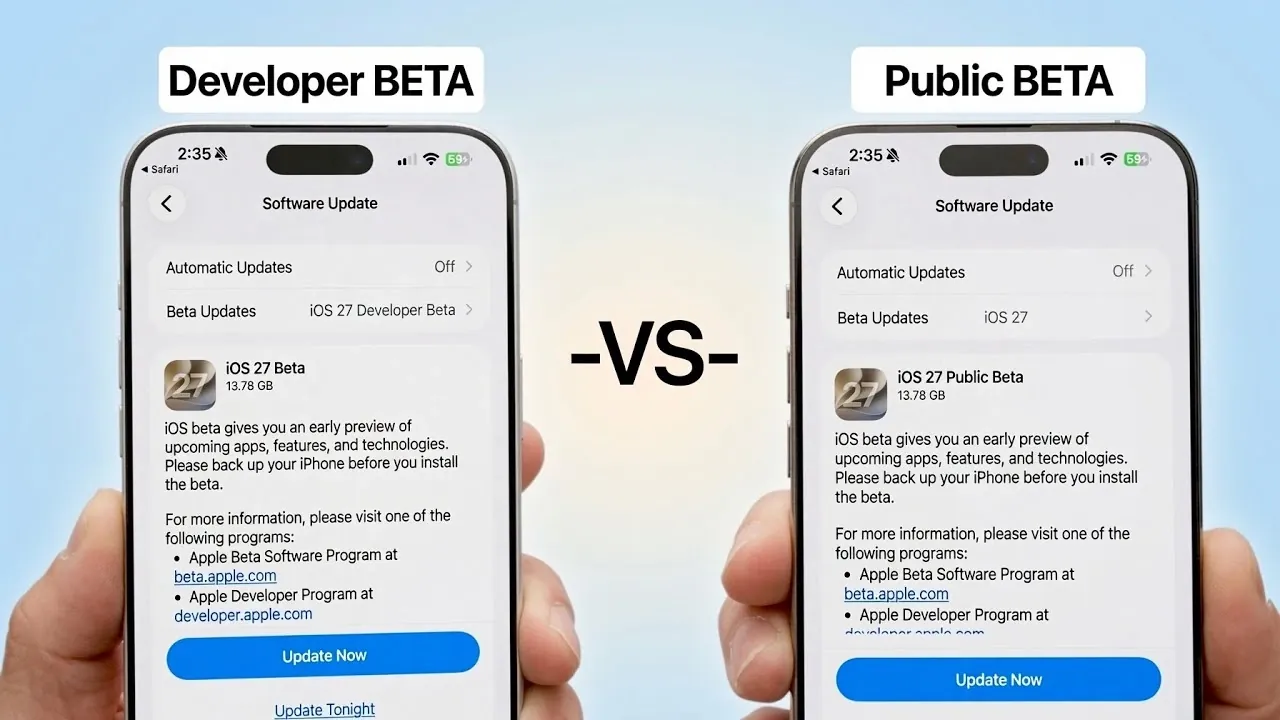
When Apple unveils a new iOS version, it releases two beta versions: the Developer Beta and the Public Beta. While both versions share identical features and performance improvements, they differ significantly in terms of release timing, target audiences, and access requirements. Understanding these distinctions can help you determine which version is best suited for your needs. The video below from iDeveiceHelp gives us more information on the new betas.

What’s the Same? Features and Performance
Both the iOS 27 Developer Beta and Public Beta deliver the same set of features, enhancements and performance upgrades. Whether you’re exploring improved battery efficiency, faster system responsiveness, or Siri’s enhanced capabilities, the experience remains consistent across both versions. For example, Siri now features more accurate voice recognition and better contextual understanding, allowing smoother and more intuitive interactions. Apple ensures feature parity between the two betas, meaning no exclusive tools or updates are locked to one version. This consistency allows users to experience the full scope of iOS 27’s advancements, regardless of which beta they choose.
What’s Different? Release Timing and Audience
The primary difference between the Developer Beta and Public Beta lies in their release schedules and intended audiences.
The Developer Beta was introduced on June 8th during Apple’s Worldwide Developers Conference (WWDC). This version is specifically designed for app developers, providing them with early access to test their software, identify bugs and ensure compatibility with the new operating system. Developers use this version to refine their apps before the official iOS 27 release.
The Public Beta, on the other hand, is expected to roll out approximately 4-6 weeks later, likely during the week of July 6th or July 13th. This timeline allows Apple to address initial issues reported by developers, making sure a more stable experience for non-developers who wish to explore iOS 27’s features early. The Public Beta is aimed at tech enthusiasts and everyday users who are eager to try the latest updates but may not have the technical expertise of developers.
How to Access the Betas
Accessing the Developer Beta and Public Beta involves different processes, depending on your role and level of involvement with Apple’s ecosystem.
- Public Beta: To participate in the Public Beta, follow these steps:
- Visit Apple’s Beta Software Program website and log in using the Apple ID linked to your device.
- Select iOS as your preferred beta program.
- Enroll your device by downloading the beta profile provided on the website.
- Back up your data to iCloud or a computer to safeguard against potential issues.
- Enable beta updates in your device’s settings under Software Updates to receive the Public Beta once it becomes available.
- Developer Beta: Developers can access this version through the Apple Developer Program. A paid membership is required, granting access to developer tools, resources, and the beta software itself.
Why Stagger the Releases?
Apple’s staggered release approach serves a strategic purpose. By launching the Developer Beta first, Apple provides developers with an opportunity to identify and review significant bugs, compatibility issues, and other technical challenges. This feedback is invaluable in refining the software before it reaches a broader audience.
The Public Beta, while still a testing version, is generally more stable than the Developer Beta. It is designed for non-developers who want early access to iOS 27’s features without encountering the more severe issues that developers might face. This phased rollout ensures that Apple can address critical problems early, delivering a smoother experience to Public Beta users and ultimately improving the final release.
Things to Keep in Mind
Before installing any beta software, it’s important to take certain precautions to avoid potential issues:
- Back up your device: Beta versions are experimental and may cause unexpected performance issues or data loss. Always create a backup before installation.
- Understand the risks: Beta software is not the final product. Features may change, evolve, or even be removed before the official release.
- Stay updated: Once the Public Beta is available, you can check for updates in your device’s settings under Software Updates. Regular updates will address bugs and improve stability.
- Consider your needs: If you rely on your device for critical tasks, it may be wise to wait for the official release rather than using beta software.
Making the Right Choice
Both the iOS 27 Developer Beta and Public Beta offer an exciting opportunity to explore Apple’s latest innovations ahead of the official release. With identical features and performance, the choice between the two comes down to your role and priorities.
If you’re a developer, the Developer Beta provides early access to test and optimize your apps. For tech enthusiasts and general users, the Public Beta offers a more stable way to experience iOS 27’s updates, such as Siri’s enhanced functionality and improved system performance.
By understanding the differences in release timing, access requirements and intended audiences, you can make an informed decision about which beta version aligns with your goals. Whether you’re contributing to app development or simply eager to explore new features, these beta phases play a crucial role in shaping the final iOS experience.
Explore further guides and articles from our vast library that you may find relevant to your interests in iOS 27.
- Apple’s iOS 27 Beta 3 Is Just Days Away: Here’s When It Drops
- iOS 27 Leaks Reveal the End of an Era: Apple’s New Priorities Confirmed
- iOS 27 Beta 2 Changes: What Apple Is Modifying to Improve Performance
- iOS 27 Could Be Apple’s ‘Snow Leopard’ Moment—Focusing on One Huge Change
- Siri 2.0 vs. Old Siri: Is It Worth Upgrading Your iPhone for iOS 27?
- The iOS 27 Compatibility Shock: Every iPhone That Will (and Won’t) Get the 2026 Update
Source & Image Credit: iDeviceHelp
Disclosure: Some of our articles include affiliate links. If you buy something through one of these links, Geeky Gadgets may earn an affiliate commission. Learn about our Disclosure Policy.
