Apple’s iOS 27 is poised to deliver a significant update, introducing a range of enhancements aimed at improving performance, usability, and functionality. With the third beta scheduled for release on July 6th and the first public beta expected around July 13th or 14th, Apple is steadily refining its latest operating system. The final public release is anticipated in mid-September, likely on September 14th. Below is an in-depth look at the most notable updates and features you can expect. In a new video from iReviews.

Performance and Stability: A Smoother Experience
iOS 27 places a strong emphasis on performance optimization and system stability, making sure a smoother and more reliable user experience. Key improvements include:
- Faster app launches, allowing quicker access to your favorite applications.
- Smoother navigation across the system interface, reducing lag and improving responsiveness.
- Enhanced battery efficiency allows devices to last longer on a single charge.
- Fewer system crashes make for a more dependable operating system.
These updates are designed to make everyday tasks more efficient, providing a seamless experience whether you’re multitasking or using resource-intensive apps.
Shortcuts App: Greater Control Over Automations
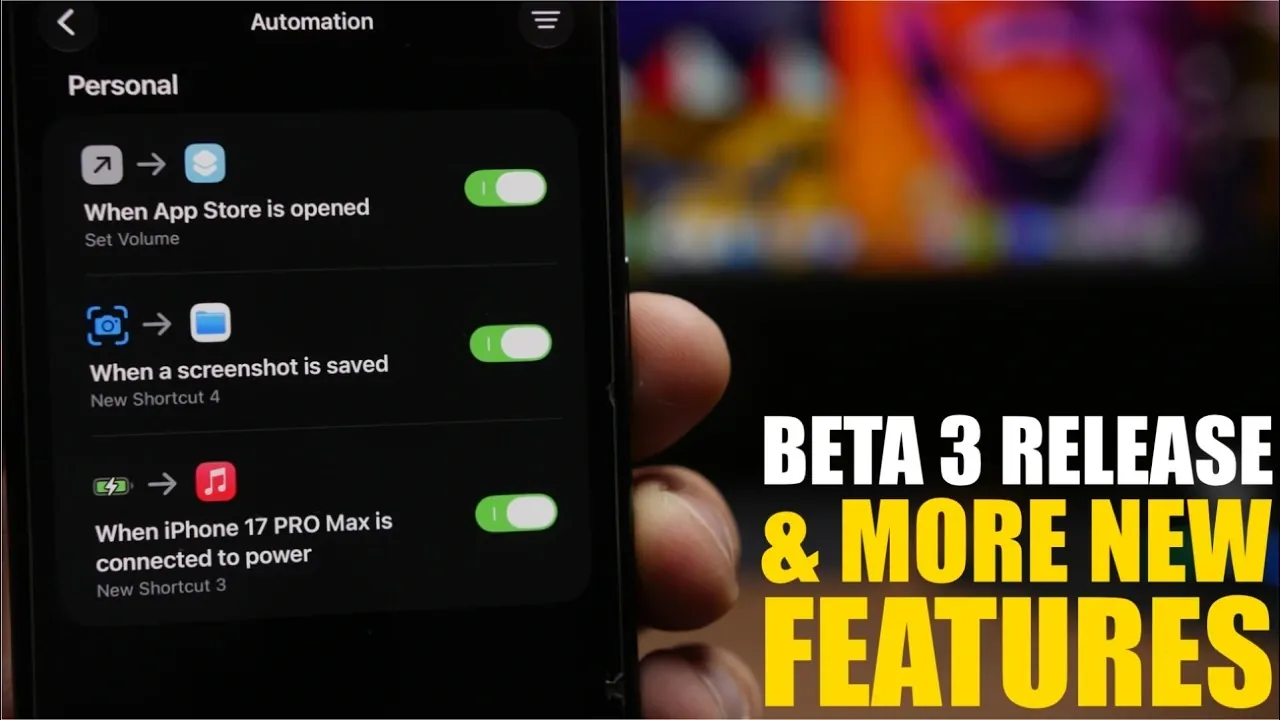
The Shortcuts app has been enhanced to offer greater flexibility in managing automations. Users can now enable or disable individual automations without the need to delete them. This improvement simplifies the process of managing tasks, giving you better control over your workflows. Whether you’re automating daily routines or creating complex sequences, this update ensures a more intuitive experience.
Safari: Enhanced Browsing Features
Safari has received several usability upgrades in iOS 27, making it a more streamlined and user-friendly browser. Key changes include:
- A redesigned “Notify Me” feature, offering improved functionality for tracking updates on websites.
- A dedicated section for managing browser extensions, providing better organization and clearer descriptions of each extension.
- Interactive prompt suggestions to simplify navigation and enhance usability, making it easier to find what you’re looking for.
These updates aim to improve your browsing experience, whether you’re managing extensions or navigating the web.
Bug Fixes and System Improvements
Apple has addressed several persistent issues in iOS 27, contributing to a more polished and reliable operating system. Fixes include:
- Resolving the screenshot editing bug where edits occasionally failed to save, making sure a smoother editing process.
- Improved stability for iPhone mirroring, providing reliable screen sharing with other devices.
These fixes not only enhance the overall functionality of the system but also ensure a more consistent user experience.
Find My App: Improved Privacy and Usability
The Find My app has been updated with a visual refresh and new features to enhance privacy and usability. Redesigned icons for People, Devices, Items and Me make navigation more intuitive. Additionally, a new feature allows users to pause location sharing discreetly, offering greater control over privacy. These updates make the app more functional and user-friendly, catering to both security and convenience.
Siri: Better Conversation Management
Siri has been upgraded with new tools to improve how you manage conversations. These enhancements include:
- The ability to delete multiple conversations simultaneously saves time when organizing your interactions.
- Options to rename conversations for easier identification and better organization.
- The ability to pin important conversations, making sure of quick access to frequently used threads.
These updates make Siri more efficient and adaptable to your needs, enhancing its role as a personal assistant.
Reminders App: Streamlined Task Management
The Reminders app has been refined to improve task management and organization. A unified section now allows users to add notes and URLs directly to their reminders. This feature consolidates relevant information in one place, making it easier to stay organized and productive. Whether you’re managing personal tasks or professional projects, this update simplifies the process of keeping track of important details.
Beta Release Timeline
The rollout of iOS 27 follows a structured timeline, giving users a clear roadmap of what to expect:
- Beta 3: July 6th
- Public Beta 1: July 13th or 14th
- Final Public Release: September 14th (estimated)
This schedule provides developers and early adopters with ample time to explore the new features and offer feedback before the final release.
What iOS 27 Brings to the Table
iOS 27 introduces a host of updates designed to enhance your device’s performance, usability, and functionality. From smoother navigation and improved battery life to app-specific enhancements and critical bug fixes, this update reflects Apple’s commitment to refining its software. As the beta testing phase progresses, further refinements are expected, making sure a polished and user-friendly experience by the time of the public release. Stay tuned for more updates as iOS 27 continues to evolve.
Here is a selection of other guides from our extensive library of content you may find of interest on iOS 27 features.
- Apple Just Confirmed 8 Major Features Coming to iOS 27
- iOS 27 Rumors: Top Features We Need (and What’s Leaked So Far)
- Is Your iPhone on the List? iOS 27 Could Cut Off These Popular Models
- iOS 27 Leak: Apple Is Giving You More Control Over the ‘Liquid Glass’ Design
- What to Expect from Apple’s Massive iOS 27 Update
Source & Image Credit: iReviews
Disclosure: Some of our articles include affiliate links. If you buy something through one of these links, Geeky Gadgets may earn an affiliate commission. Learn about our Disclosure Policy.
