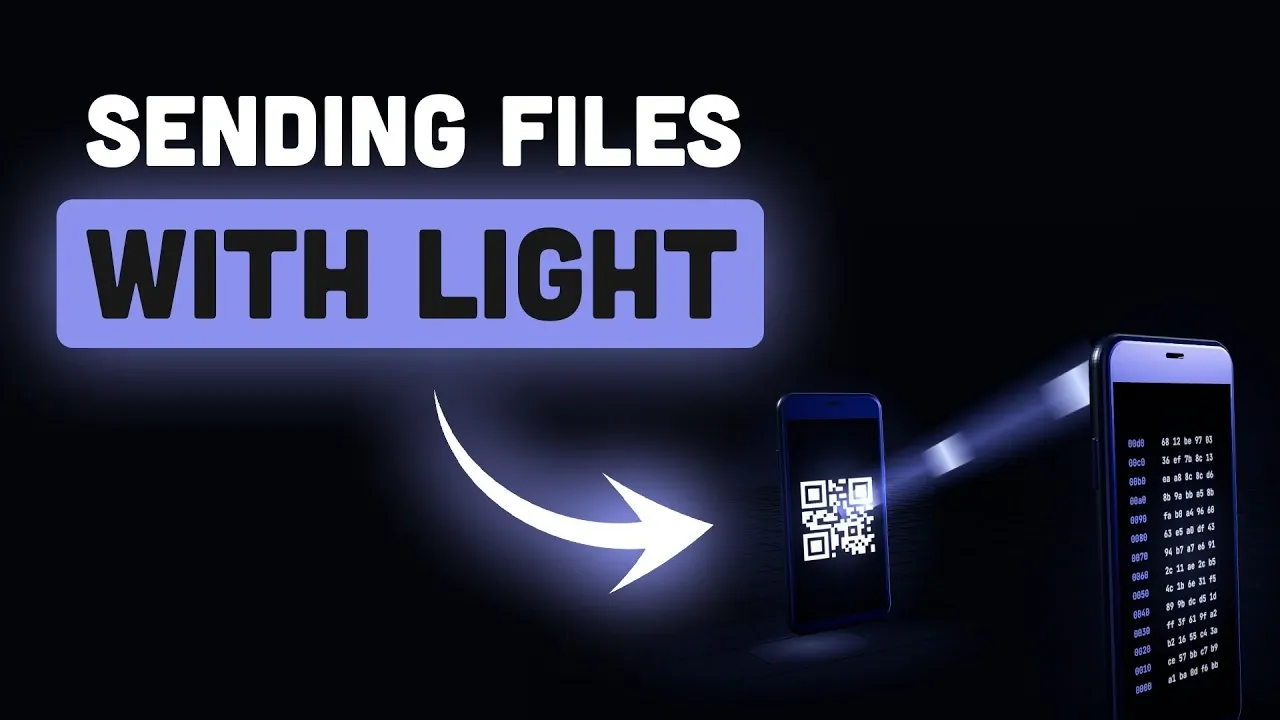
Transferring files without relying on the internet might sound unusual in today’s connected world, but that’s exactly what “Desimon,” developed by Evan Cwley, enables. By using QR codes and a camera, Desimon facilitates offline file transfers without the need for network infrastructure or physical storage devices. For example, a laptop can display QR codes that an embedded system’s camera decodes to reconstruct the original file. As highlighted by Better Stack, this method not only ensures data remains isolated from external networks but also provides a practical solution for secure communication in environments where traditional methods are unavailable.
Dive into this guide to explore how Desimon uses fountain coding to enhance reliability through redundancy, even in challenging conditions like low light or low-resolution cameras. You’ll also gain insight into its real-world applications, such as securely transferring files to air-gapped systems or sharing data in remote areas. Additionally, this breakdown covers the technical limitations of optical file transfer, including frame rate mismatches and screen ghosting, along with actionable strategies to optimize performance for specific devices and environments.
How Optical File Transfer Operates
TL;DR Key Takeaways :
- Desimon enables offline file transfers using QR codes and a camera, bypassing traditional network infrastructure and making sure data security and privacy.
- It utilizes fountain coding, a technique that introduces redundancy for reliable data reconstruction, though this increases transmission time under challenging conditions.
- Performance is limited by factors such as transfer speed (128 KB/s), frame rate mismatches, screen ghosting, camera resolution and lighting conditions, requiring manual adjustments for optimal use.
- Desimon is particularly valuable for air-gapped systems, older hardware and remote areas, offering secure file sharing in environments where traditional methods are impractical or unsafe.
- Future improvements could enhance its usability, speed and adaptability, making it a more robust tool for secure offline communication in specialized and everyday scenarios.
Optical file transfer relies on encoding data into a sequence of QR codes displayed on a screen. A receiving device equipped with a camera captures these QR codes and decodes them to reconstruct the original file. This process eliminates the need for network connectivity or physical storage devices, making it a practical solution for environments where traditional methods are unavailable or undesirable.
For instance, transferring a file from a laptop to an embedded system can be achieved by displaying QR codes on the laptop screen and using the embedded system’s camera to decode them. This method ensures data remains isolated from external networks, offering a secure and efficient way to assist offline communication. By avoiding reliance on external networks, Desimon provides a unique advantage in maintaining data security and privacy.
The Technology Behind Desimon: Fountain Coding
At the heart of Desimon’s functionality lies fountain coding, a sophisticated data encoding technique. Fountain coding works by breaking data into multiple frames that are mathematically blended. This allows the receiving device to reconstruct the original file even if some frames are missed or corrupted during transmission. Unlike traditional QR code transfers, which require every frame to arrive in sequence, fountain coding introduces redundancy, enhancing reliability in challenging conditions.
This redundancy, however, comes with trade-offs. The additional data required for redundancy increases transmission time, necessitating a balance between reliability and efficiency. For example, in low-light environments or when using lower-quality cameras, fountain coding ensures successful decoding but at the expense of slower transfer speeds. This trade-off highlights the importance of optimizing Desimon’s settings to suit specific hardware and environmental conditions.

Advance your skills in file transfers by reading more of our detailed content.
- Google Rebrands NotebookLM to Gemini Notebook with Drive Sync
- The Apple TV 4K “Ready to Ship”: Why You Still Can’t Buy the 2026 Model Yet
- 19 Ingenious Ways Apple Devices & Apps Work Together Seamlessly to Enhance your Productivity
- Effortlessly Transfer Data from Windows to Mac with Migration Assistant
- Transferring Data to Your New iPhone 17: The Ultimate Guide
- Wireless File Transfer: iPhone, Android, Mac & PC
- The Ultimate Step-by-Step Guide to Transfer Data Between iPhones
- How to Transfer Data from Samsung Galaxy to Samsung Galaxy: A Quick Guide
Performance and Technical Limitations
While Desimon offers an innovative approach to file transfer, it is not without limitations. Under optimal conditions, the transfer speed peaks at 128 kilobytes per second, which is sufficient for small files but impractical for larger datasets. Several factors can influence performance, including:
- Frame Rate Mismatches: Differences between the screen’s refresh rate and the camera’s frame capture rate can lead to missed frames, disrupting the decoding process.
- Screen Ghosting: Residual images on LCD screens can interfere with the clarity of QR codes, reducing decoding accuracy.
- Camera Resolution: High-density QR codes require cameras with sufficient resolution to capture fine details accurately.
- Lighting Conditions: Poor lighting or low screen brightness can make QR codes difficult to read, further complicating the transfer process.
These challenges often necessitate manual adjustments to ensure successful transfers. For example, reducing the density of QR codes or slowing the transmission speed can improve decoding accuracy on devices with lower-end hardware. Such adjustments highlight the importance of tailoring Desimon’s settings to the specific capabilities of the devices involved.
Real-World Applications
Desimon’s unique approach to file transfer makes it particularly valuable in scenarios where devices are intentionally isolated from networks for security reasons, such as air-gapped systems. It is also useful for older hardware or embedded systems that lack modern connectivity options. The only requirements are a screen to display QR codes and a camera to capture them.
For example, Desimon can be used to transfer configuration files to an industrial control system without exposing it to external networks, making sure the system remains secure. Similarly, it can assist offline file sharing in remote areas where internet access is unavailable. These niche applications demonstrate Desimon’s potential as a secure and flexible communication tool, particularly in environments where traditional methods are impractical or unsafe.
Optimizing Desimon for Better Performance
To maximize the effectiveness of Desimon, users can implement several strategies to optimize its performance. These adjustments can significantly improve reliability and speed, especially when dealing with hardware or environmental limitations:
- Adjust Frame Density: Reducing the number of bytes per frame can enhance decoding accuracy, particularly when using lower-resolution cameras.
- Enhance Brightness and Contrast: Making sure the screen is bright enough and that QR codes have sufficient contrast can make them easier to read.
- Use High-Resolution Cameras: A higher-resolution camera can capture more detailed QR codes, allowing faster and more reliable decoding.
- Minimize Distance: Keeping the camera close to the screen reduces distortion and improves frame capture accuracy.
These optimizations often require trial and error but can significantly enhance the overall performance of the system. By fine-tuning these variables, users can overcome many of the challenges associated with optical file transfer.
Challenges in Practical Use
Despite its potential, Desimon faces several challenges in practical use. Synchronization issues can arise from mismatched frame rates between devices, while ghosting artifacts on LCD screens may obscure QR codes. Additionally, the need for hardware-specific tuning limits its ease of use and adaptability.
For instance, transferring files between devices with vastly different screen refresh rates or camera capabilities may require extensive calibration. These limitations underscore the need for further development to make Desimon more user-friendly and versatile, particularly for non-technical users.
Looking Ahead: The Future of Optical File Transfer
Desimon represents a novel approach to offline file transfer, using QR codes, fountain coding and camera-based decoding to enable communication without networks or physical connections. While it excels in niche applications like air-gapped environments and remote areas, its effectiveness depends on careful hardware-specific tuning and is constrained by factors such as transfer speed and environmental conditions.
Although not yet a universal solution, Desimon offers a glimpse into the potential of optical communication systems. With further refinement, it could evolve into a more robust and adaptable tool for secure and offline file sharing, paving the way for broader adoption in both specialized and everyday scenarios.
Media Credit: Better Stack
Disclosure: Some of our articles include affiliate links. If you buy something through one of these links, Geeky Gadgets may earn an affiliate commission. Learn about our Disclosure Policy.
