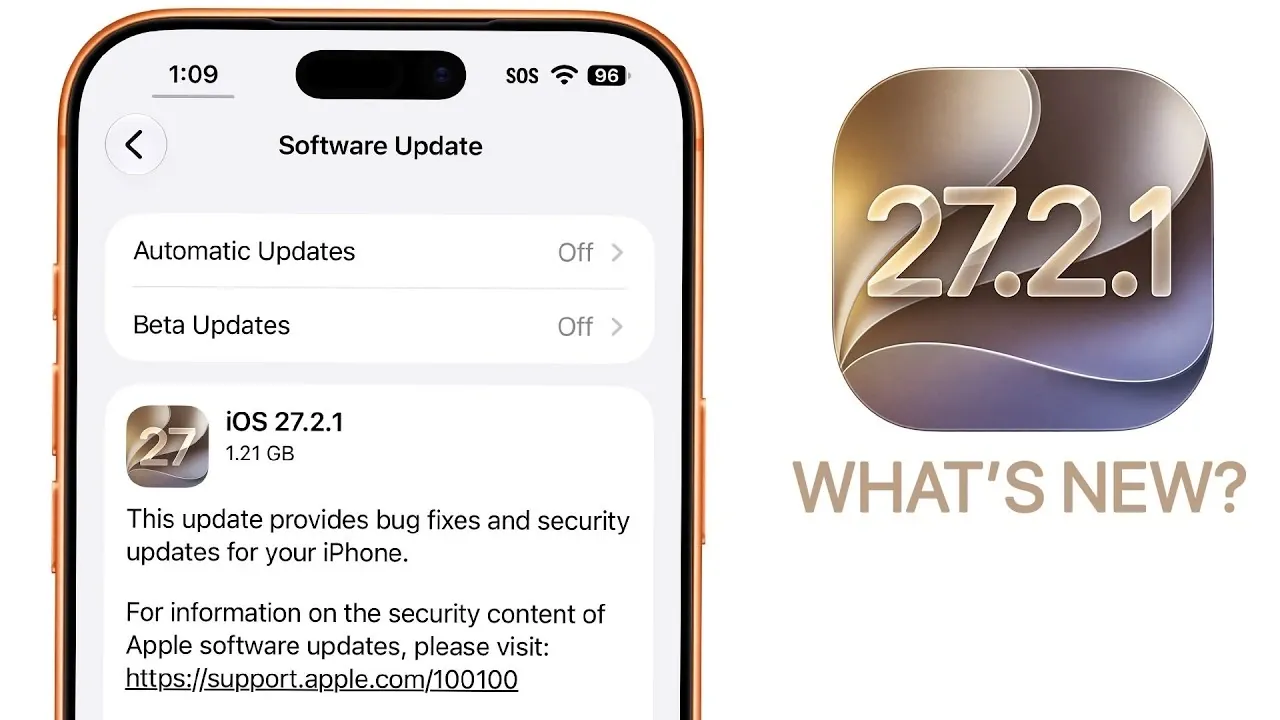
Apple has officially rolled out iOS 27.2.1, a minor but essential update designed to address critical security vulnerabilities and fix persistent bugs. While it does not introduce new features, this release plays a vital role in maintaining your device’s security and making sure smoother performance. If you are currently using iOS 27.2 or an earlier version, this update is highly recommended to keep your device secure and functioning optimally. The video below from Brandon Butch gives us more details on the new release.
- Build 24B156 Release: A targeted ~1.21 GB maintenance patch focusing heavily on urgent security patches and system stability.
- Crucial Security Fixes: Patches vulnerabilities in AirPlay sharing protocols, Bluetooth connection layers, iMessage group encryption, and App Intents.
- Targeted Bug Resolutions: Fixes group chat photo-sending failures, Personal Hotspot drops, and CarPlay navigation inconsistencies.
- Upgrade Recommendation: Essential for all standard users on older builds, though users currently on the iOS 27.3 beta track can safely skip.

Key Highlights of iOS 27.2.1
The iOS 27.2.1 update focuses on improving security and refining the user experience. Below are the key details you should be aware of:
- Update Size: Approximately 1.21 GB, though the size may vary depending on your device model.
- Build Number: 24B156, marking this as a targeted update for specific fixes.
- Primary Focus: Security patches and bug fixes to enhance system stability.
This update is not about introducing flashy new features, but rather making sure that your device remains secure and reliable in daily use.
Enhanced Security Features
Security remains the cornerstone of iOS 27.2.1. Apple has addressed several vulnerabilities that could have compromised user data or device functionality. Key security improvements include:
- AirPlay: Resolved issues that previously allowed unauthorized access to shared content, making sure safer media sharing.
- Bluetooth: Fixed vulnerabilities that could enable unauthorized device pairing or data interception, enhancing wireless connectivity security.
- iMessage: Strengthened group chat security to prevent unauthorized access to private conversations.
- App Intents: Patched flaws that could exploit automation features in apps, safeguarding user workflows.
These updates are critical for protecting your personal data and making sure a secure digital environment, particularly if you frequently use features like AirPlay or iMessage.
Bug Fixes and System Refinements
In addition to security enhancements, iOS 27.2.1 addresses several bugs that have been affecting users. While Apple has not provided a comprehensive list, the following areas have seen notable improvements:
- iMessage: Resolved issues with photo-sending failures in group chats, making sure smoother communication.
- Personal Hotspot: Improved connectivity and reliability, making it easier to share your internet connection with other devices.
- CarPlay: Fixed inconsistencies with navigation and audio playback, enhancing the overall driving experience.
Despite these fixes, some known issues remain unresolved. For instance, users of iPhone Duo devices may still encounter UI glitches and screen rotation problems. These issues are expected to be addressed in future updates.
Performance and Battery Life
While iOS 27.2.1 is not designed to deliver significant performance boosts, minor improvements have been observed in benchmark tests. These changes are subtle and unlikely to have a noticeable impact on daily usage. Battery life remains consistent with previous versions, with no major optimizations reported. This ensures that the update does not negatively affect your device’s overall performance or energy efficiency.
Known Issues and Limitations
Despite the improvements, certain bugs persist in iOS 27.2.1. If you are using an iPhone Duo, you may still experience the following issues:
- UI glitches, such as unresponsive elements or misaligned icons, which can affect usability.
- Screen rotation problems that disrupt the user experience, particularly in landscape mode.
These limitations highlight the need for further refinements, which are likely to be included in the upcoming iOS 27.3 update.
Should You Update?
If you are not currently using the iOS 27.3 beta, updating to iOS 27.2.1 is highly recommended. The security patches alone make this update essential, especially if you rely on features like AirPlay, Bluetooth, or iMessage. By installing this update, you can ensure that your device remains protected against potential vulnerabilities. However, if you are already running the beta version of iOS 27.3, this update is unnecessary, as the beta includes these fixes along with additional features.
What’s Next: iOS 27.3 and Beyond
Apple is preparing to release iOS 27.3 in early December, a major update expected to introduce several new features and enhancements. Anticipated updates include:
- Siri AI Enhancements: Improved voice recognition and contextual understanding for a more seamless user experience.
- Redesigned Health App: A revamped interface with expanded health tracking capabilities, making it easier to monitor your well-being.
- Keyboard Updates: Enhanced autocorrect and predictive text functionalities to improve typing accuracy and speed.
Additionally, Apple may release a minor update, iOS 27.2.2, if critical bugs are identified in the current version. These updates demonstrate Apple’s ongoing commitment to refining the iOS experience and addressing user feedback.
The iOS 27.2.1 update is a focused release aimed at bolstering security and resolving specific bugs. While it does not introduce new features, its importance lies in protecting your device and improving overall functionality. For users prioritizing security and reliability, this update is a must. For those looking forward to new features, iOS 27.3 promises exciting advancements just around the corner.
Here are additional guides from our expansive article library that you may find useful on iOS 27.2.1 update.
- Apple is Fast-Tracking iOS 27.2.1, Here’s Why You Need to Install It
- Getting Ready for iOS 27.2? Here’s the Checklist You Need Before Installing
Source & Image Credit: Brandon Butch
Disclosure: Some of our articles include affiliate links. If you buy something through one of these links, Geeky Gadgets may earn an affiliate commission. Learn about our Disclosure Policy.
