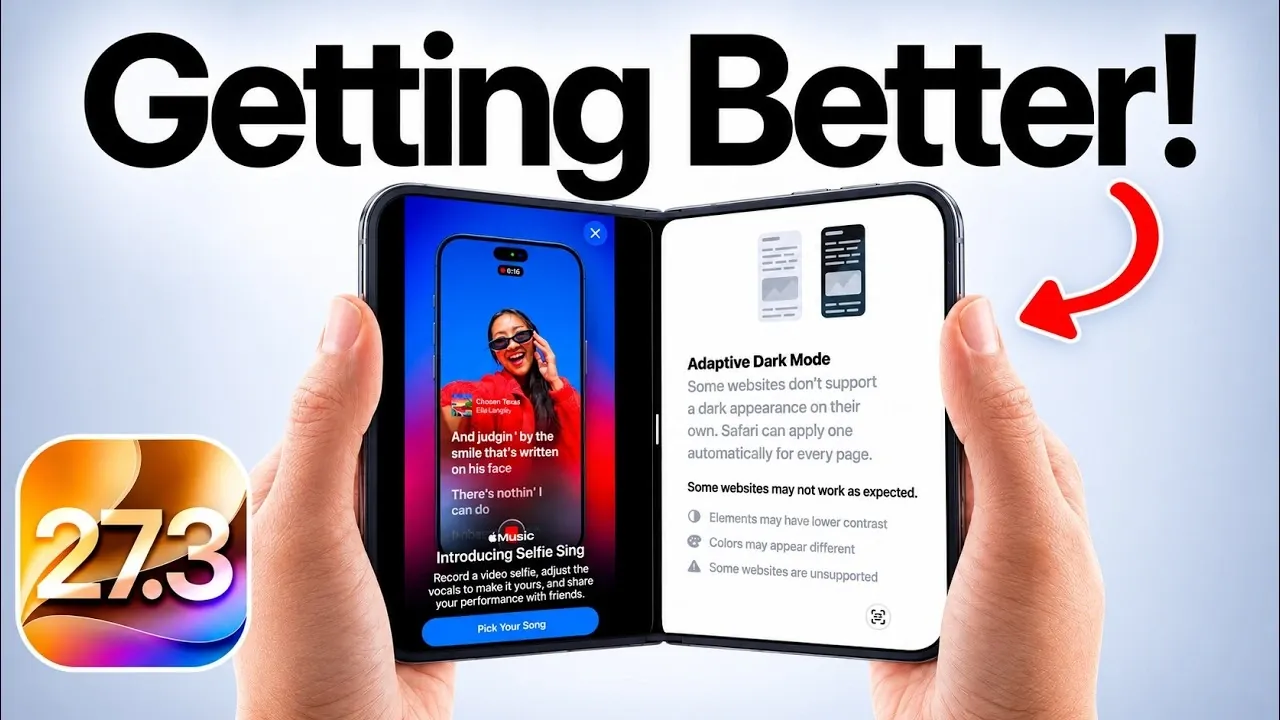
Apple’s iOS 27.3 introduces a variety of features aimed at enhancing your iPhone experience. With updates ranging from expanded Siri language support to creative tools like Selfie Sing and practical improvements such as Adaptive Dark Mode, this release focuses on personalization, accessibility and functionality. Each feature is designed to make your device more versatile and user-friendly. Below is a detailed look at the key highlights and how they can elevate your daily interactions with your iPhone.
- Adaptive Safari Dark Mode: Automatically converts unsupported websites into a comfortable dark theme for seamless nighttime browsing.
- Apple Music Selfie Sing: Transforms your iPhone into an interactive karaoke studio complete with audio editing and vocal effects.
- Expanded Siri Languages: Adds official support for Traditional Chinese, Norwegian, Turkish, and Vietnamese users.
- Redesigned Health App: Streamlines sleep tracking, daily activity monitoring, and wellness records into a cleaner interface.

Expanded Siri Language Support: Bridging Global Communication
Siri now supports additional languages, including Traditional Chinese, Norwegian, Turkish and Vietnamese, making it accessible to a broader audience worldwide. This update ensures smoother and more natural interactions in your preferred language, whether you’re setting reminders, sending messages, or searching the web. By expanding Siri’s linguistic capabilities, Apple reinforces its commitment to inclusivity and usability, making sure that more users can seamlessly integrate Siri into their daily routines.
Health App: A Redesigned Approach to Wellness
The Health app in iOS 27.3 has been reimagined with a user-centric design that prioritizes simplicity and functionality. The updated interface allows for easier navigation, allowing you to track daily activity, monitor sleep patterns and manage health records more efficiently. With enhanced tools and a more intuitive layout, the app enables you to stay on top of your wellness goals. Whether you’re focusing on fitness, sleep, or overall health management, this redesign ensures that your health data is accessible and actionable.
Adaptive Dark Mode: Enhanced Nighttime Browsing
Safari’s new Adaptive Dark Mode takes nighttime browsing to the next level. This feature automatically applies dark mode to websites that don’t natively support it, reducing eye strain and providing a consistent visual experience. You can enable or disable this option in Safari settings, giving you full control over your browsing preferences. By addressing a common user need, Adaptive Dark Mode makes late-night web surfing more comfortable and visually cohesive.
Selfie Sing: Unleash Your Inner Performer
Apple Music introduces Selfie Sing, a feature that transforms your iPhone into a personal karaoke studio. With tools for recording, editing audio and adding vocal effects, this feature allows you to create and share your performances effortlessly. Whether you’re singing solo or collaborating with friends, Selfie Sing adds a creative and entertaining dimension to your music experience. It’s a fun way to engage with your favorite tracks while exploring your musical talents.
Apple Fitness Plus: Tailored Workouts for Every User
Fitness enthusiasts will find plenty to love in the updated Apple Fitness Plus. iOS 27.3 introduces personalized workout plans designed to align with your fitness goals. These plans provide customized routines, guiding you through gym sessions or at-home workouts with ease. Whether you’re a beginner looking for guidance or an experienced athlete seeking variety, this feature helps you stay motivated and achieve your fitness objectives. The tailored approach ensures that every workout feels relevant and effective.
iPhone Duo-Specific Features: Optimized for Larger Displays
For users of the iPhone Duo, iOS 27.3 introduces two key enhancements that improve navigation and multitasking:
- Reachability: This feature simplifies one-handed navigation by allowing you to swipe the screen left or right, making it easier to access content on larger displays.
- Vertical Tabs in Safari: Manage your tabs more efficiently with a vertical layout. This feature lets you view, rearrange, duplicate, or group tabs, streamlining multitasking and improving organization.
These updates are specifically designed to enhance usability on larger devices, making sure a seamless and intuitive experience.
Performance and Usability Enhancements
Beyond the headline features, iOS 27.3 delivers a range of performance improvements aimed at refining the overall user experience. Expect faster response times, smoother interactions and a more polished interface. These updates reflect Apple’s dedication to providing high-quality software that meets the evolving needs of its users. By addressing both functionality and performance, iOS 27.3 ensures that your device operates at its best.
Release Timeline and Availability
Apple has announced that iOS 27.3 will be officially released in early to mid-December. To take full advantage of the new features, security updates and performance enhancements, it is recommended to update your device as soon as the update becomes available. Keeping your iPhone up to date ensures that you benefit from the latest innovations and improvements.
A Balanced Update for Every User
iOS 27.3 is a well-rounded update that combines innovation with practicality. From the creative possibilities of Selfie Sing and the personalized fitness plans in Apple Fitness Plus to the inclusivity of expanded Siri language support and the convenience of Adaptive Dark Mode, this release caters to a diverse range of user needs. Whether you’re focused on productivity, creativity, or simply enjoying a more seamless experience, iOS 27.3 ensures that your iPhone remains a versatile and indispensable tool in your daily life.
Below are more guides on iOS 27.3 Features from our extensive range of articles.
- Should You Update? 5 Cool New Features Coming in iOS 27.3
- iOS 27.3 Leak: Release Timeline, Redesigned Health App and AI Upgrades
- Apple Just Dropped iOS 27.2, Here’s Every New Feature You Need to Know
Source & Image Credit: iDeviceHelp
Disclosure: Some of our articles include affiliate links. If you buy something through one of these links, Geeky Gadgets may earn an affiliate commission. Learn about our Disclosure Policy.
