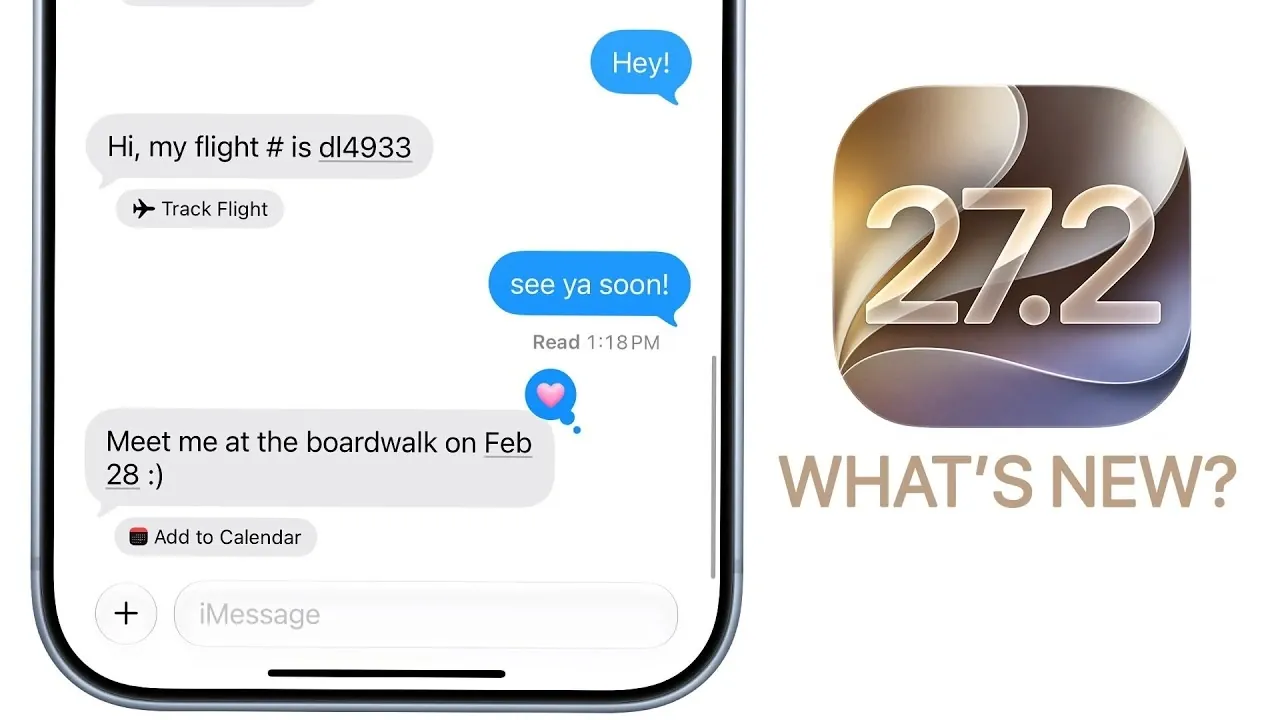
Apple has officially launched iOS 27.2, introducing a range of updates aimed at refining the user experience. While this release does not include new innovations, it brings a combination of visual enhancements, functional upgrades, and system optimizations that make it a valuable update for users already on iOS 27. Below is a detailed breakdown of the key changes and improvements. The video below from Brandon Butch gives us more details on what is included in this update.

Visual Enhancements: Subtle Yet Effective
iOS 27.2 delivers several visual updates designed to improve the usability and aesthetic appeal of popular apps. These changes, while subtle, contribute to a more polished and user-friendly interface.
- Apple Music: Refreshed accent colors and updated icons in playlists and navigation menus enhance the app’s visual clarity and usability.
- Podcasts: A reorganized layout now separates “New Episodes” from “Continue Playing,” improving navigation. Enhanced color theming also boosts readability.
- Apple Books: A redesigned interface introduces a progress bar for tracking reading progress, relocated bookmark icons and simplified menus for smoother navigation.
These updates are particularly beneficial for users who frequently engage with these apps, offering a more intuitive and visually appealing experience.
Functional Upgrades: Enhancing Productivity and Convenience
The update introduces several functional improvements across core apps and features, focusing on productivity, customization, and entertainment.
- Messages: Suggested actions for calendar events, reminders and notes have been reintroduced, with an option to disable them in settings for greater control.
- Phone: Call context now displays additional details, such as anniversaries, during calls, adding a more personal touch to interactions.
- FaceTime: Group calls now support dual capture, allowing simultaneous sharing of front and rear camera views for a more dynamic video experience.
- Apple TV: Multi-view streaming enables users to watch up to four live sports streams simultaneously. Additional features include profile creation directly from your iPhone and expanded support for sign languages like ASL and BSL.
- Gaming: A new “Recently Downloaded” section has been added, along with enhanced tracking for achievements and leaderboards, catering to gaming enthusiasts.
These functional upgrades address a wide range of user needs, from communication and collaboration to entertainment and gaming.
Device-Specific Features: Tailored for Maximum Utility
iOS 27.2 introduces features specifically designed for certain Apple devices, further enhancing their functionality and integration with the iOS ecosystem.
- Apple Pencil: USB-C support has been added for the iPhone Duo, expanding its compatibility and making it a more versatile tool for creative professionals.
- HomePod: The new Sound Glow feature uses ambient light displays to indicate activity, while a lock control prevents accidental touches, improving usability in shared spaces.
These device-specific enhancements highlight Apple’s commitment to creating a seamless hardware-software experience for its users.
System Improvements: Performance, Battery Life and Security
Under-the-hood improvements in iOS 27.2 focus on performance optimization, battery efficiency, and security enhancements, making sure a smoother and safer user experience.
- Performance: Users report smoother UI interactions and reduced glitches, particularly during multitasking and app switching.
- Battery Life: Noticeable improvements in battery performance, especially on older devices, extend usability throughout the day.
- Security: The update includes undisclosed security patches to address potential vulnerabilities, reinforcing Apple’s commitment to user safety.
These system-level updates make iOS 27.2 a more reliable and efficient operating system for both new and older devices.
Language and Accessibility: Expanding Inclusivity
Apple continues to prioritize inclusivity and privacy with updates that cater to a diverse global audience and comply with regional regulations.
- Siri AI: Multilingual support now includes French, Japanese, Korean, Portuguese and Spanish, making Siri more accessible to users worldwide.
- App Tracking Transparency: Updated prompts in the EU provide clearer options for managing data, making sure compliance with regional privacy standards.
These updates reflect Apple’s ongoing efforts to make its technology more inclusive and privacy-focused.
Looking Ahead: Anticipated Updates
Apple has hinted at additional updates in the near future, building on the foundation laid by iOS 27.2. These upcoming changes aim to further enhance the iOS ecosystem.
- Health App Redesign: A major overhaul is expected in iOS 27.3, focusing on user-friendly interfaces and expanded health tracking features.
- iOS 27.3 Release: Scheduled for December 2026, this update is anticipated to introduce further refinements. Minor updates, such as 27.2.1, may roll out in the interim to address any immediate issues.
These future updates promise to deliver additional value and functionality to iOS users, making sure the platform remains at the forefront of mobile technology.
A Worthwhile Upgrade
iOS 27.2 offers meaningful improvements across visual design, functionality and system performance. While it does not introduce innovative features, the update refines the overall user experience with enhanced app interfaces, better multitasking capabilities and improved security. For users already on iOS 27, upgrading to 27.2 ensures access to the latest features and optimizations, making it a practical and beneficial update.
Here are more guides from our previous articles and guides related to iOS 27.2 that you may find helpful.
- What’s Coming Next? Inside the New Tweaks Hitting iOS 27.2 Beta 3
- Apple Just Released iOS 27.2 Beta 3: All the New Changes
- The Best Features Coming to Your iPhone in iOS 27.2
- iOS 27.2 Beta 3 Is Here: What’s New, Changed, and Fixed
- Inside iOS 27.2 Beta 4: Surprising UI Tweaks and Last-Minute Changes
- New Features You Didn’t Know Were Coming in iOS 27.2
Source & Image Credit: Brandon Butch
Disclosure: Some of our articles include affiliate links. If you buy something through one of these links, Geeky Gadgets may earn an affiliate commission. Learn about our Disclosure Policy.
