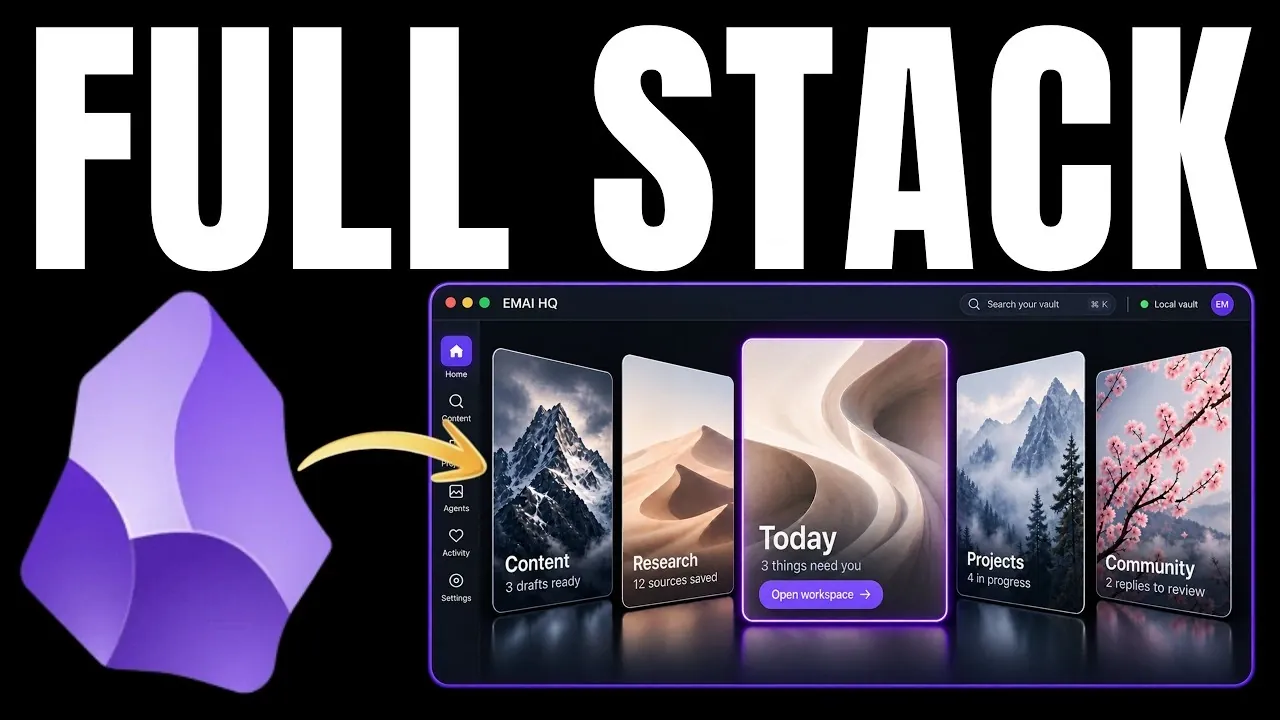
Obsidian is often seen as a way to organize personal notes, but Eric Michaud presents a different approach: using it as a backend system to manage workflows and structure data. This method uses Obsidian’s plain text foundation, markdown capabilities and integrations to prioritize active data management. For example, you can automate processes like extracting metrics from external platforms while maintaining full control over your data, avoiding dependence on cloud-based services. This creates a structured environment for organizing and acting on information effectively.
Explore how to distinguish human-generated content from machine outputs to keep your system clear and scalable. Learn techniques for integrating AI agents to handle tasks like data logging and content generation. Dive into strategies for building dashboards that bring together tasks, timelines and analytics into a unified, actionable view. These insights will help you design a system tailored to your evolving needs.
Why Use Obsidian as a Backend System?
TL;DR Key Takeaways :
- Obsidian can be transformed from a passive note-taking tool into a powerful backend system for managing workflows, automating tasks and structuring data for actionable insights.
- Its foundation on plain text files and markdown ensures complete control over data, offering flexibility, security and independence from cloud-based services.
- Integrating AI agents enhances productivity by automating repetitive tasks, managing data and generating content, while structured vault organization ensures clarity and efficiency.
- Daily notes act as the backbone of the system, allowing consistent data logging, trend analysis and informed decision-making through automation and API integration.
- Customizable dashboards, themes and plugins allow for a personalized, scalable and visually appealing front-end experience that evolves with your needs over time.
Obsidian’s foundation on plain text files and markdown provides a simple, portable and accessible platform. Unlike many cloud-based tools, it offers complete control over your data, eliminating concerns about vendor lock-in or recurring subscription fees. This independence ensures that your system remains flexible, secure and adaptable to your evolving requirements.
By treating Obsidian as a backend system, you can move beyond static note-taking. Instead, you can design workflows, automate processes and integrate external tools to streamline data management. Its dual functionality, being both human-readable and machine-friendly, makes it an ideal choice for building scalable productivity systems. This approach enables you to transform your vault into a dynamic hub for managing tasks, analyzing data and achieving long-term goals.
Organizing Your Vault: Human vs Machine Content
A well-organized vault is essential for maximizing efficiency and clarity. To achieve this, it’s important to distinguish between human-generated content (such as ideas, tasks and projects) and machine-generated outputs (such as scripts, logs and workflows). This separation prevents clutter and ensures that your vault remains easy to navigate, even as it grows in complexity.
- Designate specific folders for AI agents to store their outputs, keeping them separate from personal notes or creative work.
- Use “agent.md” files as instruction manuals for each folder. These files provide context and guidelines for AI agents, making sure their outputs align with your objectives.
This structured approach not only minimizes errors but also allows you to maintain a clear distinction between different types of content, making your vault more functional and efficient.

Unlock more potential in Obsidian by reading previous articles we have written.
- Create Smarter Home Automations by Combining Obsidian with Home Assistant
- Obsidian Tutorial for Beginners: How to Organize Your Ideas in 2026
- Obsidian Tips & Tricks for 2026 : Plugins, Bases Views & Canvas Workflows
- Using Obsidian bullet threading to improve your productivity
- How to Visualize Your Ideas in Obsidian with Excalidraw
- Why Obsidian and Zettelkasten are the Perfect Knowledge System
- Obsidian Gemini CLI Workflows for AI Note-Taking, Daily Pages & More
- Transform Obsidian into the Ultimate Task Management Tool
- Unlock the Secret to Effortless Note-Taking with YAML in Obsidian
- New Obsidian Bases Core Plugin : A Complete Guide to Structured Databases
Integrating AI Agents
AI agents can significantly enhance your Obsidian backend by automating tasks, managing data and even generating content. For instance, APIs can be used to pull metrics from platforms like YouTube or Instagram, feeding this data into your vault for analysis. This integration enables you to offload repetitive tasks and focus on more strategic activities.
To ensure AI agents perform effectively:
- Provide them with clear, targeted context by structuring your vault to define their scope of responsibilities.
- Continuously refine their performance using historical data and feedback to improve accuracy and efficiency over time.
By integrating AI agents into your workflows, you can create a system that not only saves time but also enhances the quality of your outputs, allowing you to achieve more with less effort.
Daily Notes as the Backbone
Daily notes serve as the foundation of an effective Obsidian backend. By automating their creation, you can ensure consistent data logging and organization. These notes can be structured as a database, where:
- Rows represent properties such as tasks, metrics, or events.
- Columns link to individual notes for detailed information and context.
APIs can further enhance this process by automatically pulling data from external platforms, such as tracking social media engagement, monitoring project progress, or logging daily habits. Over time, this structured approach builds a comprehensive record of your activities, allowing you to identify trends, analyze performance and make informed decisions.
Building Actionable Workflows
One of the most impactful ways to use Obsidian as a backend system is by creating actionable dashboards. These dashboards consolidate your daily notes, task lists and project timelines into a single, user-friendly interface. For example:
- A dashboard can help you prioritize tasks, monitor progress and execute workflows in real time.
- Content creators can analyze historical data and audience feedback to optimize their creative process and plan future projects.
AI agents can further enhance these workflows by generating drafts, suggesting topics, or curating research materials. This allows you to focus on higher-level tasks, such as strategy and decision-making, while the system handles routine operations.
Customizing the Front-End Experience
A well-designed interface is crucial for maximizing the utility of your Obsidian backend. Drawing inspiration from intuitive designs like Apple Music or the PS5 dashboard, you can create a workspace that is both visually appealing and highly functional. Consider the following strategies:
- Integrate tools like email, calendar management, or content research directly into your Obsidian setup for seamless access.
- Customize themes and plugins to align with your specific workflow requirements and aesthetic preferences.
This level of personalization ensures that your system evolves alongside your needs, making it not only practical but also enjoyable to use on a daily basis.
Scalability and Long-Term Flexibility
One of Obsidian’s greatest strengths as a backend system is its scalability. As your workflows grow in complexity, you can expand your system to accommodate new tasks, data sources and automation processes. Start with a basic note-taking structure, then gradually incorporate advanced features such as:
- AI-driven content generation for streamlined creative workflows.
- Automated data logging to track metrics and performance effortlessly.
- Custom dashboards that provide real-time insights and actionable information.
This iterative approach ensures that your system remains adaptable and relevant, no matter how your needs evolve. By continuously refining and expanding your setup, you can create a robust, future-proof system that supports your personal and professional growth.
Unlocking Obsidian’s Full Potential
Reimagining Obsidian as a backend system unlocks its full potential as a tool for managing data, workflows and daily operations. By using plain text files, markdown and AI integration, you can create a dynamic, scalable system that enhances productivity while maintaining independence from cloud-based services. Whether you’re automating tasks, analyzing data, or optimizing content creation, this approach offers a practical and flexible solution to modern productivity challenges.
Media Credit: Eric Michaud
Disclosure: Some of our articles include affiliate links. If you buy something through one of these links, Geeky Gadgets may earn an affiliate commission. Learn about our Disclosure Policy.
