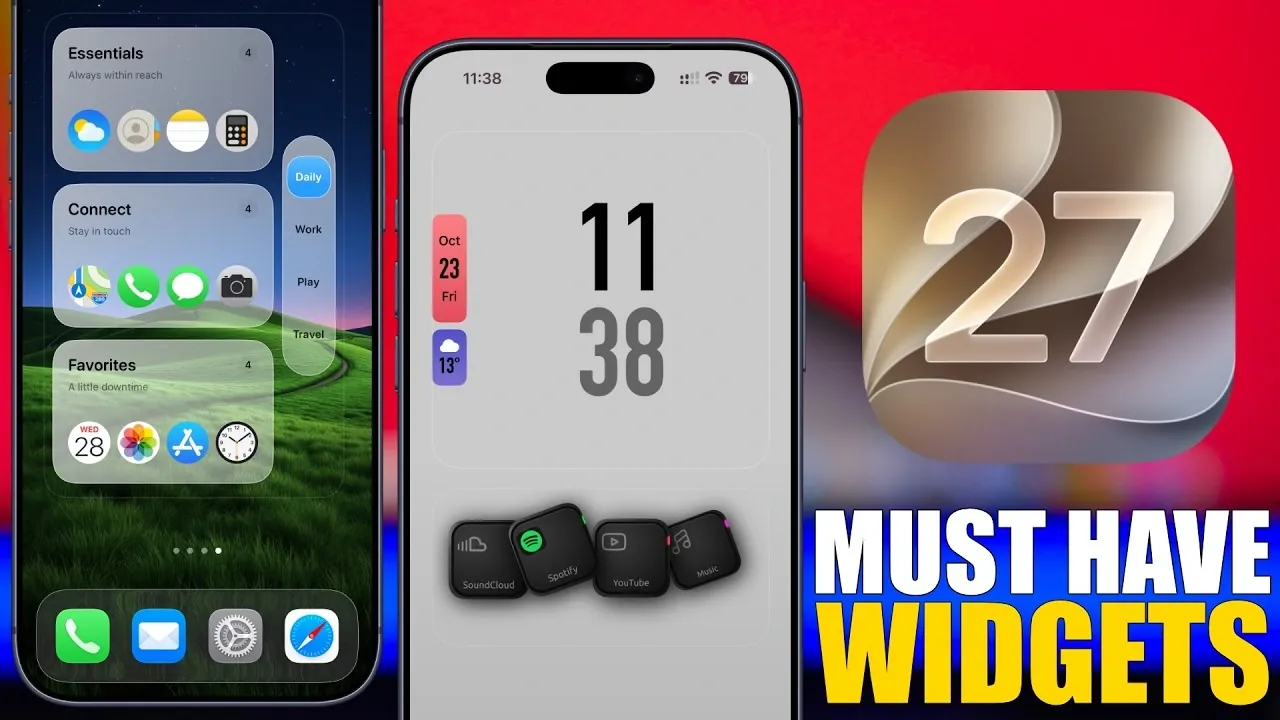
With the release of iOS 27, Apple has introduced a new era of home screen customization, offering larger widgets and advanced functionality to improve usability and personalization. These updates provide users with tools to streamline daily interactions and optimize their iPhone experience. Whether you’re focused on monitoring device performance, managing battery life, or creating a visually appealing home screen, the latest widgets are designed to meet your needs. This guide explores the most impactful widgets available and how they can elevate your iPhone usage. The video below from iReviuws gives us more details.

Customizable Widgets: Tailor Your Home Screen
iOS 27 brings a wide array of customizable widgets that adapt to your unique preferences. Apps like Widget App empower you to design widgets that align with your personal style and functional requirements. The introduction of larger widget sizes allows for more information to be displayed at a glance, improving both utility and aesthetics. Features such as widget filtering and importing simplify the setup process, allowing you to create a personalized layout quickly and efficiently. Whether you prefer minimalistic designs or vibrant, detailed displays, these widgets offer flexibility to suit your taste.
Monitor Device Performance and Data Usage
For users who prioritize staying informed about their device’s performance, Usage App is an invaluable tool. This app offers widgets that track critical metrics such as storage capacity, RAM usage, battery health and data consumption. By customizing these widgets, you can access detailed insights directly from your home screen, making sure you’re always aware of your iPhone’s status. Additionally, BitMeter App specializes in monitoring data usage, helping you keep track of your data plan and set limits to avoid overages. These tools are essential for maintaining optimal device performance and managing resources effectively.
Synchronize Battery Levels Across Devices
Managing battery life across multiple Apple devices has never been easier with All My Batteries App. This widget consolidates battery information from your iPhone, iPad and Mac into a single, unified view. By installing the app on all your devices, you can synchronize battery data and monitor their status in real time. This feature is particularly beneficial for users who rely on multiple devices throughout the day, making sure you’re always prepared and never caught off guard by a low battery. With this widget, you can streamline your workflow and maintain productivity across all your Apple devices.
Personalize and Organize Your Home Screen
iOS 27 places a strong emphasis on personalization, and apps like Mojo App make it easier than ever to customize your home screen. The larger widget sizes introduced in this update allow you to modify app grids, backgrounds and even widget transparency to match your preferences. Frequent updates to these apps provide fresh designs, making sure your home screen remains dynamic and visually appealing. For users seeking enhanced organization, Mini Folder App offers folder-like widgets that double as app launchers. These widgets help you categorize and access your favorite apps effortlessly, combining functionality with aesthetic appeal.
Stay Informed with Real-Time Weather Widgets
Weather enthusiasts will appreciate the detailed and real-time updates provided by My Weather App. This app offers widgets in various sizes, displaying essential information such as air quality, sunrise and sunset times and extended forecasts. Whether you need a quick overview of current conditions or a comprehensive breakdown of the week ahead, these widgets ensure you’re always prepared for any weather scenario. The ability to customize the appearance and information displayed further enhances their utility, making them a must-have for anyone who values staying informed about the weather.
Boost Productivity with App Launcher Widgets
Efficiency meets convenience with Quick App, a widget that combines app launcher functionality with a clock display. This tool allows you to switch between saved widgets or add new ones as needed, providing quick access to frequently used apps. Ideal for users who prioritize organization and time management, this widget simplifies your workflow and enhances productivity. By integrating this tool into your home screen, you can streamline your daily tasks and focus on what matters most.
Maximize the Potential of iOS 27 Widgets
The widgets introduced in iOS 27 redefine how you interact with your iPhone, blending functionality with personalization to create a seamless user experience. From tracking device performance and synchronizing battery levels to customizing your home screen and staying updated on the weather, these tools empower you to tailor your iPhone to your specific needs. By incorporating these widgets into your daily routine, you can unlock the full potential of iOS 27 and enjoy a more intuitive, efficient and personalized device experience. Explore these widgets today to enhance your iPhone usage and make the most of Apple’s latest innovations.
Deep dive into the latest in iOS 27 by exploring our other resources and articles.
- Apple Delaying iOS 27 Beta 5? Here’s When to Expect the Next Update
- New iOS 27 Beta 5 Release Arrives with a Big Shift Coming
- iOS 27 Beta 5 Is Late: What’s Holding Up Apple’s Next Release?
- The iOS 27 Beta 5 Release Imminent with More New Features
- Apple iOS 27 Beta 5 Preview: a Look at the Next Release
- iOS 27 is Finally Coming: Apple to Confirm Release Date Today
Source & Image Credit: iReviews
Disclosure: Some of our articles include affiliate links. If you buy something through one of these links, Geeky Gadgets may earn an affiliate commission. Learn about our Disclosure Policy.
