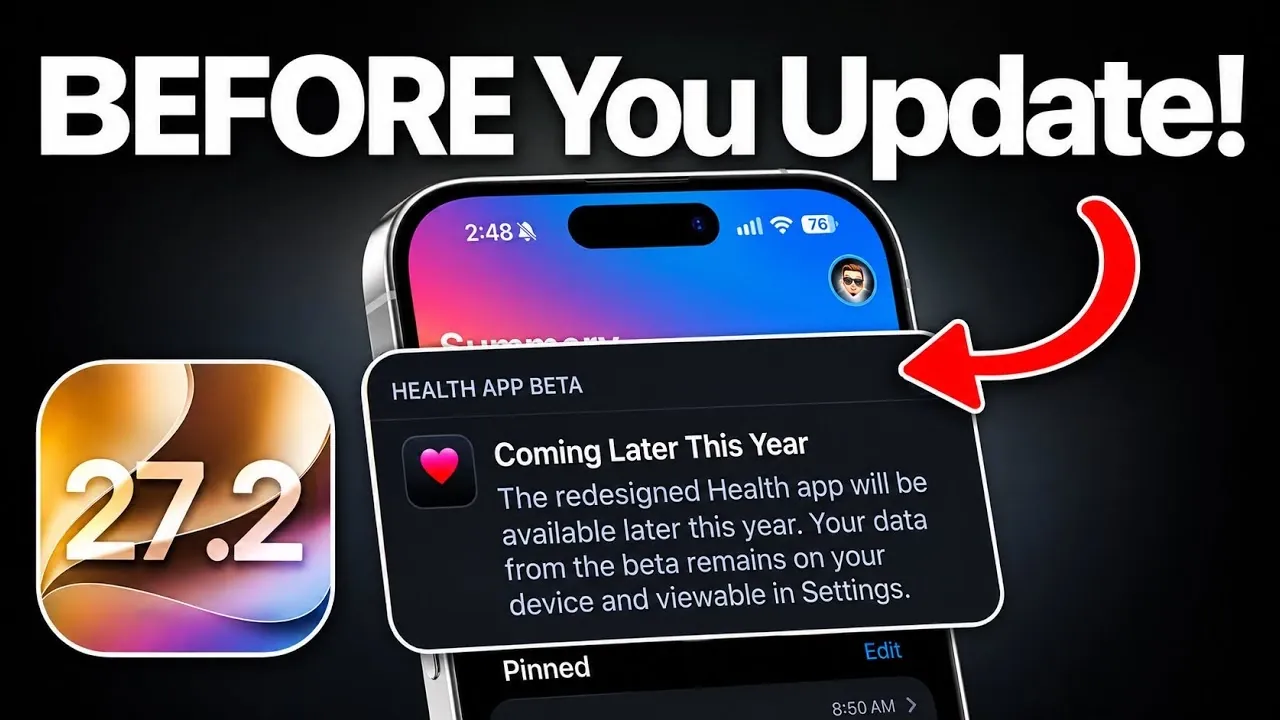
Apple is set to release iOS 27.2 on Monday, October 26, 2026, bringing a host of new features, app updates, and system enhancements to iPhone users. This update focuses on refining the user experience across key apps such as Apple Music, Messages, and the Apple TV app, while also delivering improvements in performance and battery life. However, some anticipated features, like the redesigned Health app, are not included in this release. Below is a detailed exploration of what iOS 27.2 offers and how you can prepare for a smooth transition. The video below from iReviews gives us more details.

Apple Music Gets a Fresh Look
One of the standout changes in iOS 27.2 is the visual update to Apple Music. The app now features a redesigned icon and a shift in menu highlight colors from red to a sleek blue. While the core functionality of Apple Music remains unchanged, this subtle redesign enhances the app’s overall aesthetic, offering a more modern and polished interface. For users who rely on Apple Music for their daily playlists, this update makes navigation feel more intuitive and visually appealing. The change may seem minor, but it reflects Apple’s ongoing commitment to refining user experience.
Messages App Introduces Smart Suggestions
The Messages app receives a significant productivity boost with the addition of smart suggestions. This new feature identifies actionable information within your conversations, such as tasks, meetings, or events and prompts you to create reminders or notes directly from the chat. By eliminating the need to switch between apps, this integration streamlines your workflow and helps you stay organized. Whether you’re managing a busy schedule or keeping track of personal commitments, the enhanced Messages app ensures you can handle tasks efficiently without interrupting your conversations.
Apple TV App Adds Profile Management
The Apple TV app sees a major upgrade with the introduction of profile management. Users can now create and manage individual profiles, including child accounts, directly from their iPhone. Each profile is customizable, with its own preferences, watch history, and personalized recommendations. This feature is particularly beneficial for households with multiple users, as it allows everyone to enjoy a tailored entertainment experience. By allowing seamless switching between profiles, the update ensures that every member of the family can access content suited to their tastes and viewing habits.
HomePod OS 27.2 Introduces “Sound Glow”
For HomePod users, iOS 27.2 introduces a visually engaging feature called “Sound Glow.” This enhancement synchronizes the glowing light on the top of the HomePod with the album artwork of the music being played. While primarily aesthetic, “Sound Glow” adds an immersive and dynamic touch to your listening experience. This feature is part of the HomePod OS 27.2 update, designed to integrate seamlessly with iOS 27.2. Together, these updates ensure a cohesive and visually appealing experience across Apple’s ecosystem, enhancing the way you interact with your devices.
Performance and Battery Life Enhancements
iOS 27.2 brings notable improvements in performance and battery life, addressing two critical areas for iPhone users. System optimizations result in faster app launches and smoother multitasking, making sure that your device operates efficiently even during demanding tasks. Additionally, enhanced power management contributes to improved battery life, allowing you to use your device for longer periods without frequent recharging. These updates are designed to support your daily activities, making your iPhone more reliable and responsive.
Redesigned Health App: Coming Soon
While iOS 27.2 introduces several valuable updates, the redesigned Health app is not included in this release. Apple has confirmed that this feature will be part of a future update, likely iOS 27.3. The revamped Health app is expected to offer advanced tracking capabilities and a more user-friendly interface. For now, users will need to wait for its arrival, but the promise of enhanced health monitoring tools adds to the anticipation of what’s to come.
Preparing for the Update
As iOS 27.2 is set to launch on Monday, October 26, it’s important to prepare your device to ensure a smooth update process. Start by backing up your iPhone using iCloud or a computer to safeguard your data. Check your device’s storage to ensure there’s enough space for the update, and make sure your iPhone is connected to a stable Wi-Fi network during the installation. By taking these steps, you can minimize the risk of data loss or interruptions during the update.
Key Features of iOS 27.2
Here’s a detailed look at the key updates included in iOS 27.2:
- Apple Music: Redesigned icon and updated menu colors for a more modern and intuitive interface.
- Messages: Smart suggestions for creating reminders and notes directly from conversations, improving productivity.
- Apple TV App: Profile management for personalized viewing experiences, including child accounts.
- HomePod: “Sound Glow” feature for synchronized visual effects with music playback, enhancing the listening experience.
- Performance: Faster app launches, smoother multitasking, and improved battery life for more efficient device usage.
- Health App: Redesigned version confirmed for a future update, offering advanced health tracking capabilities.
By understanding the features and enhancements in iOS 27.2, you can make an informed decision about when and how to upgrade. This update represents a step forward in Apple’s ongoing efforts to refine its ecosystem, delivering practical improvements that enhance everyday usability.
Below are more guides on the iOS 27.2 update from our extensive range of articles.
- The Best Features Coming to Your iPhone in iOS 27.2
- 10 Cool New Features Coming in Apple’s iOS 27.2 Update
- Inside the iOS 27.2 Beta: Every Hidden Feature You Need to Know
- Every New Feature in iOS 27.2 RC: Apple Music, Apple TV Profiles and More
- New iOS 27.2 Beta 1 Software Arrives in Surprise Rollout
Source & Image Credit: iDeviceHelp
Disclosure: Some of our articles include affiliate links. If you buy something through one of these links, Geeky Gadgets may earn an affiliate commission. Learn about our Disclosure Policy.
