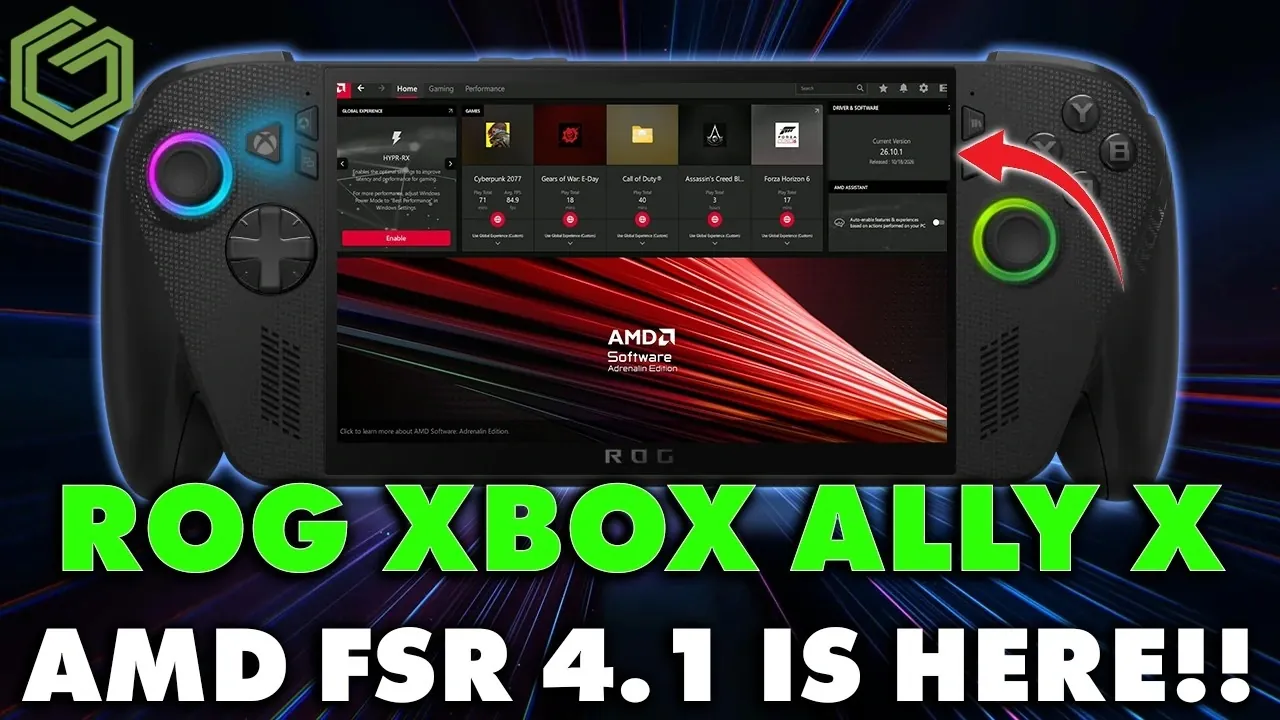
AMD’s latest FSR 4.1 preview driver brings enhanced upscaling capabilities to the Xbox Ally X, offering gamers improved visual fidelity in supported titles. Available through the Armory Crate SE platform, this update uses advanced algorithms to deliver sharper textures and reduced visual artifacts, though it requires manual configuration to unlock its full potential. GameTechPlanet explores how this update impacts both image quality and performance, highlighting its compatibility with over 400 games, including visually demanding titles like Cyberpunk 2077.
Dive into this detailed breakdown to understand how FSR 4.1 balances visual enhancements with potential performance trade-offs. Learn how to install and configure the update, explore its impact on frame rates and discover the flexibility of performance modes that allow you to customize your gaming experience. Whether you prioritize smooth gameplay or immersive visuals, this guide provides actionable insights to help you make the most of this new technology.
What is FSR 4.1?
TL;DR Key Takeaways :
- AMD’s FSR 4.1 preview driver enhances image quality for Xbox Ally X and X20, offering sharper textures, improved lighting and more natural shadows, but with a 10-20% FPS trade-off.
- FSR 4.1 is compatible with over 400 games supporting FSR 3.1 or newer, delivering near-native resolution visuals through advanced upscaling algorithms.
- The update requires manual configuration via the Armory Crate SE platform to unlock its full potential, allowing users to customize settings for visual quality or performance.
- FSR 4.1 is particularly impactful for graphically demanding games like Cyberpunk 2077, enhancing immersion with improved clarity and reduced visual artifacts.
- This update highlights AMD’s commitment to advancing gaming technology, offering a glimpse into the future of upscaling while broadening possibilities for gamers without requiring high-end hardware.
FSR 4.1, the latest iteration of AMD’s FidelityFX Super Resolution technology, is designed to improve gaming visuals by upscaling lower-resolution images to near-native quality. This technology is compatible with games that already support FSR 3.1 or newer, covering a library of over 400 titles. By using advanced algorithms, FSR 4.1 enhances image sharpness, reduces visual artifacts and improves overall clarity.
For players of graphically demanding games like Cyberpunk 2077 or Gears of War, this update delivers a noticeable boost in visual fidelity. The improved textures, lighting and shadows create a more immersive experience, making it a valuable addition for gamers seeking enhanced visuals without upgrading their hardware.
How to Install and Configure the Update
To access and activate the FSR 4.1 preview driver, follow these steps:
- Launch the Armory Crate SE platform on your Xbox Ally X or X20.
- Navigate to the “Preview Updates” section to locate the FSR 4.1 driver.
- Ensure your device is connected to a power source during the installation to avoid interruptions.
- After installation, manually enable the FSR upscaling feature by adding it to the command center interface.
This manual setup is essential to fully use the new upscaling capabilities. Once enabled, you can customize the settings to match your preferences, whether you prioritize visual quality or performance.

Find more information on Xbox Ally X by browsing our extensive range of articles, guides and tutorials.
- Preorder the $1,299 ROG Xbox Ally X20 Before October 15th 2026
- New ROG Xbox Ally X20 Hands-on: Upgrades to OLED, Retains APU
- $1,300 ROG Xbox Ally X20 Adds an OLED but Keeps the Z2 Extreme
- Native 1080P Fails Halo Campaign Evolved on ROG Xbox Ally X
- ROG Xbox Ally X20 Ditches the Original IPS for a 120Hz OLED
- ROG Ally X Mod Uses a 1080P 120Hz Screen for Nintendo DS
- ROG Ally X20 SteamOS Gaming Benchmarks and Battery Performance Tested
- Xbox ROG Ally X vs ROG Xbox Ally Compared : Affordable or Premium?
- ROG Xbox Ally X vs ROG Ally X : Which One Deserves Your Money?
Key Improvements in Performance and Visuals
FSR 4.1 introduces several enhancements that elevate the gaming experience. These include:
- Sharper textures that bring more detail to in-game environments.
- Improved lighting effects that add depth and realism to scenes.
- More natural-looking shadows, reducing flickering and enhancing immersion.
These upgrades are particularly impactful in visually intensive games like Cyberpunk 2077, where the update minimizes visual inconsistencies and enhances overall clarity. However, these improvements come with a trade-off. Depending on the game and settings, you may experience a 10-20% reduction in frames per second (FPS).
To address this, FSR 4.1 includes a performance mode, allowing you to balance image quality and frame rates. This flexibility ensures that you can adapt the settings to suit your gaming style, whether you prioritize smooth gameplay or stunning visuals.
What Does This Mean for Gamers?
For most players, FSR 4.1 represents a significant improvement in visual clarity compared to its predecessor, FSR 3. Fine details in textures become more pronounced and lighting effects feel more dynamic, creating a richer and more immersive gaming experience.
While the FPS trade-off may concern competitive gamers, the enhanced visuals are particularly beneficial for story-driven or open-world games, where immersion often takes precedence over performance. The ability to adjust settings through the command center gives you control over how the technology impacts your gameplay. Whether you prefer crisp visuals or smoother performance, FSR 4.1 provides the tools to tailor your experience.
The Future of FSR 4.1
The release of FSR 4.1 lays the groundwork for further advancements in gaming technology. Its compatibility with FSR 3.1-supported games ensures that developers have a robust foundation for integrating this technology into future titles. As adoption grows, refinements may address current performance trade-offs and expand the technology’s capabilities.
For now, FSR 4.1 offers a glimpse into the future of upscaling, providing gamers with a way to achieve high-quality visuals without requiring top-tier hardware. Whether you’re a casual gamer or a dedicated enthusiast, this update broadens the possibilities for enjoying visually stunning games.
Enhancing the Xbox Ally Ecosystem
The introduction of FSR 4.1 for the Xbox Ally X and X20 underscores AMD’s commitment to advancing gaming technology. By combining innovative upscaling techniques with customizable settings, this update enhances the gaming experience for a diverse range of players.
While the performance trade-offs may not appeal to everyone, the visual improvements are undeniable. Whether your priority is achieving stunning graphics or maintaining high frame rates, FSR 4.1 offers the flexibility to find the right balance for your gaming needs. This update is a valuable addition to the Xbox Ally ecosystem, paving the way for future innovations in gaming performance and visual fidelity.
Media Credit: GameTechPlanet
Disclosure: Some of our articles include affiliate links. If you buy something through one of these links, Geeky Gadgets may earn an affiliate commission. Learn about our Disclosure Policy.
