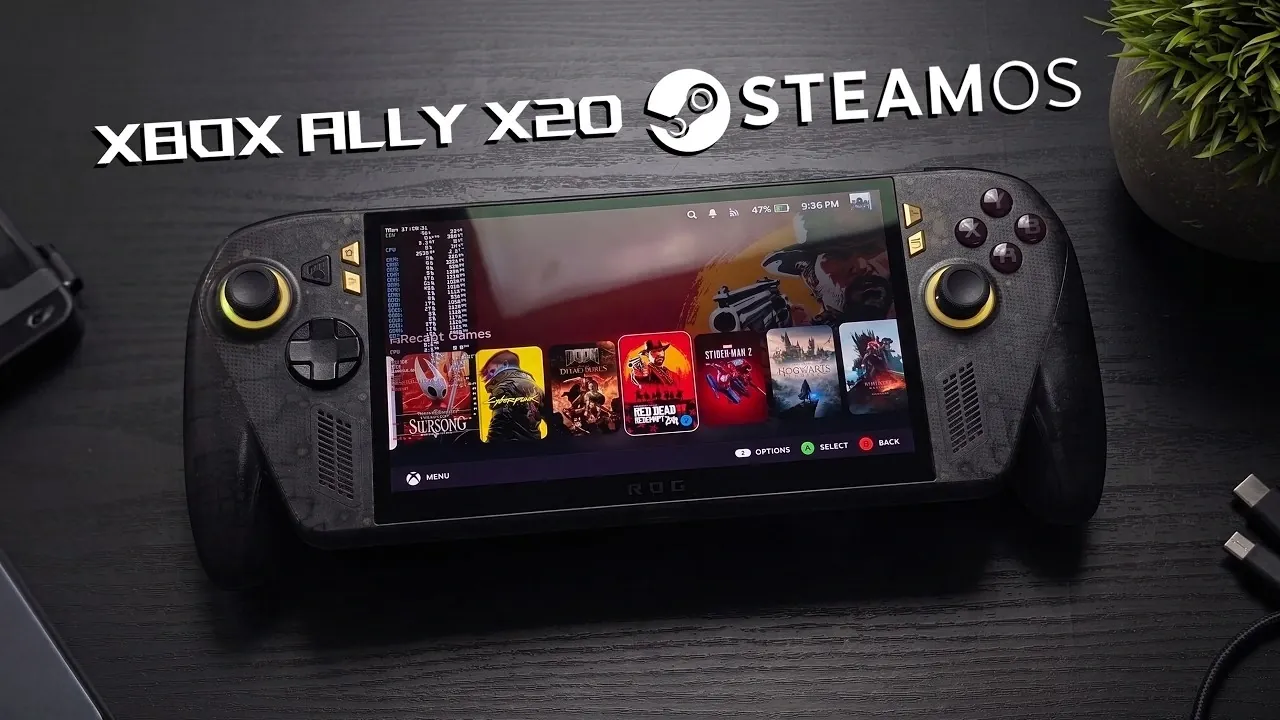
Below ETA Prime demonstrates how to install SteamOS on the ASUS ROG Ally X20, a special-edition handheld gaming device equipped with a 7.4-inch 120Hz OLED display and an AMD Ryzen AI Z2 Extreme APU. This process involves replacing the default Windows operating system with SteamOS, a Linux-based platform designed for gaming. According to ETA Prime, key challenges include addressing limited driver support and configuring hardware-specific features like audio and power management to ensure optimal functionality.
Discover how SteamOS handles demanding titles such as Cyberpunk 2077 and Red Dead Redemption 2 on this hardware. Learn specific techniques for optimizing battery life through TDP adjustments and gain insight into resolving compatibility issues unique to the device. This explainer provides a detailed look at the steps and considerations required to successfully run SteamOS on the Ally X20.
Key Features of the ASUS ROG Ally X20
- The ASUS ROG Ally X20 is a special edition handheld gaming device celebrating ASUS’s 20th anniversary, featuring a 7.4-inch 120Hz Nebula OLED display, AMD Ryzen AI Z2 Extreme APU and 24GB of RAM for high-performance gaming.
- Switching to SteamOS offers a Linux-based gaming ecosystem with access to Linux-compatible games, but it introduces challenges like limited feature support (e.g., RGB lighting control) and the need for technical workarounds.
- Performance benchmarks show smooth gameplay across various titles, with adjustable TDP settings optimizing power consumption and performance for different gaming scenarios.
- Battery life varies based on TDP settings, offering up to 8 hours for indie games and around 2 hours for AAA titles, with an 80Wh battery supporting diverse gaming needs.
- Challenges such as audio configuration issues, limited dock mode functionality and underdeveloped software features highlight the experimental nature of SteamOS integration, with future updates expected to improve the experience.
The ASUS ROG Ally X20 is designed to cater to both casual gamers and enthusiasts, offering a combination of premium hardware and thoughtful design. Its standout features include:
- Display: A 7.4-inch 120Hz Nebula OLED screen that delivers exceptional brightness, vibrant color accuracy and fluid motion for an immersive gaming experience.
- Performance: Powered by the AMD Ryzen AI Z2 Extreme APU and 24GB of RAM, the device handles demanding games with ease, making sure smooth gameplay even in resource-intensive titles.
- Design: A transparent shell with black-and-gold accents commemorates ASUS’s 20th anniversary. The ergonomic build and customizable D-pad enhance comfort and personalization.
This combination of advanced hardware and aesthetic appeal positions the ROG Ally X20 as a standout contender in the competitive handheld gaming market.
Installing SteamOS: Opportunities and Limitations
Switching the ROG Ally X20 from its default Windows OS to SteamOS introduces a Linux-based gaming environment, offering a fresh perspective for gamers. However, this transition is still in its early stages, presenting both opportunities and limitations:
- Gaming Ecosystem: SteamOS provides access to a vast library of Linux-compatible games, but some Windows-exclusive titles may require compatibility layers or workarounds, such as Proton.
- Feature Limitations: Certain features, including RGB lighting control and the quick menu button, are currently unsupported, limiting the device’s full potential on SteamOS.
- Power Management: Optimizing performance and battery life requires third-party plugins like Simple Decky TDP control, adding a layer of complexity for users.
While SteamOS introduces exciting possibilities, it demands a degree of technical know-how to navigate these early-stage challenges effectively.

Find more information on SteamOS by browsing our extensive range of articles, guides and tutorials.
- Valve Restructures SteamOS with Distinct X86 and ARM Builds
- ONEXPLAYER X2 Mini Pro Runs SteamOS with Ryzen AI Max Plus 388
- SteamOS Beta Update Fixes CPU Degradation and Wi-Fi Bugs
- Valve’s Free SteamOS Runs Arch Linux for Daily Desktop Use
- Install Armada OS on Android Handhelds to Create a Steam Deck in Under 5 Minutes
- SteamOS Update Adds Seamless Account Switching During Gameplay
- Valve Adds Initial Nvidia GPU Driver Support to SteamOS
- Droid Deck Brings SteamOS to Android Phones Without a Root
- Valve Adds Desktop Mode Toggle to SteamOS for PC Tasks
- SteamOS 3.9 Brings 4K Resolution at 120 FPS to AMD GPUs
Performance Benchmarks: Gaming on SteamOS
The ROG Ally X20’s robust hardware pairs well with SteamOS, delivering impressive gaming performance across a variety of titles. The adjustable TDP (Thermal Design Power) allows you to fine-tune power consumption and performance, making it adaptable to different gaming scenarios. Here’s how it performs in real-world gameplay:
- Forza Horizon 6: Smooth gameplay at medium settings with TDP set to 25W, showcasing the device’s ability to handle fast-paced racing games.
- Red Dead Redemption 2: Playable at 1080p with balanced settings, offering a cinematic experience on the go.
- Hogwarts Legacy: Stable performance at 720p with reduced visual effects, making sure enjoyable gameplay without significant compromises.
- Cyberpunk 2077: Acceptable frame rates at low to medium settings, demonstrating the device’s capability to run graphically demanding titles.
The OLED display significantly enhances these experiences, providing deep blacks, vibrant colors and a 120Hz refresh rate that ensures smooth motion, even in graphically intensive games.
Battery Life: Balancing Performance and Longevity
Battery performance on the ROG Ally X20 varies depending on TDP settings and the intensity of the games being played. Equipped with an 80Wh battery, the device offers the following playtimes:
- ~8 hours for 2D or indie games at 6-8W TDP, ideal for extended casual gaming sessions.
- ~3 hours for mid-range games at 17W TDP, balancing performance and battery longevity.
- ~2 hours and 20 minutes for AAA titles at 25W TDP, suitable for shorter, high-performance gaming sessions.
While the battery life is sufficient for most gaming scenarios, extended playtimes for graphically demanding games may require frequent charging or the use of an external power bank.
Challenges and Areas for Improvement
The integration of SteamOS on the ROG Ally X20 is not without its challenges. Some of the key hurdles include:
- Audio Configuration: Setting up audio required a workaround sourced from GitHub, which may deter users unfamiliar with technical troubleshooting.
- Dock Mode and RGB Lighting: Features like dock mode performance and RGB lighting customization remain underdeveloped, limiting the device’s functionality in certain scenarios.
- Software Updates: Future SteamOS updates are anticipated to address these limitations, potentially improving compatibility and overall user experience.
These challenges highlight the experimental nature of running SteamOS on the ROG Ally X20, but they also underscore its potential for growth as the platform evolves.
The Road Ahead
The ASUS ROG Ally X20, with its premium hardware and OLED display, offers a compelling platform for handheld gaming enthusiasts. While the integration of SteamOS is still in its early stages, it provides a glimpse into the future of Linux-based gaming on high-performance devices. As SteamOS continues to mature, you can expect enhanced compatibility, improved features and greater ease of use.
For now, the combination of the ROG Ally X20 and SteamOS represents an intriguing experiment, paving the way for innovation in handheld gaming. Whether you’re a tech enthusiast eager to explore new possibilities or a gamer seeking a unique experience, this pairing is worth monitoring as it evolves and improves over time.
Media Credit: ETA PRIME
Disclosure: Some of our articles include affiliate links. If you buy something through one of these links, Geeky Gadgets may earn an affiliate commission. Learn about our Disclosure Policy.
