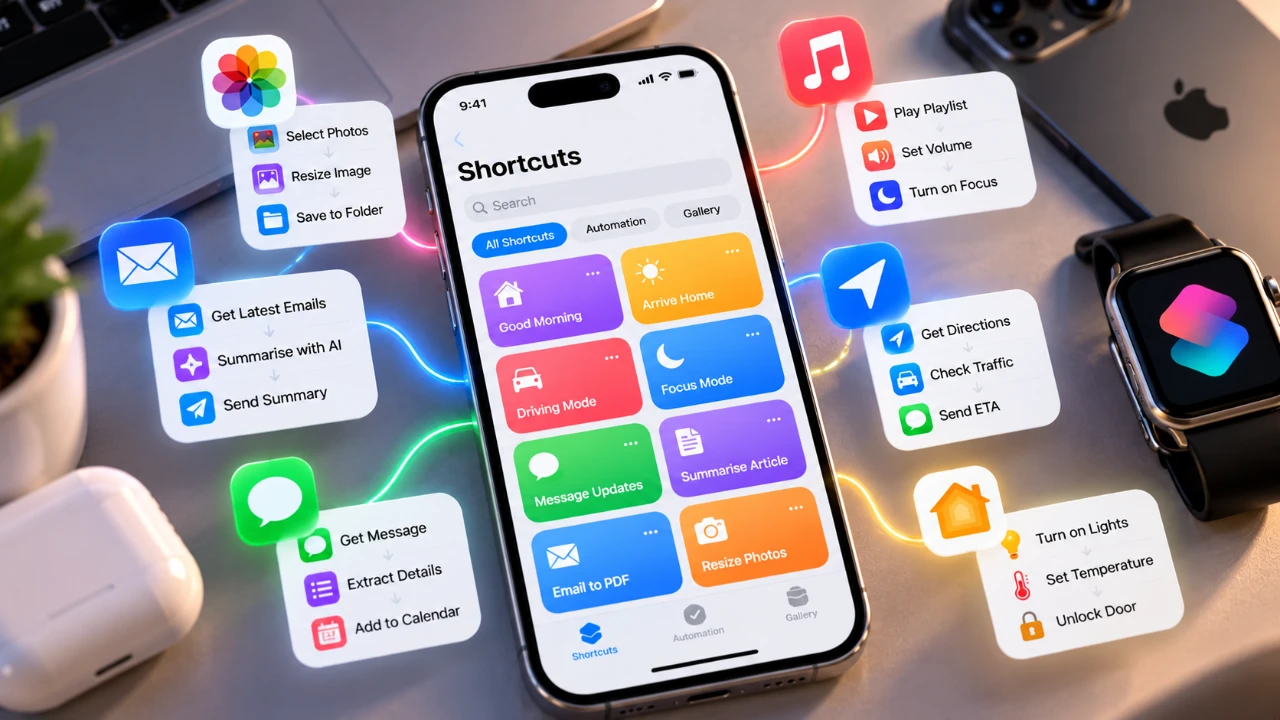
Apple has significantly enhanced the Shortcuts app in iOS 27, making it more intuitive, accessible, and versatile than ever before. By integrating natural language processing and voice dictation, the app now enables you to automate tasks and personalize your iPhone with ease. Whether you are a seasoned automation enthusiast or a newcomer, these updates simplify the process, allowing you to focus on optimizing your daily routines without the need for technical expertise. The video below from Jacob’s Quick Tips gives us more details.

Create Shortcuts Using Plain English
The updated Shortcuts app introduces the ability to create shortcuts using plain English commands, eliminating the need for navigating complex menus or learning scripting techniques. This feature allows you to simply type what you want your iPhone to do, making automation more accessible to a wider audience. For example, you can now create shortcuts like:
- “Turn on dark mode at 8 PM.”
- “Send a good morning message to my team.”
This functionality is particularly beneficial for users who may have found the app intimidating in the past. By removing technical barriers, Apple has ensured that anyone can harness the power of automation to simplify their daily tasks.
Voice Dictation for Seamless Hands-Free Control
Building on the advancements in natural language processing, iOS 27 introduces voice dictation to the Shortcuts app. This feature allows you to speak your desired actions directly into your device, eliminating the need for manual input. For instance, you can say:
- “Set a reminder to water the plants every Monday.”
- “Play my favorite playlist when I start driving.”
This hands-free functionality not only enhances convenience but also improves accessibility for users with mobility challenges. Whether you are multitasking or on the go, voice dictation provides a seamless way to create and execute shortcuts, making automation more practical for everyday use.
Automate and Simplify Everyday Tasks
The enhanced Shortcuts app excels in automating a wide range of tasks, from simple routines to more complex workflows. With iOS 27, you can automate actions such as:
- Adjusting smart home devices based on time or activity.
- Responding to notifications with pre-written messages.
- Activating multiple settings with a single command.
For example, you could create a shortcut that dims your lights, plays a calming playlist and enables “Do Not Disturb” mode when you say, “Start relaxation mode.” These automation capabilities not only save time but also reduce the effort required to manage repetitive tasks, allowing you to focus on what truly matters.
Personalize Your iPhone with Tailored Actions
iOS 27 improves personalization by allowing you to design shortcuts that cater to your unique needs. Whether you are organizing your workday or setting up a relaxing evening routine, the app offers nearly limitless possibilities. Examples of personalized shortcuts include:
- Sending a daily weather update to your phone.
- Opening your calendar and email app with a single tap.
- Launching specific apps or settings based on your schedule.
This level of customization ensures that your iPhone adapts to your lifestyle, making it a truly personal device. By tailoring shortcuts to your preferences, you can streamline your daily activities and enhance your overall productivity.
An Improved Interface for Enhanced Usability
Apple has also introduced a redesigned interface for the Shortcuts app, making it easier to navigate and manage your automations. The updated layout simplifies the process of creating, editing and organizing shortcuts, making sure a smoother user experience. Additionally, new accessibility features, such as voice-over support and larger text options, make the app more inclusive for users with diverse needs.
These improvements reflect Apple’s commitment to usability and inclusivity, making sure that all users can take full advantage of the app’s powerful features. Whether you are a beginner or an experienced user, the redesigned interface makes automation more approachable and efficient.
Transform Your iPhone Experience with iOS 27
The advancements in the Shortcuts app with iOS 27 unlock a new realm of possibilities for automation and personalization. By combining natural language processing, voice dictation, and customization options, Apple has created a tool that is both powerful and user-friendly. Whether you are automating your smart home, streamlining your daily tasks, or optimizing your iPhone’s functionality, the Shortcuts app is designed to help you achieve your goals effortlessly.
With its simplified creation process, robust automation capabilities and focus on accessibility, the Shortcuts app has become an essential feature for iPhone users. By using these enhancements, you can save time, reduce effort and make your iPhone a more integral part of your daily life.
Find more information on iOS 27 by browsing our extensive range of articles, guides and tutorials.
- Apple Delaying iOS 27 Beta 5? Here’s When to Expect the Next Update
- New iOS 27 Beta 5 Release Arrives with a Big Shift Coming
- iOS 27 Beta 5 Is Late: What’s Holding Up Apple’s Next Release?
- The iOS 27 Beta 5 Release Imminent with More New Features
- Apple iOS 27 Beta 5 Preview: a Look at the Next Release
- iOS 27 is Finally Coming: Apple to Confirm Release Date Today
Source: Jacob’s QuickTips
Disclosure: Some of our articles include affiliate links. If you buy something through one of these links, Geeky Gadgets may earn an affiliate commission. Learn about our Disclosure Policy.
