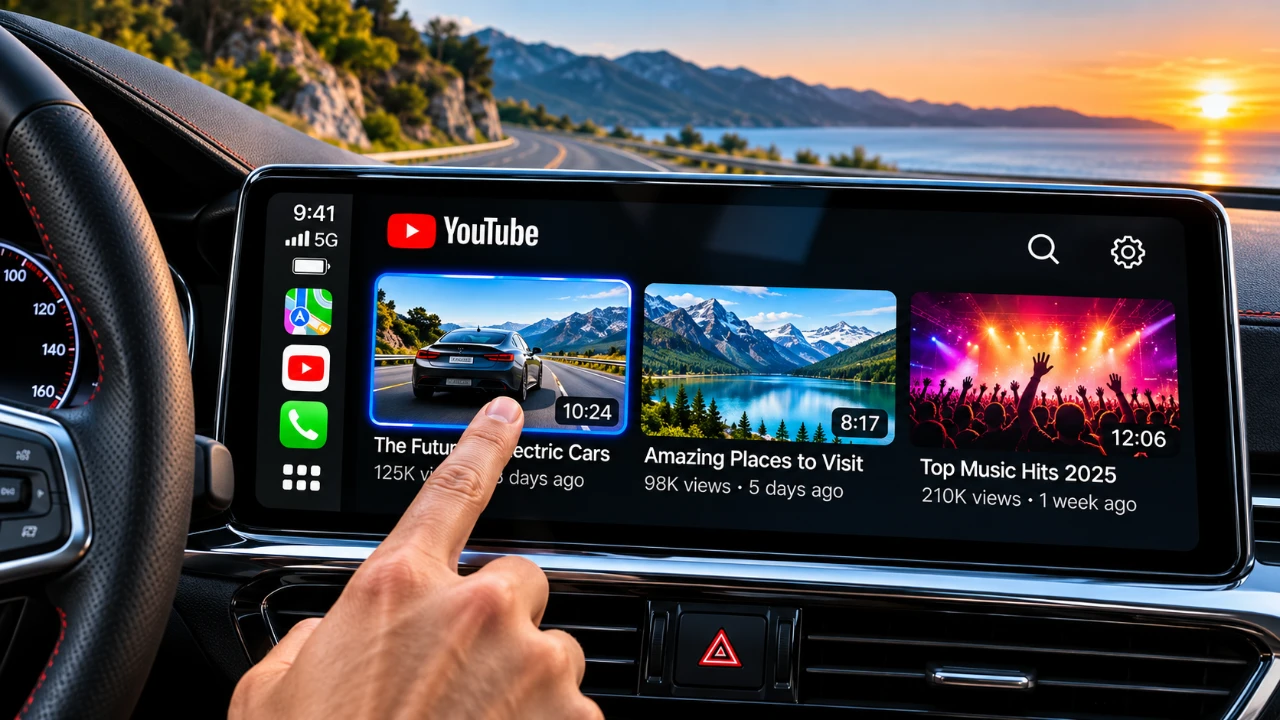
Apple CarPlay has become an essential feature in modern vehicles, offering seamless integration of navigation, calls, and music into your driving experience. However, Apple has maintained strict restrictions on video streaming apps like YouTube, citing safety concerns and compliance with driving regulations. Despite these limitations, a new app called “Carc Screen” has emerged as a solution, allowing video streaming on CarPlay without compromising usability or safety. This app bypasses Apple’s restrictions on iOS 27.2 and 27.3, providing a range of features that enhance in-car entertainment while adhering to safety guidelines. The video below from HotshotTek gives us more details.
TL;DR Key Takeaways :
- Bypass CarPlay Restrictions: The new “Carc Screen” app allows video streaming on Apple CarPlay running iOS 27.2 and 27.3.
- Clever Interface Workaround: Uses a disguised map interface and transforms your iPhone into a remote mouse to navigate media safely.
- Multi-Platform Support: Offers native access to YouTube, TikTok, Twitch, Instagram, and cloud gaming services like GeForce Now.
- TestFlight Beta Access: Currently rolling out via Apple’s pre-release distribution platform with limited user slots.

How Carc Screen Works
Carc Screen employs an innovative approach to enable video streaming without directly modifying the CarPlay interface. Instead of relying on traditional touch controls, the app transforms your iPhone into a mouse, allowing you to remotely navigate and control the streaming interface. This method ensures compliance with Apple’s guidelines while maintaining a smooth and user-friendly experience.
The app supports YouTube streaming but goes beyond that. It also provides access to platforms such as TikTok, Instagram, Twitch and gaming services like GeForce Now. For apps that aren’t natively supported, such as Netflix and Peacock, Carc Screen includes a screen mirroring feature, allowing you to project content from your iPhone onto the CarPlay display. This versatility makes it a comprehensive solution for in-car entertainment.
Key Features That Enhance Your Experience
Carc Screen is not just about streaming videos, it offers a variety of features designed to improve usability and functionality. These include:
- Ad-blocking: Automatically blocks ads on supported platforms, making sure uninterrupted viewing.
- Media controls: Adjust playback settings, such as volume, pause and skip, directly within the app for convenience.
- Live TV streaming: Input URLs to watch live broadcasts from various streaming services, expanding your entertainment options.
- Video history tracking: Keep track of previously watched content for quick and easy access.
These features make Carc Screen a versatile tool that caters to a wide range of streaming preferences, transforming your CarPlay system into a robust entertainment hub.
Availability and Compatibility
Carc Screen is currently in beta testing and is available exclusively through TestFlight, Apple’s platform for pre-release app distribution. The beta program is limited to 10,000 users, making access highly sought after. To try the app, you’ll need to download TestFlight from the App Store and follow the provided link to install Carc Screen.
The app is compatible with iOS 27.2 and 27.3 developer beta versions, making sure it works seamlessly with Apple’s latest software updates. Its disguised map interface cleverly adheres to Apple’s app guidelines, allowing it to function within the CarPlay ecosystem without violating restrictions. This compatibility ensures that users can enjoy the app without requiring any modifications to their existing setup.
Getting Started with Carc Screen
Setting up Carc Screen is a straightforward process. After installing the app via TestFlight, follow the on-screen instructions to pair it with your CarPlay system. The app includes a detailed setup guide to ensure a smooth installation process. Once configured, you can begin exploring its features and enjoying an enhanced in-car entertainment experience.
While Carc Screen provides a wide range of entertainment options, it’s essential to use the app responsibly. Drivers should prioritize safety by avoiding distractions and making sure that video streaming is only used when the vehicle is stationary or during appropriate circumstances.
No Hardware Modifications Required
One of the standout features of Carc Screen is its software-based approach. Unlike other solutions that require hardware modifications or additional devices, Carc Screen works seamlessly with your existing setup. By using iPhone mouse control and a disguised map interface, the app delivers a smooth and integrated experience without altering your CarPlay system. This approach not only simplifies the installation process but also ensures that your vehicle’s warranty and Apple’s guidelines remain intact.
Expanding Your In-Car Entertainment Options
Carc Screen offers a practical and user-friendly solution for overcoming Apple’s restrictions on video streaming within the CarPlay ecosystem. Its robust feature set, including ad-blocking, media controls, live TV streaming and support for multiple platforms, makes it a compelling option for drivers seeking to enhance their in-car entertainment experience. By using a software-based approach, Carc Screen eliminates the need for hardware modifications, making sure a seamless and integrated solution.
As the app remains in beta, early adopters have the opportunity to explore its capabilities and contribute to its development. If you’re looking to expand your entertainment options while on the road, Carc Screen provides a safe and innovative way to do so. However, always remember to prioritize safety and use the app responsibly to ensure a secure and enjoyable driving experience.
Browse through more resources below from our in-depth content covering more areas on Apple CarPlay.
- iOS 27 Lets You Watch YouTube on Apple CarPlay: How It Works
- How to Stream YouTube on Apple CarPlay Before Apple Blocks It
- iOS 27 RC is Out: CarPlay Adds Video Streaming and New Siri
- iOS 27 Apple CarPlay Tested: the Best Upgrades for Your Car’s Dashboard
- Bypass Apple CarPlay Restrictions: How to Stream YouTube in Your Car
- Apple CarPlay’s 2026 Overhaul: Dashboard Upgrades to Try
Source: HotshotTek
Disclosure: Some of our articles include affiliate links. If you buy something through one of these links, Geeky Gadgets may earn an affiliate commission. Learn about our Disclosure Policy.
