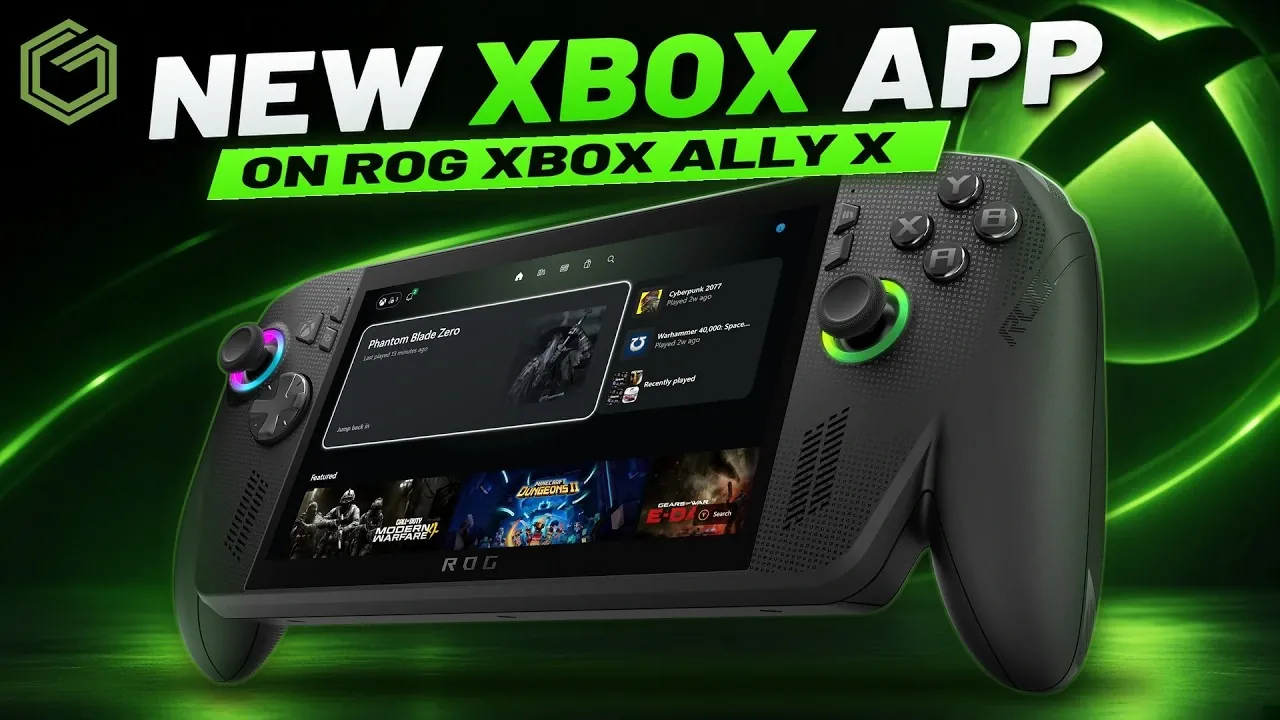
The latest Xbox PC app update, now available to Xbox Insiders, brings a range of enhancements that aim to deliver a more console-like experience on devices like the ROG Xbox Ally X. Among the standout improvements is the app’s faster loading speed, which significantly reduces delays when navigating from the home screen or switching between sections. The update also introduces a redesigned interface that mirrors the Xbox console’s layout, making navigation more intuitive for users familiar with the console ecosystem. These changes were tested on the ROG Xbox Ally X, showcasing noticeable performance gains even in less-than-ideal Wi-Fi conditions, according to GameTechPlanet.
Dive into this assessment to explore how the updated Xbox PC app reshapes key features like game library management, controller integration, and Game Pass navigation. You’ll gain insight into the improved filtering options for sorting games, the streamlined store interface, and the reorganized settings menu, which now simplifies configuring remote play and cloud gaming. Whether you’re curious about the app’s usability on handheld devices or its broader implications for Windows gaming, this breakdown highlights the practical benefits and remaining challenges of the update.
Performance and Navigation Upgrades
TL;DR Key Takeaways :
- The updated Xbox PC app, tested on the ROG Xbox Ally X, reportedly delivers faster performance, smoother navigation, and a more console-like interface, though some manual Windows setup is still required.
- Enhanced game library management includes faster filters, a “recently played” section, and integration with platforms like Game Pass, EA, Ubisoft, and Steam, improving usability for handheld gaming.
- The Game Pass and store sections have been optimized for quicker browsing, better controller support, and improved search functionality, aligning with the app’s goal of simplifying game discovery on Windows devices.
- Reorganized settings now offer easier access to cloud gaming, remote play, and system configurations, with features like resolution caps, overlay settings, and connected device management.
- Speculation continues about future Xbox hardware, including a potential new console or a handheld device, as Microsoft reportedly works to unify the Xbox ecosystem across platforms.
The update significantly improves performance, with the app now loading faster from the home screen. Navigation and page loading are quicker than in the previous version. Even when tested farther from a Wi-Fi router, the app showed reduced sluggishness and faster response times, a key benefit for handheld users prioritizing efficiency.
A new animation when launching games allows users to cancel the launch within five seconds. While the Xbox guide retains its familiar game bar setup, the updated app interface adopts a design more closely resembling the Xbox console, improving the overall user experience.
The Xbox game bar continues to support widget customization and display options. Users can also disable the new Xbox app experience in the settings, reverting to the older interface if preferred.
Enhanced Game Library and Filtering
Managing installed games is now more intuitive with the updated Xbox PC app. Filters for sorting games, by last played, install size, or alphabetical order, are faster and more responsive. Unlike the previous version, changing filters no longer requires repopulating artwork, simplifying the process. The app also features a “recently played” section, a queue, and a “my games” area that mirrors the Xbox console’s library. This section integrates platforms like Game Pass, EA, Ubisoft, Steam, and Games with Gold, offering a unified view of owned and accessible games.
Adding games or apps to the library is straightforward using the “+” button, and the app now works seamlessly with a controller. This eliminates the need for touchscreens, keyboards, or mice, as well as switching to desktop mode, making it more accessible for handheld gaming.
The updated filters not only improve usability but also make finding and organizing games faster. Combined with the app’s overall speed and responsiveness, these changes enhance the gaming experience.

Here are more detailed guides and articles that you may find helpful on Xbox.
- Leaked Xbox Project Helix May Hit a $1,200 Price in Spring 2027
- Xbox Project Helix Confirmed for a November 2027 Launch
- Xbox Project Helix Consoles Scheduled to Launch in Nov 2027
- Rumoured Massive 26-Teraflop Xbox Project Helix Pits It Against PlayStation 6
- Heroic Game Launcher Enables Xbox Game Pass Titles on SteamOS
- MSI Claw 8 EX Hits 61% Higher Frame Rates vs ROG Xbox Ally X20
- FSR 4.1 Helps 30 FPS Xbox Series X Games Hit 60 FPS
- Xbox Project Helix Could Become a Major Threat to Sony
- Project Helix: How the Next Xbox Plays Both PC and Console Games
- Preorder the $1,299 ROG Xbox Ally X20 Before October 15th 2026
Game Pass and Store Improvements
The Game Pass section now includes tabs for highlighted games, benefits, and deals, all of which load quickly and are easy to navigate. Similarly, the store interface has been optimized for faster browsing and improved controller support. These updates contribute to a more console-like experience, aligning with the app’s goal of simplifying game discovery and access on Windows devices.
Search functionality has also been improved, offering quicker and more efficient ways to locate specific games or content. This enhancement further boosts the usability of the Game Pass and store sections.
Reorganized Settings and Remote Play
The settings menu has been reorganized for better usability. Key sections include account management, order history, and system settings for display, notifications, and audio. The “play and social” settings allow users to configure cloud gaming and remote play options, such as overlay settings, resolution caps, and statistics display. The remote play section also supports adding consoles and displays connected devices, mirroring the functionality of the Xbox app on mobile platforms.
Additional options in the settings menu include managing refunds, devices and connections (such as rumble and cursor settings), app startup preferences, and install storage. This comprehensive reorganization simplifies configuring the app for specific needs, particularly for cloud gaming, remote play, and system adjustments.
Console-Like Experience with Windows Limitations
The update represents progress toward making Windows more console-like in navigation and game management. However, Windows still requires more manual updates, driver installations, and setup compared to platforms like SteamOS. While the changes improve usability, the inherent complexity of Windows remains a factor for users.
Testing of the updated Xbox app over several days revealed faster performance, smoother navigation, and improved controller functionality, all contributing to a more streamlined gaming experience.
Xbox Hardware Speculation
Speculation continues about future Xbox hardware, with reports suggesting a new Xbox console may eventually launch. There is also potential for an Xbox handheld device designed to be more console-oriented rather than PC-based. These developments, alongside ongoing app improvements, suggest a broader effort to unify the Xbox ecosystem across devices.
The updated Xbox PC app delivers faster performance, improved navigation, and a more console-like interface, making it a valuable improvement for handheld Windows users. While it simplifies gaming on devices like the ROG Xbox Ally X, the need for manual Windows updates and setup persists. Based on this testing, the update represents a meaningful step forward, especially for those seeking a more streamlined gaming experience on Windows.
Media Credit: GameTechPlanet
Disclosure: Some of our articles include affiliate links. If you buy something through one of these links, Geeky Gadgets may earn an affiliate commission. Learn about our Disclosure Policy.
