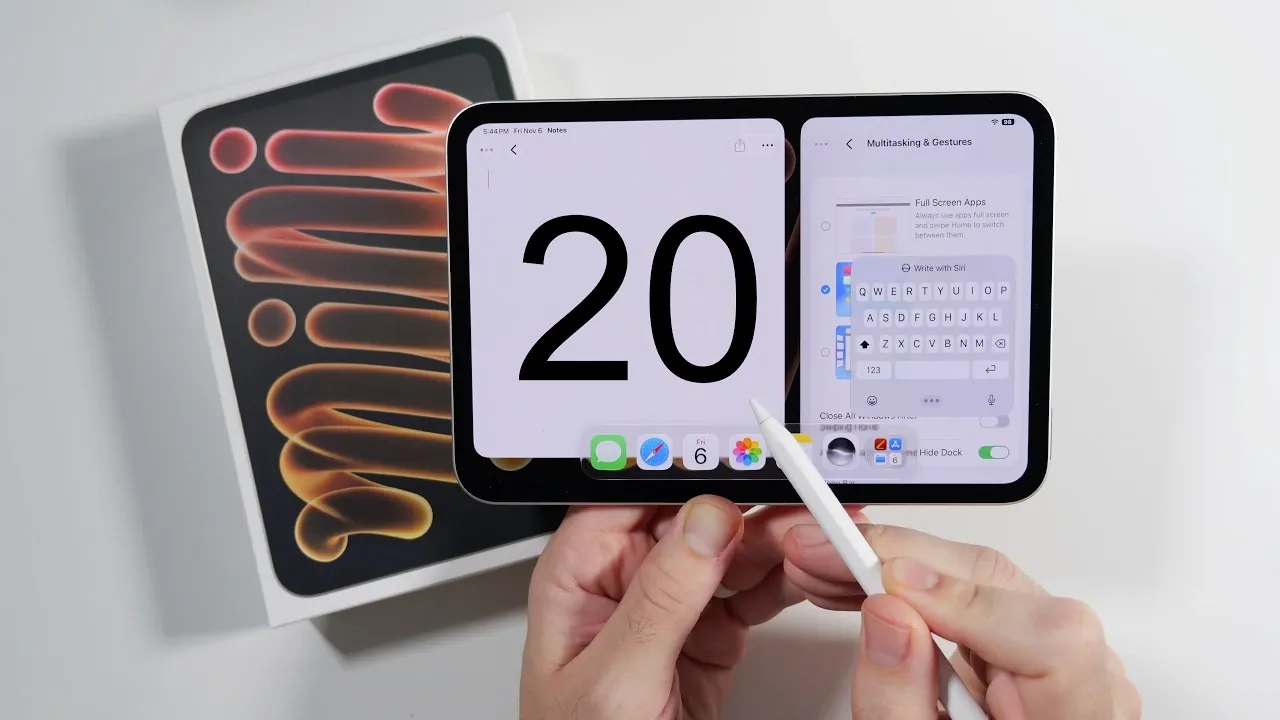
The OLED iPad Mini is a compact yet powerful device that blends portability with advanced technology. Whether you’re a creative professional, a multitasker, or a casual user, this device is designed to elevate your digital experience. Its stunning OLED display, robust performance and versatile features make it an ideal companion for work, creativity, and entertainment. To help you maximize its capabilities, here’s a comprehensive guide to unlocking the full potential of your iPad Mini.
TL;DR Key Takeaways :
- Stunning OLED Panel: Features a vibrant 8.5-inch OLED display delivering deep contrasts, vivid colors, and exceptional clarity.
- A20 Pro Performance: Powered by next-gen silicon paired with 12GB of RAM for uncompromised multitasking and fluid mobile gaming.
- Apple Pencil Pro Integration: Supports advanced tactile haptic feedback, tilt recognition, and precise pressure sensitivity.
- Enhanced Battery Health: Introduces smart power features like an 80% charge limit option to extend long-term cell lifespan.

1. Immerse Yourself in the OLED Display
The 8.5-inch OLED display is the centerpiece of the iPad Mini, offering vivid colors, deep contrasts and exceptional clarity. Whether you’re streaming your favorite shows, editing high-resolution photos, or reading eBooks, the display ensures an immersive visual experience. Take advantage of the liquid glass appearance settings to customize the screen’s aesthetic, tailoring it to your preferences for a more personalized experience.
2. Set Up and Master the Apple Pencil Pro
The Apple Pencil Pro is an indispensable tool for creativity and productivity. With haptic feedback, it provides a tactile and intuitive experience for drawing, note-taking and navigating the interface. Attach it magnetically to your iPad Mini for seamless storage and charging. Experiment with its advanced features, such as pressure sensitivity and tilt recognition, to unlock your creative potential and streamline your workflow.
3. Boost Productivity with Multitasking Features
The iPad Mini is equipped with multitasking tools designed to enhance your efficiency. Use Split View to run two apps side by side or activate Stage Manager to organize multiple windows for a more dynamic workspace. The floating keyboard and split thumb keyboard options make typing on the go more comfortable, allowing you to adapt the device to your productivity needs.
4. Explore Advanced Camera Features
The iPad Mini’s camera system is designed for both casual and professional use. The ultra-wide landscape camera is perfect for video calls, making sure you stay centered with Center Stage technology, which automatically adjusts the frame to keep you in focus. The 12MP rear camera supports 2160p video recording, making it a powerful tool for capturing high-quality photos and videos. Whether you’re documenting moments or creating content, the camera delivers impressive results.
5. Personalize Your iPad Mini
Customizing your iPad Mini allows you to create a device that reflects your style and enhances usability. Adjust the home screen layout, resize app icons and experiment with widgets to optimize navigation. These personalization options not only improve functionality but also make the device uniquely yours.
6. Optimize Battery Performance
Preserving battery life is essential for maintaining long-term performance. Enable the 80% charge limit option to reduce battery wear and extend its lifespan. Additionally, explore power management settings to monitor usage and adjust background activity. These features ensure your iPad Mini remains reliable for daily tasks and extended use.
7. Use Accessibility Features
The iPad Mini includes a variety of accessibility tools to accommodate diverse user needs. Features like background sounds can help you focus or relax, while spacebar cursor navigation simplifies text editing. These options make the device more inclusive and adaptable, making sure a seamless experience for all users.
8. Secure Your Device with Touch ID
Touch ID provides a quick and secure way to access your iPad Mini. By registering multiple fingerprints, you can allow trusted users to unlock the device effortlessly. This feature combines convenience with robust security, safeguarding your data without complicating the user experience.
9. Enjoy High-Quality Audio
The iPad Mini’s front-firing speakers deliver clear and balanced sound, making them ideal for streaming, music and video calls. Whether you’re working or relaxing, the audio quality ensures an enjoyable listening experience, enhancing your overall interaction with the device.
10. Customize Siri for Your Needs
Siri can be tailored to suit your preferences, enhancing its functionality and usability. Adjust its voice, set up shortcuts and use it to manage tasks like reminders, calendar events and quick searches. A personalized Siri experience can significantly improve your productivity and simplify daily routines.
11. Capture Screenshots with the Apple Pencil
The Apple Pencil makes capturing screenshots effortless. A quick swipe with the Pencil allows you to document and share your screen instantly. This feature is particularly useful for saving ideas, sharing content, or troubleshooting.
12. Test Gaming Performance
Powered by the Apple A20 Pro chipset, the iPad Mini delivers smooth and responsive performance, even during demanding tasks. Test its gaming capabilities to experience seamless graphics and fluid gameplay, making it a great choice for casual and competitive gamers alike.
13. Adjust Home Screen Layouts
Experiment with adjustable home screen layouts to optimize navigation and workflow. Organize apps and widgets in a way that suits your daily routine, making sure the device remains intuitive and efficient to use.
14. Explore Center Stage for Video Calls
Center Stage technology enhances video calls by automatically adjusting the camera’s framing to keep you in focus. This feature is particularly useful for remote meetings, virtual hangouts, or online presentations, making sure a professional and engaging experience.
15. Use Split Thumb Keyboards
The split thumb keyboard is a practical feature for typing on the go. It allows you to type comfortably with your thumbs, making the iPad Mini even more portable and user-friendly for quick tasks or extended typing sessions.
16. Experiment with Liquid Glass Appearance
The liquid glass appearance settings let you customize the display’s aesthetic to match your style. Adjust these settings to enhance your viewing experience, whether you prefer vibrant colors or a more subdued look.
17. Explore the 12MP Rear Camera
The 12MP rear camera is not just for photos, it’s also a powerful tool for video recording. With 2160p resolution, you can create professional-quality content directly from your iPad Mini, making it a versatile device for creators.
18. Use Background Sounds for Focus
Enable background sounds, such as white noise or nature sounds, to create a more productive or calming environment. This feature is ideal for focusing on tasks, meditating, or simply unwinding after a long day.
19. Manage Notifications Effectively
Customize your notification settings to minimize distractions. Group notifications by app, enable Focus modes, or schedule Do Not Disturb periods to stay on task without interruptions.
20. Explore Accessibility Shortcuts
Set up accessibility shortcuts for quick access to features like magnification, voice control, or assistive touch. These tools enhance the iPad Mini’s versatility, making it more inclusive and adaptable to different user needs.
Specifications at a Glance
- 8.5-inch OLED display with vibrant visuals.
- 12MP rear camera with 2160p video recording.
- 12GB RAM for seamless multitasking.
- 4900mAh battery with advanced management options.
- Compact, lightweight design with premium build quality.
The OLED iPad Mini is a versatile device that combines portability, performance and premium features. Its vibrant display, powerful chipset and customizable tools make it suitable for a wide range of users, from professionals to students. By exploring these features and tips, you can tailor the iPad Mini to your needs and unlock its full potential. Whether you’re working, creating, or relaxing, this device offers a seamless and enjoyable experience.
Gain further expertise in OLED iPad Mini by checking out these recommendations.
- Apple’s OLED iPad Mini Is Finally Happening: Here Is Everything We Know
- Apple iPad Mini 8 Just Fully Leaked: Here is Everything Changing
- Leaked OLED iPad Mini Details Surface, but Does It Finally Deserve the ‘Pro’ Name?
- iPad Mini 8: Major Changes Coming to Apple’s Next Compact Tablet
- iPad Mini 8 Leaks: Massive Upgrades, But Will You Pay $799 for It?
Source & Image Credit: Nick Ackerman
Disclosure: Some of our articles include affiliate links. If you buy something through one of these links, Geeky Gadgets may earn an affiliate commission. Learn about our Disclosure Policy.
