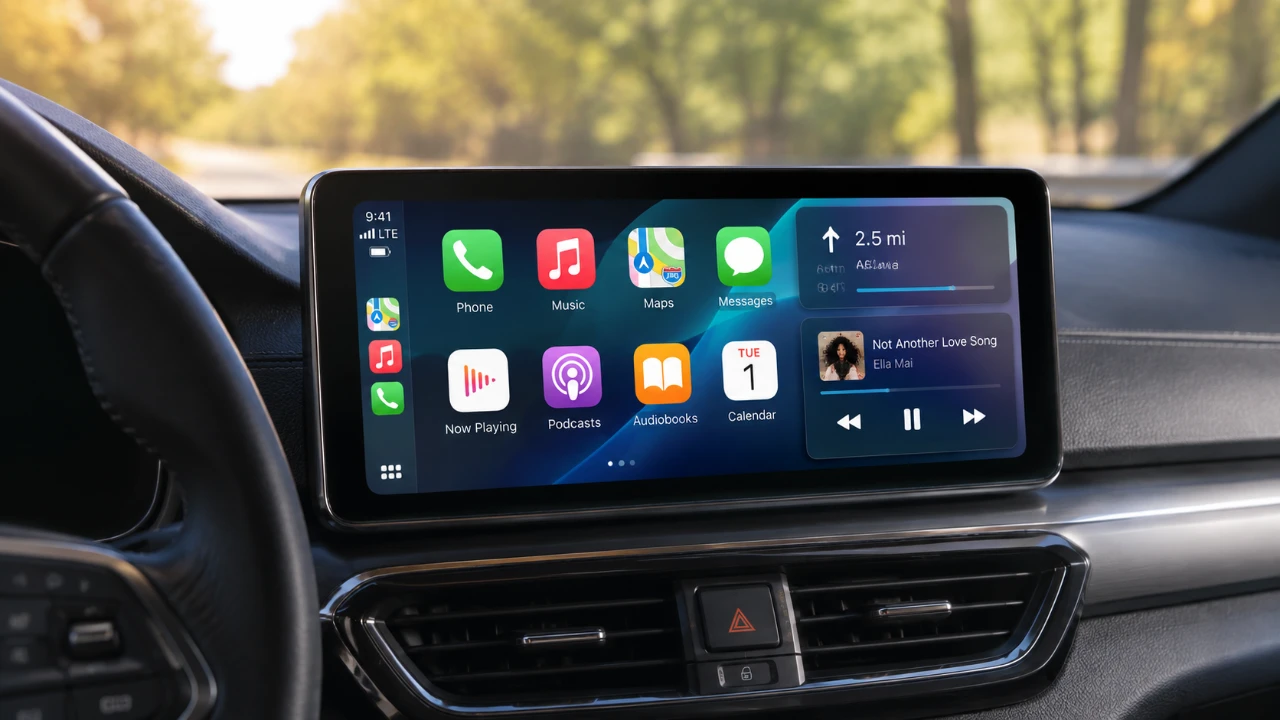
Apple has officially unveiled the iOS 27 Release Candidate (RC), signaling the final stage before the software’s public rollout. This update introduces a range of features and refinements designed to enhance usability, functionality, and integration across Apple’s ecosystem. From a refreshed user interface to significant upgrades in Siri, Apple Music, and CarPlay, iOS 27 RC reflects Apple’s commitment to delivering a more seamless and engaging experience for its users. The video below from HotshotTek gives us more details about the new Apple CarPlay features.

Device Compatibility and Access
iOS 27 RC is designed to support a wide array of iPhone models, making sure that most recent devices can take advantage of its features. Developers have already gained access to this version, while public beta testers will receive it shortly. Apple has prioritized a smooth transition for supported devices, with no significant compatibility issues expected. This broad accessibility underscores Apple’s focus on inclusivity and user satisfaction.
Revamped User Interface for Enhanced Usability
The user interface (UI) in iOS 27 has undergone thoughtful redesigns to improve both aesthetics and functionality. Key updates include:
- Modernized icons: Redesigned battery and cellular reception icons provide a cleaner, more contemporary look.
- Dynamic Siri animation: Siri now appears as a centered, dynamic visual, aligning with the system’s minimalist design philosophy.
- Improved weather interface: A refreshed layout enhances readability and provides more detailed forecasts at a glance.
- Streamlined messaging and scorecard views: These updates simplify navigation and improve user interactions.
These changes aim to make everyday tasks more intuitive while maintaining a visually appealing design language.
Apple Music: Better Discovery and Playback Control
Apple Music has received several updates that enhance content discovery and playback management:
- Optimized media menu: A new layout tailored for larger screens improves browsing efficiency.
- Enhanced playback slider: A precise track navigation slider allows for more accurate control during playback.
- Visual updates: Poster-like images now highlight top picks and news on the homepage, adding a visually engaging element.
- Improved library management: Enhanced playlist and favorites filtering simplifies the organization of extensive music collections.
Additionally, the playback slider functionality has been extended to third-party music apps and podcasts, broadening its utility beyond Apple Music. These updates make discovering and enjoying content more seamless and visually engaging.
CarPlay: Enhanced Integration and Customization
CarPlay has received some of the most impactful updates in iOS 27 RC, further improving the in-car experience:
- Apple Maps integration: Directions can now be shared directly to vehicle entertainment systems, streamlining navigation.
- Pinch-and-zoom gestures: Supported on compatible vehicles, this feature offers greater control over map views.
- New visual elements: Updated wallpapers and liquid glass icon designs refresh the interface for a more modern look.
- Widget support: Non-CarPlay widgets can now be added to the dashboard, offering greater customization options.
- Apple Watch integration: Users can mark and locate their car’s last known location, a particularly useful feature for large parking areas.
These updates not only enhance functionality but also improve the visual and interactive aspects of CarPlay, making it a more integral part of the Apple ecosystem.
Siri: Smarter Features and Improved Usability
Siri has been enhanced with the addition of a standalone app, offering new ways to interact with the virtual assistant:
- Conversation management: Users can now review and manage past interactions directly within the app.
- Task resumption: Unfinished tasks can be resumed seamlessly, improving productivity.
- Follow-up commands: Enhanced follow-up features allow for corrections or refinements to previous commands.
These updates make Siri more intuitive and capable of handling complex tasks, further integrating it into daily workflows.
Additional Features to Explore
Beyond the major updates, iOS 27 RC introduces several smaller yet meaningful enhancements:
- Audio stories on iPads: The Apple News app now supports audio stories on iPads, providing a more immersive way to consume news.
- Video streaming limitations in CarPlay: Video streaming remains restricted, requiring approval from vehicle manufacturers. This reflects Apple’s commitment to making sure safety while driving.
While these features may not dominate headlines, they contribute to the overall refinement of the user experience.
A Comprehensive Update for Apple Users
iOS 27 RC delivers a well-rounded set of improvements that enhance the Apple ecosystem. From the redesigned user interface and Siri’s expanded capabilities to the upgraded CarPlay and Apple Music features, this release underscores Apple’s focus on usability and innovation. Whether you’re navigating with Apple Maps, enjoying curated playlists, or using Siri’s new standalone app, iOS 27 RC offers a cohesive and improved digital experience tailored to modern needs.
Enhance your knowledge on Apple CarPlay by exploring a selection of articles and guides on the subject.
- Every New Apple CarPlay Feature Coming in iOS 27
- Apple CarPlay’s 2026 Overhaul: Dashboard Upgrades to Try
- Apple Keeps Refining CarPlay: Every New Change Found in iOS 27 Beta 6
- Apple Just Tweaked CarPlay Again in iOS 27 Public Beta 2
- How to Use Waze’s Latest 2026 Features on Apple CarPlay & Android Auto
- Apple Isn’t Done with CarPlay: What Just Changed in iOS 27 Beta 8
Source: HotshotTek
Disclosure: Some of our articles include affiliate links. If you buy something through one of these links, Geeky Gadgets may earn an affiliate commission. Learn about our Disclosure Policy.
