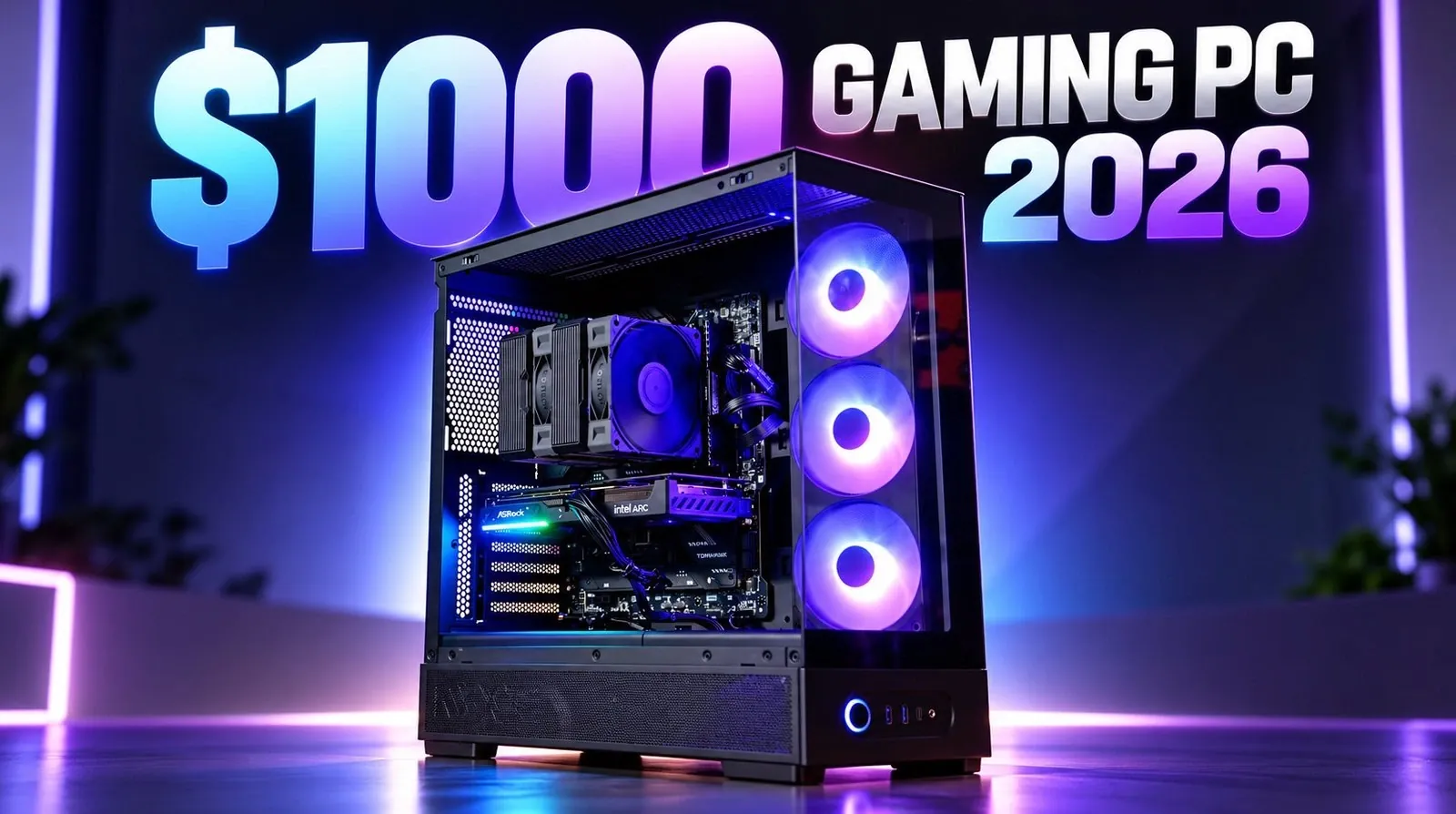
Building a gaming PC on a budget in 2026 doesn’t mean sacrificing performance and PC Centric demonstrates this with a thoughtful configuration tailored for 1440p gaming. At the core of this setup is the Intel Core i5-14400F processor, paired with the Intel Arc A570 GPU, a combination that balances cost and capability for modern titles. By using DDR4 RAM and an Intel B760 motherboard, this build keeps costs manageable while maintaining compatibility with current and future components. With a total cost of around $1,000, this guide offers a practical blueprint for gamers seeking affordability without compromising on essential features.
Explore how to optimize your build with smart component choices, from selecting the NZXT S50 RGB case for improved airflow to making sure stable power delivery with the MSI MAG A650BN PSU. You’ll also gain insight into assembly tips, such as pre-installing components on the motherboard for a smoother setup process and learn what to expect from this system’s gaming performance across esports and AAA titles. Whether you’re a first-time builder or upgrading an older rig, this breakdown provides actionable steps to create a cost-effective PC ready for today’s gaming demands.
Why This Build Stands Out
TL;DR Key Takeaways :
- Building a gaming PC in 2026 is still highly doable, offering smooth 1440p gaming performance for around $1,000 with a focus on affordability, performance and future-proofing.
- The build features key components like the Intel Core i5-14400F CPU, Intel Arc A570 GPU with 10GB VRAM, 16GB DDR4 RAM and a 1TB Silicon Power UD90 SSD for optimal gaming performance and storage.
- Efficient cooling is ensured with the Montek NX600 air cooler, while the NZXT S50 RGB case provides excellent airflow and aesthetics; the MSI MAG A650BN 650W PSU ensures stable power delivery.
- This configuration supports smooth gameplay for esports and AAA titles, with frame rates exceeding 300 FPS for competitive games and 45-75 FPS for demanding titles at 1440p resolution.
- The build is designed for future upgrades, allowing enhancements to the CPU, RAM, GPU and storage, making sure long-term relevance and adaptability to evolving gaming needs.
This gaming PC build is optimized to deliver excellent performance while keeping costs under control. By selecting components like DDR4 RAM and an Intel B760 motherboard, you can save money without sacrificing compatibility or performance. At the heart of this system is the Intel Core i5-14400F processor paired with the Intel Arc A570 GPU, a combination that ensures smooth gameplay at 1440p resolution. This build is designed to handle modern gaming demands while leaving room for upgrades as your needs evolve.
Key Components and Their Roles
Each component in this build has been carefully chosen to maximize value and performance. Here’s a detailed breakdown of the parts:
- CPU: Intel Core i5-14400F – A versatile processor that excels in gaming and multitasking.
- GPU: Intel Arc A570 – Features 10GB of VRAM, making it ideal for 1440p gaming with modern titles.
- RAM: 16GB DDR4 – Provides sufficient memory for most games, with the option to upgrade to 32GB for enhanced multitasking.
- Storage: 1TB Silicon Power UD90 SSD – Delivers fast load times and ample storage for games and applications.
- Cooling: Montek NX600 air cooler – Maintains efficient thermal performance during extended gaming sessions.
- Case: NZXT S50 RGB – Combines sleek aesthetics with excellent airflow and pre-installed fans.
- Power Supply: MSI MAG A650BN 650W PSU – Ensures stable and reliable power delivery for all components.
This configuration is designed to provide a seamless gaming experience while staying within budget, making it an excellent choice for gamers looking to maximize their investment.

Browse through more resources below from our in-depth content covering more areas on budget gaming PC.
- Build a Budget 1440p Gaming PC for under $350
- $350 Perfect Budget Gaming PC : Easily Handles Modern 1080P Gaming
- How to Build a Cheap Gaming Rig That Plays at 80 FPS 1440p in 2026
- Build a $540 1440P Gaming PC to Beat Steam Machine
- Building a Budget PC in 2026 : RX 6600 & 6700 XT Options, 1440p Results
- Budget Gaming PC Build Using Second-Hand Parts Hits Smooth 1440p
- How to Build a Compact Gaming PC For Under $300
- Budget Intel Arc Gaming PC Rig Crushes 1440p
- Building a $600 1440P Gaming PC with an Intel Arc A570
- Build a 1440p Gaming PC on a Budget That Crushes Consoles
Component Highlights and Benefits
Each part of this build has been selected to ensure compatibility, performance and future upgrade potential:
– Motherboard: The Intel B760 motherboard supports 12th to 14th-generation CPUs, offering flexibility for future upgrades. It also includes modern connectivity options like PCIe 4.0 and USB 3.2.
– RAM: The 16GB DDR4 memory is sufficient for most gaming needs and upgrading to 32GB is straightforward if you require more for multitasking or demanding applications.
– Storage: The 1TB Silicon Power UD90 SSD ensures fast boot times and quick game loading, with enough capacity for a sizable game library.
– Cooling: The Montek NX600 air cooler provides efficient thermal management, keeping your system cool and quiet even during intense gaming sessions.
– Case: The NZXT S50 RGB case not only looks modern but also enhances airflow with its pre-installed fans, making sure optimal cooling for your components.
– Power Supply: The MSI MAG A650BN 650W PSU delivers consistent power, making sure stability even during demanding tasks or future upgrades.
This combination of components ensures that your gaming PC is both powerful and cost-effective, with the ability to handle modern games and applications with ease.
Step-by-Step Assembly Tips
Building your gaming PC can be a straightforward process if you follow these steps carefully:
1. Prepare the Motherboard: Begin by installing the CPU, RAM and SSD onto the motherboard before placing it into the case. This simplifies the assembly process and reduces the risk of damaging components.
2. Attach the Cooler: Secure the Montek NX600 air cooler to the CPU to ensure optimal thermal performance.
3. Mount the Motherboard: Place the motherboard inside the NZXT S50 RGB case, making sure that all standoffs are properly aligned and secured.
4. Install the GPU and PSU: Insert the Intel Arc A570 GPU into the PCIe slot and connect the MSI MAG A650BN PSU, making sure all power cables are securely attached.
5. Cable Management: Organize and route cables neatly to improve airflow and make future upgrades easier.
6. Verify Connections: Double-check all connections to ensure that components are properly installed before powering on the system.
Taking your time during assembly not only ensures a clean and efficient build but also reduces the likelihood of errors that could impact performance.
Performance Expectations
This build is designed to deliver smooth 1440p gaming performance across a wide range of titles. Here’s what you can expect:
– Esports Games: Competitive titles like Valorant and CS:GO will run at frame rates exceeding 300 FPS, providing a responsive and fluid gaming experience.
– AAA Games: For graphically demanding games such as Cyberpunk 2077 or Control, you can expect frame rates between 45 and 75 FPS at 1440p, especially when using technologies like FSR (FidelityFX Super Resolution).
– Thermal Efficiency: The Montek NX600 cooler ensures that your system remains quiet and stable, even during extended gaming sessions.
While ray-tracing performance may require some settings adjustments, this build is more than capable of handling most modern games with ease.
Future Upgrade Potential
One of the key strengths of this build is its upgradability, allowing you to enhance performance as your needs grow:
- CPU: Upgrade to a higher-tier processor, such as the Intel i5-14600K, for improved gaming and multitasking performance.
- RAM: Expand to 32GB to handle resource-intensive applications and multitasking more effectively.
- Storage: Add additional SSDs or HDDs to increase storage capacity for games, media and other files.
- GPU: Replace the Intel Arc A570 with a more powerful graphics card to handle future gaming demands or higher resolutions.
The Intel B760 motherboard, NZXT S50 RGB case and MSI MAG A650BN PSU are designed to support these upgrades, making sure that your system remains relevant and capable for years to come.
Considerations and Trade-Offs
While this build offers excellent value, there are a few trade-offs to consider:
– DDR4 RAM: Although cost-effective, DDR4 may limit compatibility with future technologies as DDR5 becomes the standard.
– Base RAM Configuration: The included 16GB of RAM is sufficient for gaming but may impact performance in resource-heavy multitasking scenarios.
– Ray-Tracing Performance: While capable, the Intel Arc A570 may require lower settings for smooth performance in ray-traced games.
These trade-offs are minor compared to the overall value and performance this build provides, making it an excellent choice for budget-conscious gamers.
Media Credit: PC Centric
Disclosure: Some of our articles include affiliate links. If you buy something through one of these links, Geeky Gadgets may earn an affiliate commission. Learn about our Disclosure Policy.
