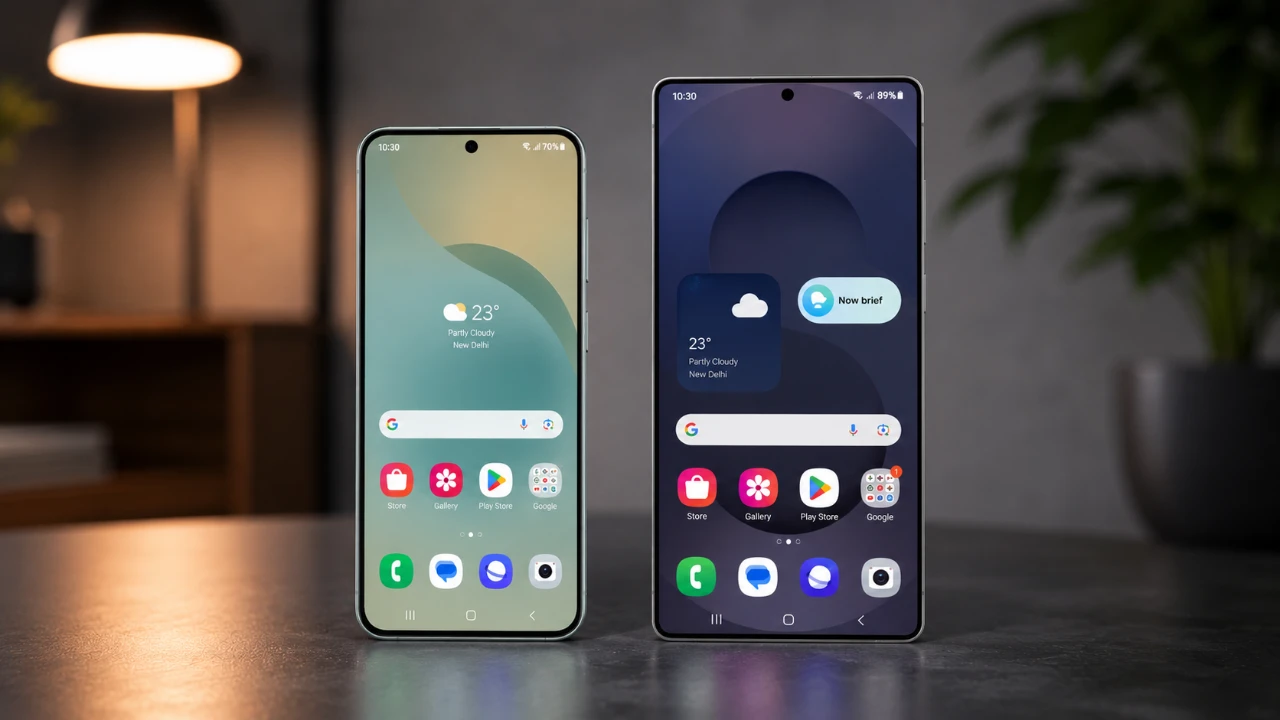
Samsung’s One UI is renowned for its intuitive design and feature-rich interface, offering a cohesive experience across its smartphone lineup. However, the differences between a budget phone like the Galaxy M17e and a flagship model such as the Galaxy S26 Ultra reveal the trade-offs between affordability and premium technology. While both devices share the same design philosophy, distinctions in performance, customization, and advanced features highlight the varying experiences they provide. The video below from Mr Android FHD gives us more details.

Design Consistency Across Devices
Samsung has mastered the art of delivering a unified visual experience across its devices. Whether you are using the Galaxy M17e or the Galaxy S26 Ultra, the interface maintains a modern and polished aesthetic. Features like customizable quick settings, resizable widgets and well-organized folder layouts are present on both devices. Even the Galaxy M17e, despite its budget-friendly nature, offers a visually appealing interface with cohesive blur effects and clean visuals.
The Galaxy S26 Ultra, however, takes this a step further. Its flagship hardware enables smoother transitions, more refined animations and an overall seamless interface. These enhancements contribute to a more immersive experience, making the premium model stand out for users who value fluidity and attention to detail.
Customization: Where Flagships Shine
One UI is celebrated for its extensive customization options, allowing users to tailor their devices to their preferences. Both the Galaxy M17e and Galaxy S26 Ultra support basic personalization features, such as adaptive lock screen clocks and live activity updates. However, the flagship Galaxy S26 Ultra offers a deeper level of customization through Samsung’s exclusive Good Lock app.
Good Lock provides advanced tools for modifying the Always-On Display, customizing the taskbar and even tweaking system-wide animations. These features are unavailable on the Galaxy M17e, limiting its personalization potential. For users who enjoy fine-tuning their devices, the Galaxy S26 Ultra delivers a more versatile and satisfying experience.
Performance: The Hardware Divide
Performance is a critical area where the differences between the Galaxy M17e and Galaxy S26 Ultra become apparent. The Galaxy M17e, powered by a mid-tier processor, handles everyday tasks like browsing, messaging and media consumption with ease. However, it may occasionally struggle with demanding applications or multitasking, leading to minor lags or stutters.
In contrast, the Galaxy S26 Ultra is equipped with a high-end chipset and optimized software, making sure exceptional speed and responsiveness. Whether you’re gaming, editing videos, or running multiple apps simultaneously, the flagship model delivers consistent performance without compromise. For users who prioritize speed and efficiency, the Galaxy S26 Ultra is the clear winner.
AI Features: Basic vs Advanced
Samsung’s One UI integrates artificial intelligence (AI) to enhance user productivity and creativity. On the Galaxy M17e, basic AI tools like Circle to Search and Gemini provide useful features such as quick searches and contextual recommendations. These tools are functional but limited in scope.
The Galaxy S26 Ultra, on the other hand, uses its superior hardware to offer advanced AI capabilities. Features like real-time call translation, generative photo editing and note assist technology are exclusive to the flagship model. These tools not only enhance productivity but also provide a more intelligent and versatile user experience, making the Galaxy S26 Ultra a better choice for tech-savvy users.
Advertisements and Preloaded Content
A notable distinction between budget and flagship models lies in the presence of advertisements and preloaded content. The Galaxy M17e often comes with ads, app recommendations, and sponsored content enabled by default. While these can be disabled through settings, they can detract from the overall user experience.
In contrast, the Galaxy S26 Ultra minimizes such distractions, offering a cleaner and more professional interface. For users who value an ad-free environment and a polished software experience, the flagship model provides a significant advantage.
Missing Features on Budget Models
The Galaxy M17e lacks several advanced features that are standard on the Galaxy S26 Ultra. For instance, Samsung DeX, which allows users to transform their phone into a desktop-like workstation, is absent on the budget device. Additionally, multitasking tools such as split-screen mode and floating windows are either limited or unavailable on the Galaxy M17e.
These omissions reflect the compromises made to keep the device affordable. While they may not impact users with simpler needs, those who rely on advanced productivity features may find the Galaxy S26 Ultra better suited to their requirements.
Choosing the Right Device for You
The Galaxy M17e offers an impressive software experience for its price, retaining the core aesthetics and usability of Samsung’s One UI. It is an excellent choice for budget-conscious users who prioritize value and simplicity over advanced features. However, for those who demand top-tier performance, extensive customization, and innovative technology, the Galaxy S26 Ultra is the superior option.
By understanding the differences in design, performance, customization, and features, you can make an informed decision that aligns with your needs and expectations. Whether you choose the affordability of the Galaxy M17e or the premium experience of the Galaxy S26 Ultra, Samsung’s One UI ensures a user-friendly and visually appealing interface across its devices.
Gain further expertise in Samsung One UI by checking out these recommendations.
- Samsung One UI 8.5 is Finally Here: Check Your Settings for These Innovative Features
- Why One UI 9’s Subtle Changes Make It Samsung’s Smartest Android 17 Update Yet
- Samsung One UI 8.5 is Here: The One Feature That Changes Everything
- The Hidden One UI 8.5 Features You Need to Turn on Today
- The Hidden Features Inside Samsung’s New One UI 8.5
Source: Mr Android FHD
Disclosure: Some of our articles include affiliate links. If you buy something through one of these links, Geeky Gadgets may earn an affiliate commission. Learn about our Disclosure Policy.
