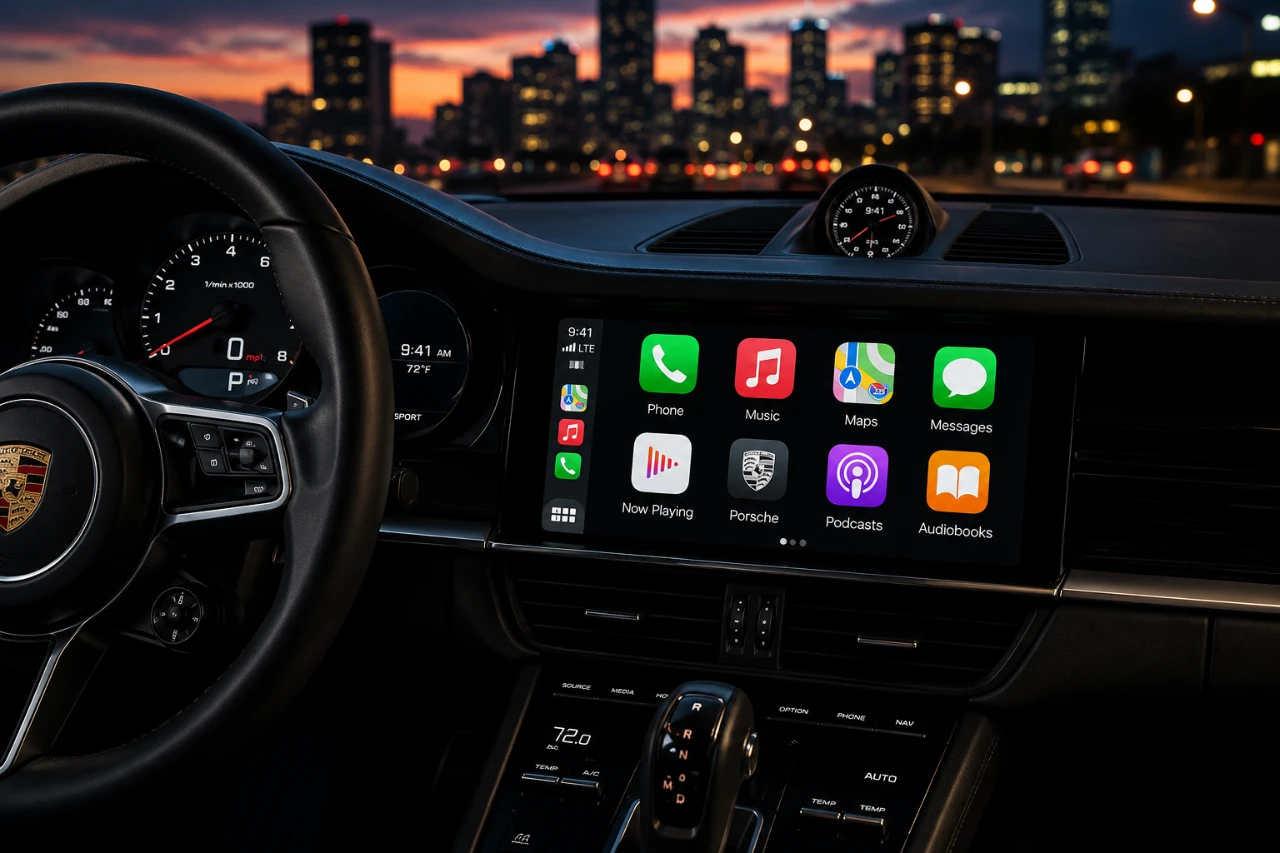
Apple’s CarPlay is undergoing a significant evolution with the iOS 17 beta release, introducing a range of updates designed to redefine how you interact with your car’s infotainment system. From a sleek new design to smarter AI integration, these enhancements aim to improve usability, functionality, and personalization. While still in beta, this update represents a substantial advancement in in-car technology, offering a glimpse into the future of connected driving. The video below from HotshotTek gives us more details.

Streamlined User Interface
The iOS 17 update introduces a visually striking “liquid glass” design to CarPlay, delivering a polished and modern aesthetic. App icons and interface elements now feature subtle fade effects, creating a seamless and visually cohesive experience. The dashboard has also been revamped, with improved visuals for features like “Now Playing” and calendar events, making it easier to access essential information at a glance.
To enhance personalization, Apple has added new wallpapers in both light and dark themes. While these options provide some variety, the inability to upload custom wallpapers limits how much you can tailor the interface to your preferences. This design update emphasizes clarity and ease of use, making sure that key information is always accessible without overwhelming the user.
Enhanced App Functionality
Core apps have received significant updates to improve both their usability and appearance, making sure a more seamless experience for drivers:
- Apple Music: The interface has been refreshed with a simplified navigation scheme, making it easier to browse and play your favorite tracks while driving.
- Apple Maps: Minor but impactful tweaks, such as updated icons and navigation visuals, provide a smoother and more intuitive driving experience.
Third-party apps like Google Maps and Spotify are also adopting the liquid glass design, making sure a consistent look and feel across the platform. This expanded compatibility allows you to integrate your favorite apps into CarPlay without sacrificing visual harmony or functionality. These updates collectively enhance the practicality of CarPlay, making it a more versatile tool for your daily commute or long road trips.
Smarter Siri Integration
Siri has been upgraded with advanced AI capabilities, making it a more conversational and context-aware assistant. The new Siri app can log detailed information and provide tailored suggestions based on your driving habits and preferences. For example, Siri can now recommend routes, remind you of upcoming appointments, or suggest playlists based on the time of day or your typical routines.
These enhancements make Siri a more intuitive and efficient companion for in-car use. Whether you’re navigating, managing your schedule, or controlling media playback, Siri’s smarter integration ensures a smoother and more personalized experience.
Video Streaming: Entertainment on the Go
For the first time, CarPlay now supports video streaming, allowing you to watch content like Apple TV or YouTube directly on your car’s display. This feature is restricted to when the vehicle is parked, making sure that safety remains a priority. While this limitation prevents distractions while driving, it offers a convenient entertainment option during downtime, such as waiting in parking lots or charging an electric vehicle.
This addition highlights Apple’s effort to make CarPlay not just a functional tool but also a source of entertainment, catering to a broader range of user needs.
Improved Apple Watch Integration
The integration between CarPlay and Apple Watch has been enhanced with the introduction of Smart Stack. This feature automatically marks your car’s last known location when connected to CarPlay, making it easier to locate your vehicle in crowded parking lots or unfamiliar areas. This improvement simplifies the process of finding your car, especially in situations where time or convenience is critical.
Additionally, the Apple Watch can now display real-time notifications and updates from CarPlay, making sure you stay connected even when you’re away from your vehicle. This deeper integration underscores Apple’s commitment to creating a seamless ecosystem across its devices.
Accessibility and Beta Limitations
CarPlay continues to prioritize accessibility, with robust features like sound recognition and voice control remaining integral to the platform. These tools ensure that users with specific needs can navigate and interact with CarPlay effectively. However, as the update is still in beta, occasional glitches or incomplete functionality may occur. Apple is actively refining these features, with a public beta expected in July and a full release anticipated in the fall.
While the beta phase may present some challenges, it also provides an opportunity for Apple to gather user feedback and make further improvements. This iterative approach ensures that the final release will be as polished and user-friendly as possible.
What This Means for You
The iOS 17 update for CarPlay represents a major step forward in connected car technology. With its revamped user interface, enhanced app functionality and smarter AI integration, CarPlay is becoming more intuitive, versatile and visually appealing. Whether you’re navigating with Apple Maps, streaming music on Spotify, or relying on Siri for assistance, these updates are designed to make your driving experience safer, more enjoyable and more personalized.
As the beta phase progresses, further refinements are expected, paving the way for a full release later this year. These updates highlight Apple’s dedication to innovation, making sure that CarPlay remains a leader in the rapidly evolving landscape of in-car technology. By combining functionality with aesthetics, Apple is setting a new standard for what drivers can expect from their infotainment systems.
Source: HotshotTek
Disclosure: Some of our articles include affiliate links. If you buy something through one of these links, Geeky Gadgets may earn an affiliate commission. Learn about our Disclosure Policy.
