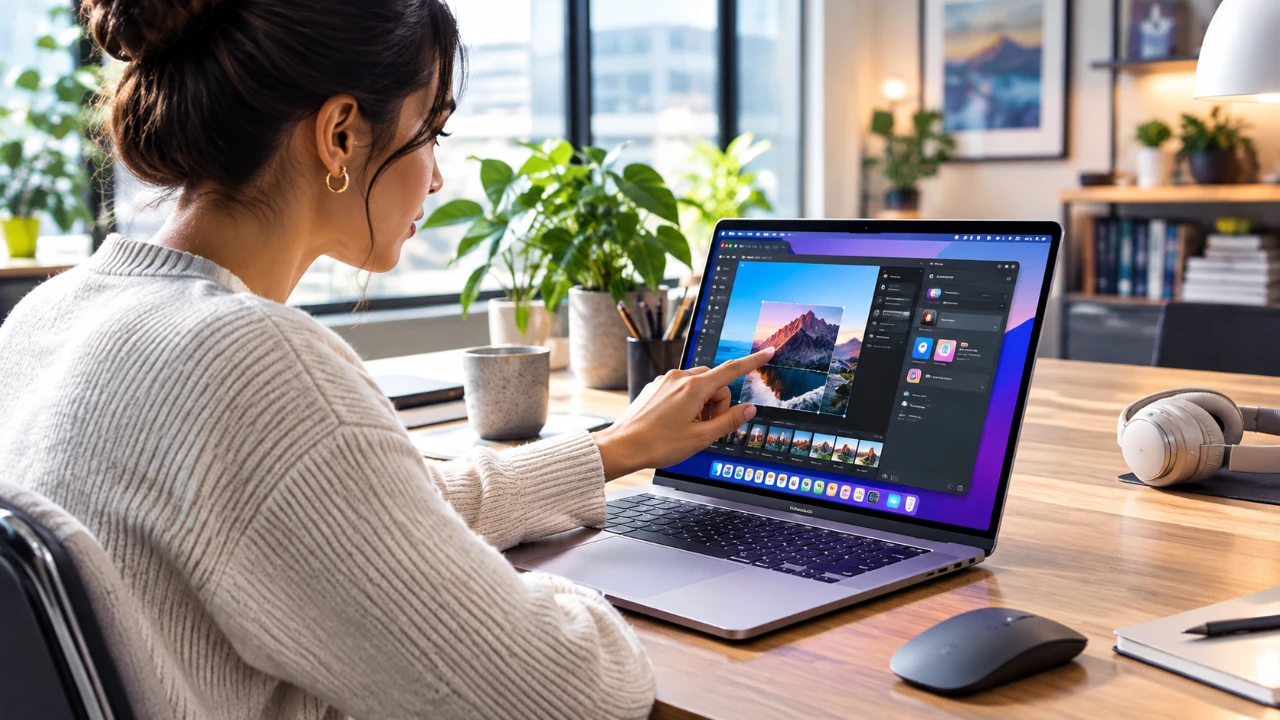
Apple has introduced its first MacBook with a touchscreen, blending touch functionality with macOS while retaining its traditional keyboard and trackpad design. This move reflects Apple’s measured approach to innovation, balancing new input methods with usability. The touchscreen offers added convenience in certain scenarios, but macOS remains fundamentally optimized for cursor-based interaction. This creates a hybrid experience that showcases both the potential and the limitations of touch integration within a desktop operating system. The video below from Mac Vince gives us more details.
TL;DR Key Takeaways :
- Direct-Bonded Panel: Integrated straight into the tandem OLED PROLED XDR screen to minimize input latency and keep visuals razor-sharp.
- Context-Aware UI Scaling: macOS dynamically expands small interface targets like window control buttons and dropdown spacing when a finger approaches.
- Hybrid Navigation: Complements standard trackpad and keyboard workflows, excelling at quick scrolling, media playback, and running native iOS apps.
- Productivity Focus: Preserves its core cursor-centric architecture instead of forcing a touch-first interface compromise.

How Touchscreen Fits Into macOS
The touchscreen MacBook extends familiar macOS gestures, such as swiping between desktops, pinching to zoom and dragging windows, directly to the display. Borrowing from iOS and iPadOS, Apple has incorporated gestures like pulling down to access the Control Center or refreshing a webpage with a swipe. These additions aim to make the touchscreen experience intuitive for users already familiar with Apple’s ecosystem.
However, macOS’s core design still prioritizes cursor-based interaction. Many interface elements, such as small buttons, dropdown menus and text fields, remain optimized for precise mouse or trackpad input rather than finger taps. This creates a learning curve for users expecting a seamless transition between touch and traditional input methods. While the touchscreen adds a layer of convenience, its integration into macOS feels more like an enhancement than a fundamental shift in how the system operates.
Where Touchscreen Shines
The addition of a touchscreen opens up new possibilities for specific tasks and workflows, offering distinct advantages in certain use cases:
- Improved usability of iPhone and iPad apps running on macOS, which previously struggled with mouse and keyboard input.
- Enhanced interactions for tasks like annotating documents, sketching, or tapping app icons, making these actions more intuitive and efficient.
- Convenience for creative professionals making quick edits or casual users navigating simple interactions without relying solely on the trackpad or mouse.
Despite these benefits, the touchscreen is not a universal solution. Many macOS apps, including Apple’s own software, lack full gesture support. For example, Final Cut Pro does not support pinch-to-zoom, limiting the practicality of touch for professional workflows. These gaps highlight the challenges of adapting macOS to a touch-first environment while maintaining its productivity-focused identity.
Design Challenges in a Cursor-Centric System
One of the most significant obstacles in integrating touch into macOS is its interface design. Unlike iOS or iPadOS, macOS was not originally built with touch in mind, leading to several usability challenges:
- Small interface elements, such as close buttons, dropdown menus and scrollbars, are difficult to interact with using fingers, often requiring precise taps.
- Gestural inconsistencies between macOS and iOS/iPadOS can confuse users. For instance, single-tap and double-tap gestures may behave differently across platforms, creating a fragmented experience.
These design challenges underscore the need for a more unified approach to touch interaction across Apple’s ecosystem. Without significant adjustments, macOS risks feeling like a compromise between touch and traditional input methods rather than a fully integrated experience.
Apple’s Adaptive Solutions
To address some of these hurdles, Apple has introduced adaptive interface features designed to improve usability. For example, when users touch certain elements like buttons or menus, they expand slightly to make them easier to interact with. This contextual adjustment demonstrates Apple’s commitment to refining the touchscreen experience without compromising macOS’s core functionality.
Apple is also encouraging developers to adopt similar adaptive designs in their apps. Features like larger touch targets, gesture-based navigation and simplified interfaces can enhance the touchscreen experience. However, widespread adoption will take time, as developers must balance the needs of both touch and traditional input users. The success of these adaptive solutions will depend on how effectively Apple and third-party developers collaborate to optimize apps for hybrid input methods.
Is Touchscreen macOS Ready for Prime Time?
The touchscreen on macOS is best understood as a complementary tool rather than a replacement for the keyboard, trackpad, or mouse. Apple has deliberately avoided oversimplifying macOS to prioritize touch, preserving its identity as a productivity-focused operating system. While the touchscreen shows potential, macOS is not yet fully optimized for touch-first use.
For now, the touchscreen serves as an optional enhancement, useful in specific scenarios but not essential for everyday workflows. Apple’s cautious approach ensures that macOS retains its core functionality while gradually exploring the possibilities of touch integration. As developers and users adapt to this new input method, the potential for a more cohesive and versatile touch experience on macOS remains an intriguing prospect. However, significant refinements and a more unified design philosophy will be necessary to fully realize this vision.
Deep dive into the latest in macOS by exploring our other resources and articles.
- macOS 27 Golden Gate: the First Things You Need to Do Right Now
- macOS 27 is Here: Apple Silicon Just Got Its Biggest Upgrade Yet
- Apple Releases macOS 27 RC: Everything New in the Update
- Apple Releases macOS 27.0.1 with New Changes Available Now
- New Apple Notes Features in macOS 27, iOS27 and iPadOS Guide 2026
- macOS 27 Beta 6 is Now Available: All the Latest Features
Source & Image Credit: MacVince
Disclosure: Some of our articles include affiliate links. If you buy something through one of these links, Geeky Gadgets may earn an affiliate commission. Learn about our Disclosure Policy.
