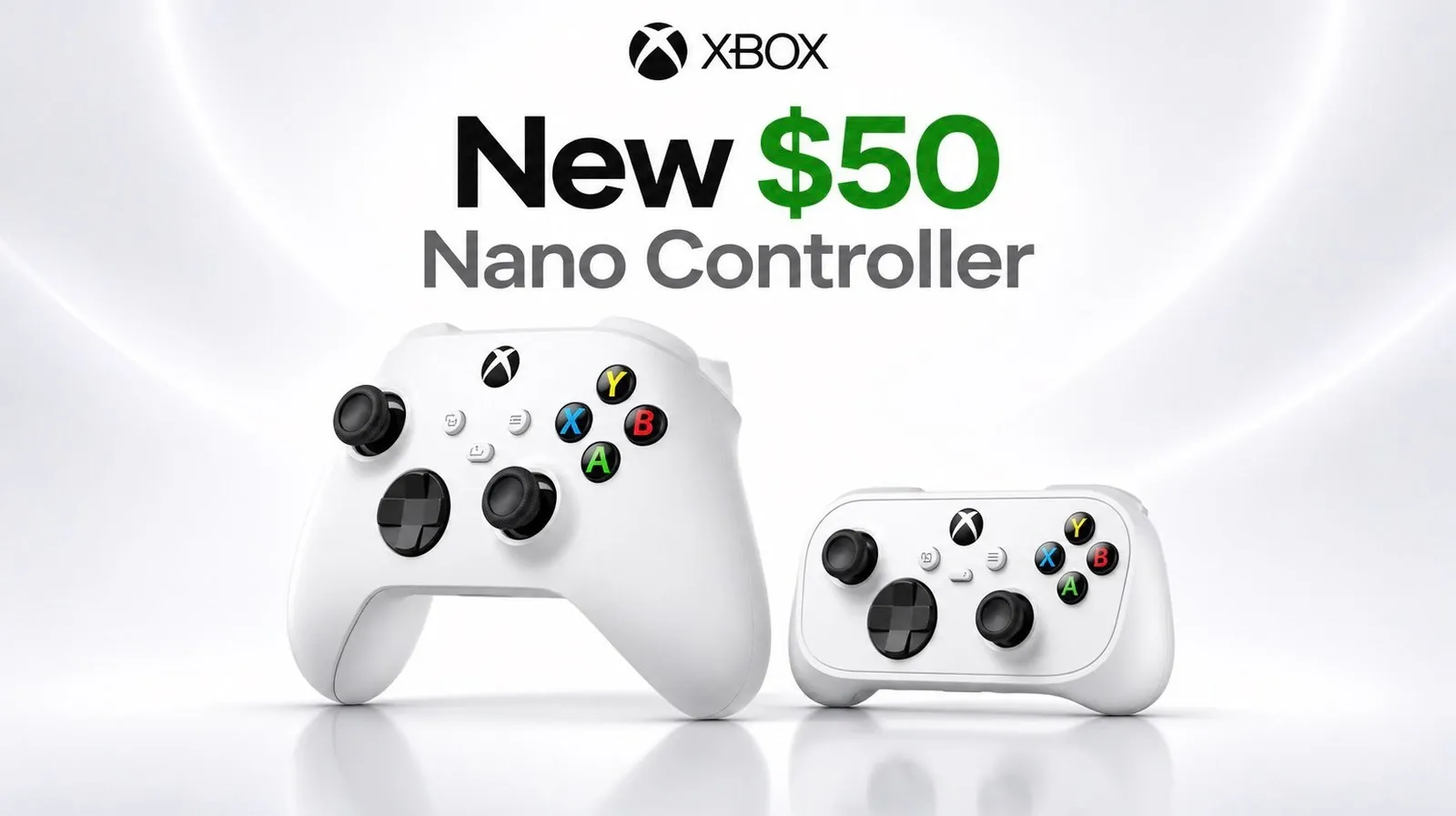
The Xbox Nano Controller presents a compact and lightweight alternative to standard Xbox controllers, weighing just over 100 grams, nearly one-third the weight of its full-sized counterpart. While its portability and modern features, such as Bluetooth and Wi-Fi connectivity, make it appealing for mobile gaming and cloud-based play, its design sacrifices comfort and versatility. The omission of replaceable batteries, rumble functionality, and a headphone jack further limits its practicality, as noted by Retro Game Corps.
Explore how the Nano’s small analog sticks and flat button layout impact gameplay, particularly in precision-heavy titles like Celeste or Street Fighter. Learn about its connectivity quirks on Steam OS, its suitability for mobile gaming, and how its short five-hour battery life compares to alternatives. This breakdown will help you assess whether the Xbox Nano aligns with your gaming needs or if other controllers offer better value.
TL;DR Key Takeaways :
- The Xbox Nano Controller is a compact and lightweight alternative to standard Xbox controllers, weighing just over 100 g and priced at $50, but its smaller size and hollow feel reduce ergonomics and premium quality.
- It features small analog sticks, a mushy D-pad, and flat face buttons, with performance adequate for platformers but less effective for complex inputs in fighting games, achieving only a 75% success rate for moves like Haduken or Shoryuken.
- The controller supports Bluetooth and Wi-Fi connectivity, pairing seamlessly with Xbox consoles, iOS, and Android devices, but reportedly faces connectivity issues on Steam OS, requiring frequent re-pairing.
- Equipped with a 500 mAh internal battery, it offers only 5 hours of gameplay per charge, which is significantly shorter than alternatives like the 8bitdo SN30 Pro, despite its quick 30-minute charging time.
- Targeted at gamers prioritizing portability and cloud gaming, the Nano is described as a niche product that performs well for short sessions but is less suitable for extended play or retro gaming, with better alternatives available for most users.
Compact Design, Lightweight Build
The Xbox Nano Controller offers a compact, lightweight alternative to the standard Xbox controller, priced at $50 and available through the Microsoft Store. Weighing just over 100 g, it is nearly one-third the weight of a standard Xbox Series controller. While this makes it highly portable, the lightweight build gives it a hollow, less premium feel.
Its smaller size and flat design reduce ergonomics, particularly during extended gaming sessions, as it lacks adequate support for the ring and pinky fingers.
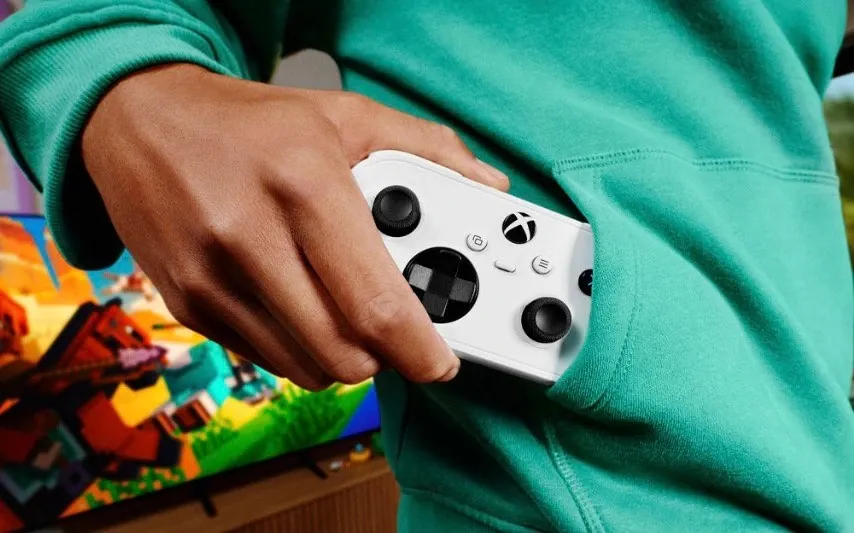
The controller features an internal rechargeable battery, removing the option for replaceable batteries. It also omits standard features like rumble functionality and a 3.5 mm headphone jack. These omissions improve portability but limit its versatility, making it less suitable as a primary controller for many users.
Controls and Performance
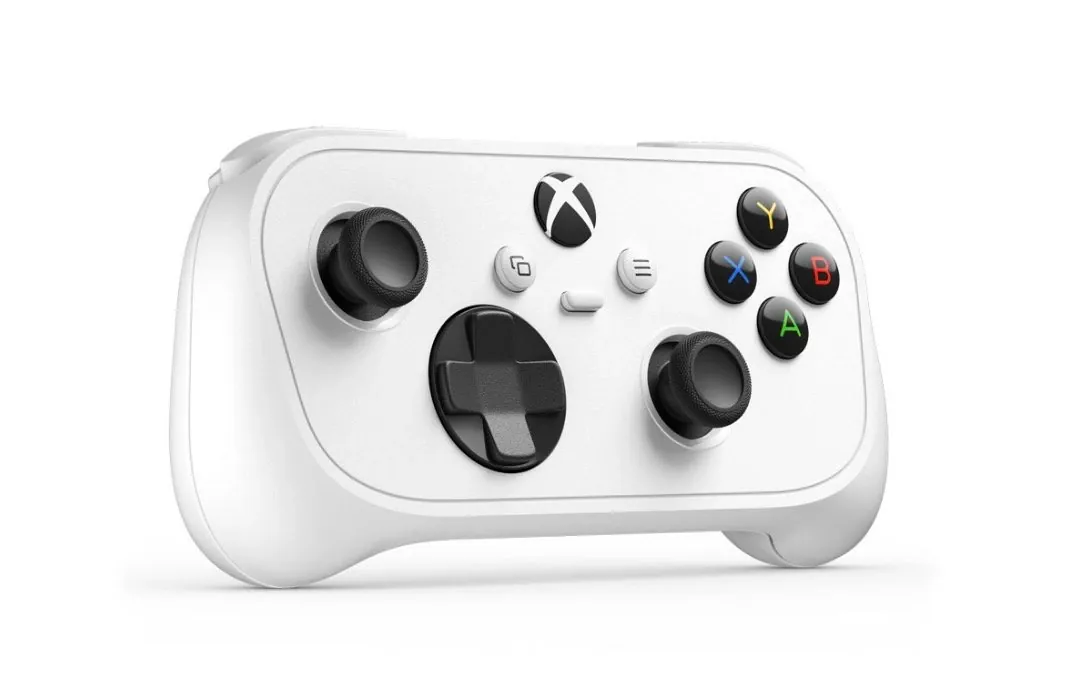
The analog sticks are small, similar to those on a Nintendo Switch Joy-Con, and use standard potentiometer technology rather than Hall effect or TMR joysticks. The stick caps have a grippy texture and a slight concave shape, aiding control. However, the sticks feel “stringy” and lack the smoothness of full-sized Xbox controllers, which can make them less comfortable for extended use.
The D-pad operates silently, likely due to a rubber membrane, and lacks pivot functionality. Its glossy edges and matte cardinal points provide some tactile variation, but the overall feel is mushy and unresponsive. While it performs adequately in precision platformers like Celeste and Contra, it struggles with complex inputs in fighting games such as Street Fighter, achieving only a 75% success rate for moves like Haduken or Shoryuken.
The face buttons are smaller and flatter than those on a standard Xbox controller but maintain a classic feel with a rubber membrane mechanism. They are quiet, easy to press, and functional, though their flat layout may require adjustment. Positioned on a flat surface rather than the curved one found on standard controllers, the buttons may feel less intuitive.
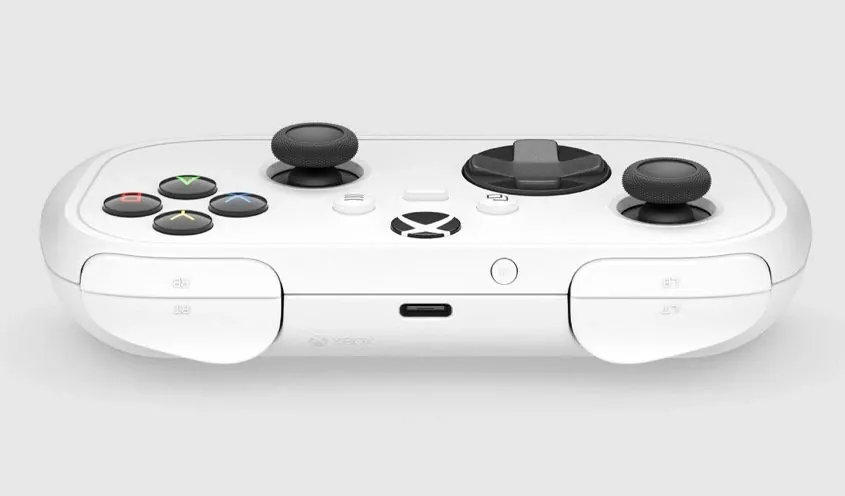
The shoulder buttons are thin, using micro switches with rubber bumpers, while the triggers provide full analog input despite their minimal throw. Effective use of the triggers requires a specific grip, with the middle fingers placed underneath the controller. Additionally, the lack of a textured grip on the triggers may reduce comfort during prolonged play.
The controller includes a flat, glossy Xbox button, along with select, start, and share buttons. The share button is programmable via software, offering some degree of customization.

Take a look at other insightful guides from our broad collection that might capture your interest in Xbox controllers.
- Xbox Gold Shadow Special Edition Controller
- Xbox Astral Purple wireless controller unveiled
- HyperX Clutch Gladiate wired Xbox controller
Connectivity and Compatibility
The Xbox Nano Controller supports both Bluetooth and Wi-Fi connections, providing flexibility across various devices. It pairs seamlessly with Xbox consoles, functioning identically to a standard Xbox controller. Pairing involves turning on the controller, pressing its pairing button, and then pressing the pairing button on the console. On Windows, it connects via Bluetooth and is recognized as an Xbox 360 controller, ensuring compatibility with most games.
However, connectivity issues arise on Steam OS. After pairing, the Xbox button’s light blinks continuously, and the controller must be repaired each time it is turned off and back on, as inputs fail to register otherwise. On Steam OS, it is identified as an Xbox wireless controller. In contrast, pairing with iOS and Android devices is described as “absolutely seamless,” making the controller a strong choice for mobile gaming and emulation.
The controller supports cloud gaming through Wi-Fi, using the same low-latency technology seen in Google Stadia and Amazon Luna. The Xbox Accessories app, preloaded on Xbox consoles and available on the Microsoft Store for Windows, allows users to configure the controller for cloud gaming, enabling direct Wi-Fi connections. Switching between Wi-Fi and Bluetooth modes is straightforward, requiring a double tap on the pairing button.
While the Nano performs well for cloud gaming, Xbox’s recent introduction of limited cloud gaming hours, 15 hours per month for Game Pass Ultimate subscribers, may reduce its appeal for frequent users. These hour limitations are expected to roll out in waves over November 2026 and do not carry over into subsequent months. It is worth noting that cloud gaming differs from remote play, which remains unrestricted.
Battery Life and Charging
The Xbox Nano Controller is equipped with a 500 mAh internal battery, offering a modest 5 hours of gameplay per charge. While it charges quickly, reaching full capacity in about 30 minutes at 3 watts, its limited battery life is a notable drawback.
For comparison, the 8bitdo SN30 Pro, which also features a 500 mAh battery, provides 10 to 20 hours of gameplay. This short battery life makes the Nano less suitable for longer gaming sessions, such as a six-hour flight.
Build and Disassembly
The controller is assembled with five screws, including one hidden under the sticker where the Torx T6 label is located, and two major clips on the sides. Disassembly requires a T6 torque screwdriver and reveals that the battery is attached to the back shell and connected to the board via cable. While the lightweight design and small battery improve portability, they also contribute to the controller’s less premium feel.
Who is It For?
The Xbox Nano Controller caters to gamers prioritizing portability and modern titles, particularly for on-the-go gaming. Its compact size and Wi-Fi connectivity make it a practical choice for cloud gaming on mobile devices or tablets. However, its compromises in comfort, controls, and battery life limit its appeal as a primary controller. Retro-style gamers may find better value in alternatives like the 8bitdo SN30 Pro, which offers superior battery life, a high-quality D-pad, and a retro ergonomic design.
At $50, the Xbox Nano Controller is a niche product that performs well in specific scenarios, such as cloud gaming or quick sessions on modern games. However, it falls short for extended play or retro gaming. According to the host, most users would be better served by a full-sized Xbox controller or a specialized alternative like the SN30 Pro.
Media Credit: Retro Game Corps
Disclosure: Some of our articles include affiliate links. If you buy something through one of these links, Geeky Gadgets may earn an affiliate commission. Learn about our Disclosure Policy.
