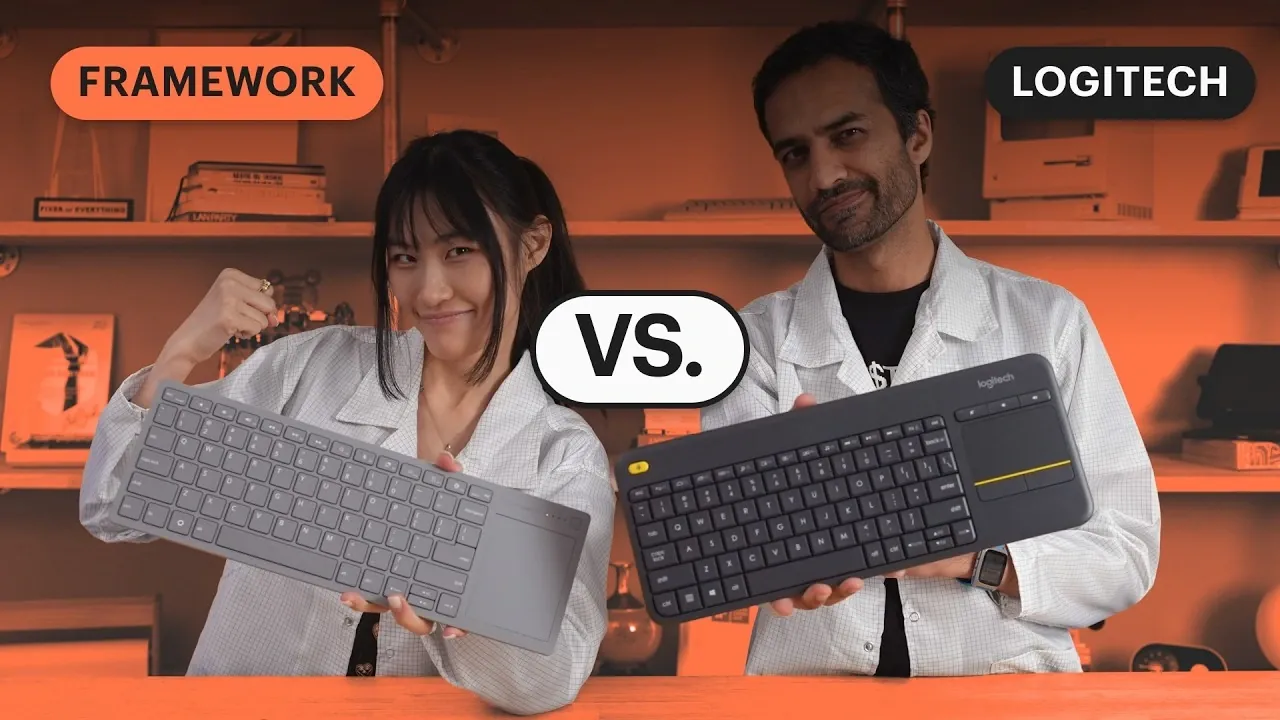
If you control a computer from your living room, the Wireless Touchpad Keyboard combines typing and cursor control in one device. It costs $99, compared with about $35 for the Logitech K400 Plus, but delivered faster typing and touchpad sampling in Framework’s own tests. You can also switch between four wireless connections. Framework reports that the rechargeable battery lasts over six months with use a few times a week, although the built-in keyboard cannot be replaced. Find out how the two keyboards compare for everyday use and what you can expect from each.
Framework Keyboard Replaces the K400 Plus
TL;DR Key Takeaways :
- The $99 Framework Wireless Touchpad Keyboard is designed to replace the roughly $35 Logitech K400 Plus in living rooms.
- In office tests, staff averaged 73 words per minute on the Framework keyboard versus 61 on the K400 Plus. Framework also averaged 11.22 ms key latency versus 13.21 ms and sampled touchpad movement at about 125 Hz versus 74 Hz.
- Both keyboards worked across 63 feet indoors. The Logitech went slightly farther overall, though both exceeded a realistic living-room range.
- Framework supports four wireless connections, one dongle and three Bluetooth channels, and wired USB-C. The K400 Plus uses a USB-A dongle.
- Framework’s rechargeable battery is replaceable, but its built-in keyboard is not. Estimated battery life ranges from one or two months with hours of daily use to over six months with living-room use a few times a week; Logitech rates the K400 Plus for about 18 months on replaceable AA batteries.
The Framework Wireless Touchpad Keyboard is a $99 keyboard and touchpad built to replace the Logitech K400 Plus in the living room. In Framework’s own comparison, it produced faster typing results, lower key latency and a higher touchpad sampling rate than the roughly $35 K400 Plus.
Despite its thin design, the Framework keyboard was fairly rigid. Its built-in keyboard cannot be replaced. The original K400 was released in 2011, and an estimated number in the millions remain in use, including some dating to that year.
Typing and Touchpad Results Favor Framework
The Framework keyboard was faster in an office typing comparison. Staff using Monkeytype averaged 73 words per minute on it, compared with 61 words per minute on the K400 Plus. Its key feel and full-size spacing made typing easier and more reliable.
Key presses also registered sooner on the Framework keyboard. In a 50-press latency test, it averaged 11.22 milliseconds, while the Logitech averaged 13.21 milliseconds. The test triggered the left Shift key electronically using optocouplers. Each keyboard sent its signal through its dongle to a laptop, which returned results over USB to the control board; the Framework result was considered good for a living room keyboard.
Framework’s touchpad sampled movement at about 125 Hz, close to the internal touchpad on a Framework Laptop 12. The K400 Plus measured about 74 Hz over its USB-A dongle, compared with the roughly 120 Hz considered normal for a laptop touchpad. Both used dongles for this measurement. K400 touchpad performance can also depend on skin texture and hand moisture.
Tech content creator Theo received an early Framework unit and preferred its keys and touchpad to the K400’s. He also found the smaller keyboard easier to hold. Theo uses the K400 in his living room and studio, but not at his work desk. He said the power button on the early Framework unit was slightly too small to flick quickly, but that it had since been changed.

Gain further expertise in Framework Wireless Touchpad Keyboard by checking out these recommendations.
- Framework Wireless Touchpad Keyboard Pre-Orders Open at $99
- Keychron K8 Ultra 8K Wireless Keyboard Delivers 8000 Hz Wireless Polling
- Keychron K2 Ultra 8K Brings 8000 Hz Polling to a 75% Layout
- Lemokey P2 HE Wireless Magnetic Switch : RGB Gaming Keyboard $169.99
- New NuPhy Air60 wireless 60% mechanical keyboard just $109.95
Both Keyboards Reach Beyond the Office
Both keyboards worked across the office at 63 feet. The range test then moved outside for lack of space and continued on San Francisco streets. At the outdoor endpoint, the Framework keyboard still worked but had substantial latency and some dropped signal. The K400 was barely working and dropped off around that point.
The Logitech went slightly farther overall. Both keyboards reached farther than they would realistically need to for living room use.
Framework Connects to More Devices
You can switch between four wireless connections on the Framework keyboard, while the K400 Plus uses its paired USB-A dongle. One Framework channel uses the included dongle. The other three channels use Bluetooth. You can also connect it to a host through its front port with a USB-C cable.
If you use four computers, one Framework keyboard can switch between them; the K400 arrangement requires four keyboards. The Framework model costs more than one K400 Plus, though less than three at the prices in the comparison.
Battery Life Depends on Use
Logitech rates the K400 Plus for about 18 months on its two replaceable AA alkaline batteries. In the power measurement, a Nordic Power Profiler Kit was soldered to the K400’s battery terminal. The keyboard drew about 75 microamps in deep idle, returned to about 1 milliamp after use and entered that deep sleep state roughly 10 seconds later. Its idle draw suggested an estimated multiple years of battery life.
Framework’s keyboard uses a rechargeable single-cell LiPo battery. Its initial idle measurement, taken using a fake battery, was about 2.5 milliamps. Its firmware had not been tuned at the time. It has since been improved.
- Battery capacity: 1,200 mAh.
- Lowest automatic sleep: 41.7 microamps; a key press or touchpad click wakes it.
- Next power state: 163 microamps; touch can still wake it.
- Stored after charging: It lasts well over a year.
- Living room use: It lasts over six months when used a few times a week.
- Daily use: It lasts one or two months between charges with hours of use a day.
Those Framework battery-life figures are usage estimates rather than the initial power-test result. The battery might need replacing roughly once every 10 years. You can charge the Framework keyboard from a power source, while the Logitech’s AA batteries must be replaced when depleted.
Steel Adds Rigidity, but Parts Have Limits
In the teardown, the thin Framework keyboard was fairly rigid, with an internal steel plate adding support. It also has a steel bracket. The opened K400 was wobbly and used plastic throughout its internal structure, including its membrane and rubber. Its regulatory information is molded into the plastic to save label costs.
Framework’s model uses the Framework Laptop 12 keyboard, with a mechanical scissor-switch structure and rubber domes. The butterfly switch has two plastic pieces intended to improve response and key travel. The K400 uses a membrane and rubber dome sheet without that extra key structure. Its separate touchpad buttons sit on the keyboard matrix, whereas the Framework keyboard’s entire touchpad is clickable; the K400 touchpad buttons route separately to its nRF51 microcontroller.
You can open the Framework keyboard, but its thin construction brings repair tradeoffs. Its two plastic shells use six Torx T5 screws and clips that need care during disassembly. The K400 has six Phillips screws on its back and a seventh hidden beneath a label; its clips proved difficult to open in the teardown.
The Framework keyboard itself is not replaceable: it is melted in place to keep the product thin. Its battery can be replaced using a stretch-release pull tab, and replacement batteries come with adhesive attached. There is no space for another battery protector.
Its separate touchpad module is also melted onto the front; it could theoretically be replaced if the company offers it as a part. Its bracket can be unscrewed, and Framework might sell the touchpad on its Marketplace if volume is sufficient. The K400 touchpad is thought to be non-replaceable because it is glued in.
Inside, the Framework control board has pin-header connections and an FPC connector that can be used to reprogram it for other projects. The control board and battery sit on the bottom shell, and a transfer board combines key-matrix and touchpad data into one FPC. The board is more capable and complex to support the keyboard’s connectivity. Its Nordic nRF54 radio is three generations newer than the K400’s Nordic nRF51; both keyboards operate at 2.4 GHz.
The K400 has a soldered, folded-metal antenna, while the Framework keyboard uses a different antenna type. The K400’s battery connectors are soldered in, and its connectorless membrane matrix is press-fit with a metal bracket.
For a living room setup, the tests favor the Framework Wireless Touchpad Keyboard for typing and touchpad performance, while its connections suit people using more than one computer. The K400 Plus costs much less at about $35, compared with $99 for the Framework. Framework says its thin design comes with a tradeoff: the keyboard cannot be replaced. Izzy, Framework’s product manager for the keyboard, said the touchpad might be sold as a replacement part if volume is sufficient.
Media Credit: Framework
Disclosure: Some of our articles include affiliate links. If you buy something through one of these links, Geeky Gadgets may earn an affiliate commission. Learn about our Disclosure Policy.
