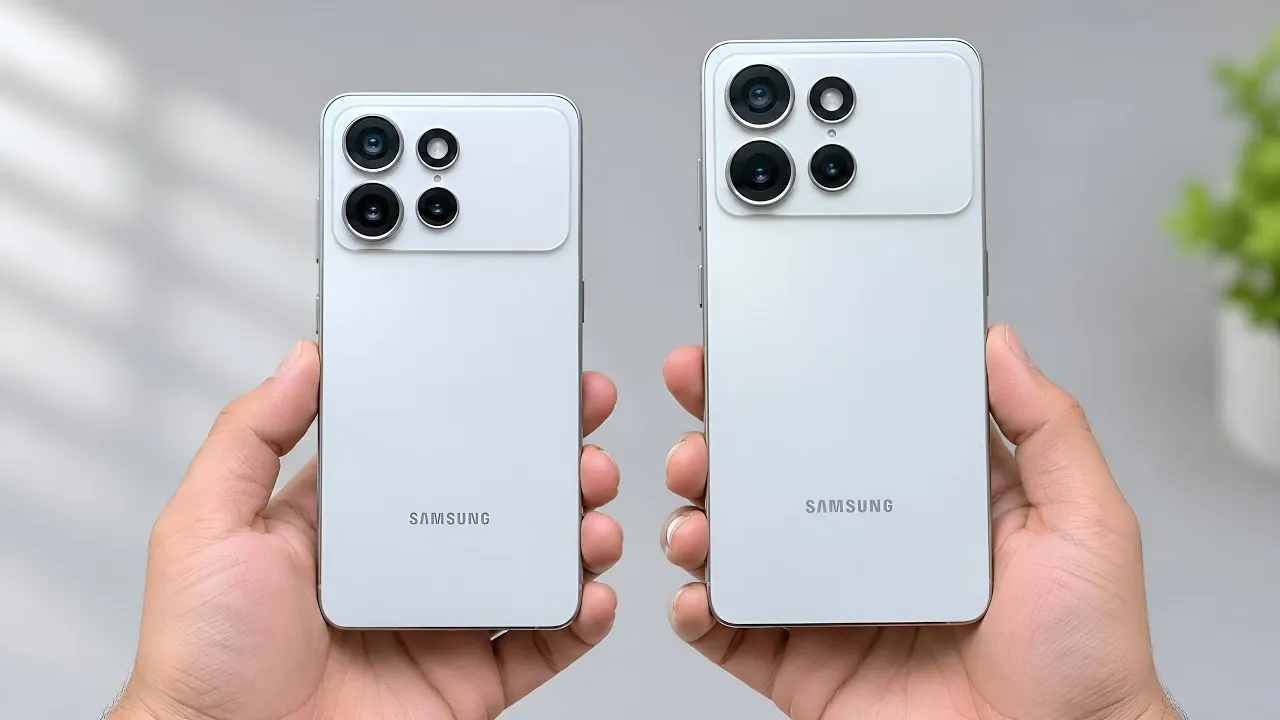
Samsung continues to redefine smartphone photography with the Galaxy S27 Ultra, introducing substantial updates to its Expert RAW app alongside the One UI 9.5 interface. These enhancements are designed to empower photography enthusiasts with greater control, advanced tools and a more seamless user experience. Whether you’re an experienced photographer or a beginner exploring manual photography, these updates aim to make capturing stunning images more accessible and versatile.
TL;DR Key Takeaways :
- Expanded Virtual Aperture: Pushes depth-of-field control further than previous models, stretching from f/1.4 all the way to f/22.
- 30-Shot RAW Burst Mode: Introduces rapid-fire DNG burst capture, letting photographers grab up to 30 uncompressed frames per session.
- Customizable Shutter Shortcuts: Adds two programmable shortcut slots right beside the shutter button plus a dedicated settings padlock toggle.
- Early Video Mode Hints: Uncovered settings point to a forthcoming video recording section complete with stabilization toggles.
Refined Interface for Intuitive Navigation
The updated Expert RAW app features a redesigned interface that emphasizes simplicity and usability. Key improvements include:
- Streamlined, larger labels for manual controls, making sure easier navigation for users of all skill levels.
- A new multi-row grid in the quick controls menu, providing faster access to essential tools like ISO, shutter speed and focus settings.
- Translucent menus that maintain a modern aesthetic while minimizing visual distractions in the viewfinder.
These changes are crafted to enhance your workflow, allowing you to focus on capturing the perfect shot without being overwhelmed by complex settings. The interface now feels more intuitive, making sure that even advanced tools are easy to locate and use.
Improved Accessibility to Advanced Features
Samsung has made significant strides in simplifying access to the app’s advanced features, making sure that professional-grade tools are within reach. Notable updates include:
- A dedicated shooting mode selector under a top-left Expert button, allowing quick transitions between tools such as astrophotography, virtual reflector, ND filter, and manual settings.
- The app now remembers your last-used mode, saving valuable time during dynamic or fast-paced shooting scenarios.
These enhancements are particularly beneficial for photographers working in challenging environments, where quick adjustments can make all the difference. By prioritizing accessibility, Samsung ensures that users can fully use the app’s capabilities without unnecessary delays.
Customization Options for Tailored Control
Recognizing that every photographer has unique preferences, Samsung has introduced new customization features to the Expert RAW app. These updates allow users to personalize their shooting experience:
- Two customizable shortcuts flanking the shutter button—configurable to one of nine options including focus peaking, metering, self-timer, or auto-exposure lock.
- A screen padlock icon in the upper corner to lock camera settings during a shoot, making sure consistency across multiple shots and preventing accidental changes.
These features provide greater flexibility, allowing photographers to adapt the app to their specific needs and shooting styles. Whether you’re capturing landscapes or portraits, these tools ensure that you remain in control of every aspect of your photography.

Advanced Tools for Professional-Grade Results
The Galaxy S27 Ultra takes manual photography to the next level with a suite of advanced tools designed for precision and creativity. Key features include:
- An expanded virtual aperture range (f/1.4 to f/22, up from the previous f/16 cap), offering greater depth-of-field control for diverse shooting scenarios.
- A new burst mode capable of capturing up to 30 RAW (DNG) photos in a single session, ideal for action shots or fast-moving subjects.
- An expandable histogram that opens into a larger panel with separate white, red, green, and blue color graphs for precise exposure and color analysis.
- New tint adjustment options alongside white balance controls, allowing for fine-tuned color correction directly in the app.
- Direct aspect ratio adjustments (such as switching between 3:4 and 9:16) during shooting, providing enhanced creative flexibility for framing your shots.
These tools cater to both professionals and enthusiasts, offering the precision and versatility needed to achieve exceptional results. Whether you’re experimenting with depth-of-field or capturing high-speed action, the Galaxy S27 Ultra ensures that you have the tools to bring your vision to life.
Potential Expansion into Video Capabilities
While the Expert RAW app is currently focused on photography, early builds of the One UI 9.5 update reveal hidden foundations for future video recording capabilities. Code and interface elements uncovered in the app include:
- A dedicated video section featuring a video stabilization toggle for smoother handheld footage.
- Options for adjusting resolution, frame rate, and specialized modes like Ocean mode, providing greater control over video quality.
Although these features are not yet active in the leaked build, they signal Samsung’s intent to expand the app’s versatility. This potential evolution could transform the Expert RAW app into a comprehensive tool for both photography and videography, appealing to a broader audience of content creators.
A Comprehensive Camera Experience
As Samsung prepares for the official release of the Galaxy S27 Ultra and One UI 9.5 in early 2027, the company is focused on delivering a holistic camera experience that combines advanced photography tools with the potential for video capabilities. From astrophotography tools for capturing the night sky to an expanded virtual aperture for creative depth-of-field effects, the Galaxy S27 Ultra is designed to adapt to a wide range of creative needs.
By integrating these updates, Samsung is not only enhancing its camera app but also setting a new standard for smartphone photography. The Galaxy S27 Ultra offers a powerful combination of precision, control, and innovation, making it an indispensable tool for anyone passionate about capturing exceptional images.
Learn more about the Samsung Galaxy S27 Ultra with other articles and guides we have written below.
- Samsung Galaxy S27 Ultra: First Look at the Biggest Changes Coming Next Year
- Major Design Change Leaks for the Samsung Galaxy S27 Ultra
- Samsung Galaxy S27 Ultra Release Date: When to Expect the Next Flagship
- Why the Galaxy S27 Ultra Could Be Samsung’s Best Phone in Years
- Inside the Galaxy S27 Ultra: Every Rumor, Leak and Upgrade So Far
Source & Image Credit: Demon’s Tech
Disclosure: Some of our articles include affiliate links. If you buy something through one of these links, Geeky Gadgets may earn an affiliate commission. Learn about our Disclosure Policy.
