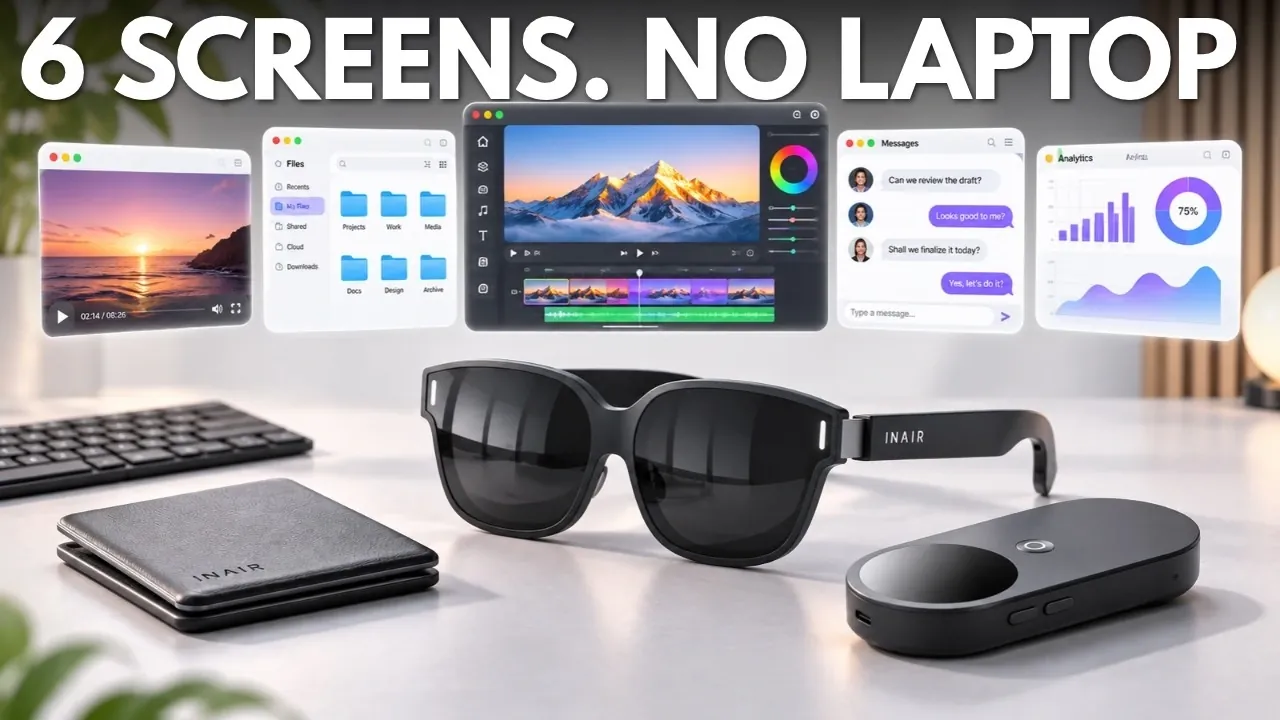
If you want more screen space without carrying a laptop, the INAIR 2 Pro Go Pack offers AR glasses with a small computer and folding keyboard. As reported by Tech Court, it can arrange up to six virtual windows around you, but you have to turn your head to see them and the computer’s fan can be distracting. The setup is portable, while its estimated battery life is around four hours and the full pack costs $999. Discover what it can do for work and entertainment, as well as why it falls short of replacing a laptop.
INAIR 2 Pro: A Workspace Inside AR Glasses
TL;DR Key Takeaways :
- The $999 INAIR 2 Pro Go Pack combines AR glasses, a computer called the INAIR Pod and a folding keyboard into a self-contained workspace.
- INAIR advertises a virtual screen up to 135 inches, though its apparent size depends on viewing distance and image placement.
- The Pod anchors up to six virtual windows around the user, but its narrow field of view requires head movement to see them all.
- The Pod’s cooling fan became noticeably loud at times during testing, particularly while reading or browsing.
- INAIR estimates that the Pod’s 5,000 mAh battery lasts around four hours on a full charge.
The INAIR 2 Pro Go Pack combines AR glasses with a small computer called the INAIR Pod and a keyboard that folds into the carrying case. Unlike most AR glasses, which rely on a connected phone or laptop to run apps and act as a display, the Go Pack offers a self-contained workspace.
The package also includes a Wakey wireless adapter and a charging hub. The case holds the components together, although carrying the full setup is more involved than carrying the glasses alone.
The Display Looks Larger, but Fit Matters
INAIR advertises a virtual screen of up to 135 inches for the INAIR 2 Pro, giving you a large personal display in relatively small glasses. Its apparent size depends on viewing distance and image placement, though, and it will not feel like sitting in front of a giant TV.
The frame is thicker than regular sunglasses and has adjustable arms and interchangeable nose pads. Fit matters: if you wear the glasses too high or low, part of the image can be cut off.
- 80 g is the approximate weight of the glasses.
- Full HD Sony micro OLED displays provide an image for each eye.
- 120 Hz is the maximum refresh rate.
- 46 degrees is the field of view.
A touch control on the frame adjusts electrochromic dimming without a separate light shield. Darker lenses make the display easier to see in bright surroundings, while a more transparent setting lets you stay more aware of what is around you.

Take a look at other insightful guides from our broad collection that might capture your interest in INAIR 2 Pro and Pod.
- INAIR 2 Elite Suite AR Glasses Project Six Virtual Screens
- Hidden 2D-to-3D AI Feature Inside the InAir 2 Pro Go Pack Smart Glasses
- VITURE Luma and Inair Pod Bundle Delivers Crisp Work Text
The Pod Keeps Six Windows Around You
INAIR’s Pod can arrange up to six windows around you, using three degrees of freedom tracking to keep them anchored as you look around. The field of view is too narrow to show all six at once, so you have to turn your head to see them.
Android apps run on a Qualcomm eight-core processor, with 8GB of RAM and 128GB of storage. You can open a browser, watch content and arrange windows without connecting a phone or laptop.
To steer a pointer in the virtual space, you hold and move the Pod instead of using a mouse. Its small touchscreen also works as a touchpad, and physical controls provide haptic feedback. In testing, the pointer controls made sense when there was no table, though they took some getting used to.
The Keyboard Helps With Work While Wakey Adds Access
The included keyboard makes the setup more useful for writing and quick edits than an on-screen keyboard. It folds down for travel, connects over Bluetooth and includes a touchpad, so you do not need a separate mouse.
Unfolded on a table, the keyboard brings the setup closer to a conventional computer, although its compact layout feels different from a full-size laptop keyboard. It can handle tasks such as replying to emails and making quick edits.
For desktop programs or files that are not on the Pod, the Wakey adapter connects to a computer and uses INAIR’s software to stream a Mac or Windows desktop through the Pod. Performance depends on the network, connected computer and software setup. Tech Court would choose a direct connection for work where responsiveness matters.
The Glasses Also Work as an Entertainment Display
INAIR 2 Pro works well as a personal entertainment screen, with built-in speakers that mean you do not always need headphones. INAIR also advertises real-time 2D-to-3D conversion, and you can use the glasses as a display for a compatible phone or laptop over USB-C.
The Pod has AI features, but Tech Court would not buy it for those alone. That view could change if AI becomes more deeply tied into the workspace over time.
Fan Noise and Battery Life Are the Main Trade-Offs
The Pod’s cooling fan can distract you during quiet activities, although it did not ruin the experience in testing. It became noticeably loud at times and sits close to you when you hold the Pod. Audio may mask it when you watch something, but it stood out during reading or browsing.
Tech Court would want quieter cooling before spending this much. Compared with basic AR glasses, the Pod also adds another device to charge and manage, along with software updates and heat.
INAIR estimates that its 5,000 mAh battery lasts around four hours on a full charge. The charging hub accepts external power for longer sessions.
Tech Court’s advice is to buy the INAIR 2 Pro Go Pack for a carryable, self-contained workspace only if you can accept the extra gear, fan noise and INAIR’s estimated four hours of battery life; skip it as a laptop replacement. Simpler, cheaper options are available for a larger phone display. Before spending $999, write down the apps you need and check that they are supported.
Media Credit: Tech Court
Disclosure: Some of our articles include affiliate links. If you buy something through one of these links, Geeky Gadgets may earn an affiliate commission. Learn about our Disclosure Policy.
