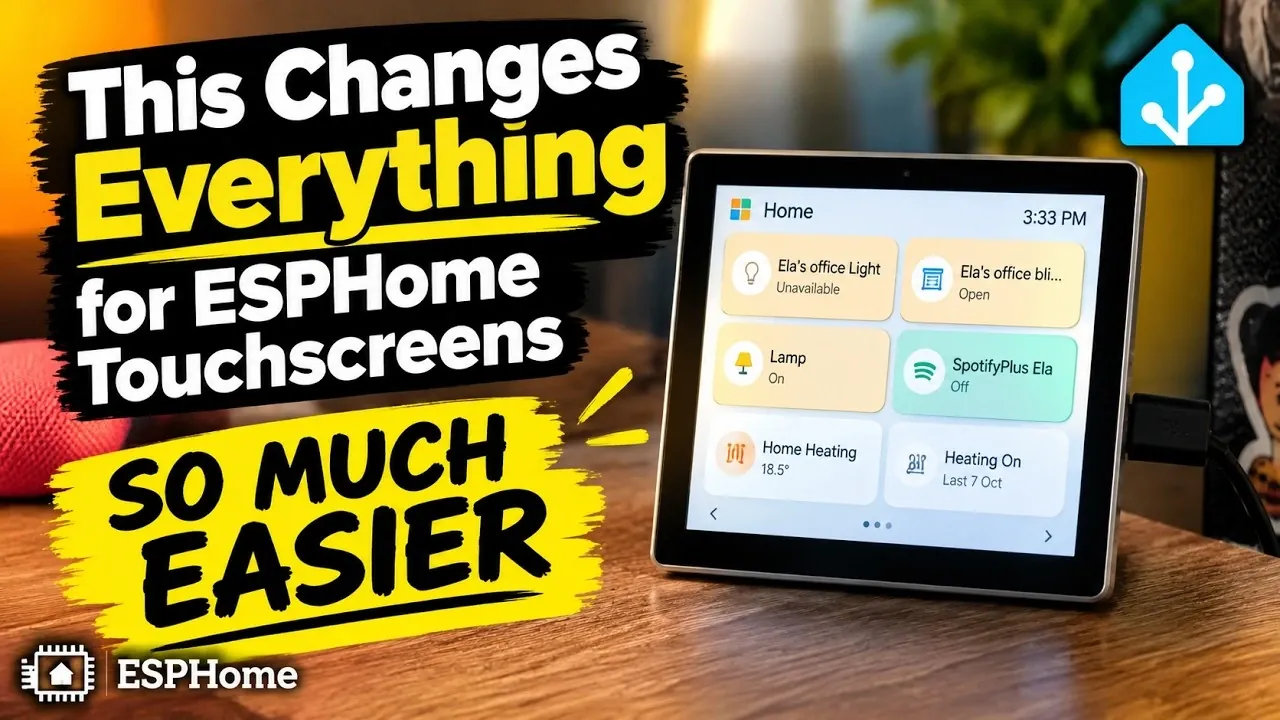
ESPHome touchscreen users now have a streamlined way to manage their devices thanks to the Tessera, as highlighted by Automation Addict. This app eliminates the need for manual YAML coding, replacing it with an accessible interface that integrates directly with Home Assistant. One standout feature is its automatic Wi-Fi configuration, which ensures devices connect to your network effortlessly, reducing setup time and potential errors. By supporting a wide range of ESPHome touchscreen devices, the Tessera offers flexibility for both beginners and experienced smart home enthusiasts.
In this overview, you’ll gain insight into how the Tessera enhances touchscreen customization with features like drag-and-drop widget management and dynamic updates that don’t require restarting devices. Explore advanced functionalities such as live camera integration, real-time alerts and personalized screen savers, all designed to elevate your smart home experience. Whether you’re looking to simplify setup or unlock new capabilities, this guide provides a detailed breakdown of what the Tessera brings to the table.
Simplified Setup and Seamless Integration
TL;DR Key Takeaways :
- The Tessera simplifies ESPHome touchscreen setup by eliminating the need for manual YAML coding and offering automatic Wi-Fi configuration for seamless integration with Home Assistant.
- Users can easily customize touchscreen interfaces with a drag-and-drop widget management system, dynamic updates and instant application of changes.
- Advanced features include live camera feed integration, real-time alerts, personalized screen savers and hourly weather updates for enhanced functionality.
- The app provides troubleshooting guidance for common issues, such as browser configuration and device-specific solutions, making sure a smooth user experience.
- With support for over 20 ESPHome touchscreen devices and ongoing updates, the Tessera offers extensive compatibility for diverse smart home setups.
- Tessera is the new name for ESP Screens. In Home Assistant the app is called Tessera Screen Manager and its panel Tessera (app 0.3.18); the repository, the add-on and your screens stay exactly as they are.
The Tessera streamlines the installation and configuration of ESPHome touchscreens, eliminating the need for manual YAML coding. Its seamless integration with Home Assistant allows you to install the app directly and benefit from automatic Wi-Fi configuration. This ensures that your devices connect to your network effortlessly, saving time and reducing the likelihood of errors. Key setup advantages include:
- Automatic Wi-Fi Configuration: Devices connect quickly and reliably to your network without manual intervention.
- Browser Compatibility: Manage your touchscreens from virtually any device using popular browsers like Chrome.
- Broad Device Support: Compatible with a wide range of ESPHome touchscreen devices, making sure flexibility for various setups.
This simplified process makes it easy for users of all experience levels to get started with ESPHome touchscreens, whether they are setting up a single device or managing a complex smart home system.
Customizable Touchscreen Interfaces for Personalization
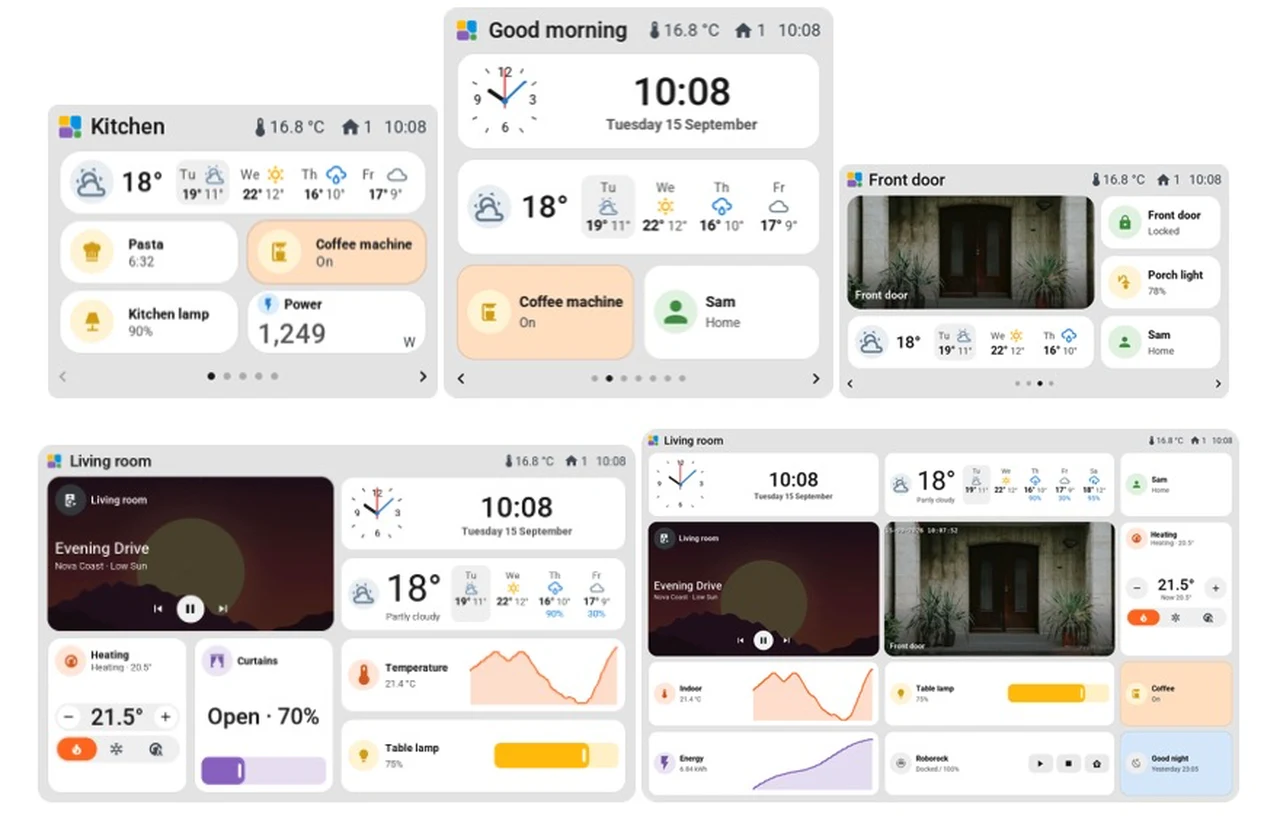
Customization is one of the standout features of the Tessera, offering a drag-and-drop interface that allows you to design touchscreen layouts effortlessly. By adjusting rows and columns, you can create custom grids tailored to your specific needs, making sure that your interface aligns perfectly with your smart home setup.
Notable customization features include:
- Drag-and-Drop Widget Management: Rearrange widgets to reflect changes in your smart home setup or prioritize frequently used functions.
- Dynamic Updates: Add or modify controls without restarting or reconfiguring devices, making sure uninterrupted functionality.
- Save and Send: Instantly apply updates to your devices with a single click, streamlining the customization process.
For instance, you can quickly add widgets to control lighting or rearrange existing ones to make your interface more intuitive. This level of flexibility enables you to create a user-friendly and visually appealing interface that meets your unique preferences.

Discover other guides from our vast content that could be of interest on ESP32.
- $5 ESP32-S3 Super Mini Packs Wi-Fi and Bluetooth
- The $4 ESP32 S3 Super Mini Packs a 240 MHz Dual-Core Chip
- How an $8 ESP32 S3 Microcontroller Runs a 28.9M Parameter Local LLM
- 5 ESP32 Projects Worth Building in 2026: Such as an Apple HomeKit Controller
- $4 ESP32 Module Brings Wi-Fi and Bluetooth to IoT Projects
- Replacing Security Cameras with Three $10 ESP32S3 Wi-Fi Boards
- ESP32-S3 Super Mini Costs $5 and Packs Wi-Fi and Bluetooth
- ESP32-S3 Super Mini Brings 240 MHz Dual-Core Power For $4
- ESP32 S31 Devkit Hands-on: 320 MHz RISC-V Chip Adds Wi-Fi 6
- $4 ESP32-S3 Super Mini Packs a 0.96-Inch IPS TFT Screen
Advanced Features for Enhanced Functionality
The Tessera goes beyond basic customization, offering advanced features that elevate the functionality of your ESPHome touchscreens. These features are designed to enhance usability, convenience and the overall smart home experience.
Key advanced functionalities include:
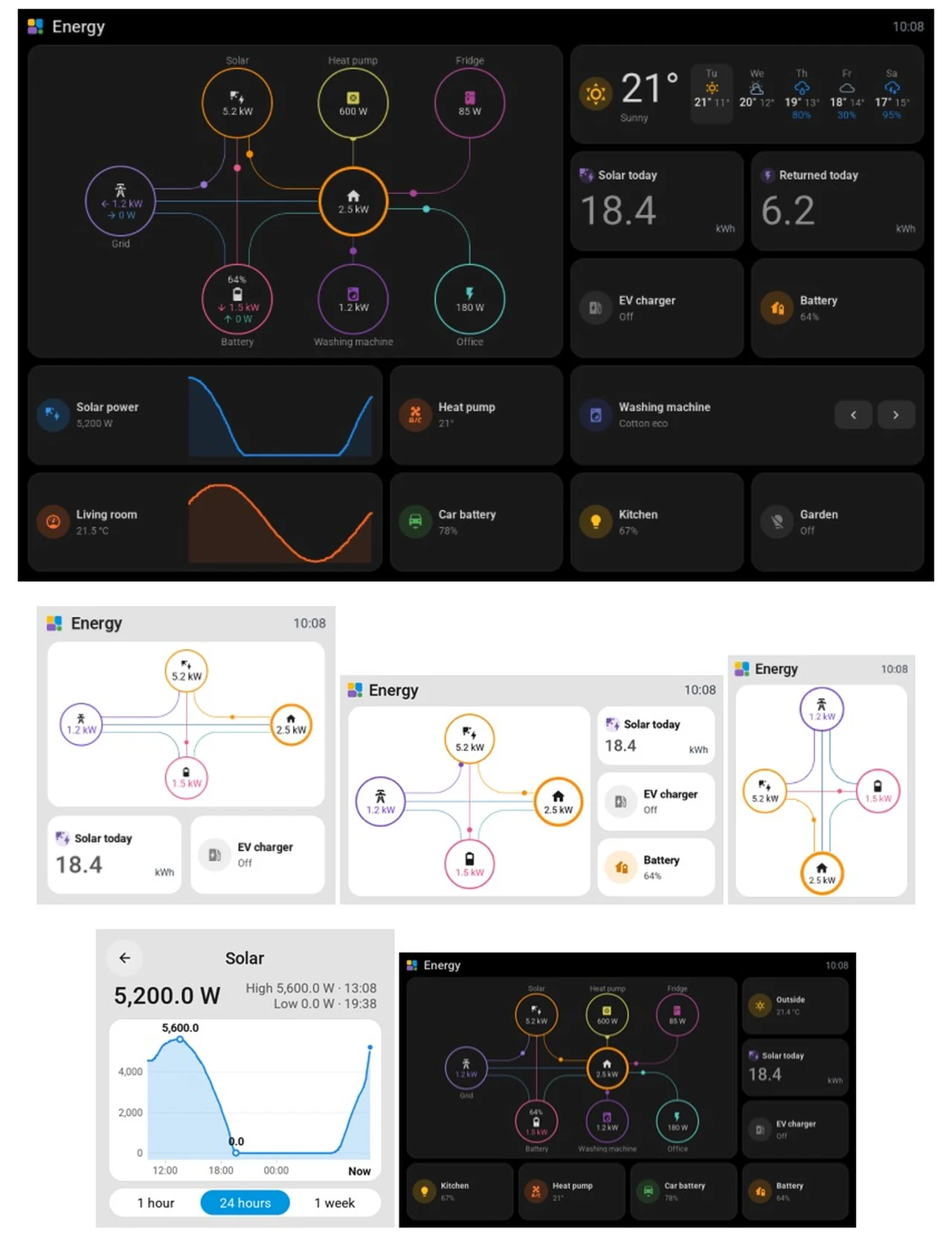
- Camera Integration: View live camera feeds directly on your touchscreen, making it easier to monitor security or check specific areas of your home.
- Real-Time Alerts: Configure automations to trigger notifications for events such as doorbell rings or motion detection, keeping you informed at all times.
- Screen Savers: Add personalized screen savers, such as clocks, music players, or live camera feeds, for both aesthetic and functional benefits.
- Weather Updates: Access hourly weather forecasts directly on your touchscreen, helping you plan your day more effectively.
These advanced features make the Tessera a versatile tool for managing your smart home. By integrating practical and personalized enhancements, the app ensures that your ESPHome touchscreens are not only functional but also tailored to your lifestyle.
Troubleshooting and Optimized Usage
While the Tessera simplifies many aspects of touchscreen management, occasional challenges may arise. The app provides clear and detailed guidance to help you address these issues efficiently, making sure a smooth user experience.
Common troubleshooting scenarios include:
- Browser Configuration: Certain features may require allowing insecure origins in Chrome or other browsers. The app provides step-by-step instructions for these adjustments.
- Device-Specific Solutions: Actions such as reauthentication or power cycling may be necessary for some devices and these steps are clearly outlined in the app’s documentation.
By following these troubleshooting tips and best practices, you can resolve potential issues quickly and maintain uninterrupted functionality.
Comprehensive Device Compatibility
The Tessera supports over 20 ESPHome touchscreen devices, with ongoing updates to expand this list. This extensive compatibility ensures that the app can adapt to a wide variety of hardware, making it a versatile solution for diverse smart home setups.
Whether you’re using older devices or the latest models, the app’s adaptability ensures seamless integration into your system. This broad support allows you to maximize the potential of your existing hardware while exploring new possibilities for your smart home.
Empowering Smart Home Management
The Tessera redefines how you manage ESPHome touchscreens, offering a user-friendly platform that simplifies setup, enhances customization and introduces advanced functionalities. By addressing common challenges and supporting a wide range of devices, the app makes ESPHome touchscreens more accessible and versatile than ever before.
Whether you’re building a new smart home system or upgrading an existing one, the Tessera provides the tools you need to create a seamless, personalized and efficient touchscreen experience. With its intuitive design and powerful features, the app enables you to take full control of your smart home environment.
Media Credit: Automation Addict
Disclosure: Some of our articles include affiliate links. If you buy something through one of these links, Geeky Gadgets may earn an affiliate commission. Learn about our Disclosure Policy.
