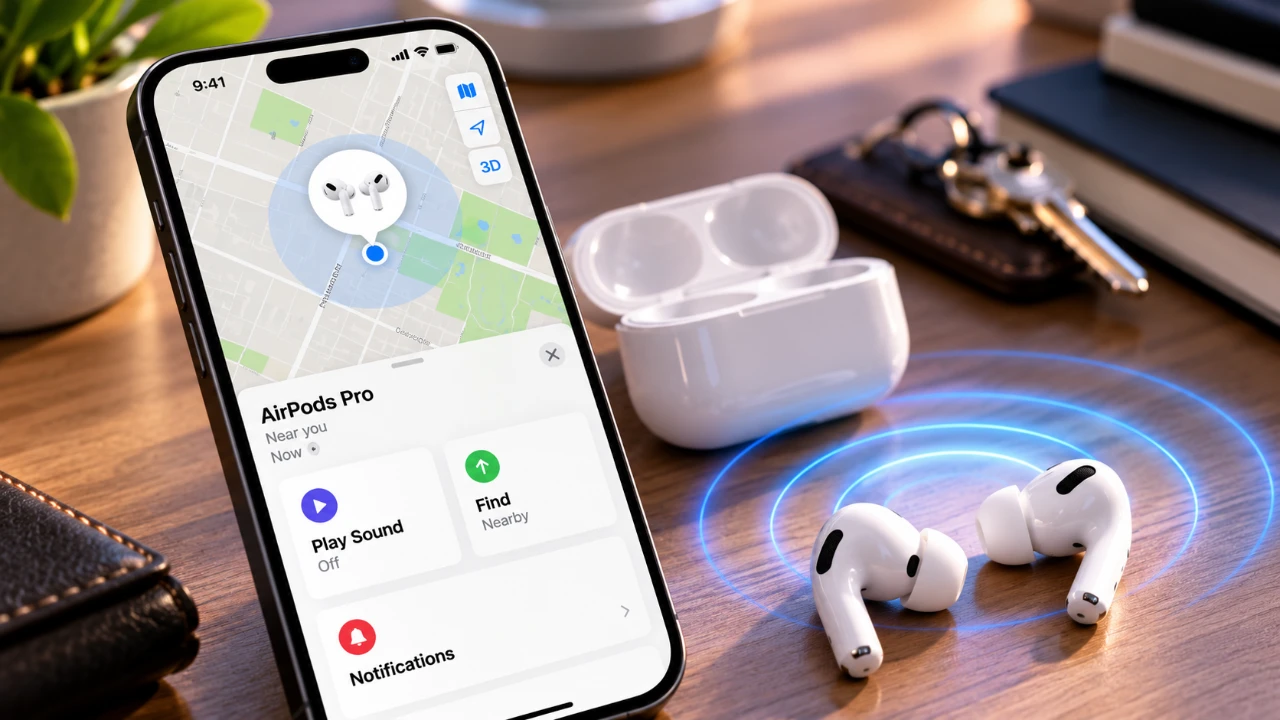
Losing your AirPods can be a frustrating and inconvenient experience, but Apple’s Find My app provides a robust set of tools to help you locate them efficiently. Whether your AirPods are nearby or far away, features like location tracking, sound alerts, Precision Finding, and Lost Mode simplify the recovery process. By understanding how to use these tools effectively, you can significantly reduce the stress of misplacing your AirPods and improve your chances of recovering them quickly. The video below from Apple gives us more details on how to find your AirPods.

How to Locate AirPods Using the Find My App
The Find My app is the cornerstone of Apple’s device recovery ecosystem and your primary tool for tracking lost AirPods. Here’s how you can use it:
- Launch the Find My app and navigate to the Devices tab. Your AirPods will appear in the list, sometimes as separate items for the left and right earbuds or the charging case.
- If your AirPods are within Bluetooth range, tap the Find button to view their exact location. The app provides real-time updates, making it easier to pinpoint their position in your immediate surroundings.
- If your AirPods are out of range, the app displays their last known location on a map. This serves as a starting point for your search, especially if you left them behind at a specific location.
This combination of real-time tracking and location history ensures you have the tools necessary to begin your search with confidence.
Using Precision Finding for Supported Models
For users with compatible iPhone and AirPods models, Precision Finding offers an advanced and highly accurate way to locate your devices. This feature uses ultra-wideband technology to provide step-by-step guidance. Here’s how it works:
- On-screen arrows: These directional indicators guide you toward your AirPods, showing the exact direction to move.
- Proximity feedback: As you approach your AirPods, the app uses haptic vibrations and visual cues to confirm you’re getting closer.
Precision Finding is particularly useful in situations where your AirPods are hidden, such as under furniture, in a cluttered drawer, or in other hard-to-spot locations. Its accuracy minimizes the effort required to locate your devices, saving you time and frustration.
Play Sound to Locate Nearby AirPods
If your AirPods are nearby but not immediately visible, the Play Sound feature can help you locate them quickly. Here’s how to use it:
- Open the Find My app and activate the Play Sound option. Your AirPods will emit a distinct chime that is loud enough to hear in most environments.
- You can choose to play the sound on individual AirPods, which is particularly helpful if only one earbud is missing.
This feature is ideal for situations where your AirPods may have slipped between couch cushions, fallen under a bed, or been left in another room. The audible alert ensures you can locate them even if they’re out of sight.
Recovering AirPods with Lost Mode
Lost Mode is a powerful feature designed to assist in recovering AirPods that are not within your immediate vicinity. When activated, Lost Mode enhances the chances of retrieval by:
- Marking your AirPods as lost in the Find My app, making it clear they are missing.
- Displaying your contact information on the screen of anyone who finds your AirPods and attempts to pair them with their device. This makes it easier for them to return the AirPods to you.
- Sending you notifications whenever your AirPods’ location updates, keeping you informed throughout the recovery process.
This feature adds an extra layer of security and increases the likelihood of retrieving your AirPods, even if they’ve been moved to a different location.
Proximity Indicators and Notifications
The Find My app also includes proximity-based guidance and real-time notifications to assist in your search. These features are designed to keep you informed and help you locate your AirPods with greater precision:
- Distance indicators: As you move closer to your AirPods, the app provides visual feedback on how far away they are, helping you narrow down their location.
- Notifications: You’ll receive alerts when your AirPods reconnect to a nearby device or when their location updates, making sure you don’t miss any opportunity to recover them.
These tools work seamlessly to ensure you stay updated and maximize your chances of finding your AirPods.
Removing AirPods from the Find My App
If you decide to remove your AirPods from the Find My app, it’s important to understand the implications of this action. Removing your AirPods:
- Disables all tracking features, making it impossible to locate them using the app.
- Requires you to re-pair your AirPods if you find them later, as they will no longer be associated with your Apple ID.
This step should only be taken as a last resort, such as when transferring ownership of your AirPods or after exhausting all other recovery options.
Maximizing the Find My App’s Potential
Apple’s Find My app offers a comprehensive suite of tools to help you locate lost AirPods. From real-time location tracking and sound alerts to advanced features like Precision Finding and Lost Mode, these tools are designed to make the recovery process as straightforward and efficient as possible. By familiarizing yourself with these features and using them effectively, you can minimize the inconvenience of losing your AirPods and increase your chances of finding them quickly. Whether they’re nearby or far away, the Find My app ensures you have the resources needed to recover your devices with ease.
Here are more guides from our previous articles and guides related to AirPods that you may find helpful.
- Apple AirPods Pro 4 Leaked: Massive Upgrades and New Design Revealed
- The AirPods Ultra Are Reportedly Set for Launch Next Month
- Apple AirPods 5 Leaked: Apple’s Next-Gen Earbuds Revealed
- New AirPods Features Coming to Your iPhone in iOS 27
- Leaked AirPods Pro 4 Specs Reveal Cameras and Extra Features
- Leak: Apple AirPods Pro Ultra May Bring the Biggest Upgrade
Source & Image Credit: Apple Support
Disclosure: Some of our articles include affiliate links. If you buy something through one of these links, Geeky Gadgets may earn an affiliate commission. Learn about our Disclosure Policy.
