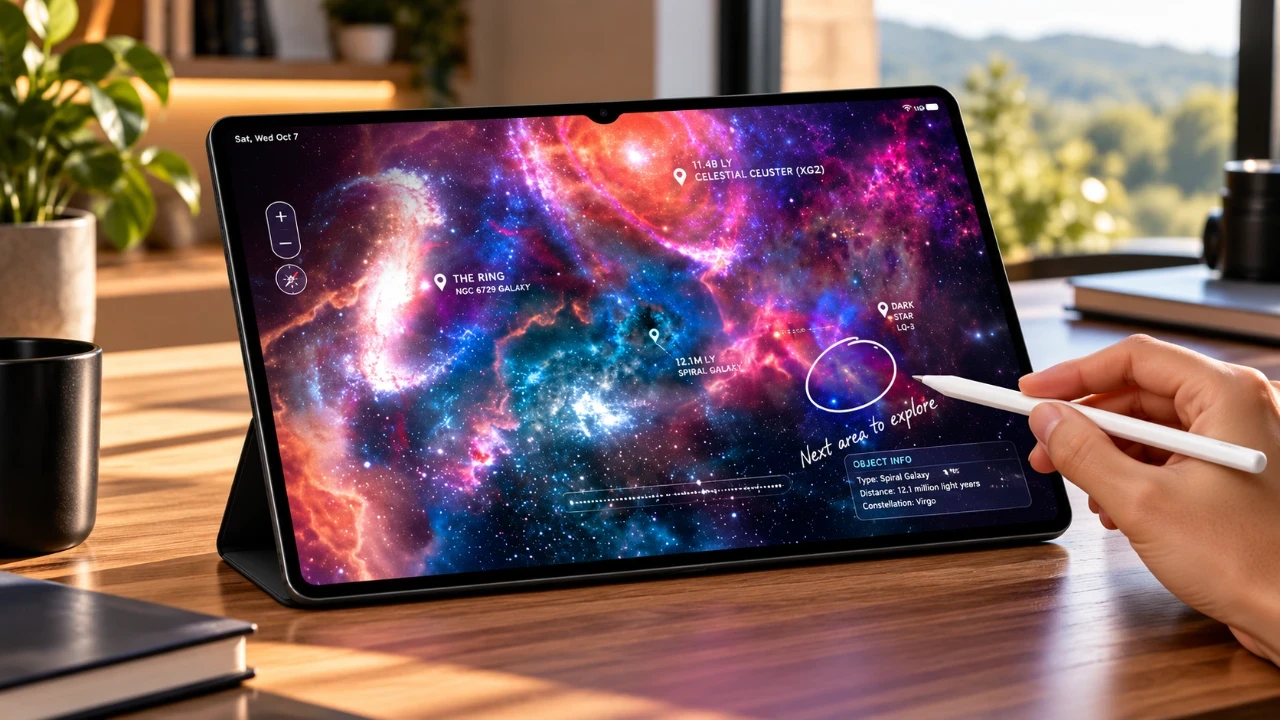
The Samsung Galaxy Tab S12 Ultra is a sophisticated tablet engineered to elevate productivity, creativity, and entertainment. Designed to meet the needs of professionals, creators, and everyday users, it combines innovative technology with user-friendly features. Below is an in-depth exploration of its standout capabilities, showcasing how this device can seamlessly integrate into your lifestyle. The video below from WhatGear shows us a range of tips and tricks for the Galaxy Tab S12.

DeX Mode: Transform Your Tablet into a Workstation
DeX Mode provides a desktop-like interface, allowing you to switch effortlessly between tablet and PC-style workflows. With support for up to four workspaces, you can connect to external monitors either through wired connections or wirelessly. This feature is particularly beneficial for users who require a portable yet powerful workstation. You can also customize settings to optimize multitasking, making it ideal for managing complex projects or presentations. DeX Mode ensures that your productivity remains uninterrupted, whether you’re working remotely or on the go.
Multitasking and Productivity Tools
The Galaxy Tab S12 Ultra excels in multitasking, offering tools that simplify complex workflows. You can split the screen to run multiple apps simultaneously, resize windows dynamically and save app combinations for quick access. The Edge Panel enhances this experience by providing shortcuts and tools for smoother navigation. This panel is more than just a convenience; it acts as a productivity hub, allowing you to add utilities such as a clipboard, compass, or even a ruler. With AI Select, you can extract text, create GIFs, or edit images directly from the panel, making it an essential feature for both work and creativity.
S Pen: Precision and Creativity
The S Pen is a standout accessory that transforms the Galaxy Tab S12 Ultra into a versatile tool for creativity and productivity. It supports handwriting-to-text conversion, advanced editing gestures and creative tasks like drawing or coloring. You can also customize Air Command shortcuts for quick access to frequently used apps and tools. Whether you’re taking notes during a meeting, sketching designs, or editing photos, the S Pen offers precision and ease of use. Its seamless integration with the tablet makes it indispensable for professionals and artists alike.
Customization and Personalization
The Galaxy Tab S12 Ultra offers extensive customization options, allowing you to tailor the device to your preferences. Use Good Lock and Theme Park to create unique themes, app icons and layouts. Adjust the taskbar position, add lock screen widgets and enable weather animations to make your tablet truly your own. These features ensure that your device not only meets your functional needs but also reflects your personal style. The ability to personalize every aspect of the interface enhances user satisfaction and usability.
Enhanced Security and Privacy Features
Security is a priority with the Galaxy Tab S12 Ultra. The tablet includes robust features such as app protection to scan for malicious software, app pinning to restrict access when sharing your device and AI Network Guard to manage Wi-Fi restrictions. These tools work together to ensure that your data remains secure and private. Whether you’re using the tablet for work or personal use, these features provide peace of mind by safeguarding sensitive information.
Seamless Integration and Connectivity
Samsung Flow enables seamless integration between your Galaxy devices. You can mirror your phone’s screen on the tablet, transfer files and clipboard content and sync notifications effortlessly. Additionally, you can use your phone’s camera as a webcam for video calls, adding versatility to your setup. Features like AuraCast allow you to share audio with multiple headphones, making it perfect for group listening. The tablet also supports auto hotspot functionality, providing instant internet access via your Galaxy phone. These connectivity options make the Galaxy Tab S12 Ultra a central hub for communication and collaboration.
Travel-Friendly Features
For frequent travelers, the Galaxy Tab S12 Ultra includes thoughtful features like Motion Assist, which reduces motion sickness by customizing visual effects. Quick settings tiles allow for easy activation, making sure a comfortable experience during long journeys. The tablet’s lightweight design and long battery life further enhance its portability, making it an excellent companion for travel.
Optimized Browsing and Search Tools
Browsing on the Galaxy Tab S12 Ultra is intuitive and efficient, thanks to Samsung’s browser enhancements. Features like page summaries, translations and background audio playback improve the overall experience. The Finder tool simplifies navigation by allowing you to search for settings, files and apps across your device. You can even expand its capabilities to include results from apps and online platforms, making sure that you can locate anything you need quickly and efficiently.
Battery and Display Innovations
The tablet’s large AMOLED display is not only visually stunning but also energy-efficient. Enable dark mode to maximize battery life and reduce eye strain. Brightness and volume sliders offer precise control, while idle modes allow you to repurpose the tablet as a digital photo frame or clock. These features ensure that the Galaxy Tab S12 Ultra delivers optimal performance while adapting to your usage patterns.
Unlock Hidden Features
The Galaxy Tab S12 Ultra includes hidden settings that unlock additional functionality. Intelligent Wi-Fi and connectivity labs improve network management, while Samsung Pass provides secure and convenient password management. Galaxy AI features, such as Now Nudge, offer contextual suggestions to streamline your experience. By exploring these advanced settings, you can fully use the tablet’s capabilities and enhance your overall experience.
Stay Informed with Personalized Updates
The Now Brief widget delivers personalized updates on topics of interest, making sure that you stay informed about what matters most. Create custom cards to receive tailored notifications and insights, keeping you connected to your priorities. This feature adds a layer of convenience, making the tablet not just a tool but a resource for staying updated and organized.
Below are more guides on Galaxy Tab S12 Ultra from our extensive range of articles.
- The Problem With Samsung’s Upcoming Galaxy Tab S12 Ultra
- Samsung Galaxy Tab S12 Ultra: the Biggest Upgrades Leaked So Far
- Why the Samsung Galaxy Tab S12 Ultra Design Leak Hides the Tablet’s Real Upgrade
- First Alleged Real Look at the Samsung Galaxy Tab S12 Ultra
- Leaked: First Look at the Samsung Galaxy Tab S12 Ultra Design
- Same Design May Hide Huge Samsung Galaxy Tab S12 Ultra IUpgrades
Source: WhatGear
Disclosure: Some of our articles include affiliate links. If you buy something through one of these links, Geeky Gadgets may earn an affiliate commission. Learn about our Disclosure Policy.
