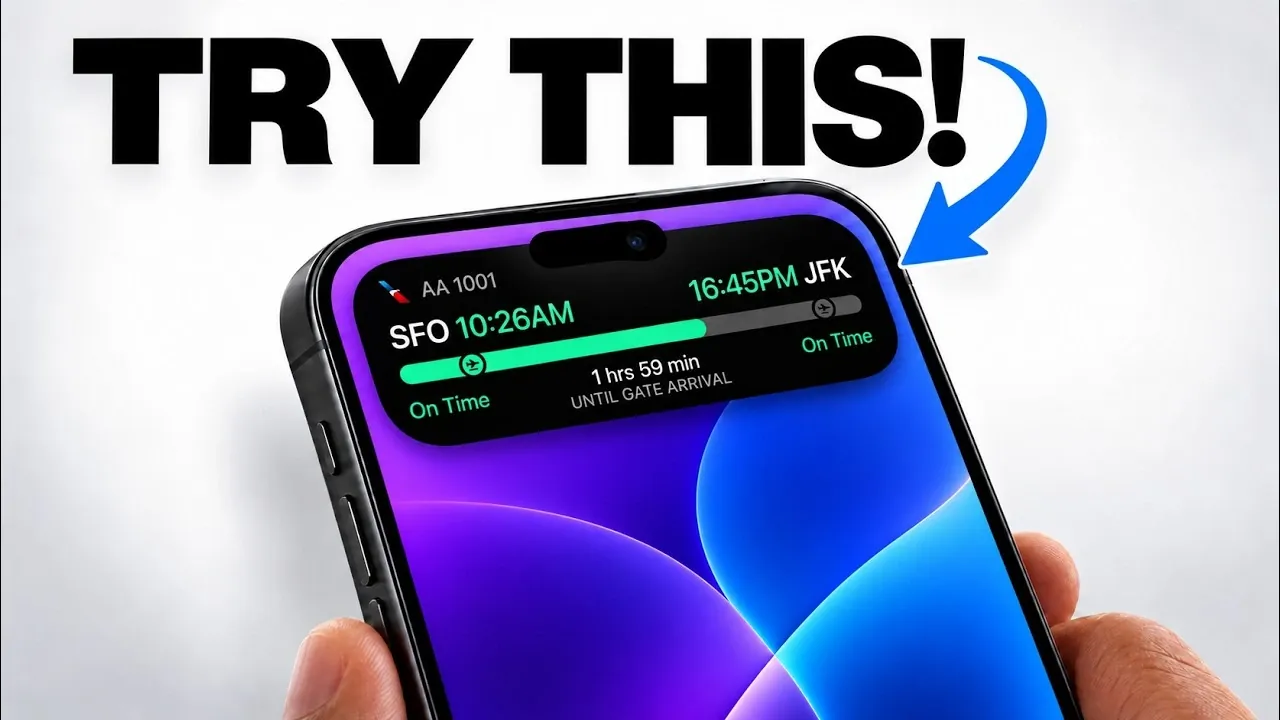
The Dynamic Island on your iPhone is far more than a design innovation; it serves as a versatile hub that enhances how you interact with your device. Initially met with curiosity and skepticism, this feature has evolved into a practical tool that combines gesture controls, app integrations, and real-time updates to simplify everyday tasks. Whether you’re multitasking, managing notifications, or accessing app shortcuts, the Dynamic Island offers a seamless and efficient way to elevate your iPhone experience. The video below from HotshotTek gives us more details.

Gesture Controls: Simplifying Navigation
The Dynamic Island introduces intuitive gesture controls that make navigating your iPhone faster and more efficient. With simple swipes and taps, you can interact with live activities or access app-specific tools without disrupting your workflow. For example:
- Swipe to minimize or restore live activities, such as tracking a delivery or monitoring a ride-share service.
- Tap and hold icons to reveal app-specific options, like playback controls, navigation shortcuts, or quick actions.
These gestures are designed to save time and reduce distractions, allowing you to focus on what matters most. By integrating these controls into the Dynamic Island, Apple has streamlined the way you interact with your device, making it more responsive and user-friendly.
App Integrations: Expanding Functionality
The Dynamic Island seamlessly integrates with a wide range of apps, offering quick access to essential features. This integration enhances your iPhone’s functionality by reducing the need to switch between apps. Some key examples include:
- Music Playback: Manage Apple Music, Spotify, or YouTube Music directly from the Dynamic Island. Adjust volume, skip tracks, or control AirPlay without leaving your current screen.
- Fitness Tracking: Monitor your workouts, track progress and manage segments through the Fitness app, helping you stay consistent with your goals.
- Shazam Integration: Instantly identify songs and add them to your playlists with a single tap.
- Voice Memos: Keep track of recording durations and manage recordings directly from the Dynamic Island for added convenience.
- Apple Maps: Access turn-by-turn navigation and real-time directions for a smoother travel experience.
- Sports Scores: Stay updated on live scores for your favorite teams and leagues without opening additional apps.
- Flashlight Control: Adjust brightness levels quickly and precisely, eliminating the need to navigate through menus.
These integrations not only enhance productivity but also ensure that your workflow remains uninterrupted. By centralizing these features, the Dynamic Island makes multitasking more efficient and intuitive.
Live Activity Tracking: Real-Time Updates
One of the standout capabilities of the Dynamic Island is its ability to display live activity updates in real time. Whether you’re tracking a ride-share, monitoring a delivery, or following a sports game, this feature keeps you informed without requiring constant app switching.
You can customize which apps display live activities, tailoring the feature to suit your preferences. For instance, if you frequently use ride-share services, the Dynamic Island ensures you’re always aware of your driver’s location and estimated arrival time. Similarly, sports enthusiasts can stay updated on live scores without missing a moment of the action.
This level of customization makes the Dynamic Island a practical tool for staying organized and informed, offering a personalized experience that adapts to your needs.
Creative Applications: Beyond Productivity
The Dynamic Island isn’t limited to productivity; it also serves as a platform for creative and innovative applications. Developers have embraced this feature to enhance gaming and utility apps, showcasing its versatility.
- Gaming: Games like “Hit the Island” transform the feature into an interactive element, adding a unique and engaging twist to gameplay.
- Utility Apps: Apps designed for monitoring data speeds, system metrics, or weather updates integrate seamlessly with the Dynamic Island, providing quick insights at a glance.
These creative uses highlight the adaptability of the Dynamic Island, making it appealing to a wide range of users, from casual gamers to tech enthusiasts. By offering both practical and entertaining applications, this feature demonstrates its potential to enhance various aspects of your iPhone experience.
Enhanced Features on the iPhone 18 Pro
The iPhone 18 Pro takes the Dynamic Island to the next level, introducing advanced capabilities that further enhance its functionality. One of the most notable upgrades is support for up to three simultaneous live activities. This means you can track multiple tasks, such as a delivery, a workout, and a sports game, all at once, without compromising on clarity or usability.
Additionally, the iPhone 18 Pro offers enhanced gesture options, making it even easier to manage live activities and app integrations. These improvements result in a smoother, more responsive experience that caters to multitasking and overall efficiency.
By building on the foundation of the Dynamic Island, the iPhone 18 Pro ensures that this feature remains a central part of your device’s functionality, offering both practicality and innovation.
A Feature That Evolves With You
The Dynamic Island is more than just a design element; it’s a multifunctional tool that adapts to your needs. By combining gesture controls, app integrations, live activity tracking, and creative applications, it offers a streamlined and interactive experience that enhances both productivity and convenience.
Whether you’re managing daily tasks, staying updated in real time, or exploring new ways to engage with apps, the Dynamic Island proves to be an indispensable feature that continues to evolve alongside your iPhone.
Advance your skills in iPhone by reading more of our detailed content.
- iPhone Ultra Fold Launch Date Reportedly Confirmed by Leak
- Apple May Keep the iPhone 18’S Best New Feature Exclusive to the Pro Max
- iPhone Air 2 Leaks: Apple Reportedly Solves the Biggest Battery Flaw
- Why the iPhone Air 2 Might Actually Be Worth Buying This Time
- Early iPhone 18 Reports Point to Major Unconfirmed Shifts
- iPhone Air 2 Leak: Apple Finally Fixes the Camera and Battery
Source & Image Credit: HotshotTek
Disclosure: Some of our articles include affiliate links. If you buy something through one of these links, Geeky Gadgets may earn an affiliate commission. Learn about our Disclosure Policy.
