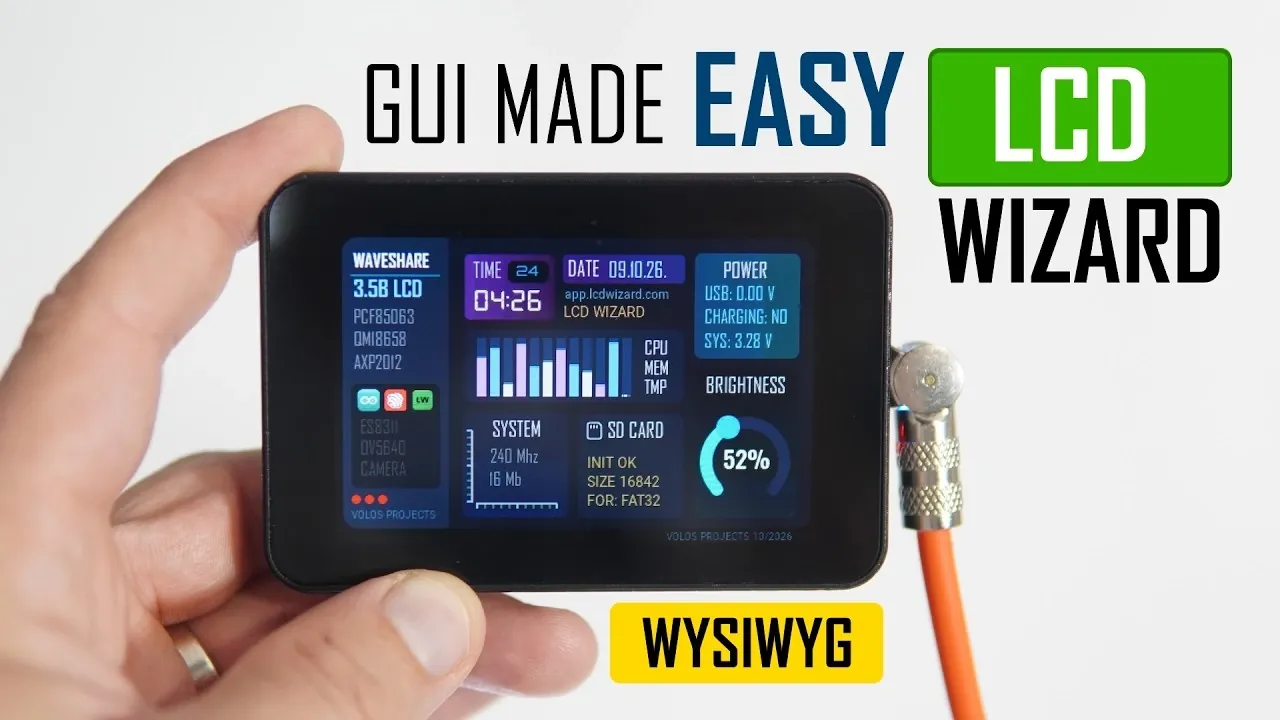
Creating touchscreen interfaces for microcontroller projects can often feel like a daunting task, especially when it involves extensive manual coding. Volos Projects introduces LCD Wizard, a browser-based platform built on the LVGL framework, designed to simplify this process. By using a WYSIWYG (What You See Is What You Get) editor, developers can visually design their interfaces and generate ready-to-use code for popular boards like the ESP32, STM32 and RP2040. This approach not only reduces development time but also ensures compatibility with various environments, including Arduino and MicroPython.
In this guide, you’ll uncover how LCD Wizard supports advanced hardware features such as real-time clocks, accelerometers and even cameras. Learn how to configure display settings, customize interface components like fonts and layouts and export well-documented code tailored to your project. Whether you’re a hobbyist or a professional, this walkthrough will provide actionable insights to help you streamline your development workflow and make the most of your hardware.
What Makes LCD Wizard Unique?
TL;DR Key Takeaways :
- LCD Wizard is a browser-based tool that simplifies the creation of touchscreen interfaces for microcontroller projects, supporting platforms like ESP32, STM32 and RP2040.
- Built on the LVGL framework, it uses a WYSIWYG editor to visually design interfaces, reducing development time and complexity.
- The tool generates ready-to-use, well-documented code, handling tasks like display driver initialization, touch functionality and peripheral integration.
- It supports a wide range of development boards, including Waveshare models and offers customization options for display settings and LVGL versions.
- LCD Wizard provides flexible pricing plans, including a free tier with limited exports and a pro version for unlimited usage, catering to both hobbyists and professionals.
LCD Wizard is a visual design tool built on the robust LVGL framework, specifically optimized for touchscreen displays. Unlike traditional methods that require extensive manual coding, LCD Wizard employs a “What You See Is What You Get” (WYSIWYG) approach. This allows developers to visually design interfaces, significantly reducing the complexity and time required for development.
As a browser-based tool, LCD Wizard eliminates the need for software installation or updates, making sure users always have access to the latest features. It supports a broad range of microcontrollers, including ESP32, STM32 and RP2040 and integrates seamlessly with popular development environments such as Arduino, ESPHome and MicroPython. This combination of flexibility and accessibility makes it an indispensable tool for both hobbyists and professionals.
Core Features and Functionalities
LCD Wizard offers a comprehensive set of features designed to simplify the development of touchscreen interfaces. Its ability to generate complete, ready-to-use code is one of its standout capabilities, handling tasks such as initializing display drivers, managing touch functionality and integrating peripherals. Key features include:
- Customizable interface components, including fonts, colors and layouts, to suit diverse project requirements.
- Support for advanced peripherals such as real-time clocks, accelerometers, gyroscopes, cameras, speakers and microphones.
- Export functionality that generates detailed, well-documented code with comments, making sure easy integration into projects.
Additionally, the tool allows users to configure settings such as the LVGL version and display orientation, making sure compatibility with specific hardware setups. This level of customization ensures that developers can tailor their projects to meet precise requirements.

Learn more about ESP32 with other articles and guides we have written below.
- $5 ESP32-S3 Super Mini Packs Wi-Fi and Bluetooth
- The $4 ESP32 S3 Super Mini Packs a 240 MHz Dual-Core Chip
- How an $8 ESP32 S3 Microcontroller Runs a 28.9M Parameter Local LLM
- 5 ESP32 Projects Worth Building in 2026: Such as an Apple HomeKit Controller
- $4 ESP32 Module Brings Wi-Fi and Bluetooth to IoT Projects
- Replacing Security Cameras with Three $10 ESP32S3 Wi-Fi Boards
- ESP32-S3 Super Mini Costs $5 and Packs Wi-Fi and Bluetooth
- ESP32-S3 Super Mini Brings 240 MHz Dual-Core Power For $4
- ESP32 S31 Devkit Hands-on: 320 MHz RISC-V Chip Adds Wi-Fi 6
- $4 ESP32-S3 Super Mini Packs a 0.96-Inch IPS TFT Screen
Supported Development Boards
LCD Wizard is designed to work seamlessly with a wide variety of development boards, with particular emphasis on Waveshare models. For example, the Waveshare 3.5B LCD touchscreen is fully supported, offering features such as a built-in microphone, speaker, accelerometer, gyroscope and camera. This compatibility ensures that developers can fully use their hardware’s capabilities without requiring extensive manual configuration.
By supporting a diverse range of boards, LCD Wizard provides developers with the flexibility to choose the hardware that best suits their project needs. This adaptability makes it an ideal choice for projects ranging from simple prototypes to complex, feature-rich applications.
Step-by-Step Guide to Using LCD Wizard
Getting started with LCD Wizard is a straightforward process. The tool’s intuitive interface and clear workflow make it easy to design and implement touchscreen interfaces. Here’s how you can use it:
- Create a new project and select your preferred development environment, such as Arduino, ESPHome, or MicroPython.
- Choose your development board and configure settings like display resolution, orientation and LVGL version.
- Design your interface using the WYSIWYG editor, customizing components such as buttons, sliders and text fields to match your project’s requirements.
- Export the generated code, which includes all necessary libraries, setup instructions and detailed comments for easy integration.
The exported files are well-structured and documented, making them easy to incorporate into existing projects or use as a foundation for new ones. This streamlined process ensures that developers can focus on innovation rather than spending time on repetitive coding tasks.
Flexible Plans and Pricing
LCD Wizard offers a pricing structure designed to accommodate a variety of user needs. The free plan includes up to 15 code exports per month, making it an excellent choice for small projects or occasional use. For developers with more extensive requirements, the pro version provides unlimited exports and additional features for a one-time payment. If you need extra exports beyond your plan, additional credits can be purchased as needed.
This flexible pricing model ensures that LCD Wizard remains accessible to a broad audience, from hobbyists working on personal projects to professionals developing commercial applications.
Why Choose LCD Wizard?
LCD Wizard is more than just a design tool, it is a comprehensive solution for creating and deploying touchscreen interfaces. Its browser-based nature eliminates the need for complex installations, while its compatibility with multiple microcontrollers and development environments ensures broad applicability. The tool’s robust feature set, combined with regular updates and planned tutorials, makes it a reliable and forward-looking choice for developers.
Whether you’re building a smart home device, an industrial control panel, or a custom IoT project, LCD Wizard equips you with the tools needed to succeed. Its intuitive design process, powerful functionality and support for advanced peripherals make it an essential resource for anyone working with touchscreen displays. By simplifying the development process and allowing rapid prototyping, LCD Wizard enables developers to bring their ideas to life with efficiency and precision.
Media Credit: Volos Projects
Disclosure: Some of our articles include affiliate links. If you buy something through one of these links, Geeky Gadgets may earn an affiliate commission. Learn about our Disclosure Policy.
