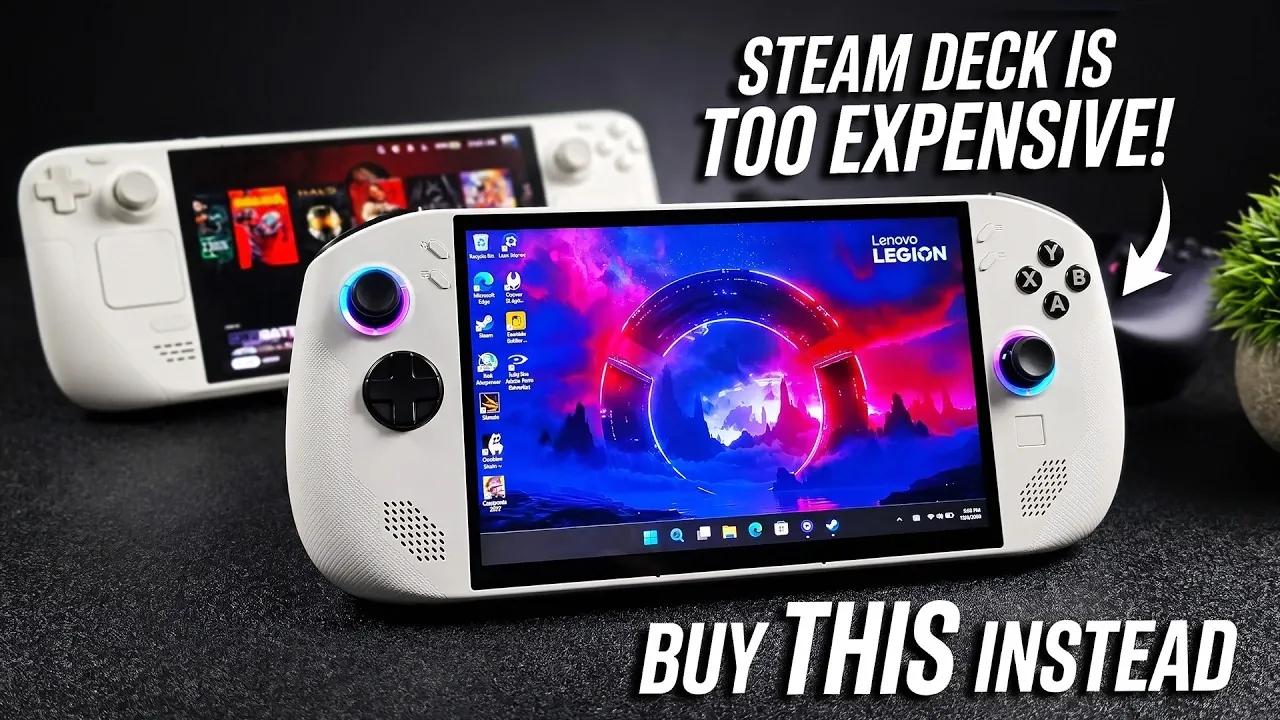
For gamers seeking a budget-friendly alternative to the Steam Deck OLED, the Legion Go S presents a compelling option. In a recent explainer, ETA Prime highlights how this Windows-based handheld strikes a balance between affordability and performance, particularly in the second-hand market where it often costs around $550. Equipped with a Ryzen Z2 Go processor and up to 32GB of RAM, the device handles modern gaming demands with ease. Its 8-inch 120Hz IPS display offers smooth visuals and the inclusion of features like a microSD slot and compatibility with larger SSDs adds to its versatility. While it may lack USB 4 support and is slightly heavier than some competitors, the Legion Go S compensates with thoughtful design elements like ergonomic controls and programmable keys.
In this breakdown, you’ll explore how the Legion Go S compares to the Steam Deck OLED in key areas like graphical performance and battery life. Gain insight into its real-world gaming capabilities, including frame rates for popular titles like Cyberpunk 2077 and Forza Horizon 6. Additionally, discover practical optimization tips, such as installing Steam OS to streamline performance or allocating more RAM to the iGPU for demanding games. Whether you’re considering a switch or looking to enhance your existing setup, this guide offers actionable details to help you make an informed decision.
What Makes the Legion Go S Stand Out?
TL;DR Key Takeaways :
- The Legion Go S is a budget-friendly handheld gaming device running on Windows, offering solid performance and compatibility with Steam OS for enhanced gaming flexibility.
- Key specifications include a Ryzen Z2 Go processor, up to 32GB RAM, 1TB SSD, an 8-inch 120Hz IPS display and a GPU with 12 compute units, making sure smooth gameplay for AAA titles.
- Design highlights include ergonomic features, customizable controls and expandable storage options, though its heavier build may impact portability.
- Compared to the Steam Deck OLED, the Legion Go S offers better graphical performance, larger storage support and a bigger battery, but trades off on display quality and portability.
- Priced around $550 in the used market, it provides excellent value for gamers seeking affordability without sacrificing performance, with further optimization possible through Steam OS installation and RAM allocation adjustments.
The Legion Go S is a handheld gaming device that runs on Windows, offering the flexibility to install Steam OS for a more streamlined gaming experience. Its appeal lies in its affordability, especially in the second-hand market, where it is often available at significantly reduced prices. The sleek white variant adds a modern aesthetic, while its compatibility with Steam OS makes it an excellent choice for gamers already invested in the Steam ecosystem.
For budget-conscious gamers, the Legion Go S strikes a balance between cost and functionality, making it a practical option for those who want to enjoy modern gaming without the premium price tag.
Key Features and Specifications
The Legion Go S is designed to meet the demands of modern gaming, offering a range of features that enhance performance and usability. Here’s a closer look at its specifications:
- Processor: Powered by the Ryzen Z2 Go, based on Zen 3+ architecture, with four cores and eight threads for efficient multitasking and gaming.
- Memory and Storage: Configurations include up to 32GB of RAM and a 1TB SSD, making sure ample space for games and smooth performance.
- Display: Features an 8-inch 120Hz VRR IPS screen, delivering vibrant colors and fluid visuals.
- Graphics: Integrated GPU with 12 compute units (CUs) and higher clock speeds compared to the Steam Deck, making sure better graphical performance.
These specifications enable the device to handle AAA titles effectively, offering a seamless and immersive gaming experience.

Here is a selection of other guides from our extensive library of content you may find of interest on Legion Go S.
- Why Gamers Are Skipping the Steam Deck OLED for This $450 Handheld
- Forza Horizon 6 on SteamOS : Steam Deck vs Z2 Go vs Z1 Extreme Tested
- Lenovo Legion Go S Official SteamOS Review : OLED Steam Deck Killer or Risky Gamble?
- Steam OS Legion GO S Preorders Are Live : Z1 Extreme or Z2 GO
- Can the Z1 Extreme Still Handle Forza Horizon 6 Against the Z2 Extreme and Intel 258V?
- How to Install Valve’s SteamOS on the MSI Claw 8 AI+ Handheld
- Lenovo Legion Go S Handheld Games Console with Ryzen Z1 Extreme
- Lenovo Legion Go S Review : Portable Gaming Beast Fully Tested
- SteamOS ROG Ally vs Legion GO S vs Steam Deck OLED : Handheld Games Consoles Compared
- Legion Go 2 vs Legion Go 1: Assassin’s Creed Black Flag Resynced
Design and Usability
The Legion Go S is thoughtfully designed to prioritize comfort and functionality, making it suitable for extended gaming sessions. Key design elements include:
- Ergonomics: Well-placed buttons, palm rests and a built-in trackpad for precise control.
- Customization: Trigger locks and programmable macro keys for tailored gameplay experiences.
- Storage Expansion: A microSD card slot and compatibility with larger M.2 SSDs (2242/2280) for flexible storage options.
While the device lacks USB 4 support, its storage expandability compensates for this limitation. However, its slightly heavier build may be a consideration for users prioritizing portability.
Performance and Gaming Experience
The Legion Go S delivers reliable performance across a variety of gaming scenarios, thanks to its multiple performance modes: quiet, balanced, performance and custom. These modes allow users to optimize the device based on their priorities, whether it’s extending battery life or maximizing performance.
- Frame Rates: Smooth gameplay at medium to high settings for AAA titles.
- Resolution: Supports 1200p resolution for crisp visuals.
- Battery Life: Offers up to four hours of usage in quiet mode, depending on the game and settings.
Smart power optimization ensures efficient energy use, making the Legion Go S a dependable choice for gamers who value both performance and longevity.
Comparison with the Steam Deck OLED
When compared to the Steam Deck OLED, the Legion Go S offers unique advantages and some trade-offs:
- Performance: With 12 CUs and higher GPU clock speeds, the Legion Go S outperforms the Steam Deck OLED in graphical tasks.
- Storage: Supports larger SSDs, providing more flexibility for gamers with extensive libraries.
- Display: The Steam Deck OLED’s 7.4-inch 90Hz OLED screen offers deeper blacks and richer colors, while the Legion Go S features a larger 8-inch IPS display with a higher refresh rate.
- Battery: Equipped with a larger 55.5Wh battery compared to the Steam Deck OLED’s 50Wh, though its heavier build slightly reduces portability.
The choice between these devices ultimately depends on individual preferences, such as whether you prioritize display quality or performance and storage flexibility.
Real-World Gaming Performance
The Legion Go S has been tested on a variety of popular games, demonstrating its ability to handle demanding titles effectively:
- Cyberpunk 2077: Smooth gameplay at reduced settings, maintaining a stable frame rate.
- Forza Horizon 6: Delivers an immersive experience at 1200p resolution.
- Street Fighter 6, Skyrim, Red Dead Redemption and Halo 3: Playable frame rates at medium to high settings, showcasing its versatility across genres.
These results highlight the device’s capability to deliver a satisfying gaming experience, even with graphically intensive games.
Affordability and Market Position
In a market dominated by high-priced handheld gaming devices, often ranging from $1,000 to $3,000, the Legion Go S stands out as a more affordable option. Priced around $550 in the used market, it offers excellent value for its features and performance. Interestingly, the Windows version is often more affordable than the Steam OS version, making it an attractive choice for gamers seeking cost-effective solutions.
Enhancing the Legion Go S Experience
While the Legion Go S is impressive out of the box, there are ways to further optimize its performance:
- Steam OS Installation: Installing Steam OS can streamline the system, reducing background resource usage and enhancing gaming performance.
- RAM Allocation: Allocating up to 16GB of RAM to the iGPU can improve performance for graphically intensive titles, making sure smoother gameplay.
These adjustments allow users to maximize the device’s potential, tailoring it to their specific gaming needs.
The Legion Go S: A Worthy Contender
The Legion Go S offers a compelling mix of performance, features and affordability, making it a strong contender in the handheld gaming market. While it may not match the Steam Deck OLED in display quality or portability, its larger battery, flexible storage options and competitive specifications make it a viable alternative. For gamers seeking a cost-effective solution without compromising on performance, the Legion Go S delivers excellent value and a rewarding gaming experience.
Media Credit: ETA PRIME
Disclosure: Some of our articles include affiliate links. If you buy something through one of these links, Geeky Gadgets may earn an affiliate commission. Learn about our Disclosure Policy.
