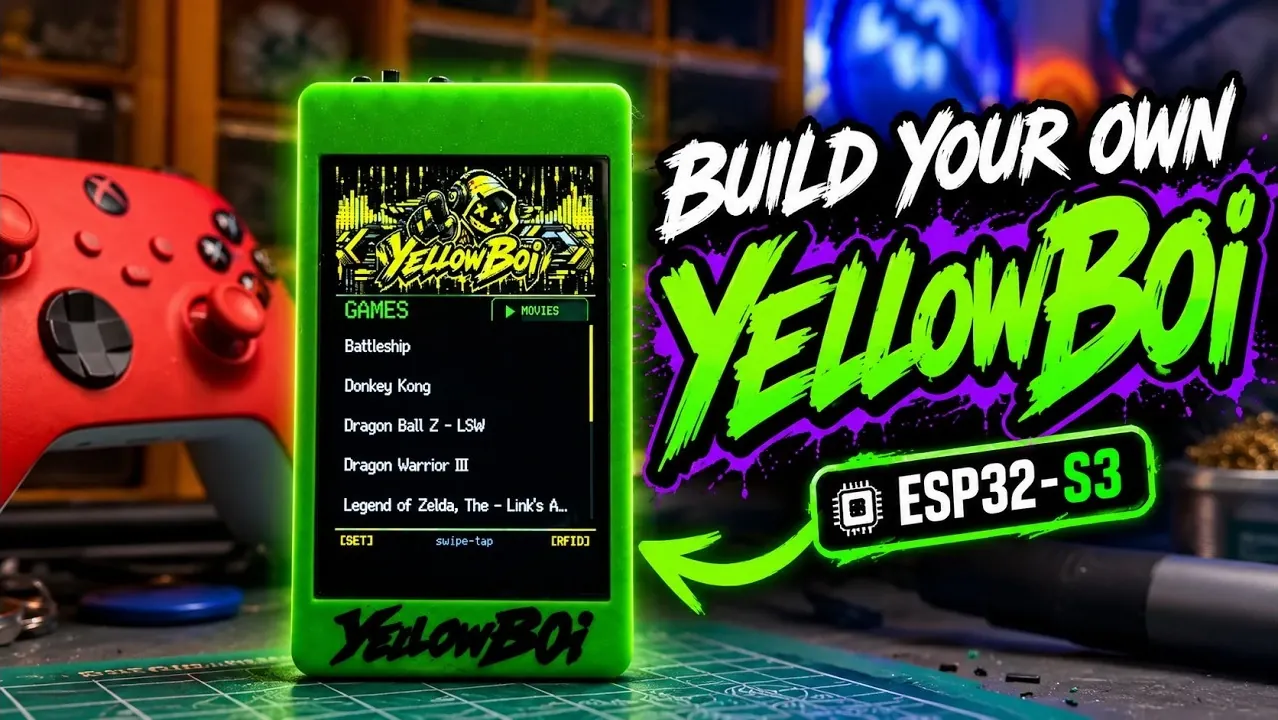
The YellowB0i 3.5″ ESP32-S3 emulator is a compact, feature-rich device designed for enthusiasts interested in microcontroller technology and RFID systems. Created by Zeek, this emulator builds on the success of earlier models with notable upgrades, including the integration of the PN532 RFID module for advanced tag reading and emulation. It also supports Bluetooth pairing and media playback, making it a versatile choice for a range of applications. With its modular design and user-friendly assembly process, the YellowB0i 3.5″ offers a hands-on way to explore modern electronics while maintaining accessibility for both beginners and experienced users.
In this explainer, you’ll gain insight into the essential components required to build the emulator, from the ESP32-S3 microcontroller to the JST connection kit for organized wiring. Explore step-by-step assembly instructions, including soldering techniques and cable management tips, to ensure a clean and functional build. You’ll also learn how to install firmware, configure the RFID module and unlock features like Bluetooth connectivity and audio playback. Whether you’re assembling your first emulator or refining your skills, this guide provides everything you need to bring the YellowB0i 3.5″ to life.
What is the YellowB0i 3.5″ ESP32-S3?
- The YellowB0i 3.5″ ESP32-S3 emulator is a compact, customizable device featuring RFID emulation, Bluetooth connectivity and media playback, ideal for hobbyists and tech enthusiasts.
- Its standout feature is the integration of the PN532 RFID module, allowing advanced RFID reading and emulation capabilities.
- Assembly requires components like the ESP32-S3 microcontroller, PN532 RFID module, power modules, speaker and other accessories, with a detailed step-by-step guide provided.
- Firmware installation and configuration unlock the emulator’s full potential, including Bluetooth pairing, RFID functionality and media playback support for large files.
- Additional resources, including a GitHub repository and limited edition cases, enhance the project, making it a versatile tool for exploring microcontroller and RFID technology.
The YellowB0i 3.5″ ESP32-S3 is the latest iteration in the YellowB0i emulator series, building on the success of earlier models like the 2.8″ and 3.2″ versions. Its standout feature is the integration of the PN532 RFID module, which significantly enhances its ability to read and emulate RFID tags. Designed for both beginners and experienced users, this emulator offers a hands-on way to explore modern microcontroller technology while maintaining user-friendly functionality. Its compact design and advanced capabilities make it an excellent choice for those looking to delve deeper into RFID systems, Bluetooth applications and media playback.
What You’ll Need to Get Started
To assemble the YellowB0i 3.5″ ESP32-S3 emulator, you’ll need a set of specific components. Each part plays a critical role in making sure the device operates efficiently and reliably:
- ESP32-S3 Microcontroller: The core of the emulator, responsible for processing and connectivity.
- PN532 RFID Module: Enables RFID reading and emulation through UART communication.
- Power Modules: Includes a 5V boost module and a buck converter (5V to 3.3V) for stable power delivery.
- MicroSD Card: Provides storage for media files and other data.
- Speaker: Built into the display board for audio playback functionality.
- Switch: A three-pin switch, adaptable for two-pin configurations if necessary.
- JST Connection Kit: 1.25 mm four-pin connectors for clean and organized wiring.
- Heat Shrink Tubing: Protects and organizes cables for a professional finish.
- E6000 Adhesive: Secures components during assembly for durability.
These components ensure the emulator is not only functional but also durable and capable of handling a wide range of tasks.

Learn more about ESP32 with other articles and guides we have written below.
- $5 ESP32-S3 Super Mini Packs Wi-Fi and Bluetooth
- The $4 ESP32 S3 Super Mini Packs a 240 MHz Dual-Core Chip
- How an $8 ESP32 S3 Microcontroller Runs a 28.9M Parameter Local LLM
- 5 ESP32 Projects Worth Building in 2026: Such as an Apple HomeKit Controller
- $4 ESP32 Module Brings Wi-Fi and Bluetooth to IoT Projects
- Replacing Security Cameras with Three $10 ESP32S3 Wi-Fi Boards
- ESP32-S3 Super Mini Costs $5 and Packs Wi-Fi and Bluetooth
- Gemini 4 Argon Writes ESP Mosaico Firmware to Control RGB LEDs
- ESP32-S3 Super Mini Brings 240 MHz Dual-Core Power For $4
- ESP32 S31 Devkit Hands-on: 320 MHz RISC-V Chip Adds Wi-Fi 6
Step-by-Step Assembly Guide
Assembling the YellowB0i 3.5″ ESP32-S3 emulator requires basic soldering and wiring skills. Follow these steps to build your device:
- Solder Connections: Begin by soldering the power, ground, RX and TX pins to the ESP32-S3 microcontroller. Ensure the connections are secure and free of solder bridges.
- Connect the RFID Module: Use UART communication to link the PN532 RFID module. Pay close attention to polarity and ensure all connections are properly aligned.
- Install the Speaker and Switch: Use the JST connection kit to create neat and organized wiring for the speaker and switch.
- Secure Components: Apply E6000 adhesive to hold the RFID module and switch in place, making sure they remain stable during use.
- Manage Cables: Use heat shrink tubing to protect and tidy up the wiring, giving the device a clean and professional appearance.
Once the hardware assembly is complete, the emulator will be ready for firmware installation and configuration.
Installing Firmware and Configuring the Device
After assembling the hardware, the next step is to install the firmware and configure the emulator. This process ensures the device operates as intended and unlocks its full range of features:
- Download Firmware: Visit the official YellowB0i website (yellowboy.us) to download the latest firmware for the 3.5″ ESP32-S3 emulator.
- Flash the Firmware: Connect the emulator to your computer via USB and follow the provided instructions to flash the firmware onto the device.
- Configure the RFID Module: Adjust the UART switches on the PN532 module to match the required settings for optimal performance.
- Verify Connections: Double-check all wiring to ensure proper polarity and secure connections before powering on the device.
Once the firmware is installed and the device is configured, your emulator will be fully operational and ready to explore its capabilities.
Key Features and Capabilities
The YellowB0i 3.5″ ESP32-S3 emulator is equipped with a range of features that make it a powerful and versatile tool for various applications:
- Bluetooth Connectivity: Pair the emulator with devices such as Xbox controllers for seamless operation and enhanced functionality.
- Media Playback: Play audio files with support for large files, automatically split into manageable segments up to 4GB in size.
- RFID Functionality: Read and emulate RFID tags, displaying detailed tag information for both educational and practical purposes.
These features make the emulator suitable for a wide range of uses, from experimenting with RFID systems to creating custom Bluetooth-enabled projects.
Additional Resources and Notes
To support your project, a GitHub repository with detailed documentation and additional resources will be made available soon. Additionally, limited edition cases are available for purchase, offering a stylish and protective housing for your emulator.
The YellowB0i 3.5″ ESP32-S3 emulator is more than just a DIY project, it’s a gateway to exploring the capabilities of modern microcontrollers and RFID technology. Whether you’re a hobbyist looking for a new challenge or a tech enthusiast eager to expand your knowledge, this project offers a rewarding and engaging experience that combines creativity, technical skills and practical applications.
Media Credit: Zeek
Disclosure: Some of our articles include affiliate links. If you buy something through one of these links, Geeky Gadgets may earn an affiliate commission. Learn about our Disclosure Policy.
