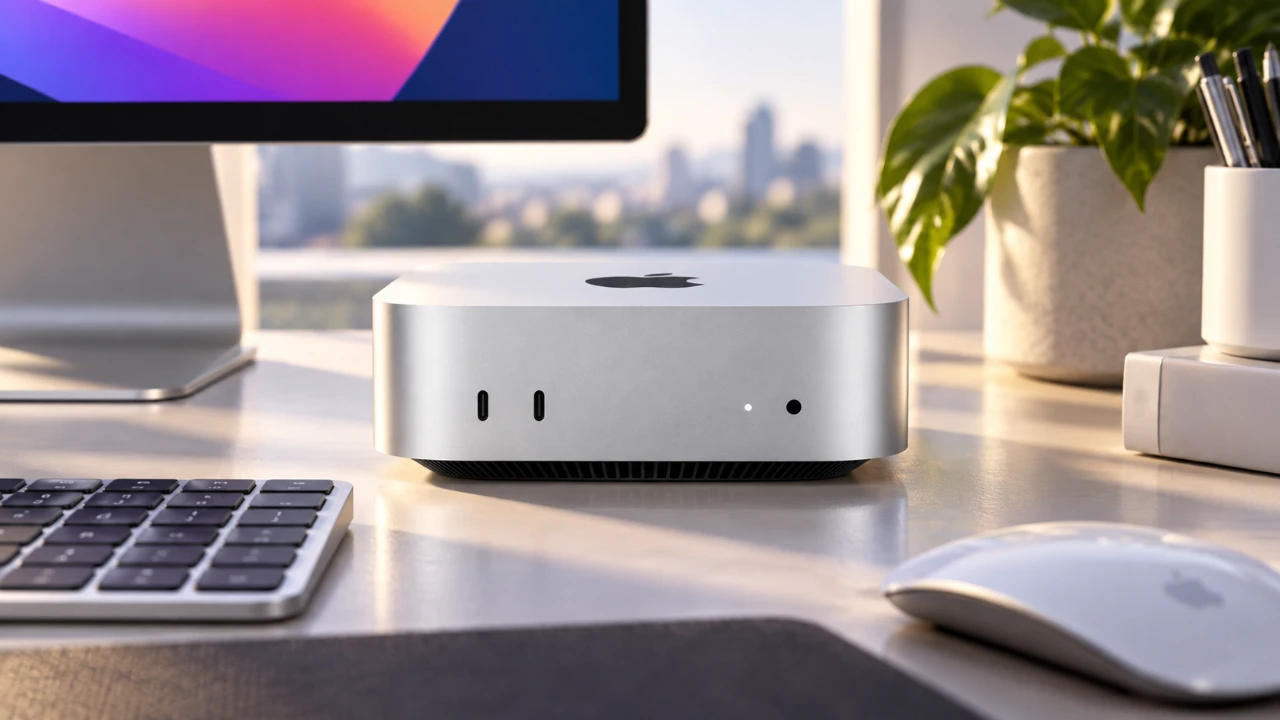
The M6 Mac Mini represents a notable advancement in performance and efficiency, offering a compact yet powerful solution for a variety of users. Whether you’re a casual user or a professional handling resource-intensive tasks, understanding its features, configurations, and limitations is essential to making an informed purchase. By carefully evaluating your needs, you can determine if the M6 Mac Mini is the right fit for your workflow. The video below from Created Tech gives us more details.

Performance and RAM: What to Expect
The M6 Mac Mini delivers a substantial performance boost, featuring a CPU that is 40% faster and a GPU that is up to 3x faster than the M4 model. However, selecting the appropriate RAM configuration is critical to making sure optimal performance for your specific tasks.
- 16 GB RAM: Sufficient for general multitasking, light 4K video editing and basic photo editing workflows.
- 24 GB RAM: Ideal for users working with AI tools, GPU-intensive applications, or those seeking flexibility for future demands.
- 32 GB RAM: Recommended for advanced tasks such as running multiple virtual machines, processing large datasets, or professional-grade video editing.
It’s important to note that the RAM in the M6 Mac Mini is soldered and cannot be upgraded after purchase. Choosing the right configuration at the outset is essential to avoid limitations in the future.
Storage: How Much Do You Need?
The M6 Mac Mini’s base model includes a 256 GB SSD, but only about 193 GB is usable after accounting for system files. For most users, this amount of storage is insufficient for modern workflows, making an upgrade a worthwhile consideration.
- 512 GB or 1 TB SSD: Provides ample space for applications and files, reduces reliance on swap memory and enhances overall performance.
- Larger SSDs: Offer faster read/write speeds, which improve multitasking and file transfer efficiency.
- External SSDs: Options like the Samsung T7 can expand storage capacity but may not match the speed and convenience of internal SSDs.
Investing in a higher-capacity internal SSD not only improves performance but also reduces the need for external storage solutions, making it a practical choice for most users.
M6 vs M5 Pro: Which One is Right for You?
The M6 Mac Mini excels in single-core tasks, making it a strong option for general use. However, for professionals handling demanding workflows such as video editing, 3D rendering, or AI model training, the M5 Pro may be a better choice due to its enhanced capabilities.
- The M5 Pro features more CPU and GPU cores, higher memory bandwidth and Thunderbolt 5 ports, making it better suited for intensive tasks.
- When upgrading the M6 with higher RAM and SSD configurations, the price gap between the M6 and M5 Pro narrows, making the M5 Pro a more cost-effective option for professionals.
For users whose work involves resource-heavy applications, the M5 Pro offers superior performance and better value in the long run.
M6 vs M4 Mac Mini: is It Worth the Upgrade?
For those upgrading from the M4 Mac Mini, the M6 offers several key improvements that may justify the investment:
- Significantly faster CPU and GPU performance, allowing smoother workflows and quicker task completion.
- Support for 2.5 Gbps Ethernet, providing faster networking capabilities for users with high-speed internet connections.
- Extended macOS update support, making sure the device remains relevant and secure for years to come.
However, if your current M4 Mac Mini handles your workflows adequately, upgrading may not be necessary unless your performance needs have increased or you require the latest features.
Design and Connectivity: Compact but Limited
The M6 Mac Mini retains the sleek, compact design of its predecessors, making it a space-efficient choice for any setup. However, its design does come with some limitations:
- Limited USB ports, with most being USB-C, may require adapters or docking stations to connect older peripherals.
- The placement of the power button can be inconvenient, particularly in tight or hard-to-reach setups.
To address these challenges, consider investing in a docking station to expand connectivity and improve usability. Additionally, the M6 supports Thunderbolt 5, allowing faster data transfer and compatibility with high-performance external devices such as monitors and storage drives.
Power Efficiency: A Green Machine
The M6 Mac Mini is designed with energy efficiency in mind, consuming just 7 W when idle and 45 W under load. This makes it an excellent choice for users looking to reduce energy consumption without compromising on performance. Its efficiency not only lowers electricity costs but also aligns with environmentally conscious computing practices.
Pricing and Availability
The M6 Mac Mini starts at $899, a noticeable increase from the M4’s $599 base price. While this higher cost may deter budget-conscious buyers, discounts are often available through third-party retailers. For professionals, the upfront investment can be justified by the M6’s long-term performance benefits and extended macOS support.
Who Should Buy the M6 Mac Mini?
The M6 Mac Mini caters to a wide range of users, but selecting the right configuration is key to maximizing its value:
- Base Model: Ideal for light users focused on web browsing, document editing and media consumption.
- Mid-Tier Configuration: A 512 GB SSD and 24 GB RAM are well-suited for work-from-home setups or moderate professional use.
- High-End Configuration: For heavy workloads like video editing, 3D rendering, or AI applications, consider a fully upgraded M6 or the M5 Pro for superior performance.
By carefully assessing your needs and budget, you can ensure the M6 Mac Mini enhances your productivity and delivers the performance required for your tasks.
Recommended Accessories
To get the most out of your M6 Mac Mini, consider these accessories:
- External SSDs: Options like the Samsung T7 provide additional storage for large files and backups.
- Docking Stations: Expand connectivity options and improve accessibility for peripherals and external devices.
These accessories can help overcome some of the M6 Mac Mini’s limitations, making sure a seamless and efficient user experience.
Find more information on M6 Mac Mini Performance by browsing our extensive range of articles, guides and tutorials.
- Why the New M6 Mac Mini Is a Massive Leap Over the M4 Model
- The M6 Mac Mini Changes Everything for Pro Buyers
Source: Created Tech
Disclosure: Some of our articles include affiliate links. If you buy something through one of these links, Geeky Gadgets may earn an affiliate commission. Learn about our Disclosure Policy.
