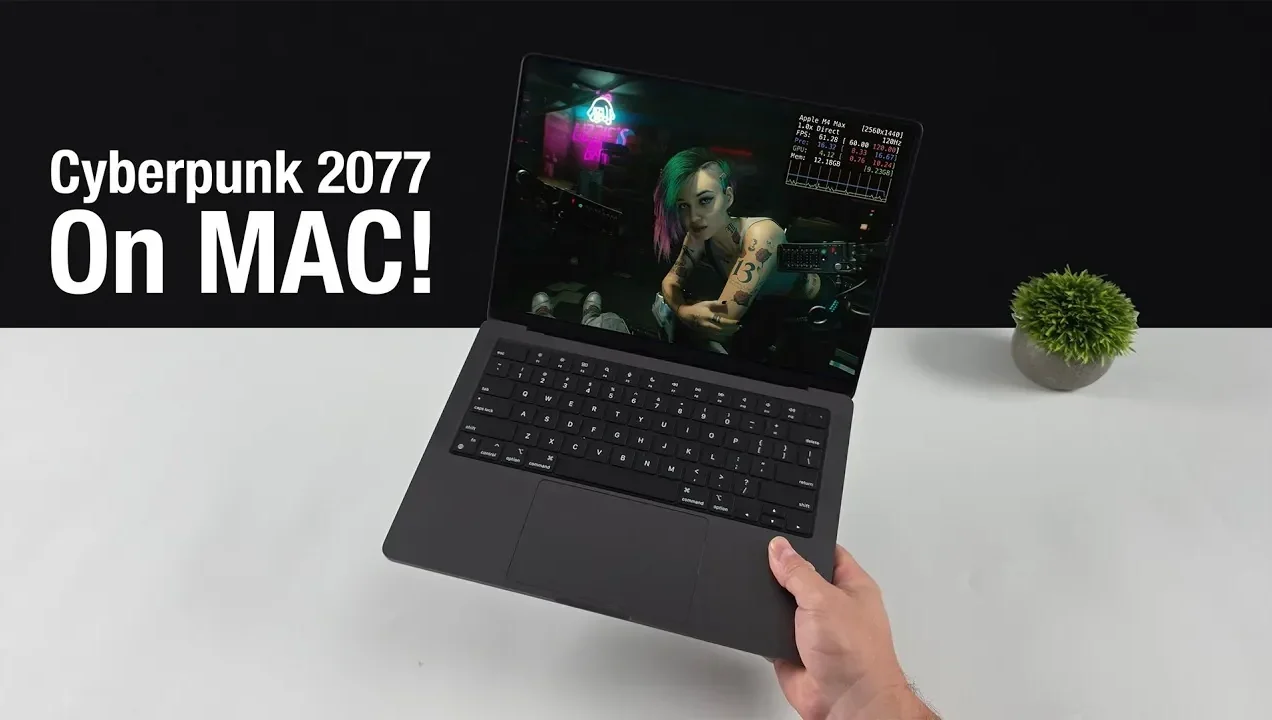
What if someone told you, just a few years ago, that a game as graphically demanding and ambitious as Cyberpunk 2077 would run natively on a Mac? For decades, Mac users have been relegated to the sidelines of gaming, watching from afar as PC players reveled in innovative titles. But now, with the arrival of Cyberpunk 2077 on macOS—fully optimized for Apple Silicon—the narrative is shifting. This isn’t just a game release; it’s a bold statement about the growing viability of Mac gaming. Using technologies like Metal FX scaling and dynamic resolution, this launch signals Apple’s intent to carve out a space in the gaming world, one that combines performance with accessibility in ways we’ve never seen before.
But what does this mean for you, the gamer? Whether you’re a casual player with an M1 MacBook Air or a hardware enthusiast wielding an M3 Ultra, this release promises something for everyone. From seamless frame generation to pre-configured presets that take the guesswork out of optimization, Cyberpunk 2077 on macOS offers a glimpse into the future of gaming on Apple devices. Yet, this achievement doesn’t come without its trade-offs. Challenges like limited ray tracing capabilities and the occasional visual artifact remind us that the journey to gaming parity with PCs is far from over. So, is this the dawn of a new era for Mac gaming—or just a fleeting moment in the spotlight? Let’s unpack what makes this release so significant and what it reveals about the evolving landscape of gaming on macOS.
Cyberpunk 2077 on macOS
TL;DR Key Takeaways :
- Cyberpunk 2077 has launched on macOS, optimized for Apple Silicon chips using advanced technologies like Metal FX scaling, dynamic resolution, and frame generation for enhanced performance and visuals.
- System requirements are tiered, ranging from M1 chips for minimum settings to M3 Ultra or M4 Max for ultra settings, making sure compatibility across various Apple Silicon devices.
- Metal FX scaling dynamically adjusts resolution and generates additional frames to balance visual fidelity and performance, though minor visual artifacts may occur in certain scenarios.
- Valve’s native Apple Silicon support for Steam eliminates the need for Rosetta 2 emulation, improving load times and gameplay, while encouraging more developers to optimize games for macOS.
- The release of Cyberpunk 2077 on macOS highlights the growing potential of Apple platforms for gaming, despite current limitations in ray tracing and frame generation compared to traditional gaming PCs.
This launch not only underscores the growing potential of macOS as a gaming platform but also highlights the challenges developers face in optimizing games for Apple’s ecosystem. The result is a mix of opportunities and limitations that could influence the trajectory of gaming on macOS in the coming years.
System Requirements: What You Need to Play
To enjoy Cyberpunk 2077 on macOS, your system must meet specific hardware requirements. These requirements are divided into performance tiers, making sure compatibility across a range of Apple Silicon devices:
- Minimum: M1 chip with 16GB of RAM, delivering 30 FPS at 900p resolution.
- Recommended: M3 Pro with 16GB of RAM, achieving 60 FPS at 1080p resolution.
- High-Fidelity: M2 Max or M3 Max with 32GB of RAM, supporting 1440p gaming.
- Ultra Settings: M3 Ultra or M4 Max with at least 36GB of RAM, allowing very high settings.
These tiers ensure that a wide spectrum of Mac users, from casual gamers to enthusiasts with high-end machines, can access the game. The scalability of Cyberpunk 2077 is largely attributed to its integration with Metal FX scaling and dynamic resolution, which dynamically adjust rendering quality to maintain smooth frame rates across different hardware configurations.
How Metal FX Scaling Enhances Performance
Metal FX scaling plays a crucial role in optimizing Cyberpunk 2077 for macOS. This technology dynamically adjusts the game’s rendering resolution in real time, striking a balance between visual fidelity and system performance. For example, during graphically demanding scenes, the resolution may temporarily decrease to maintain consistent frame rates, then return to higher fidelity when system resources allow.
Another key feature of Metal FX scaling is frame generation, which interpolates additional frames to enhance smoothness. This technology significantly boosts frame rates, particularly on mid-range Apple Silicon devices. However, it is not without its trade-offs. In certain scenarios, such as fast-moving scenes, minor visual artifacts like ghosting may occur. Despite these occasional imperfections, the combination of dynamic resolution and frame generation ensures a playable and visually engaging experience, even on lower-end configurations.
Cyberpunk 2077 on Mac

Advance your skills in Cyberpunk 2077 by reading more of our detailed content.
- Cyberpunk 2077 Patch 1.6 performance tested
- Cyberpunk 2077 VR Mod Transforms Night City Exploration
- Seagate FireCuda 520 Cyberpunk 2077 Limited Edition SSD
- CMON Cyberpunk 2077 board game
- Cyberpunk 2077 Will Be A True RPG Not A Multiplayer Shooter (video)
- Cyberpunk 2077 NVIDIA GeForce RTX 3080 Edition unveiled
- Cyberpunk 2077 mod tools released by CD Projekt Red
- Cyberpunk 2077 officially launches
- Cyberpunk 2077 Ray Tracing Overdrive Mode
- Free Cyberpunk 2077 goodies from GOG and CD Projekt Red
High Power Mode and Pre-Configured Presets
For users with high-end Macs, High Power Mode offers an additional performance boost. Available on configurations such as the M4 Max, this feature maximizes CPU and GPU performance, allowing the game to run at ultra settings with 1440p resolution and Metal FX scaling. However, this enhanced performance comes at the cost of increased fan noise and power consumption, which may be noticeable during extended gaming sessions.
To simplify the gaming experience, Cyberpunk 2077 includes pre-configured presets tailored to various Mac hardware configurations. These presets automatically adjust settings such as texture quality, shadow detail, and ray tracing levels to match your system’s capabilities. This eliminates the need for manual adjustments, allowing you to start playing immediately without compromising performance or visual quality.
Ray Tracing and Frame Generation: Strengths and Limitations
Cyberpunk 2077 supports ray tracing on macOS, but its performance is limited by the current capabilities of Apple Silicon chips. While standard ray tracing settings are achievable on higher-end configurations, advanced features like ray tracing overdrive remain out of reach. This limitation highlights the gap between Apple Silicon and dedicated gaming GPUs when it comes to handling computationally intensive tasks.
Similarly, frame generation, powered by Metal FX or FidelityFX Super Resolution (FSR), offers significant benefits but also comes with trade-offs. While it can substantially improve frame rates, particularly on mid-range systems, it may occasionally result in visual inconsistencies. For instance, fast-moving objects might exhibit ghosting, which can detract from the overall experience. These challenges emphasize the need for continued innovation in both hardware and software to fully unlock the potential of these technologies.
Steam’s Native Apple Silicon Support
Valve’s recent update to Steam, introducing native Apple Silicon support, has been instrumental in enhancing the Mac gaming experience. By optimizing the platform for Apple’s architecture, this update eliminates the need for Rosetta 2 emulation, reducing overhead and improving load times. The result is smoother gameplay and better compatibility for titles like Cyberpunk 2077.
This development also opens the door for more developers to bring their games to macOS. As more titles are optimized for Apple Silicon, the Mac gaming ecosystem is set to expand, offering users a broader selection of high-quality games. This shift could encourage further investment in macOS gaming, making it a more viable platform for both developers and players.
The Future of Mac Gaming
The release of Cyberpunk 2077 on macOS represents a pivotal moment for gaming on Apple platforms. It demonstrates that, with the right optimizations, even graphically demanding titles can run smoothly on Apple Silicon. This achievement sets a precedent for other developers, potentially leading to a wider array of AAA games becoming available on Mac.
However, challenges remain. The current limitations of ray tracing and frame generation highlight areas where Apple’s hardware still lags behind traditional gaming PCs. Addressing these gaps will require ongoing advancements in both hardware and software, as well as continued collaboration between Apple and game developers.
Looking ahead, the future of Mac gaming appears increasingly promising. As Apple Silicon continues to evolve and developers refine their optimization techniques, the potential for high-quality gaming on macOS will only grow. For now, Cyberpunk 2077 serves as a testament to what is possible, offering a glimpse into the exciting future of gaming on Mac.
Media Credit: ETA PRIME
Disclosure: Some of our articles include affiliate links. If you buy something through one of these links, Geeky Gadgets may earn an affiliate commission. Learn about our Disclosure Policy.
