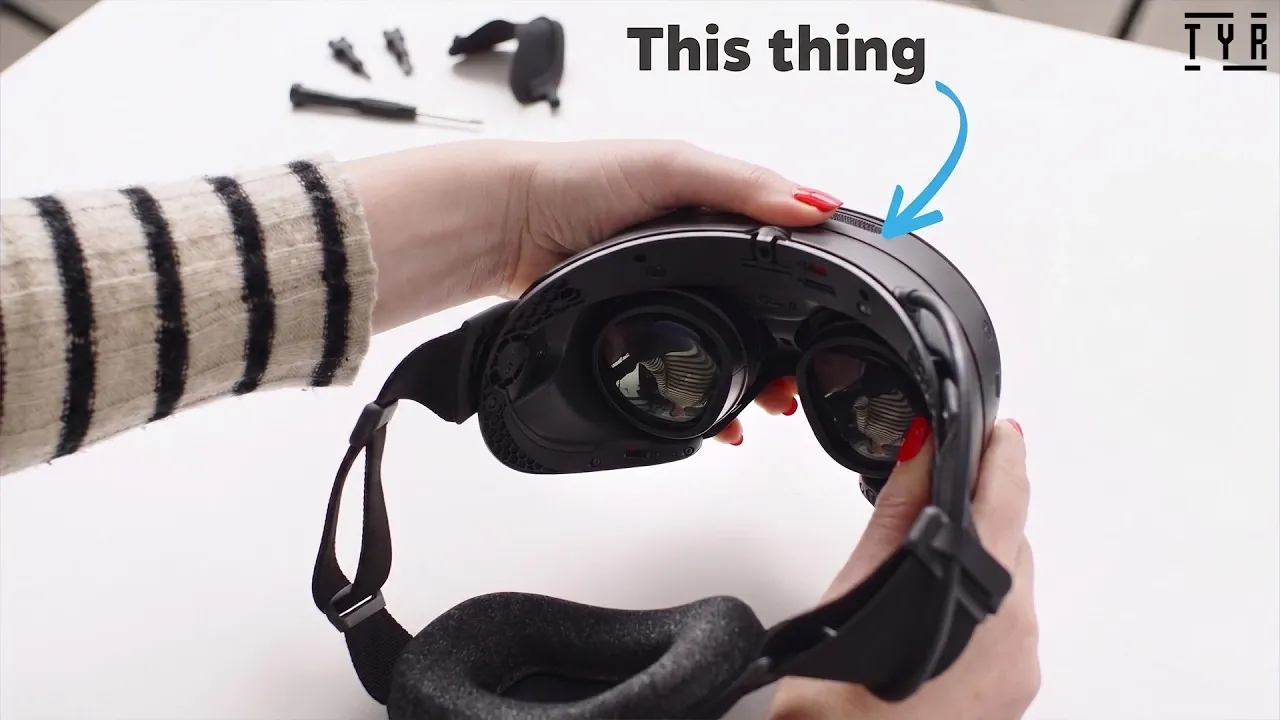
The Steam Frame VR headset has officially launched and Tyriel Wood provides an in-depth look at its unboxing and setup. The package includes two ergonomic controllers, a magnetic eye relief spacer tailored for glasses wearers and a wireless adapter for PC streaming. Tyriel highlights the importance of checking all components upon unboxing to ensure a smooth and uninterrupted setup process.
Dive into this exposé to learn how to properly adjust the headset for comfort, use the IPD adjustment wheel for precise visual alignment and link the device to your Steam account for seamless access to your game library. Additionally, discover how the wireless adapter integrates with the system and how the included accessories enhance usability.
Unboxing the Steam Frame VR Headset
TL;DR Key Takeaways :
- The Steam Frame VR headset offers advanced technology and ergonomic design, making it suitable for both new and experienced VR users.
- The package includes essential components such as the headset, ergonomic controllers, a magnetic eye relief spacer, a wireless adapter and a USB-C charging cable.
- Key features include wireless PC-to-headset streaming, customizable IPD settings and accessories like hand straps, a top head strap and a light blocker for enhanced comfort and immersion.
- Users can connect the headset to their Steam account via the mobile app, QR code, or manual login to access their game library and enable wireless streaming.
- Proper setup, customization and accessory installation are crucial for optimizing comfort, reducing strain and maximizing the immersive VR experience.
Opening the Steam Frame VR package is the first step toward unlocking a new dimension of gaming. Inside the box, you will find:
- The Steam Frame VR headset
- Two ergonomic controllers
- A magnetic eye relief spacer for glasses wearers
- A wireless adapter for PC streaming
- A USB-C charging cable
- An information booklet
Each component is securely packed to ensure it arrives in pristine condition. Before proceeding, carefully unpack all items and verify that everything listed is included. This simple step will help avoid potential delays during setup and ensure you have all the tools needed to get started.
Getting Started: Initial Setup
To begin using your Steam Frame VR headset, follow these steps:
- Power On: Turn on the headset and controllers by pressing their respective power buttons.
- Charge the Device: Use the included USB-C cable to fully charge the headset before your first session. This ensures uninterrupted gameplay.
- Adjust the Fit: Use the adjustable straps and pivot arms to secure the headset comfortably on your head. Proper alignment is essential to minimize strain and maximize immersion.
Taking the time to correctly set up your device will enhance your overall experience and allow you to fully enjoy the capabilities of the Steam Frame VR headset.

Check out more relevant guides from our extensive collection on Steam Frame VR that you might find useful.
- What Valve’s Steam Frame Features Reveal About the Future of Portable VR
- Steam Frame vs Quest 3 : Why Valve Completely Outperforms Meta
- Unboxing the Steam Machine: 512GB Storage and VR Support
- What Valve’s Leaks Reveal About the New Steam Frame VR Headset
- Valve Hits 760,000 Yearly Steam Machine Sales Amid RAM Shortage
- Thinking About Installing Windows on Your Steam Machine? Read This First
- New SteamOS Update Reveals Details About Valve’s Upcoming Steam Machine
- Inside Valve’s Bold Strategy for the Standalone Steam Frame VR
- Valve Revamps the Steam Machine UI with New Verification Metrics
- Latest Leaked Clues Pointing to Valve’s Steam Machine Launch Date
Customizing Your VR Experience
The Steam Frame VR headset offers several features that allow you to personalize your experience for maximum comfort and visual clarity:
- Eye Relief Spacer: If you wear glasses, attach the magnetic spacer to create additional space between your lenses and the headset. This prevents discomfort and ensures a secure fit.
- IPD Adjustment: Use the interpupillary distance (IPD) wheel to align the lenses with your eyes. Proper alignment is critical for achieving sharp visuals and reducing eye strain. Once adjusted, lock the setting for consistent use.
These customization options are designed to accommodate a wide range of users, making sure that everyone can enjoy a tailored and immersive VR experience.
Linking Your Steam Account
To access your Steam library and fully use the capabilities of the Steam Frame VR headset, you will need to connect it to your Steam account. This can be done in one of three ways:
- Log in using the Steam mobile app
- Scan the QR code displayed on the headset
- Manually enter your Steam credentials
This step is essential for unlocking the full potential of your device, including wireless streaming and access to your existing game library.
Wireless Streaming: Freedom to Play
One of the standout features of the Steam Frame VR headset is its wireless PC-to-headset streaming capability. Using the included wireless adapter, you can connect the headset to your PC and stream games directly from your Steam library. This eliminates the need for cumbersome cables, providing greater freedom of movement and a more immersive gaming experience. To optimize wireless streaming, ensure your PC and headset are connected to a high-speed Wi-Fi network for smooth performance.
Enhancing Comfort with Ergonomic Accessories
The Steam Frame VR headset comes with several accessories designed to improve comfort and immersion:
- Hand Straps: Attach these to the controllers for a secure grip, reducing the risk of accidental drops during gameplay.
- Top Head Strap: This strap helps distribute the weight of the headset evenly, making it more stable and comfortable for extended use.
- Light Blocker: Designed for users with smaller noses, this accessory minimizes light leakage, enhancing the sense of immersion.
These accessories are easy to install and can significantly enhance your overall VR experience by improving both comfort and functionality.
Installing Accessories: Step-by-Step
To install the included accessories, follow these simple steps:
- Hand Straps: Secure the straps to the controllers, making sure they are tight enough to stay in place but not overly restrictive.
- Top Head Strap: Attach the strap to the designated slots on the headset and adjust it for a snug, comfortable fit.
- Light Blocker: Position the light blocker in place, making sure it fits securely without causing irritation or pressure.
Proper installation of these accessories will enhance both the comfort and functionality of your Steam Frame VR headset, allowing you to focus entirely on your virtual adventures.
Optimizing for Comfort and Immersion
Achieving the perfect balance between comfort and immersion is key to an enjoyable VR experience. Adjust the headset straps, IPD settings and accessories to ensure a secure and comfortable fit. A well-aligned headset reduces strain on your eyes and head, allowing you to fully immerse yourself in the virtual world without distractions. Regularly check and fine-tune these settings to maintain optimal performance during extended gaming sessions.
Maximizing Your Steam Frame VR Experience
The Steam Frame VR headset is more than just a device, it is a gateway to unparalleled virtual reality experiences. By carefully unboxing, setting up and customizing your headset, you can unlock its full potential. Features such as wireless streaming, ergonomic accessories and advanced customization options are designed to enhance your gaming sessions, making them more immersive and enjoyable. With the right adjustments and attention to detail, you will be ready to dive into your favorite Steam games and explore new worlds with ease.
Media Credit: Tyriel Wood – VR Tech
Disclosure: Some of our articles include affiliate links. If you buy something through one of these links, Geeky Gadgets may earn an affiliate commission. Learn about our Disclosure Policy.
