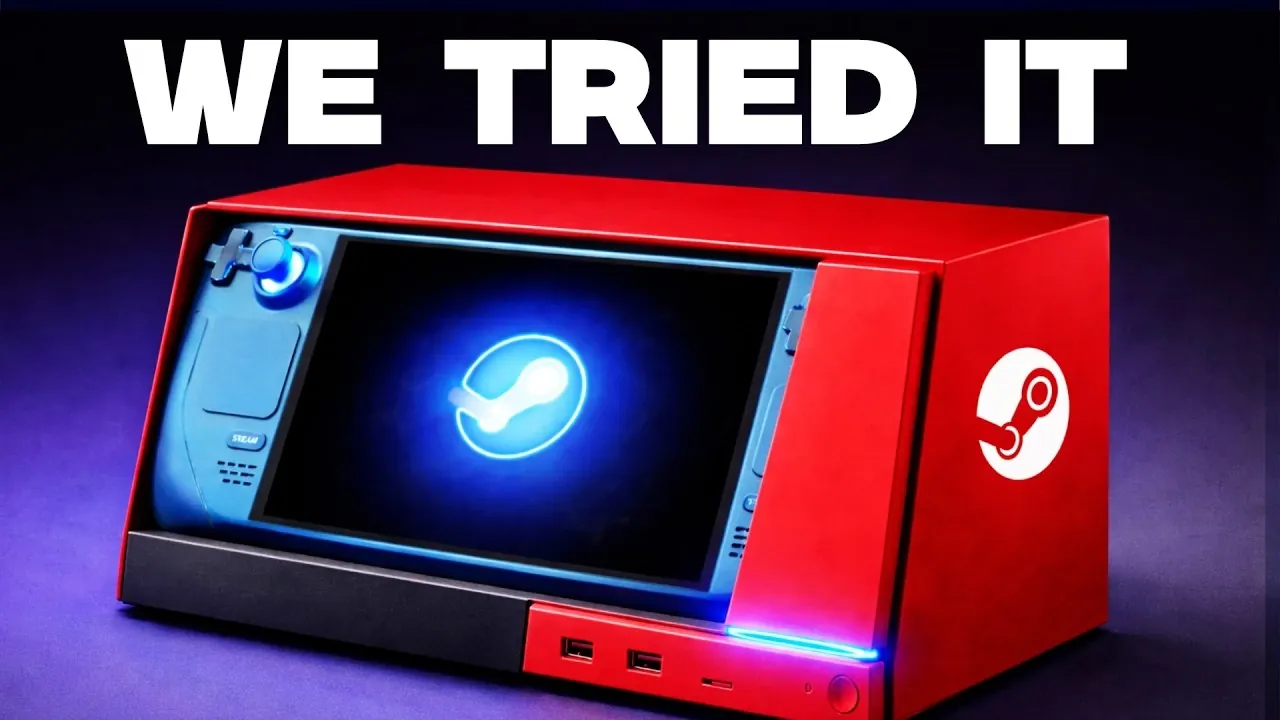
What if your gaming console could double as a desktop computer? That’s the bold promise of the Steam Deck, and it’s turning heads for good reason. Deck Ready explores how this portable powerhouse isn’t just a handheld gaming device but also a surprisingly capable “Steam Machine” when docked. Imagine playing your favorite indie titles on the go, then seamlessly connecting to a monitor and keyboard to tackle light productivity tasks or stream content on a larger screen. It’s a concept that challenges the boundaries of what a gaming device can be, offering a level of versatility that’s rare in today’s tech landscape.
In this overview, we’ll uncover what makes the Steam Deck such a unique hybrid, from its seamless docking capabilities to its performance in desktop mode. Whether you’re curious about its ability to handle retro games, intrigued by its potential as a budget-friendly desktop alternative, or wondering about its limitations, there’s plenty to explore. Is the Steam Deck the ultimate all-in-one solution, or does its versatility come with trade-offs? By the end, you’ll have a clearer picture of whether this device is the right fit for your gaming and productivity needs.
Steam Deck Docking
TL;DR Key Takeaways :
- The Steam Deck is a versatile device that combines handheld gaming with desktop functionality, serving as both a portable console and a compact desktop alternative.
- Its docking capabilities allow seamless connection to peripherals like monitors, keyboards, and mice, allowing it to function as a temporary desktop PC for light productivity tasks.
- While it excels at gaming, particularly with older titles, indie games, and emulation, modern AAA games may require reduced settings for optimal performance.
- The Steam Deck’s flexibility allows users to switch between controller and keyboard/mouse setups, making it suitable for various use cases, including gaming and basic computing.
- Despite its strengths, the Steam Deck is not designed for intensive workloads or high-end gaming, making it better suited for casual use and budget-conscious users seeking a multi-functional device.
Seamless Docking for Desktop-Like Functionality
The Steam Deck’s docking capabilities are one of its standout features, allowing users to connect peripherals such as monitors, keyboards, and mice with ease. The official Steam Deck dock ensures stable performance and compatibility, supported by regular firmware updates that enhance its reliability. For users on a budget, third-party docks are available, though their performance can vary depending on the brand and model.
When docked, the Steam Deck functions as a temporary desktop PC, making it an appealing choice for users who may not yet own a dedicated gaming rig or desktop computer. This setup is particularly useful for casual productivity tasks, such as document editing, web browsing, or streaming content on a larger screen. The device’s ability to seamlessly transition between handheld and docked modes adds to its overall versatility, catering to a wide range of user preferences.
Performance in Desktop Mode
In desktop mode, the Steam Deck delivers reliable performance for everyday computing tasks. Its Linux-based SteamOS is optimized for smooth operation, providing access to a variety of applications through the Discover Store. Whether you’re browsing the web, managing documents, or using basic productivity tools, the Steam Deck handles these activities efficiently, making it a practical option for light computing needs.
However, the Steam Deck is not designed for intensive workloads such as video editing, 3D rendering, or heavy multitasking. While it excels at handling basic tasks, users with demanding productivity requirements may find its capabilities limited. The device’s hardware, while impressive for its size, is better suited for casual use rather than professional-grade applications.
Steam Deck is a Steam Machine!

Find more information on Steam Deck by browsing our extensive range of articles, guides and tutorials.
- Official Steam Deck Docking Station launches
- New Steam Deck dock and accessories from JSAUX
- Steam Deck developer kits ready to ship confirms Valve
- Valve Steam Deck games console specifications
- Steam Deck replacement parts now in stock at iFixit
- Steam Deck 3-Port Gaming Hub HB-STDK USB Type-C
- Valve Steam Deck in-depth teardown
- ROG Xbox Ally Bazzite OS Linux vs Steam Deck : Gaming
- Steam Deck connected to AMD Radeon RX 6900 XT
- Upgrade your Steam Deck OLED SSD with iFixit
Gaming: Where the Steam Deck Shines
Gaming is where the Steam Deck truly excels, offering a robust experience for a wide range of titles. It performs exceptionally well with older or less graphically demanding games, such as those from the PS3/Xbox 360 era, as well as Valve’s own catalog. These games run smoothly on the device, providing a nostalgic and enjoyable experience for players. Additionally, the Steam Deck supports emulation, making it a strong choice for retro gaming enthusiasts who want to revisit classic titles.
For indie games and titles optimized for the Nintendo Switch, the Steam Deck’s hardware delivers impressive performance. However, modern AAA games can pose a challenge for the device. To achieve playable frame rates, users may need to lower graphical settings and resolutions. While the Steam Deck supports resolutions up to 1440p, this feature is best suited for less demanding games or those specifically optimized for the hardware. Despite these limitations, the Steam Deck remains a compelling option for gamers seeking a portable yet powerful device.
Flexibility in Use
One of the Steam Deck’s most appealing features is its flexibility, allowing users to switch seamlessly between controller and keyboard/mouse setups. This adaptability makes it suitable for a variety of scenarios, whether you’re gaming, typing, or navigating menus. The device’s support for 1440p resolution further enhances its versatility, especially when connected to larger monitors for a more immersive experience.
The Steam Deck’s compact design and portability make it an excellent choice for users who value convenience and mobility. Whether you’re gaming on the go or setting up a temporary workstation, the device’s ability to adapt to different environments ensures that it remains a practical and versatile tool.
Limitations to Consider
Despite its many strengths, the Steam Deck has notable limitations that users should consider. It is not designed for high-end gaming or resource-intensive productivity tasks. Performance can vary depending on the optimization of individual games, and modern titles often require compromises in visual quality to achieve acceptable frame rates.
Additionally, while the Steam Deck can function as a desktop substitute, it lacks the power and functionality of a dedicated PC for demanding workloads. Users seeking a device for heavy multitasking, advanced applications, or professional-grade tasks may find the Steam Deck insufficient for their needs. Its hardware, while impressive for its size, is better suited for casual use and gaming rather than intensive computing.
A Practical All-in-One Solution
The Steam Deck offers a unique combination of portability, gaming performance, and basic desktop functionality. It excels in handling older games, indie titles, and emulation, making it a practical choice for budget-conscious users or those seeking a versatile secondary device. While it cannot replace a high-end gaming PC or handle intensive productivity tasks, its adaptability and performance make it a valuable tool for a variety of use cases.
Whether you’re gaming, working, or exploring retro classics, the Steam Deck provides a compelling blend of flexibility and functionality. For users looking for an all-in-one solution that balances cost and capability, the Steam Deck is a device worth considering. Its ability to seamlessly transition between handheld and desktop modes ensures that it remains a versatile and practical choice for a wide range of users.
Media Credit: Deck Ready
Disclosure: Some of our articles include affiliate links. If you buy something through one of these links, Geeky Gadgets may earn an affiliate commission. Learn about our Disclosure Policy.
