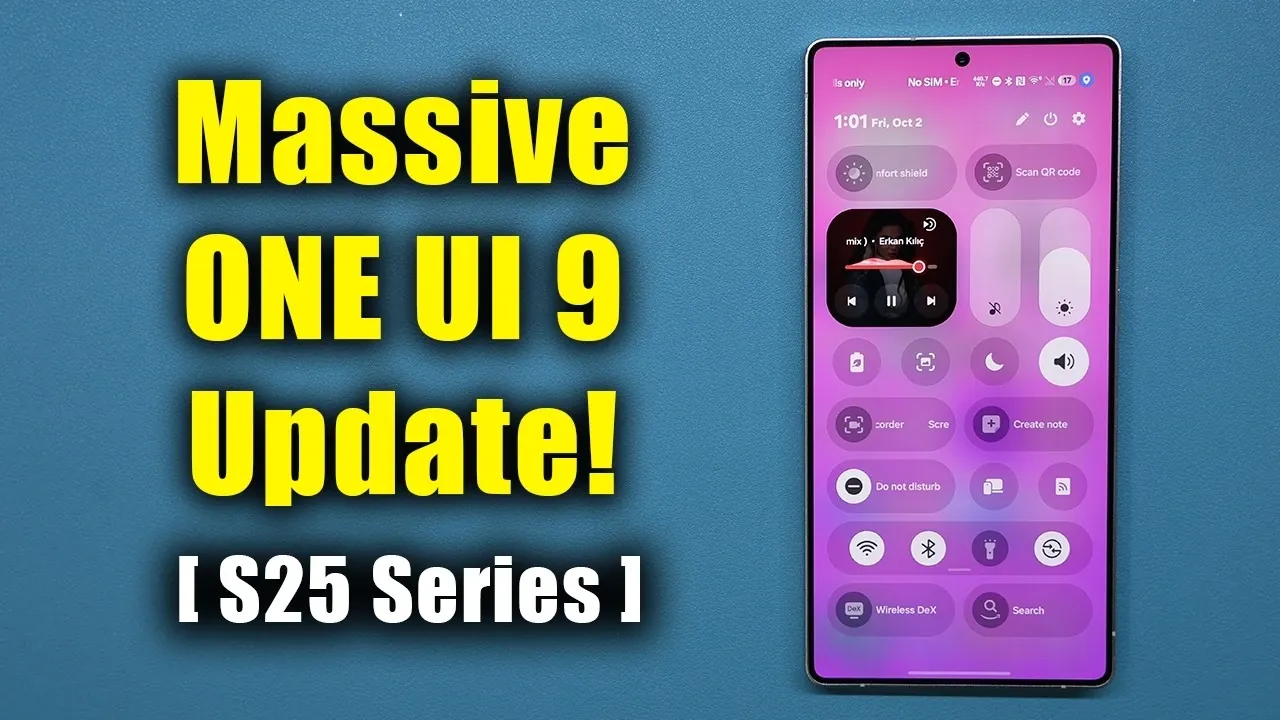
Samsung has officially rolled out the One UI 9.0 update for its S25 Ultra and S25 series, introducing a suite of features aimed at enhancing customization, usability, privacy, and accessibility. This update is designed to deliver a more refined and user-centric experience, making sure your device stays ahead of the curve. If you own an S25 Ultra, this update offers a compelling reason to explore its new capabilities. The video below from Sakitech gives us more details.

Enhanced Customization Features
One UI 9.0 introduces a range of customization tools that allow you to tailor your device to suit your preferences seamlessly.
- Now Brief: This feature now integrates AI-powered cards, allowing you to curate content such as weather updates, health metrics and personalized video recommendations. This creates a home screen that delivers real-time, relevant information tailored to your lifestyle.
- Redesigned Control Panel: The control panel has been revamped with adjustable slider sizes and decoupled toggles, offering a cleaner and more intuitive layout. This makes it easier to access frequently used settings with minimal effort.
- Dual Search Bars: The home screen now supports both Google and Samsung search bars, allowing for faster and more versatile searches without the need to switch between platforms.
These enhancements ensure that your device not only looks the way you want but also functions in a way that aligns with your daily needs.
Streamlined Productivity and File Management
The updated “My Files” app in One UI 9.0 introduces features that simplify file management and boost productivity. Built-in PDF viewing and editing capabilities eliminate the need for third-party apps, saving valuable storage space while streamlining your workflow. Whether you need to annotate a document or make quick edits, these tools allow you to handle tasks directly on your device with ease.
Innovative Camera and Video Features
Photography and videography enthusiasts will find plenty to appreciate in One UI 9.0. The split vertical recording feature enables simultaneous use of the front and rear cameras in a split view. This is particularly useful for vlogging or capturing multiple perspectives in real time, offering a creative edge to your content. Additionally, the update introduces AI-powered video editing with the “My Fan Cam” tool, which allows you to focus on a specific individual in videos. This feature is ideal for events like sports games or performances, where highlighting a single subject can make your videos more engaging.
Driving Insights for Safer Habits
The “Driving Overview” feature is a thoughtful addition aimed at promoting safer driving habits. By analyzing your driving behavior and providing detailed weekly reports, this tool helps you stay informed about your performance on the road. Importantly, all data is processed locally on your device, making sure that your privacy remains protected while you work toward safer driving practices.
GoodLock Suite Enhancements
Samsung’s GoodLock suite has been updated with new features that enhance functionality. The addition of a network speed indicator, accessible via the QuickStar module, displays real-time network speeds directly in the status bar. This provides immediate insights into your connectivity without requiring additional apps, making it easier to monitor your network performance at a glance.
Strengthened Document Security
Samsung Notes now includes a redaction tool, allowing you to securely edit and conceal sensitive information in your documents. Whether you’re sharing files or organizing your notes, this feature ensures that your private data remains protected, giving you peace of mind when handling confidential information.
Privacy and Security Enhancements
Privacy remains a cornerstone of One UI 9.0. Enhanced privacy indicators notify you in real time when your microphone, camera, or location is in use. From these indicators, you can quickly manage or revoke access, giving you greater control over your device’s security. These updates reflect Samsung’s commitment to safeguarding user data while maintaining transparency.
Accessibility Improvements for Inclusivity
One UI 9.0 introduces expanded accessibility features to make the S25 Ultra more inclusive. New tools include detailed descriptions and trial capabilities, making it easier for users with diverse needs to explore and activate accessibility options. These enhancements ensure that everyone, regardless of their abilities, can fully use their device and its features.
Why Upgrade to One UI 9.0?
One UI 9.0 is a comprehensive update that addresses the needs of modern users. From advanced customization options and innovative camera tools to improved privacy controls and accessibility features, this update ensures that your S25 Ultra or S25 series device remains at the forefront of technology. By upgrading, you unlock a host of tools designed to enhance your daily interactions with your device, making it more intuitive, secure, and versatile. If you haven’t updated yet, now is the perfect time to experience everything One UI 9.0 has to offer.
Discover other guides from our vast content that could be of interest on One UI 9.0.
- Samsung Rolls Out One UI 9: is Your Galaxy Phone Eligible?
- Why One UI 9’s Subtle Changes Make It Samsung’s Smartest Android 17 Update Yet
- Samsung’s One UI 9.0 Update Lands on the Galaxy S26 Ultra: What’s New
- Samsung’s One UI 9 Update Is Finally Here: And It’s a Total Game-Changer
- One UI 9: Game-Changing Features Every Samsung User Needs to Find
- Samsung Galaxy Phones Receive a 1GB+ Feature Drop Update
Source & Image Credit: sakitech
Disclosure: Some of our articles include affiliate links. If you buy something through one of these links, Geeky Gadgets may earn an affiliate commission. Learn about our Disclosure Policy.
