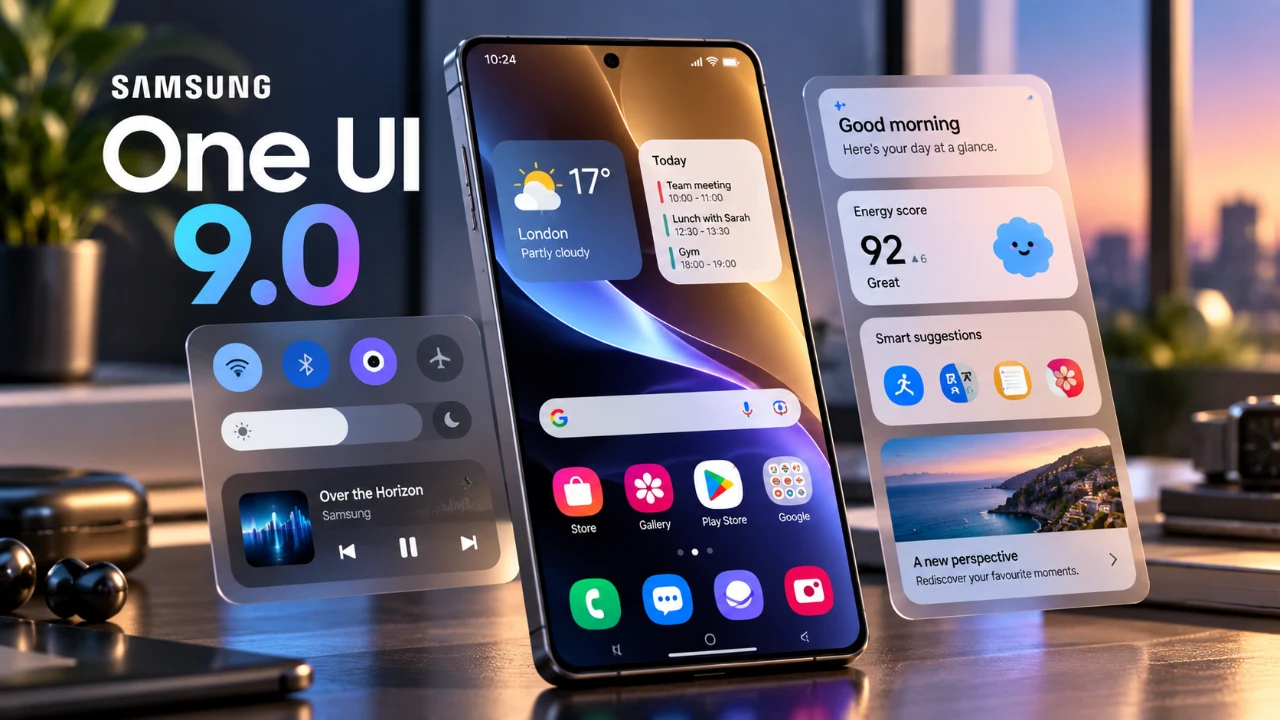
Samsung’s One UI 9.0 introduces a robust suite of updates aimed at enhancing the overall experience for Galaxy device users. With a focus on customization, usability, AI integration, security, and productivity, this update offers a well-rounded set of tools designed to cater to both casual users and tech enthusiasts. By balancing convenience with advanced functionality, One UI 9.0 redefines how you interact with your device, making it more intuitive and efficient. The video below from Sakitech gives us more details about the update.
Redesigned Home Screen for Enhanced Usability
The home screen in One UI 9.0 has been thoughtfully redesigned to prioritize accessibility and efficiency. A new Google search bar and Finder bar are now positioned at the bottom of the screen, making sure they are within easy reach for one-handed use. These elements replace the older widget-based search bars and are fully customizable, allowing you to tailor the home screen to your preferences. This layout not only maximizes screen space but also maintains a clean and functional design, making sure a seamless user experience.
AI-Powered Features for Smarter Interactions
Artificial intelligence takes center stage in One UI 9.0, introducing features that adapt to your unique habits and preferences. The customizable “Now Brief” cards provide real-time updates on essential information such as weather, health metrics and personalized video recommendations. Another standout feature is the “My Fan Cam,” which uses AI to focus on specific individuals in videos, making sure that your recordings capture the most important moments and people. These AI-driven tools enhance the way you interact with your device, making it more intuitive and personalized.
Refined Quick Panel and Media Controls
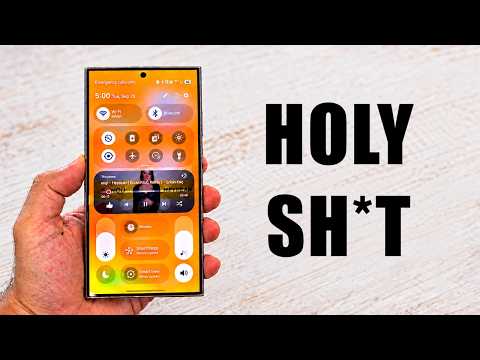
The Quick Panel in One UI 9.0 has been redesigned to improve both its functionality and visual appeal. Key updates include the separation of the dark mode and sound mute buttons, allowing for better organization and easier access. Users can now adjust the size and layout of toggles to suit their preferences, making sure a more personalized experience. Additionally, the introduction of a resizable music player widget enhances media control, providing a more efficient way to manage your audio playback directly from the Quick Panel.
Advanced File Management and Productivity Tools
Managing files and documents has become more streamlined with the updates in One UI 9.0. The My Files app now includes a built-in PDF preview feature, eliminating the need for third-party applications. Samsung Notes complements this by introducing PDF editing capabilities, allowing users to annotate, highlight, or redact documents directly within the app. These enhancements are particularly beneficial for professionals and students, as they simplify workflows and improve productivity.
Samsung Notes also introduces a “tape” tool for redacting sensitive information in documents. This feature allows users to conceal text or images using customizable colors and patterns, making it an invaluable tool for securely sharing confidential files. Together, these updates demonstrate Samsung’s commitment to creating a more efficient and user-friendly ecosystem.
Good Lock Enhancements and Network Monitoring
For users who enjoy advanced customization, the Good Lock app receives notable updates in One UI 9.0. The QuickStar module now includes a network speed indicator, providing real-time insights into your internet connection. This feature is particularly useful for those who rely on stable connectivity for work or entertainment. By offering greater visibility into network performance, Samsung ensures that users can stay informed and make adjustments as needed.
Strengthened Security and Privacy Features
One UI 9.0 places a strong emphasis on security and privacy, offering users greater control over their data. Notifications now provide detailed information about the usage of the microphone, camera and location, making sure complete transparency. Additionally, app permissions can be managed directly from the notification panel, allowing for quick adjustments without navigating through multiple menus. These updates reflect Samsung’s dedication to protecting user privacy while maintaining a seamless and intuitive interface.
Innovative Camera and Video Features
Photography and videography enthusiasts will find plenty to appreciate in One UI 9.0. The new dual split-screen recording feature allows users to simultaneously use the front and rear cameras, making it ideal for creating dynamic content such as vlogs, interviews, or tutorials. Enhanced video recording options further expand creative possibilities, making sure that the camera app remains versatile and user-friendly. These updates cater to both casual users and professionals, offering tools that elevate the quality of your content.
Enhanced Tools for Everyday Productivity
The Phone app introduces a “Call Brief” feature, which displays relevant calendar events during calls. This addition helps users manage their schedules more effectively by providing contextual information in real time. For drivers, the new “Driving Overview” feature tracks metrics such as speed, acceleration and distance. Importantly, this data is stored locally on your device, making sure privacy while helping you analyze and improve your driving habits. These tools demonstrate Samsung’s commitment to integrating practical features that enhance daily life.
A Holistic Update for Diverse User Needs
One UI 9.0 represents a significant step forward for Samsung Galaxy devices, offering a blend of innovation and practicality. From AI-driven personalization and enhanced security to advanced file management and creative tools, this update caters to a wide range of user needs. Whether you prioritize customization, functionality, or privacy, One UI 9.0 delivers a refined and empowering experience that helps you make the most of your device.
Advance your skills in One UI 9.0 by reading more of our detailed content.
- Samsung Rolls Out One UI 9: is Your Galaxy Phone Eligible?
- Why One UI 9’s Subtle Changes Make It Samsung’s Smartest Android 17 Update Yet
- One UI 9: Game-Changing Features Every Samsung User Needs to Find
- Samsung Galaxy Phones Receive a 1GB+ Feature Drop Update
- Your Samsung Galaxy Watch is Getting a Major Upgrade—Here is What Changes
- Samsung Galaxy Watch 9 & Ultra 2 Details Leak: Is This the Smartwatch Upgrade of the Year?
Source & Image Credit: sakitech
Disclosure: Some of our articles include affiliate links. If you buy something through one of these links, Geeky Gadgets may earn an affiliate commission. Learn about our Disclosure Policy.
