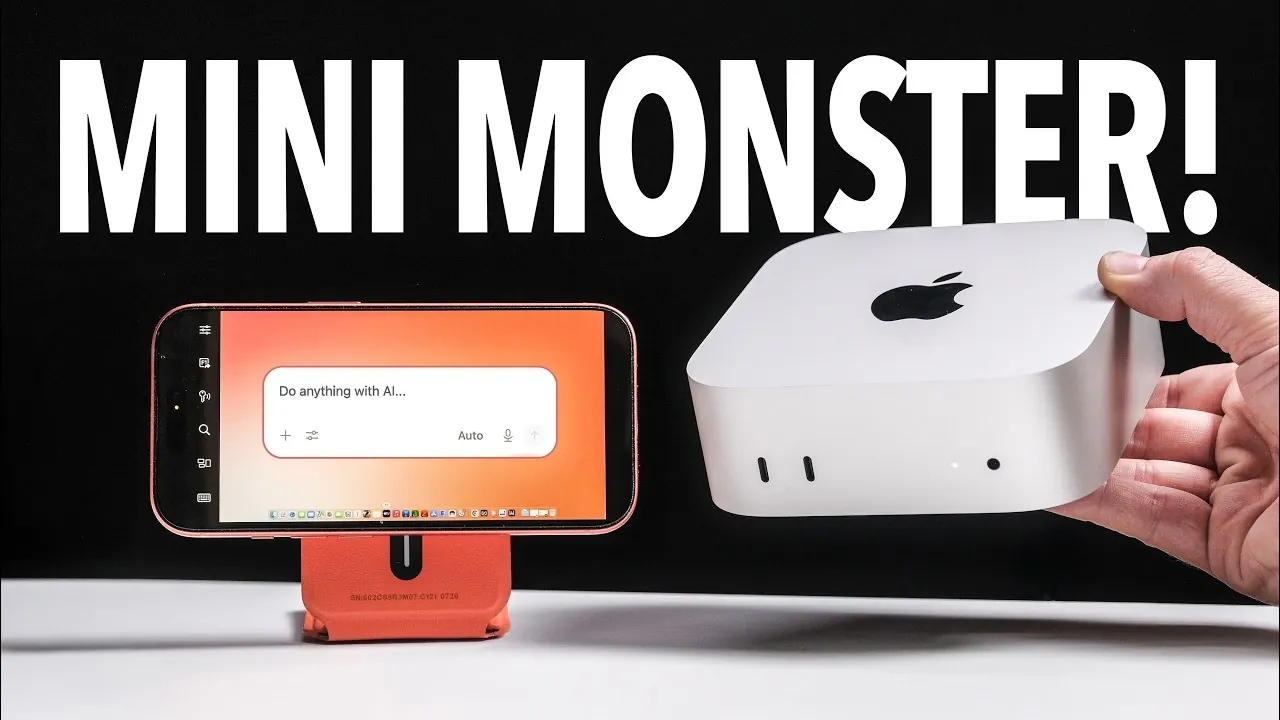
The Mac Mini M6 serves as a compact and capable platform for building a private AI hub, allowing users to run advanced AI models locally without relying on cloud services. According to Better Creating, this approach emphasizes data privacy and cost-efficiency by using platforms like Anything LLM to download and operate AI models directly on the device. With at least 24 GB of RAM and adequate storage, the M6 can handle tasks such as document embedding, knowledge base creation and other resource-intensive AI workloads.
Discover how to configure your Mac Mini for AI-specific tasks, including selecting compatible hardware upgrades and exploring software options like Open Web UI and Misti.AI. Learn practical applications such as automating workflows, managing sensitive data securely and generating creative outputs. This overview provides clear steps to help you design a local AI system tailored to your specific requirements.
TL;DR Key Takeaways :
- The Mac Mini M5 Pro and M6 models enable private, offline AI systems, offering enhanced data privacy and reduced reliance on cloud services.
- Local AI setups on Mac Mini provide cost-effective solutions for tasks like document processing, conversational AI and creative projects, with the M6 model excelling in performance for demanding workloads.
- Key hardware recommendations include at least 24 GB of RAM and ample storage to handle large AI models and datasets efficiently.
- Specialized software tools like Anything LLM, Open Web UI and Misti.AI enhance the functionality of the Mac Mini as a private AI hub for tasks such as knowledge base creation and workflow automation.
- Remote accessibility tools, such as Screens 5, allow users to connect to their Mac Mini AI hub from anywhere, making sure flexibility while maintaining data security.
Why Opt for a Local AI Setup?
Running AI models locally on a Mac Mini provides several compelling advantages, particularly for users who prioritize data security. Platforms like Olama and Anything LLM enable you to download and operate AI models directly on your device, eliminating the need to rely on external cloud services. This ensures that sensitive information remains under your control, minimizing the risks associated with third-party platforms. To set up a local AI system, you’ll need to follow these steps:
- Download pre-trained AI models suited to your requirements.
- Install and configure software tools tailored to your specific use cases.
- Optimize your Mac Mini’s system settings to ensure smooth performance.
For example, Anything LLM allows you to embed documents, create knowledge bases and automate tasks, all while operating offline. This approach not only enhances privacy but also eliminates recurring costs associated with cloud subscriptions, making it a practical solution for both personal and professional use.
Choosing the Right Hardware for AI Tasks
Selecting the appropriate Mac Mini model is critical to achieving optimal performance for AI workloads. The Mac Mini M6 stands out as the best choice for demanding tasks such as document processing, conversational AI and image generation. Its advanced processing capabilities and improved benchmarks make it a top-tier option for power users. When configuring your Mac Mini for AI applications, consider the following hardware specifications:
- RAM: A minimum of 24 GB is recommended for handling large AI models and multitasking efficiently.
- Storage: Ensure you have ample space to store AI models, datasets and related files.
While the M6 model is ideal for intensive workloads, the M5 Pro and even the M4 models can serve as budget-friendly alternatives for less demanding applications. This flexibility ensures that users with varying needs and budgets can still benefit from a local AI setup.

Find more information on local AI by browsing our extensive range of articles, guides and tutorials.
- Ollama Runs 32B Local AI Models on a $599 Mac via Quantization for Free
- Awesome DIY Raspberry Pi 5 Offline AI Companion Inspired by BMO from Adventure Time
- Beelink GTR9 Pro : The AMD Ryzen AI Max Plus 395 Mini PC Outperforming the Big Guys
- Forget the Cloud: This Tiiny Pocket PC Packs 80GB RAM for Local AI
- $40K Apple Mac Studio RDMA Setup: 1 TFLOP per Node, 3.7 TFLOPS Across Four
- New DeepSeek Harness Runs AI Workflows on Local Systems
- Apple Silicon AI Performance: Local Al on Apple Silicon Uses 7X Less RAM
- How DeepSeek Fits a 284B Parameter AI Model on a Single Laptop
- 128GB Ryzen AI Halo Replaces Cloud Servers for Local AI
- AMD’s $3,500 Strix Halo Mini PC Excels in Mixture-of-Experts
Capabilities of Local AI Models
Local AI models running on a Mac Mini can perform a wide array of tasks, ranging from data analysis to creative projects. Here are some of the key applications:
- Analyze and organize large datasets for research or business purposes.
- Generate context-aware responses for conversational AI systems.
- Create high-quality images, videos, or other creative outputs.
The Mac Mini M6 excels in multitasking, allowing it to handle multiple processes simultaneously without compromising performance. This makes it a versatile tool for professionals, researchers and creatives alike.
Remote Accessibility for Enhanced Flexibility
One of the standout features of using a Mac Mini as an AI hub is its remote accessibility. Tools like Screens 5 allow you to connect to your Mac Mini from an iPad, laptop, or other devices, providing portable access to your AI system. This capability is particularly beneficial for professionals working in hybrid or remote environments, as it enables seamless productivity regardless of location.
By combining local AI capabilities with remote desktop tools, you can maintain flexibility while making sure that your data remains secure and under your control.
Software Tools to Maximize Your AI Hub
To fully unlock the potential of your private AI hub, you’ll need to use specialized software tools. Some of the most effective options include:
- Open Web UI: A robust tool for advanced workflows and natural language processing tasks.
- Misti.AI: Ideal for document embedding and automating repetitive tasks.
- Perplexity Computer: A versatile solution for managing complex AI operations.
- Anything LLM: Excels at creating and managing knowledge bases for various applications.
These tools allow you to customize your AI hub to suit your unique needs, whether you’re managing sensitive data, automating workflows, or exploring creative projects.
Practical Applications of Offline AI Systems
Offline AI systems powered by the Mac Mini are well-suited for a variety of use cases. Some of the most common applications include:
- Organizing and managing large volumes of documents efficiently.
- Building and maintaining comprehensive knowledge bases for research or business purposes.
- Creative tasks such as content generation, video editing and image manipulation.
For users who require both privacy and scalability, hybrid setups that combine local AI systems with cloud-based services can offer additional flexibility. This approach allows you to balance the benefits of offline processing with the scalability of cloud resources when needed.
Cost and Accessory Considerations
Setting up a private AI hub with a Mac Mini is a cost-effective solution, especially when compared to high-end servers or cloud-based alternatives. The Mac Mini’s compact design allows you to reuse existing peripherals such as monitors, keyboards and external storage devices, keeping additional expenses to a minimum. For those starting from scratch, investing in high-quality accessories can enhance your overall experience without significantly increasing your budget.
Who Benefits from This Setup?
A Mac Mini-based AI hub is an excellent solution for a wide range of users, including:
- Privacy-conscious individuals: Those who prioritize keeping sensitive data secure and offline.
- Power users: Professionals who require advanced capabilities for demanding AI tasks.
- Creative individuals: Users exploring AI-driven workflows for content creation, design, or other artistic endeavors.
Whether you’re managing confidential information, conducting research, or experimenting with AI applications, the Mac Mini M5 Pro and M6 models provide a versatile and reliable platform tailored to your needs.
Media Credit: Better Creating
Disclosure: Some of our articles include affiliate links. If you buy something through one of these links, Geeky Gadgets may earn an affiliate commission. Learn about our Disclosure Policy.
