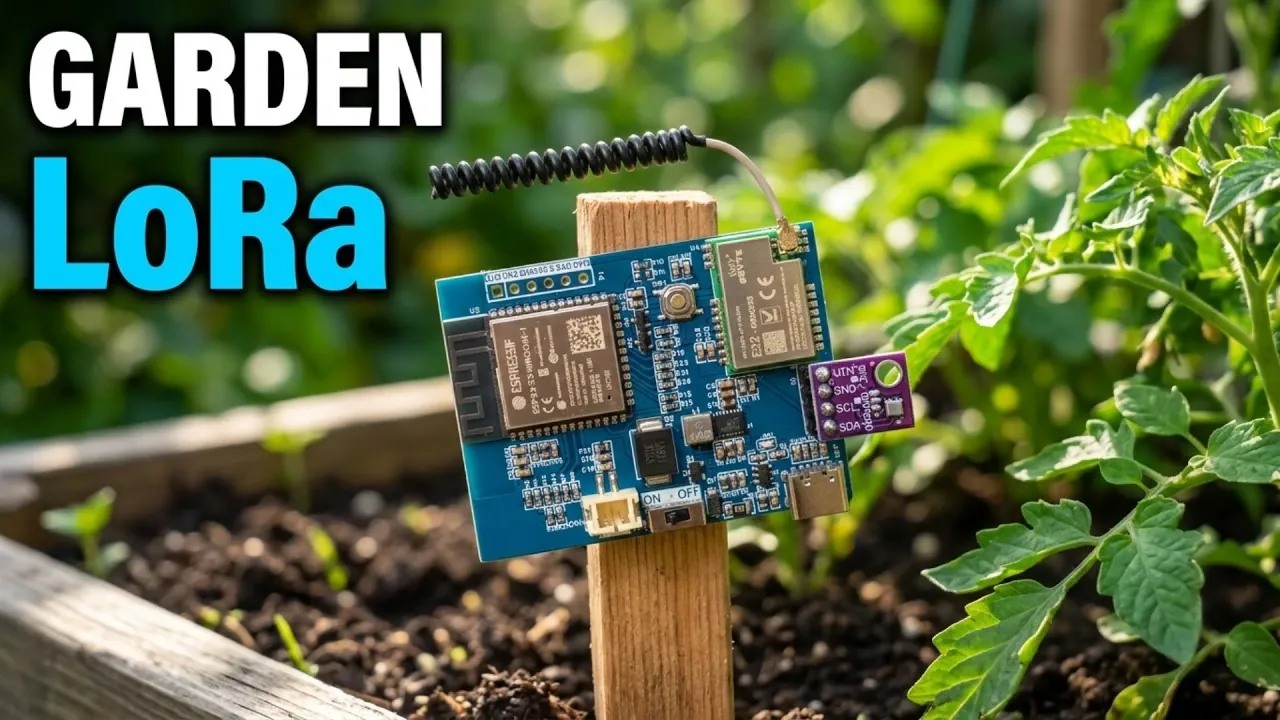
Building a DIY ESP32 LoRaWAN sensor node allows for monitoring environmental conditions in areas without traditional connectivity, such as gardens. According to How To Electronics, the process involves assembling components like the ESP32-S3 microcontroller, a BME280 sensor for temperature and humidity measurements and the EBYTE E22-900M22S LoRa module for long-range data transmission. This combination enables tracking specific parameters, including vapor pressure deficit (VPD) and atmospheric pressure, which can support better plant health and irrigation management.
Learn how to configure a LoRaWAN gateway for communication, program the ESP32-S3 using Arduino IDE and display real-time data on platforms like Datacake. Gain insight into creating a reliable PCB layout, interpreting sensor payloads and testing the system in outdoor conditions to ensure consistent functionality. These steps provide a clear path to building a customized monitoring system for your garden.
Why Build a LoRaWAN Sensor Node?
TL;DR Key Takeaways :
- LoRa technology and IoT platforms enable long-distance environmental monitoring, making it ideal for remote areas like gardens, with data transmission up to 600 meters from a LoRaWAN gateway.
- The DIY ESP32 LoRaWAN sensor node measures temperature, humidity, atmospheric pressure, dew point and vapor pressure deficit (VPD) to optimize plant health and irrigation schedules.
- Key hardware components include the ESP32-S3 microcontroller, EBYTE E22-900M22S LoRa module, BME280 sensor and a rechargeable LiPo battery for efficient outdoor operation.
- Integration with cloud-based platforms like Datacake allows real-time data visualization and remote monitoring through custom dashboards accessible via computers or smartphones.
- Proper configuration and testing of the sensor node and LoRaWAN gateway ensure reliable, scalable and actionable insights for sustainable environmental management.
Creating a LoRaWAN sensor node offers a practical solution for long-distance environmental monitoring. LoRa technology enables data transmission over distances of up to 600 meters from a LoRaWAN gateway, making it ideal for monitoring gardens or other remote locations. By tracking key environmental parameters such as temperature, humidity and VPD, you can make informed decisions to improve plant health, optimize irrigation schedules and enhance overall garden management. This system is particularly beneficial for gardeners, farmers and IoT enthusiasts seeking to harness technology for sustainable practices.
What You’ll Need: Hardware Components
To build your sensor node, you’ll need the following components:
- ESP32-S3 microcontroller: Serves as the central processing unit, managing sensor data and communication with the LoRa module.
- EBYTE E22-900M22S LoRa module: A robust transceiver based on the SX1262 chip, making sure reliable long-range data transmission.
- BME280 sensor: A compact sensor that measures temperature, humidity and atmospheric pressure with high accuracy.
- LiPo battery: Provides a rechargeable power source, complete with a USB Type-C charging circuit for ease of use.
These components combine to create a compact, energy-efficient device capable of operating in outdoor environments. Their modular design ensures flexibility for future upgrades or modifications.

Enhance your knowledge on ESP32 by exploring a selection of articles and guides on the subject.
- $5 ESP32-S3 Super Mini Packs Wi-Fi and Bluetooth
- The $4 ESP32 S3 Super Mini Packs a 240 MHz Dual-Core Chip
- How an $8 ESP32 S3 Microcontroller Runs a 28.9M Parameter Local LLM
- 5 ESP32 Projects Worth Building in 2026: Such as an Apple HomeKit Controller
- $4 ESP32 Module Brings Wi-Fi and Bluetooth to IoT Projects
- Replacing Security Cameras with Three $10 ESP32S3 Wi-Fi Boards
- ESP32-S3 Super Mini Costs $5 and Packs Wi-Fi and Bluetooth
- ESP32-S3 Super Mini Brings 240 MHz Dual-Core Power For $4
- ESP32 S31 Devkit Hands-on: 320 MHz RISC-V Chip Adds Wi-Fi 6
- Build a DIY Open-Source Flipper Zero Using a ESP32-DIV
Designing the Circuit and PCB
The hardware design process begins with creating a functional circuit that integrates the microcontroller, LoRa module and sensor. Key considerations during this phase include:
- Power management: Making sure stable and efficient power delivery from the LiPo battery to all components.
- PCB layout: Designing a compact and organized circuit board to house the components securely.
- Gerber file generation: Preparing the necessary files for PCB manufacturing to ensure precise and accurate production.
A well-designed PCB minimizes signal interference, enhances durability and ensures the sensor node is suitable for outdoor deployment. Proper attention to detail during this stage is critical for the system’s long-term reliability.
Programming the Sensor Node
Programming the ESP32-S3 microcontroller is essential to bring your sensor node to life. Using the Arduino IDE, follow these steps to configure the system:
- Install necessary libraries, including RadioLib for LoRa communication and Adafruit BME280 for sensor integration.
- Set up LoRaWAN parameters, such as OTAA (Over-The-Air Activation) for secure authentication and the US915 frequency plan for regional compliance.
- Write and upload code to collect sensor data, format it into payloads and transmit it via LoRaWAN to the gateway.
This programming phase ensures your sensor node is fully functional and capable of transmitting data efficiently to the LoRaWAN gateway.
Setting Up the Gateway
The LoRaWAN gateway acts as the bridge between your sensor node and the internet. For this project, the Dragino LPS8N indoor LoRaWAN gateway is a reliable choice. To configure the gateway:
- Connect the gateway to your local network and register it with a LoRaWAN network server, such as The Things Network (TTN).
- Enable data forwarding to IoT platforms like Datacake for seamless visualization and analysis.
Proper gateway configuration ensures uninterrupted data transmission from the sensor node to the cloud, allowing real-time monitoring and analysis.
Visualizing Data with Datacake
Datacake, a cloud-based IoT platform, simplifies the process of visualizing data collected by your sensor node. To set up data visualization:
- Decode the LoRaWAN payload to extract environmental parameters such as temperature, humidity and VPD.
- Create custom widgets on the Datacake dashboard to display the collected data in a user-friendly format.
- Access the dashboard remotely via a computer or smartphone for real-time monitoring and decision-making.
This step allows you to stay informed about your garden’s environmental conditions from anywhere, making sure timely interventions when necessary.
Testing the System Outdoors
After assembling and configuring your sensor node and gateway, it’s crucial to test the system in a real-world environment. During outdoor testing:
- Deploy the sensor node in your garden, making sure it is within the gateway’s range for optimal data transmission.
- Monitor the Datacake dashboard to verify the accuracy and consistency of the transmitted data.
Successful testing confirms the system’s reliability and demonstrates its ability to provide actionable insights into environmental conditions over long distances.
Building a Reliable Monitoring System
By using LoRa technology, the ESP32-S3 microcontroller and Datacake, you can create a robust and scalable DIY sensor node for remote environmental monitoring. This project highlights the seamless integration of hardware, software and cloud platforms to deliver a practical solution for long-distance data collection. Whether you’re a gardener aiming to optimize plant health or an IoT enthusiast exploring innovative applications, this system offers a precise, efficient and user-friendly way to monitor environmental conditions in real time.
Media Credit: How To Electronics
Disclosure: Some of our articles include affiliate links. If you buy something through one of these links, Geeky Gadgets may earn an affiliate commission. Learn about our Disclosure Policy.
