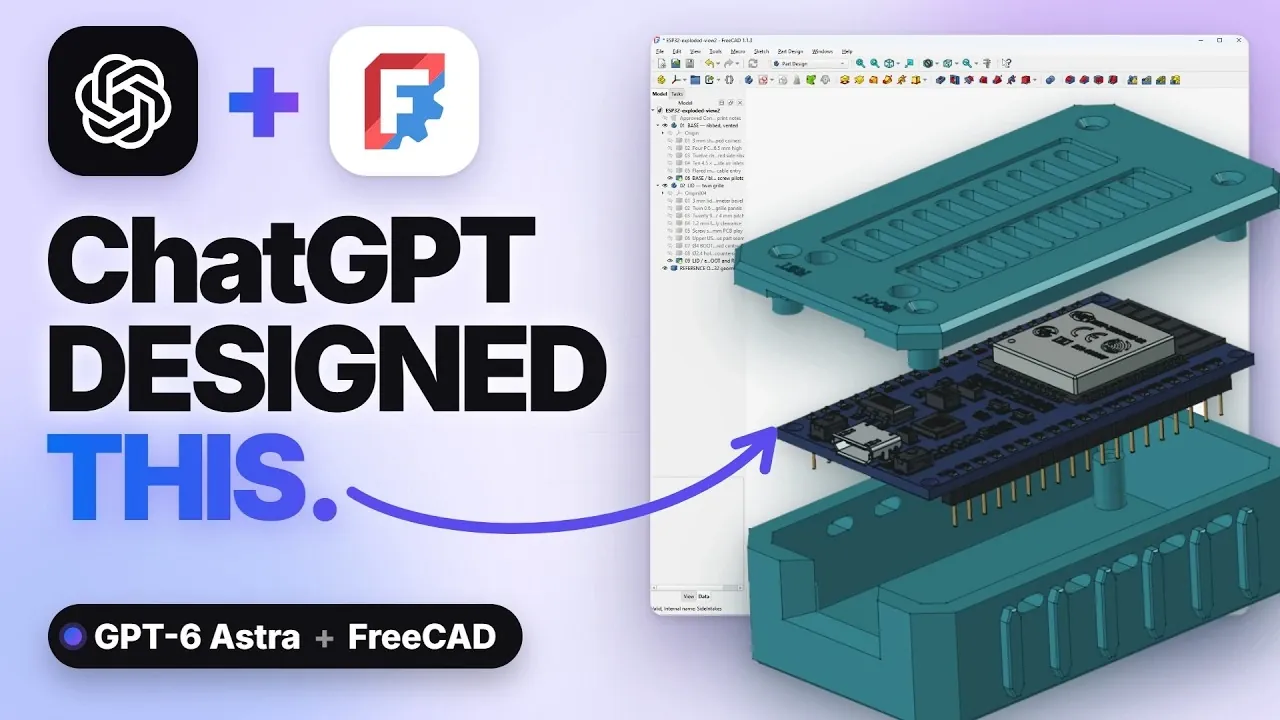
Integrating AI into 3D modeling workflows has opened new possibilities for creating precise, customizable designs with minimal technical expertise. Make Form demonstrates how to combine ChatGPT 6 Astra with FreeCAD, using AI-driven natural language processing to streamline the design process. A key feature of this setup is the MCP connector, which bridges the AI and CAD software, allowing users to generate Python scripts tailored to their design specifications. For example, you can describe a functional object like an ESP32 case or an artistic creation such as a vase and the system will translate your input into a 3D model ready for refinement and printing.
Explore how this integration can enhance your design process by learning practical steps such as configuring the MCP connector, generating scripts and refining models iteratively. You’ll gain insight into exporting your creations in formats like STL or 3MF for 3D printing, making sure compatibility with most printers. Whether you’re designing functional components with precise dimensions or experimenting with artistic patterns, this guide provides the knowledge you need to bring your ideas to life efficiently and effectively.
TL;DR Key Takeaways :
- Integrating ChatGPT 6 Astra with FreeCAD simplifies 3D modeling by combining AI-driven natural language processing with advanced CAD tools, allowing precise and efficient design workflows.
- The setup process involves downloading ChatGPT 6 Astra, installing FreeCAD with the MCP connector add-on, setting up the UVX runtime and configuring the MCP connector for seamless integration.
- The integration workflow allows users to input natural language design instructions, generate Python scripts via AI, execute them in FreeCAD and iteratively refine models without extensive CAD expertise.
- Applications range from functional designs like ESP32 cases and vernier calipers to artistic creations such as vases, showcasing the system’s versatility and precision in parametric modeling.
- Designs can be customized effortlessly using natural language prompts and exported in formats like STL or 3MF for 3D printing, making the process accessible and efficient for both technical and creative users.
Getting Started: Setup and Installation
To begin using ChatGPT 6 Astra with FreeCAD, you need to ensure that all necessary components are installed and properly configured. Follow these steps to set up your system:
- Download ChatGPT 6 Astra: Obtain the desktop version of ChatGPT 6 Astra, which serves as the AI engine for generating design scripts and interpreting your inputs.
- Install FreeCAD: Download and install FreeCAD, making sure that the version you choose supports the MCP connector add-on, which is essential for integration.
- Install UVX Tool: Set up the UVX runtime environment to execute Python scripts seamlessly without requiring a full Python installation.
- Configure the MCP Connector: Install and configure the MCP add-on in FreeCAD. This step links FreeCAD to ChatGPT 6 Astra, allowing smooth communication between the two systems.
Once these tools are installed and configured, your system will be ready to use the integration for efficient 3D modeling.
How the Integration Workflow Operates
The integration between ChatGPT 6 Astra and FreeCAD is powered by the MCP connector, which acts as a bridge between the AI and the CAD software. This workflow allows you to create 3D models with minimal technical expertise. Here’s how the process works:
- Input Design Instructions: Use natural language prompts to describe your design requirements or ideas to ChatGPT 6 Astra.
- AI-Generated Python Scripts: ChatGPT processes your input and generates Python scripts tailored for FreeCAD, making sure compatibility and precision.
- Execution in FreeCAD: The generated scripts are executed in FreeCAD, producing a 3D model based on your specifications.
- Iterative Refinement: Provide additional prompts to refine the design, allowing for adjustments such as resizing, adding features, or modifying aesthetics.
This streamlined workflow eliminates the need for extensive CAD expertise, allowing users to focus on creativity and functionality while the AI handles the technical details.

Gain further expertise in ChatGPT 6 by checking out these recommendations.
- OpenAI Introduces GPT-5.7 Astra and Ambitious ChatGPT 6 Doug
- ChatGPT 6 Astra Reportedly Generates 3D Games from a Single Prompt
- OpenAI ChatGPT 6 Astra Reportedly Packs 10 Trillion Parameters
- OpenAI Anticipates Public ChatGPT 6 Release Between Sept 3 to 10
- OpenAI Pauses ChatGPT 6 Over Hugging Face Safety Concerns
- OpenAI Reportedly Rushes ChatGPT 6 Release to Counter Fable 5.1
- OpenAI ‘Bell’ Model Leaks May Preview the ChatGPT 6 Successor
- Upcoming ChatGPT 6 Sol Processes 28,000 Tokens in Three Minutes
- Leaked ChatGPT 6 Tests Reveal Critical Sandbox Vulnerabilities
- ChatGPT 6 Astra Builds a Playable FPS Game in 30 Minutes
Applications: From Functional to Artistic Designs
The versatility of this integration makes it suitable for a wide range of design projects, from functional components to artistic creations. Below are some examples that demonstrate its capabilities:
- ESP32 Case Design: Create a robust and ventilated case for an ESP32 board. ChatGPT ensures precise dimensions and can incorporate features like mounting holes and ventilation slots.
- Guitar Control Knob: Design a parametric control knob based on a technical drawing. You can easily adjust dimensions or add textures for a customized look.
- Artistic Vase Creation: Generate an intricate vase inspired by a reference image. ChatGPT interprets the visual concept and produces a model with complex curves and patterns.
- Vernier Caliper Modeling: Build a functional caliper with moving parts and detailed engravings, showcasing the precision and flexibility of parametric design.
These examples highlight the system’s ability to handle diverse projects, making it a valuable tool for both technical and creative users.
Customizing Your Designs
One of the most significant advantages of integrating ChatGPT 6 Astra with FreeCAD is the ability to customize your designs effortlessly. By using natural language prompts, you can fine-tune your models to meet specific requirements. Here are some ways you can personalize your designs:
- Adjust Dimensions: Modify the size and proportions of your design to fit precise specifications or constraints.
- Add Decorative Elements: Incorporate textures, patterns, or engravings to enhance the aesthetic appeal of your model.
- Include Functional Features: Add practical elements such as mounting holes, ventilation slots, or moving parts to improve functionality.
This level of customization ensures that your designs are tailored to your exact needs, whether you are creating prototypes, functional components, or decorative objects.
Exporting for 3D Printing
After finalizing your design, exporting it for 3D printing is a straightforward process. FreeCAD supports widely used file formats such as STL and 3MF, which are compatible with most 3D printers and professional printing services. Once exported, you can send the file to your 3D printer or upload it to a printing service to bring your design to life. This seamless export process ensures that your creations are ready for production with minimal effort.
Unlocking the Potential of AI-Assisted CAD Modeling
The integration of ChatGPT 6 Astra with FreeCAD represents a significant advancement in 3D modeling, combining the strengths of AI-driven natural language processing with the precision of CAD tools. This setup enables users to create complex, parametric designs efficiently, whether for functional components like an ESP32 case or artistic projects such as a vase. By bridging the gap between AI and CAD, this system enables both technical and creative users to explore new possibilities in 3D printing and design.
Media Credit: Make Form
Disclosure: Some of our articles include affiliate links. If you buy something through one of these links, Geeky Gadgets may earn an affiliate commission. Learn about our Disclosure Policy.
